How to Fix Molecular Dynamics System Instability: A Troubleshooting Guide for Researchers
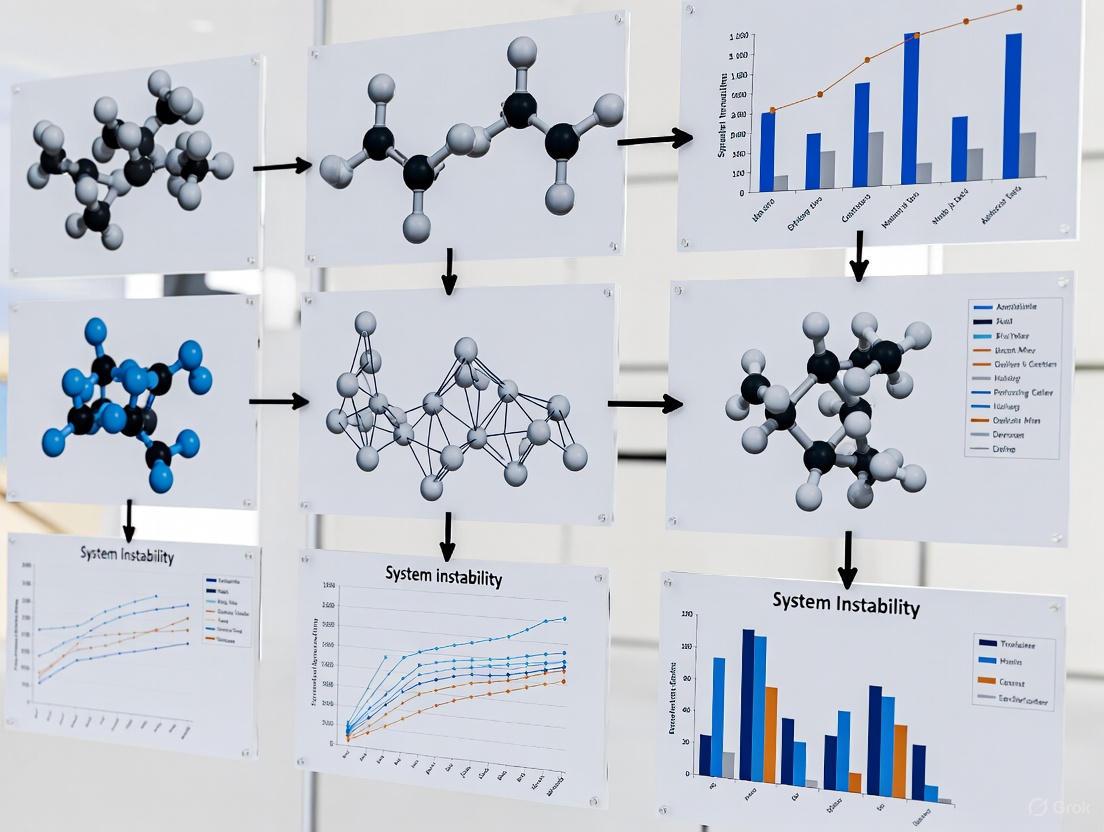
Molecular dynamics (MD) simulations are powerful but prone to instability that can invalidate results and waste computational resources.
How to Fix Molecular Dynamics System Instability: A Troubleshooting Guide for Researchers
Abstract
Molecular dynamics (MD) simulations are powerful but prone to instability that can invalidate results and waste computational resources. This article provides a comprehensive, step-by-step framework for researchers and drug development professionals to diagnose, resolve, and prevent MD system crashes. Covering everything from foundational principles and robust setup methodologies to advanced troubleshooting and rigorous validation, the guide synthesizes current best practices to ensure stable, reliable, and scientifically meaningful simulations.
Understanding the Root Causes of MD Instability
Frequently Asked Questions (FAQs)
Q1: My simulation run ends with a solver error about an "unstable system." What does this mean? This typically means that parts of your system are not properly restrained and are undergoing rigid body motion. In a molecular dynamics context, this is akin to a molecule or part of a structure "flying away" because it lacks sufficient constraints or proper bonding interactions to counteract the applied forces, leading to a divergent solution that the solver cannot handle [1].
Q2: My simulation runs but the RMSD plot shows massive, unstable fluctuations. Is this a system instability?
Large, unstable fluctuations in Root Mean Square Deviation (RMSD) can indeed indicate a problem. While some fluctuation is normal, significant jumps or deviations (e.g., from 1 nm to 7 nm) can signal issues. It is recommended to first check your trajectory processing, for instance by using commands like gmx trjconv -pbc nojump to correct for periodic boundary condition artifacts before concluding that the system itself is unstable [2].
Q3: How can I tell if my results are "unphysical"? Unphysical results are those that violate fundamental physical laws or expected behaviors. Examples include:
- Excessive Displacements: Atoms or bodies moving far beyond what applied forces would allow [1].
- Energy Explosions: A non-physical, continuous increase in the system's total energy.
- Unrealistic Configurations: The simulation leads to molecular geometries that are not chemically or physically possible.
Q4: For nano-scale systems, what specific attractive forces can cause pull-in instability? In Nano-Electro-Mechanical Systems (NEMS), the interplay of attractive forces is critical. For separation gaps generally larger than 20 nm, the Casimir force (which varies with the inverse fourth power of the separation distance) is a dominant cause of pull-in instability. At smaller separations (below ~20 nm), the van der Waals force (varying with the inverse cube of the distance) becomes the primary concern [3].
Troubleshooting Guide: Diagnosing and Resolving Instabilities
Method 1: The "Soft Springs" Stability Test
This method helps identify which parts of your system are unstable by applying a gentle, stabilizing force and observing what moves excessively.
Experimental Protocol:
- Create a Test Study: Duplicate your unstable simulation study (e.g., label it "Gravity Test").
- Simplify Physics: Replace all complex external loads with a simple, uniform load like gravity.
- Apply Soft Springs: In the study settings, activate the "Use soft springs to stabilize model" option.
- Run and Analyze: Execute the simulation. The solver may warn of excessive displacements; proceed to save the results.
- Identify Unstable Bodies: Create a displacement plot with the deformed shape visualization turned off. Bodies showing high displacement (e.g., in red on a color gradient) are the unstable components requiring additional constraints [1].
Method 2: Frequency Analysis for Rigid Body Modes
This technique uses a frequency or modal analysis to detect components that are free to move as rigid bodies.
Experimental Protocol:
- New Study: Create a new frequency-type study (e.g., "Frequency Test").
- Copy Constraints: Transfer all fixture and contact definitions from the original study. Replace any non-bonded contacts (e.g., "no penetration") with bonded contacts for stability testing.
- Set Solver Properties: In the study properties, enable "Use soft spring to stabilize the model" and select a 'Direct Sparse' solver type for robustness.
- Run and Interpret: Run the analysis. The presence of natural frequencies very close to zero (or the first few mode shapes showing large, rigid movements) confirms the existence of unstable bodies [1].
Method 3: The "Build-Up" Approach
This is a systematic, bottom-up method to ensure every part of your system is properly connected.
Experimental Protocol:
- Start from Scratch: Duplicate your study and label it "Build Up." Initially, exclude all bodies from analysis.
- Establish a Stable Base: Re-include one "base" body that can be firmly fixed (e.g., with a "Fixture" constraint). Run the study to confirm stability.
- Iteratively Add Components: Gradually include adjacent bodies one by one. For each new body, explicitly define bonded contact sets to connect it to the already-stable part of the assembly.
- Test at Each Step: Run the study after adding each new body or small group of bodies. If instability occurs, you know the issue lies with the most recently added components or their contact definitions [1].
Quantitative Data on Forces Causing Instability
The table below summarizes key forces that can lead to pull-in instability in micro- and nano-scale devices, which are often the subject of MD simulations [3].
Table 1: Attractive Forces in NEMS/MEMS Leading to Pull-In Instability
| Force Type | Governing Equation | Range of Applicability | Key Parameter |
|---|---|---|---|
| Casimir Force | ( F_{cas} = \frac{\pi^2 \hbar c w L}{240(g-y)^4} ) | Separation gaps generally > 20 nm | ( \hbar ): Reduced Planck's constant; ( c ): Speed of light [3] |
| van der Waals Force | ( F{vdw} = \frac{AH w L}{6\pi(g-y)^3} ) | Separation gaps < 20 nm | ( A_H ): Hamaker's constant [3] |
The Scientist's Toolkit: Essential Research Reagents & Materials
Table 2: Key Components for Studying Instability in MD Simulations of NEMS
| Item / Solution | Function in the Experiment |
|---|---|
| Silicon Nano-wire | A common deformable electrode geometry used to study pull-in instability and the effects of Casimir forces at the nanoscale [3]. |
| Carbon Nanotube (CNT) | Used as a cantilever deformable electrode. Its mechanical properties and high aspect ratio make it ideal for investigating instability in NEMS switches and sensors [3]. |
| Graphene Sheet | Often serves as a rigid, fixed substrate electrode in NEMS experiments, providing a well-defined surface for interaction with nano-wires or CNTs [3]. |
| Pairwise Casimir Potential | An atomistic potential (e.g., ( U(r_{ij}) = C/r^7 )) used in MD frameworks to incorporate the effect of long-range Casimir forces, which is crucial for accurate simulation of instability in nanoscale gaps [3]. |
Experimental Workflow for MD System Stability Analysis
The diagram below outlines a logical workflow for diagnosing and resolving system instability in molecular dynamics simulations, integrating the methods described above.
Troubleshooting Guides and FAQs
Troubleshooting Guide: Identifying and Resolving Steric Clashes
Steric clashes are unphysical overlaps between non-bonding atoms in a molecular structure and are a common artifact in low-resolution models and homology models. Left unresolved, they can cause instability in molecular dynamics simulations [4].
Quantitative Identification of Steric Clashes
| Metric | Definition | Acceptable Threshold |
|---|---|---|
| Clash-Score | The total Van der Waals repulsion energy from all clashes, divided by the number of atomic contacts checked [4]. | ≤ 0.02 kcal·mol⁻¹·contact⁻¹ [4] |
| Van der Waals Repulsion Energy | The energy calculated for a specific atomic overlap using force field non-bonded parameters (e.g., CHARMM19) [4]. | > 0.3 kcal/mol (0.5 kBT) defines a clash [4] |
Step-by-Step Protocol for Clash Resolution
The following workflow, "Automated Clash Minimization", outlines the automated protocol for resolving severe steric clashes in protein structures.
- Quantitative Clash Analysis: Use a tool like the Chiron server to calculate the clash-score of your input structure. This provides a quantitative measure of the severity of steric clashes, independent of protein size [4].
- Automated Minimization: If the clash-score is unacceptable, proceed with an automated minimization protocol using a method like Discrete Molecular Dynamics (DMD). DMD is a robust method for resolving severe clashes with minimal backbone perturbation, even for larger proteins [4].
- Validation: Re-calculate the clash-score of the refined structure to confirm it falls within the acceptable range derived from high-resolution crystal structures [4].
Frequently Asked Questions (FAQs)
Q: When I visualize my simulation trajectory, I see holes in the solvent, broken molecules, or my protein diffusing out of the box. What is wrong?
A: This is typically not an error. This is the expected behavior when visualizing simulations that use Periodic Boundary Conditions (PBC). PBC are used to mimic an infinite system, meaning atoms that exit one face of the box simultaneously re-enter from the opposite face. The appearance of "holes" or molecules leaving the box are visualization artifacts [5]. These issues can be fixed after the simulation by processing the trajectory file with tools like gmx trjconv in GROMACS to make molecules whole and center the system [5] [6].
Q: How do I prevent water molecules from being placed inside my protein or lipid membrane during solvation?
A: The solvate tool can sometimes place water molecules in undesired locations, like within alkyl chains of lipids. To prevent this, you can create a local copy of the vdwradii.dat file in your working directory and increase the van der Waals radius for the relevant atoms. A commonly recommended value is 0.375 nm instead of the default 0.15 nm for carbon atoms in lipid chains, which creates a larger exclusion zone and suppresses interstitial water placement [6].
Q: My homology model has severe steric clashes. Why can't I just use simple energy minimization to fix it?
A: While steepest descent or conjugate gradient minimization with molecular mechanics force fields is a common first step, it may fail to resolve severe clashes. For these challenging cases, more robust protocols like those using Discrete Molecular Dynamics (DMD) or knowledge-based potentials (e.g., in Rosetta) are often necessary. These methods are specifically designed to handle large, unphysical atomic overlaps with minimal distortion to the overall protein fold [4].
Q: Should I provide my own temperature coupling group for a handful of ions in my system?
A: No. A temperature-coupling group must be of sufficient size to justify its own thermostat. Applying a thermostat to a very small group, like a few ions, can introduce errors and artifacts because many thermostat algorithms are designed to work well only in the thermodynamic limit (large number of particles). It is generally best to couple ions to the larger group of the solvent in which they are dissolved [5] [6].
The Scientist's Toolkit: Essential Research Reagents & Materials
The following table details key computational tools and resources used in the preparation and refinement of molecular structures for simulation.
| Item Name | Function / Explanation |
|---|---|
| CHIRON Web Server | An automated, quantitative tool for identifying and resolving severe steric clashes in protein structures using Discrete Molecular Dynamics (DMD) [4]. |
gmx trjconv Utility |
A core GROMACS tool for processing molecular dynamics trajectories to fix periodicity artifacts for visualization and analysis, such as making molecules whole and centering the system [5]. |
vdwradii.dat File |
A parameter file that defines atomic van der Waals radii. Modifying it allows users to control solvent placement during system setup by creating larger exclusion zones [6]. |
| Discrete Molecular Dynamics (DMD) | A simulation engine that uses square-well potentials for rapid sampling. It is effective for resolving steric clashes more robustly than some conventional minimizers [4]. |
| High-Resolution Structure Dataset | A curated set of experimentally determined protein structures (e.g., resolution < 2.5 Å) used to define a statistically acceptable baseline for native-like steric clashes (clash-score) [4]. |
Frequently Asked Questions (FAQs)
Q1: What does "energy drift" mean in a Molecular Dynamics simulation? Energy drift refers to a gradual, unphysical change in the total energy of a simulated system over time. In a perfectly energy-conserving system, the total energy should fluctuate around a constant value. A significant upward or downward trend indicates that energy is being artificially added to or removed from the system, compromising the physical realism of the simulation and the validity of its results [7].
Q2: My simulation has a significant energy drift. Where should I start looking for the problem? Begin by investigating the most common culprits, which can be broadly categorized into three areas:
- Force Field Accuracy: The underlying model defining interatomic interactions may be inaccurate or incompatible with your system [7].
- Numerical Integration Errors: Inaccuracies in solving the equations of motion, often related to time step size or the specific integrator used, can introduce energy errors at every step [8].
- Dielectric Boundary Forces: In implicit solvent simulations (e.g., Poisson-Boltzmann), inaccurate calculation of forces at the boundary between different dielectric regions (e.g., solute and solvent) is a known source of energy violation [8].
Q3: How can a machine learning potential cause energy non-conservation? A machine learning (ML) potential can cause non-conservation in two key ways. First, the ML model may provide forces that are not the true negative gradient of its predicted energy, leading to a violation of the fundamental law of energy conservation. Second, the model might produce reasonable-looking forces or trajectories that are nonetheless not energy-conserving because they are not derived from a potential energy function at all. It is crucial to distinguish between the conservation of the simulation's internal energy and the conservation of the "true" physical energy [7].
Q4: What is a simple check for true-energy non-conservation? A practical approach is to monitor the simulated system's ability to replicate physically meaningful observables. For instance, you can simulate infrared spectra and evaluate the quality of the result against experimental or highly accurate theoretical data. Significant deviations suggest a high degree of true-energy non-conservation in your dynamics [7].
The following table outlines common issues, their diagnostic signatures, and recommended corrective actions.
| Source of Drift | Diagnostic Symptoms | Corrective Actions |
|---|---|---|
| Inaccurate Force Calculation [8] | - Energy drift in implicit solvent simulations.- Unphysical forces on atoms near dielectric boundaries. | - Implement more accurate numerical methods for force calculation, such as the Immersed Interface Method (IIM).- Apply charge singularity removal techniques. |
| Incompatible Force Field [7] | - Unphysical dissociation of molecules during simulation.- Poor replication of known physical properties (e.g., infrared spectra). | - Validate the force field for your specific system.- For ML potentials, ensure forces are the true gradient of the energy.- Use proposed new criteria to evaluate true-energy conservation. |
| Lyapunov Instability & Sampling [9] | - Chaotic trajectories that are sensitive to initial conditions.- Difficulty obtaining reproducible averages for correlation functions (e.g., for ionic conductivity). | - Accept instability as a feature for sampling.- Use efficient "order-n" algorithms for on-the-fly calculation of correlation functions (e.g., MSD).- Ensure proper analysis techniques (e.g., compensating for box size changes in NpT simulations). |
| Numerical Solver Inaccuracy [8] | - Slow convergence of reaction field energies with grid spacing in finite-difference methods.- Inaccurate forces. | - Use harmonic averaging for dielectric constants at interfaces.- Employ more advanced interface treatments like IIM to achieve uniform high-order accuracy. |
Experimental Protocols for Diagnosis and Validation
Protocol 1: Validating Implicit Solvent Models
This methodology is used to diagnose energy drift originating from the treatment of dielectric boundaries in implicit solvent simulations [8].
- 1. Objective: To evaluate the accuracy of reaction field energies, forces, and dielectric boundary forces for a known test system.
- 2. System Preparation:
- Construct a single dielectric sphere model, a well-studied analytical test system.
- Define a piece-wise constant dielectric model (e.g., ε=1 inside the sphere, ε=80 outside).
- Place a test charge at a defined location within the sphere.
- 3. Simulation & Analysis:
- Solve the Poisson’s equation using a finite-difference method on a uniform Cartesian grid.
- Treatment 1: Apply a simple harmonic average (HA) for dielectric constants at grid midpoints straddling the interface [8].
- Treatment 2: Apply the Immersed Interface Method (IIM), which enforces interface conditions into the discretization at grid points near the interface [8].
- Calculate and compare the reaction field energies and forces from both treatments against the known analytical solution.
- Quantify the improvement in accuracy and convergence rate with decreasing grid spacing.
- 4. Interpretation: The IIM method is expected to show significant improvement in both energies and forces, highlighting the importance of accurate boundary force calculation for energy conservation.
Protocol 2: Assessing True-Energy Conservation
This protocol provides a practical method to evaluate the physical realism of a simulation, which is particularly relevant for simulations using ML potentials or other methods where energy conservation is not guaranteed [7].
- 1. Objective: To estimate the degree of true-energy non-conservation in a molecular dynamics simulation.
- 2. System Preparation:
- Prepare your system as usual for the production simulation.
- 3. Simulation & Analysis:
- Run a standard MD simulation to generate a trajectory.
- From this trajectory, compute a physically meaningful observable that can be compared against a reliable benchmark. A recommended test is the simulation of infrared spectra.
- Quantitatively compare your simulated spectra with high-quality experimental data or results from highly accurate (e.g., quantum mechanical) calculations.
- 4. Interpretation: The degree of agreement between your simulation and the benchmark serves as a criterion for true-energy conservation. Large discrepancies indicate that the simulation, even if internally consistent, does not conserve true physical energy.
Visualizing the Troubleshooting Workflow
The following diagram illustrates a logical pathway for diagnosing and addressing energy drift in MD simulations.
The Scientist's Toolkit: Key Research Reagents & Solutions
This table details essential computational tools and methodologies referenced in the troubleshooting of energy conservation.
| Item Name | Function in Research | Technical Specification / Purpose |
|---|---|---|
| Immersed Interface Method (IIM) [8] | Improves accuracy at dielectric boundaries in implicit solvent simulations. | A finite-difference method that incorporates jump conditions at the dielectric interface into the discretization scheme, leading to uniform high-order accuracy. |
| Harmonic Averaging (HA) [8] | Standard treatment for dielectric constants at grid midpoints in finite-difference methods. | Assigns the dielectric constant at a midpoint between two grid points using a weighted harmonic mean of the two dielectric constants, improving energy convergence. |
| True-Energy Conservation Criteria [7] | Evaluates the physical realism of a simulation beyond internal energy conservation. | A set of proposed criteria, such as benchmarking simulated infrared spectra, to assess whether a simulation conserves true physical energy. |
| Order-n Correlation Function Algorithm [9] | Enables efficient calculation of correlation functions (e.g., for MSD) on-the-fly. | An algorithm for calculating time-correlation functions with linear computational complexity in the number of particles, avoiding the need for large trajectory files. |
Frequently Asked Questions (FAQs)
1. Are large pressure fluctuations in my simulation a sign of a problem? No, large instantaneous pressure fluctuations are entirely normal in molecular dynamics simulations. Pressure is a macroscopic property, and its instantaneous value at the microscopic scale is not well-defined and can oscillate significantly. For a small box of 216 water molecules, fluctuations of 500-600 bar are standard. These fluctuations decrease with the square root of the number of particles; a system 100 times larger will still have fluctuations of about 50-60 bar [10]. The average pressure over time is what matters for correctness.
2. My temperature fluctuates. Is my thermostat broken?
No, the goal of a thermostat is not to keep the instantaneous temperature constant, but to ensure the average temperature of the system is correct and that the size of the fluctuations is appropriate. Fluctuations are expected and their magnitude is proportional to 1/sqrt(N_atoms), meaning they are more pronounced in smaller systems [11]. A good thermostat ensures the simulation samples the correct statistical ensemble.
3. What are acceptable energy fluctuations in an NVE simulation? In an NVE (microcanonical) ensemble, the total energy should be conserved. A common heuristic is that fluctuations on the order of 1 part in 5000 of the total system energy per ~20 timesteps are often considered acceptable, though this can be system-dependent. The key is to check for the absence of a systematic drift in the total energy over time, which would indicate an issue with the integration timestep or other simulation parameters [12].
4. Why does my molecule look broken or extend outside the box when I visualize it?
This is typically not an error but a visualization artifact due to Periodic Boundary Conditions (PBC). Molecules are free to diffuse across the boundaries of the simulation box. When an atom exits one side of the box, it re-enters from the opposite side. This can make molecules appear fragmented. The solution is to process your trajectory file with a tool like gmx trjconv (in GROMACS) using commands like -pbc mol or -pbc nojump to "re-make" molecules whole before visualization [2] [10].
Troubleshooting Guides
Pressure Fluctuations: Normal vs. Problematic
The table below summarizes key characteristics to help you diagnose pressure-related issues:
| Feature | Normal Fluctuations | Signs of Potential Problems |
|---|---|---|
| Magnitude | Hundreds of bar are typical for standard system sizes [10]. | Drastic, orders-of-magnitude changes that correlate with system deformation. |
| Average Value | Averages to the reference pressure set in the barostat over time [13]. | Consistent, significant deviation from the reference pressure over the production run. |
| System Size | Scale as 1/sqrt(N_atoms) [10]. |
Unusually large even for very large systems. |
| Impact on Structure | No impact on the stability of the biomolecular structure. | Coupled with unfolding, compression, or dissolution of the solute. |
Diagnostic Protocol:
- Calculate the Average: Use your MD analysis tools to compute the average pressure over your production simulation. Do not rely on instantaneous values.
- Check the Trajectory: Visually inspect the trajectory to ensure the solute (e.g., protein) remains stable and the solvent density looks uniform. Look for catastrophic collapse or expansion.
- Verify Barostat Settings: Confirm that the
compressibilityvalue in your input file is appropriate for your solvent (e.g.,4.5e-5 bar⁻¹for water) and that thetau_p(barostat time constant) is set to a reasonable value (e.g., 1-5 ps) [13].
Pressure Fluctuation Diagnosis
Temperature Control and Thermostat Configuration
Common Thermostat Pitfalls:
- Over-coupling: Using too many separate thermostat groups (e.g., one for the protein, one for water, one for ions) can introduce artifacts. For a protein simulation,
tc-grps = Protein Non-Proteinis usually sufficient and recommended [10]. - Incorrect Thermostat for Small Systems: Avoid using thermostats like Nosé-Hoover or Berendsen for components with very few degrees of freedom (e.g., a non-interacting ligand in free energy calculations) [10].
- Slow Equilibration: If the temperature of different system components equilibrates too slowly, try switching the thermostat coupling regime. For example, in CP2K, using
REGION MASSIVE(which couples 3 degrees of freedom per atom) instead ofREGION GLOBALcan lead to faster equipartition [11].
Best Practices:
- Use a thermostat known to sample the correct statistical ensemble (e.g., stochastic thermostats like Langevin for small systems or Nose-Hoover for larger ones).
- Apply the thermostat to the entire system or large, logically connected groups.
- Ensure the thermostat time constant (
tau_t) is not set too aggressively, which can artificially suppress natural fluctuations.
Temperature Stabilization Guide
Energy Conservation in NVE Simulations
Diagnosing Energy Drift: A systematic drift in total energy in an NVE simulation indicates a problem with the integration algorithm or energy conservation. The table below lists common culprits and solutions.
| Issue | Symptom | Solution |
|---|---|---|
| Timestep Too Large | Energy drift increases with larger timesteps. | Reduce the integration timestep (e.g., from 2 fs to 1 fs). |
| Incorrect Treatment of Long-Range Electrostatics | Energy drift and structural artifacts. | Use a more accurate method like Particle Mesh Ewald (PME). |
| Constraint Algorithm Errors | Energy drift, especially with bond constraints. | Ensure a robust constraint algorithm like P-LINCS is used and correctly parametrized [10]. |
| Round-off Error | Can be an issue in single precision simulations. | Use double precision for more sensitive calculations. |
| Incorrect PBC Handling | Energy drift and "blowing up" of molecules. | Use -pbc nojump during trajectory processing for analysis, but ensure PBC are correctly implemented in the simulation itself [2]. |
The Scientist's Toolkit: Essential Research Reagents
The table below details key computational "reagents" and their functions in ensuring stable MD simulations.
| Item | Function | Example/Note |
|---|---|---|
| Parrinello-Rahman Barostat | A robust barostat for pressure coupling that samples the correct NPT ensemble. | Preferred over simpler barostats like Berendsen for production runs [13]. |
| Langevin Thermostat | A stochastic thermostat good for small systems and providing correct ensemble sampling. | Good choice for solvated ligands or small proteins [10]. |
| Leap-frog Integrator | A numerical algorithm for integrating Newton's equations of motion. | Common default in many packages like GROMACS due to its efficiency and stability [10]. |
| Particle Mesh Ewald (PME) | A method for accurately calculating long-range electrostatic interactions. | Critical for avoiding artifacts and energy drift in simulations of charged systems [10]. |
| LINCS/P-LINCS | Algorithms for constraining bond lengths, allowing for a longer integration timestep. | P-LINCS is the parallel version, essential for stable simulations with constraints [10]. |
gmx trjconv Utility |
A trajectory processing tool for fixing PBC artifacts, centering, and fitting. | Essential for both analysis and visualization [2] [10]. |
The Impact of Force Field Selection and Compatibility on System Stability
Troubleshooting Guides & FAQs
Frequently Asked Questions
Q1: My simulation crashed or shows unrealistic protein motions. Could the force field be the problem? Yes, this is a common issue. An incorrectly chosen or parameterized force field is a frequent cause of instability. Using a force field designed for proteins on a carbohydrate system, or mixing incompatible force fields for different parts of your system (e.g., a protein and a drug-like ligand), can disrupt the balance of interactions, leading to unphysical behavior or crashes [14]. Always select a force field validated for your specific type of molecule.
Q2: How can I check if my force field is compatible with all molecules in my system? Thorough validation is key. First, visually inspect your initial structure for steric clashes or distorted geometries that may cause instability [14]. Second, after minimization, check that the potential energy of the system is negative and that key thermodynamic properties like temperature, pressure, and density have stabilized during equilibration [15] [14]. For non-standard molecules like ligands, ensure parameters were generated to be compatible with the main force field [14].
Q3: What does a stable, equilibrated system look like before I start production runs? Before beginning production simulation, your system should show stable plateaus in key thermodynamic properties under the chosen ensemble (NVT, NPT) [14]. Monitor the following:
- Potential Energy: Should be negative and stable [15].
- Temperature and Pressure: Should fluctuate around your set points [15].
- System Density: Should remain at a reasonable, stable value [15].
- Root Mean Square Deviation (RMSD): Should plateau, but note that a flat RMSD alone does not guarantee correct thermodynamic behavior [14].
Q4: Are large fluctuations in RMSD always a sign of force field problems?
Not necessarily. First, rule out technical artifacts. Large, sudden jumps in RMSD can be caused by molecules crossing periodic boundaries, which can be corrected using trajectory analysis tools (e.g., gmx trjconv -pbc nojump in GROMACS) [2]. However, if corrections are applied and the protein still shows large, unstable deviations from its native state, it could indicate that the force field's energy surface does not favor the folded structure, potentially due to inaccuracies in the backbone or side-chain dihedral parameters [16] [14].
Troubleshooting Guide: Force Field-Related Instabilities
The table below outlines common symptoms, their potential causes, and corrective actions.
| Symptom | Potential Cause | Corrective Action |
|---|---|---|
| Simulation crashes during energy minimization or early in dynamics | Poor starting structure with steric clashes; Severe force field incompatibility for a specific molecule [14]. | Extend minimization; Visually inspect and repair the initial structure; Check protonation states; Re-parameterize non-standard molecules [14]. |
| Unrealistic protein unfolding or large, unstable RMSD fluctuations | Incorrect backbone potential in the force field; Inaccurate side-chain dihedral parameters; PBC artifacts in analysis [16] [2]. | Use a modern, validated force field (e.g., CHARMM36, AMBER ff99SB-ILDN); Correct for PBC in trajectory analysis [16] [2]. |
| Unphysical ligand behavior (e.g., drifting away, distorted geometry) | Ligand parameters are incompatible with the protein/water force field; Inaccurate torsion profiles for the ligand [17] [14]. | Use a compatible small molecule force field (e.g., GAFF2 with AMBER, CGenFF with CHARMM); Ensure ligand parameters are derived to work with the main force field [14]. |
| System density, pressure, or energy fails to stabilize during equilibration | Inadequate equilibration protocol; Incorrect or unbalanced non-bonded (vdW) parameters [14] [18]. | Extend equilibration until properties plateau; Validate force field's reproduction of liquid-state properties (density, enthalpy of vaporization) [18]. |
Experimental Protocols
Protocol 1: Validating and Equilibrating a System for Stable Production Dynamics
This protocol ensures your system is stable and well-equilibrated before starting production runs, minimizing force field-related instabilities.
1. System Preparation
- Structure Check: Obtain your initial structure (e.g., from PDB) and meticulously check for missing atoms, residues, and correct protonation states at your desired pH using tools like PDbfixer or H++ [14].
- Force Field Selection: Choose a force field specifically developed for your molecule (see Table 1). Do not mix force fields unless they are explicitly designed to be compatible [14].
- Parameter Generation: For any non-standard molecules (e.g., ligands, cofactors), use tools that generate parameters compatible with your main force field (e.g., CGenFF for CHARMM, GAFF for AMBER) [14].
- Solvation and Ionization: Solvate the system in an appropriate water model (e.g., TIP3P) and add ions to neutralize the charge and achieve physiological concentration.
2. Energy Minimization
- Objective: Remove any residual steric clashes and relax the structure into a local energy minimum.
- Method: Use a robust energy minimization algorithm like steepest descent or conjugate gradient. Continue until the maximum force is below a reasonable threshold (e.g., 1000 kJ/mol/nm) [14].
3. System Equilibration
- Principle: Gently introduce temperature and pressure to the system while restraining the heavy atoms of the solute (e.g., protein backbone). This allows the solvent and ions to relax around the solute.
- NVT Equilibration: Simulate for 50-100 ps in the NVT ensemble (constant Number of particles, Volume, and Temperature) with solute restraints. Monitor temperature stability.
- NPT Equilibration: Simulate for 100-200 ps (or longer if needed) in the NPT ensemble (constant Number of particles, Pressure, and Temperature) with solute restraints. Monitor pressure and system density for stability.
- Final NPT Equilibration: Run a final NPT equilibration without any restraints. This is a critical step. Verify equilibration by ensuring the potential energy, density, temperature, and pressure have all reached a stable plateau [14].
4. Pre-Production Checks
- Visual Inspection: Visually examine the final equilibrated structure to ensure no gross distortions have occurred.
- Metric Validation: Generate a Ramachandran plot for a protein to check for reasonable secondary structure [15].
Protocol 2: A Methodology for Evaluating Force Field Performance on a Protein System
This protocol provides a framework for assessing whether a force field produces stable, physically accurate dynamics for a protein.
1. Simulation Setup
- Prepare the protein system as described in Protocol 1, using the force field under evaluation.
- Run multiple independent simulations (at least 3) with different initial random seeds to ensure observed behaviors are reproducible and not stochastic artifacts [14].
2. Production Simulation
- Run a production simulation of a length sufficient to observe the dynamics of interest (e.g., hundreds of nanoseconds to microseconds for larger conformational changes).
3. Analysis and Validation Compare simulation-derived observables against experimental or benchmark data where available.
- Structural Stability: Calculate the backbone RMSD relative to the native structure. While a stable RMSD is good, it is not sufficient alone [14].
- Local Flexibility: Calculate the Root Mean Square Fluctuation (RMSF) of residue positions. Compare with experimental B-factors from crystallography [14].
- Secondary Structure: Monitor the retention of known secondary structural elements (e.g., alpha-helices, beta-sheets) over time using tools like DSSP.
- Ensemble Validation (if possible): Compare NMR observables such as spin relaxation rates or residual dipolar couplings (RDCs) if experimental data exists [14].
Workflow Diagrams
Force Field Selection and Stability Analysis Workflow
Force Field Parameterization and Compatibility Logic
The Scientist's Toolkit: Research Reagent Solutions
Table 1: Common Biomolecular Force Fields and Their Applications
| Force Field | Primary Application | Key Characteristics | Common Pairing for Small Molecules |
|---|---|---|---|
| CHARMM36 [16] [19] | Proteins, Nucleic Acids, Lipids | Detailed parameters for biomolecules; Good for membrane systems and protein-ligand interactions [19]. | CHARMM General Force Field (CGenFF) [14] |
| AMBER (e.g., ff19SB, ff14SB) [16] [19] | Proteins, Nucleic Acids | Emphasis on accurate backbone and side-chain dihedrals; Widely used in protein folding and drug binding studies [16] [19]. | General AMBER Force Field (GAFF/GAFF2) [17] [14] |
| GROMOS [16] [19] | Proteins, Lipids, Carbohydrates | Unified atom design; High computational efficiency; Suitable for large-scale simulations like lipid membranes [19]. | GROMOS-compatible parameter sets |
| OPLS/OPLS-AA [16] [19] | Proteins, Organic Molecules | Originally parameterized for liquid simulations; Strong performance in drug design and protein-ligand binding [19] [18]. | OPLS-based small molecule parameters |
Table 2: Key Parameterization and Validation Techniques
| Method | Function | Reference |
|---|---|---|
| Quantum Mechanics (QM) Calculations [17] [18] | Provides target data (e.g., torsion energy profiles, electrostatic potentials) for deriving bonded and non-bonded force field parameters. | [17] [18] |
| Genetic Algorithms (GA) [18] | An optimization technique that automates the fitting of force field parameters (e.g., van der Waals terms) to reproduce experimental data. | [18] |
| Graph Neural Networks (GNN) [17] | A machine learning approach that predicts force field parameters for a molecule directly from its structure, enabling expansive chemical space coverage. | [17] |
| Liquid-State Property Validation [18] | The process of testing parameter sets by simulating neat liquids and comparing results to experimental density and enthalpy of vaporization. | [18] |
Building Stable Systems: Robust Setup and Parameter Selection
A guide to building stable molecular dynamics systems from imperfect initial structures.
Molecular dynamics (MD) simulations of biomolecules are powerful tools in structural biology and drug discovery. However, system instability during simulation often originates from errors in the initial structure preparation phase. This guide provides specific, actionable solutions to correct common issues in protein structure files, ensuring a more robust and physically realistic foundation for your MD research.
Frequently Asked Questions
- Q: Why does my simulation crash with errors about "bad contacts" or "bonds rotating more than 30 degrees"?
- A: This is a classic sign of an unstable system. The culprit is often an inadequately prepared initial structure. Before investing computational resources in long production runs, ensure your structure has been properly corrected for missing atoms, correct protonation states, and has undergone sufficient energy minimization to relieve steric clashes [20].
- Q: My tool reports "atom X in residue Y not found in residue topology database." What does this mean?
- A: This error indicates a mismatch between the atom names in your coordinate file and the names defined in the force field's residue database. The force field is not "magical"; it can only build topologies for molecules defined in its database. Solutions include renaming the atoms in your structure to match the database or, if the residue is entirely missing, parameterizing the molecule yourself or finding a compatible topology file [21].
- Q: I have a raw PDB file from the Protein Data Bank. What are the most common defects I need to fix before simulation?
- A: PDB files from experimental sources often lack hydrogen atoms, have incomplete side chains, contain missing residues in the sequence (gaps), and use non-standard naming for residues or atoms. Furthermore, the protonation states of residues like histidine, glutamine, and asparagine are often ambiguous and must be assigned based on the local hydrogen-bonding environment [22] [23].
- Q: How do I handle the protonation states of histidine and other ambiguous residues?
- A: A single, static configuration is often insufficient. Research suggests that for many proteins, multiple rotamer and protonation states are energetically accessible and consistent with the experimental data. Protocols like the Rotamer and Protonation Assignment (RAPA) analyze the local environment to identify a set of unique, consistent states. Investigate these states to ensure your simulation is not biased by an incorrect initial assignment [22].
Troubleshooting Guide: Common Structure Preparation Errors
The table below outlines frequent errors encountered during structure preparation with pdb2gmx and other tools, along with their diagnoses and solutions.
| Error Message / Symptom | Diagnosis | Solution |
|---|---|---|
| "Residue not found in residue topology database" [21] | The force field does not have an entry for this residue, or the residue name in your file is incorrect. | 1. Check for alternative residue names in the force field database.2. Manually create a topology (.itp) file for the molecule.3. Use a different force field with parameters for your residue. |
| "WARNING: atom X is missing in residue Y" [21] | The structure is incomplete. Common for hydrogen atoms or heavy atoms noted in PDB REMARK 465/470 records. |
1. Use -ignh to let pdb2gmx add correct hydrogens.2. For missing heavy atoms, use tools like PDBrestore, Chimera, or Modeller to complete the structure [23]. |
| "Long bonds and/or missing atoms" [21] | Severe structural incompleteness causing topology building to fail. | Use dedicated structure repair software to model in the missing atoms before proceeding with topology generation. |
| Simulation instability (bond rotation, bad contacts) [20] | The initial structure may have steric clashes, incorrect geometry, or wrong protonation states. | 1. Ensure all missing atoms are added and protonation states are correct.2. Run a thorough energy minimization protocol.3. Consider a multi-step equilibration with position restraints. |
| Ambiguous rotamer/protonation states for ASN, GLN, HIS [22] | The local hydrogen-bonding environment allows for more than one chemically plausible state. | Use a protocol like RAPA to identify the set of energetically accessible states instead of choosing a single state. Run simulations for multiple consistent configurations. |
Experimental Protocol: A Workflow for Robust Structure Preparation
The following workflow, incorporating modern tools and best practices, ensures a comprehensive approach to preparing a stable initial structure for MD simulation.
Methodology
- Initial Analysis and Fetching: Begin by obtaining your raw structure, either from a local file or by fetching it from the PDB using its 4-character code.
- Structural Repair: Use a specialized tool like PDBrestore to perform initial repairs. This includes adding hydrogen atoms, completing missing atoms in side chains, and identifying disulfide bridges [23].
- Gap Filling: If the protein sequence has missing residues (gaps), these must be filled. PDBrestore employs a "divide and conquer" strategy, generating the missing subsequence in an all-trans conformation and testing different orientations to find the optimal fit with minimal steric clashes, followed by energy minimization [23].
- Protonation State Assignment: Critically assess the protonation states of ambiguous residues like histidine, asparagine, glutamine, serine, threonine, and tyrosine. Do not rely on a single static assignment. Employ a method like the RAPA protocol to identify all rotamer and protonation states that are energetically consistent with the local hydrogen-bonding environment of the crystal structure [22].
- Ligand and Cofactor Parameterization: For any non-standard molecules (e.g., drugs, cofactors, metal ions), derive topology and parameter files. Tools like PDBrestore can generate GAFF2 parameters for ligands for use with GROMACS [23]. Always ensure metal-coordinating residues (like cysteines or histidines) have the correct topology.
- Final Energy Minimization: The final, complete structure (protein, repaired gaps, corrected states, ligands, and cofactors) should undergo a final energy minimization using a force field like AMBER99SB-ILDN to relieve any remaining atomic clashes and optimize the geometry [23].
The following diagram illustrates the logical sequence of this workflow, highlighting the critical decision points.
The Scientist's Toolkit: Research Reagent Solutions
Essential software tools and resources for preparing molecular structures.
| Tool / Resource | Function | Application Context |
|---|---|---|
| PDBrestore [23] | Web-based tool for repairing PDB files: adds H, fixes side chains, fills gaps, parameterizes ligands. | Streamlines the initial, cumbersome preparation of protein-ligand structures from raw PDB files for MD. |
| RAPA Protocol [22] | A self-consistent approach to assign rotamer and protonation states beyond a single configuration. | Identifies multiple energetically accessible states for ambiguous residues (ASN, GLN, HIS, etc.). |
| CHARMM-GUI [23] | A web-based graphical user interface for setting up complex MD systems, including membrane proteins. | An alternative for system building, though may have limitations in gap repair and metal incorporation. |
| AMBER99SB-ILDN [23] | A well-validated force field for proteins. | Used in the final minimization stage to optimize the geometry of the repaired structure. |
| VMD - PSF Plugin [23] | A molecular visualization and analysis program with a plugin to generate protein structure files. | Often used internally by other tools (like PDBrestore) to add missing atoms and hydrogens. |
Frequently Asked Questions (FAQs)
What is the most important rule for choosing a time step? The most critical rule is the Nyquist theorem, which states that your time step must be less than half the period of the fastest vibration in your system to accurately capture its dynamics. [24] In practice, a more conservative ratio of 0.033 to 0.01 of the shortest vibrational period is often recommended for acceptable energy conservation. [24]
What is a typical time step value for a biomolecular system? For systems containing light atoms like hydrogen, a time step of 0.5 to 2 femtoseconds (fs) is standard. [24] When bonds involving hydrogen are constrained (e.g., using algorithms like SHAKE or LINCS), a 2 fs time step is commonly and successfully used. [24]
How can I check if my time step is appropriate? A reliable method is to run a constant energy (NVE) simulation and monitor the conserved quantity (total energy). [24] A significant energy drift indicates an unstable simulation, often due to a time step that is too large. For publishable results, the long-term drift should ideally be less than 1 meV/atom/ps. [24]
What happens if I use a time step that is too large? An excessively large time step leads to instability and artifacts, including: [25] [24]
- Lack of energy conservation: The total energy of the system will drift.
- Loss of equipartition: Energy is not distributed correctly among the different degrees of freedom.
- Numerical blow-up: The simulation may crash due to unphysical forces or the failure of constraint algorithms.
Can I use a larger time step with machine learning? Machine learning algorithms can predict trajectories with longer time steps, but they often do not preserve the geometric structure (symplecticity) of Hamiltonian flow, leading to the energy conservation and equipartition artifacts mentioned above. [25] Emerging methods focus on learning structure-preserving maps, which are equivalent to learning the mechanical action of the system, to enable longer time steps while maintaining physical fidelity. [25]
Troubleshooting Guides
Diagnosing Time Step-Related Instabilities
| Symptom | Possible Cause | Next Diagnostic Step |
|---|---|---|
| Rapid drift in total energy in NVE simulation | Time step too large; Non-symplectic integrator | Check period of fastest vibration (e.g., C-H ~11 fs); Reduce time step to 0.5-2 fs [24] |
| Simulation crashes with "SHAKE failure" | Large time step prevents convergence of bond constraints | Reduce time step; Check for incorrect topology (e.g., misplaced atoms) [24] |
| Lack of equipartition between degrees of freedom | Underlying integrator lacks structure-preserving properties | Verify use of a symplectic and time-reversible integrator like Velocity Verlet [25] [24] |
| Energy drift in NVT/NPT simulations | Time step too large; Incorrect "conserved quantity" for the ensemble | Identify the correct conserved quantity for your Thermostat/Barostat and monitor its drift [24] |
Protocol for Systematically Determining the Optimal Time Step
Objective: To empirically determine the maximum stable time step for a new molecular system.
Principle: The optimal time step is the largest value that does not cause a significant drift in the conserved quantity of the system over a short test simulation. [24]
Procedure:
- Preparation: Start with a well-equilibrated system. The initial configuration should be at a local energy minimum.
- Baseline Test: Run a short (10-50 ps) simulation in the NVE ensemble using a conservative time step (e.g., 0.5 or 1 fs). This establishes a baseline for energy conservation.
- Iterative Testing: Gradually increase the time step (e.g., to 1.5, 2.0, 2.5, 3.0 fs) and for each value, run a new short NVE simulation from the same initial configuration.
- Quantitative Analysis: For each simulation, calculate the drift in the total energy (the conserved quantity for NVE). This is typically done by performing a linear regression of the total energy over time.
- Acceptance Criterion: The maximum acceptable time step is the largest value for which the energy drift remains below your chosen threshold (e.g., < 1 meV/atom/ps for rigorous studies). [24]
- Final Validation: Conduct a longer (100 ps - 1 ns) production simulation in your target ensemble (NVT/NPT) using the selected time step to ensure stability over a more relevant timescale.
Recommended Time Steps for Different Simulation Types
Table 1: Guidelines for time step selection based on system composition and method.
| Simulation Type / Condition | Recommended Time Step | Key Rationale and Notes |
|---|---|---|
| Standard Biomolecules (with constraints) | 2 fs | Default for most systems with constrained bonds to hydrogen. [24] |
| Systems with light atoms (H, D) | 0.25 - 1 fs | Necessary to resolve high-frequency vibrations; essential for accurate hydrogen dynamics. [24] |
| All-atom (no constraints) | 0.5 - 1 fs | Required to resolve the fastest bond vibrations (e.g., C-H period ~11 fs). [24] |
| Machine Learning Integrators | > 10x conventional | Emerging method; requires structure-preserving maps to avoid energy drift. [25] |
| Coarse-Grained Models | 10 - 50 fs | Softer effective potentials from eliminated degrees of freedom allow longer time steps. |
Energy Drift Tolerance Levels
Table 2: Benchmarks for acceptable levels of energy drift in conserved quantities. [24]
| Application Context | Maximum Tolerable Drift | Significance |
|---|---|---|
| Qualitative Results | < 10 meV/atom/ps | Sufficient for observing large-scale conformational dynamics. |
| Publishable Results | < 1 meV/atom/ps | Standard for rigorous, quantitatively accurate scientific studies. |
Advanced Methods for Larger Time Steps
Hydrogen Mass Repartitioning (HMR): This technique allows for a larger time step by artificially redistributing mass from heavy atoms to the bonded hydrogen atoms. [26] This slows down the fastest vibrations (which are mass-dependent), effectively reducing the Nyquist frequency and permitting time steps of up to 4 fs. [26]
Using Constraint Algorithms: Algorithms like SHAKE, LINCS, and SETTLE are fundamental to standard MD practice. [24] They remove the highest frequency vibrations (bond stretches involving hydrogen) from the dynamics, which is why a 2 fs time step becomes stable for most biomolecular systems.
Structure-Preserving (Symplectic) Integrators: Using integrators that preserve the geometric structure of Hamiltonian mechanics (e.g., Velocity Verlet) is crucial for long-term stability. [25] [24] These integrators conserve a "shadow Hamiltonian," ensuring excellent energy conservation even over long simulation times. [25]
Time Step Troubleshooting Workflow
The Scientist's Toolkit
Table 3: Essential software and reagents for stable molecular dynamics simulations. [27] [28]
| Tool Name | Type | Primary Function in MD |
|---|---|---|
| GROMACS | MD Software | High-performance MD engine, excellent for testing and production. [27] [28] |
| AMBER | MD Software | Suite for biomolecular simulations, includes advanced analysis tools. [28] |
| OpenMM | MD Engine | Highly flexible, GPU-optimized toolkit; used in Flare and others. [26] [28] |
| CHARMM | MD Software/Force Field | Comprehensive simulation and analysis program with its own force field. [28] |
| NAMD | MD Software | Fast, parallel MD simulator, often used with VMD for visualization. [28] |
| MDAnalysis | Analysis Tool | Python library for analyzing MD trajectories. [27] |
| VMD | Visualization Tool | Visualization, animation, and analysis of large biomolecular systems. [27] |
| PLUMED | Enhanced Sampling Plugin | Used for free energy calculations and advanced sampling techniques. [27] |
| SHAKE/LINCS | Algorithm | Constrains bond lengths to allow for longer time steps. [24] |
| Velocity Verlet | Algorithm | Symplectic and time-reversible integration algorithm for stable dynamics. [24] |
Frequently Asked Questions
Q: Why is my system's potential energy excessively high at the start of a simulation? A: A very high initial potential energy almost always indicates steric clashes in your initial structure. These are instances where atoms overlap, creating large repulsive forces that can destabilize the simulation. To resolve this, you should perform energy minimization before starting the production dynamics. This process uses algorithms like steepest descent to adjust atomic positions and find a lower energy, clash-free configuration [29].
Q: My minimization is not converging. What should I do? A: Non-convergence can be due to several factors. First, check for persistent steric clashes or unrealistic bond lengths/angles in your initial model. You may need to use a multi-stage minimization approach, starting with strong restraints on the protein backbone to allow solvent and side chains to relax, followed by a full minimization with all restraints removed [30] [29]. Additionally, ensure you are using a sufficient number of minimization steps.
Q: Should I use restraints during minimization? A: Yes, using restraints is a common and recommended practice. A typical protocol involves an equilibration run where heavy atoms of the protein are restrained to their starting positions, allowing the solvent (water and ions) to relax around the structure. This prevents unnecessary distortion of the carefully built protein model while optimizing the solvent environment [30].
Q: What is the difference between energy minimization and equilibration? A:
- Energy Minimization is a static process that seeks the nearest local energy minimum on the potential energy surface. It primarily resolves steric clashes and incorrect geometries without regard to temperature.
- Equilibration is a dynamic process that uses Molecular Dynamics (MD) to bring the system to a stable state at the desired temperature and pressure. It involves gradually releasing restraints and allowing the system to settle into a physiologically realistic ensemble of states [30] [29].
Q: How do I know if my minimization was successful? A: A successful minimization is typically indicated by a stable and low final potential energy, but the most critical indicator is a low root mean square deviation (RMSD) of the forces or the atomic coordinates between successive minimization steps. Many minimization algorithms report convergence when the energy change per step and the maximum force fall below predefined thresholds [29].
Troubleshooting Guide
| Symptom | Possible Cause | Solution |
|---|---|---|
| System explodes during initial dynamics | Severe steric clashes not relieved by minimization; unstable bonds/angles. | Run additional minimization steps; check topology for parameter errors; use stronger restraints during initial equilibration [29]. |
| High energy after minimization | Minimization trapped in a local high-energy minimum; insufficient steps. | Try a conjugate gradient algorithm after initial steepest descent; increase the number of minimization cycles [29]. |
| Large RMSD in backbone during equilibration | Solvent-protein interactions not optimized; restraints released too quickly. | Extend the equilibration phase with positional restraints on protein heavy atoms; ensure water and ions are properly relaxed first [30]. |
| Unphysical distortion of the protein | Inadequate or missing restraints during minimization/equilibration. | Apply harmonic restraints to the protein backbone or alpha-carbons during the initial minimization and early equilibration stages [30]. |
Experimental Protocol: Energy Minimization for an RNA Nanostructure
The following protocol, adapted from methods for RNA systems, outlines a robust energy minimization procedure to prepare a stable system for molecular dynamics [29].
1. Prepare Initial Structure and Topology
- Obtain your initial structure from sources like X-ray crystallography, NMR, or computational design.
- Use a tool like
tleap(in AMBER) to assign force field parameters (e.g.,ff14SBfor proteins,OL3for RNA), create the topology file, and solvate the system in a water box (e.g., TIP3P). Add ions to neutralize the system's charge.
2. Run Initial Minimization with Restraints
- This step relaxes the solvent and ions around the fixed solute.
- Restraints: Apply strong positional restraints (e.g., 50 kcal/mol/Ų) on the heavy atoms of your macromolecule.
- Algorithm: Use the steepest descent method for the first 500-1000 steps, as it is robust for removing large clashes.
- Goal: Minimize until the energy change between steps is sufficiently small (convergence).
3. Run Full System Minimization
- Remove all positional restraints.
- Algorithm: Start with steepest descent for 1000-2500 steps, then switch to a conjugate gradient algorithm for finer optimization until convergence is achieved.
- Goal: Find a low-energy, clash-free starting configuration for the entire system.
This workflow can be visualized as follows:
Minimization and Equilibration Parameters
The table below summarizes key parameters from a documented protocol for achieving a stable minimization [30].
| Parameter | Value | Purpose / Notes |
|---|---|---|
| Initial Minimization Algorithm | Steepest Descent | Effective for removing large steric clashes [29]. |
| Positional Restraints | Applied to protein heavy atoms | Prevents distortion while solvent relaxes [30]. |
| Equilibration Duration | 100 ps | Allows system to stabilize at target temperature/pressure [30]. |
| Pressure Coupling | Turned off during production | After equilibration, system size is typically fixed [30]. |
| Production Simulation | 10 ns (example) | The final, unrestrained simulation used for data collection [30]. |
The Scientist's Toolkit: Essential Research Reagents & Materials
| Item | Function |
|---|---|
| Molecular Dynamics Software | Software packages like AMBER, GROMACS, or NAMD are essential platforms for performing energy minimization and subsequent MD simulations. They contain the force fields and algorithms needed for the calculations [29]. |
| Force Field | A set of empirical parameters (e.g., ff14SB, OL3) that defines the potential energy function, governing bonded and non-bonded interactions between atoms during the simulation [29]. |
| Visualization Tool | Software such as VMD or Discovery Studio Visualizer is critical for inspecting structures pre- and post-minimization, checking for steric clashes, and analyzing trajectories [29]. |
| Solvent Model | A water model (e.g., TIP3P) that represents water molecules in the simulation box, creating a more realistic biological environment than a vacuum [29]. |
| Neutralizing Ions | Ions like Na⁺ or Cl⁻ are added to the system to neutralize the net charge of the solute, which is crucial for achieving correct electrostatic properties and simulation stability [29]. |
Troubleshooting Guide: Diagnosing and Resolving Equilibration Issues
This guide helps you diagnose and resolve common problems encountered during NVT and NPT equilibration in Molecular Dynamics (MD) simulations. Follow the workflow below to systematically identify and fix issues with your system.
Common Problems and Solutions
Problem 1: Energy Drift or Continuous Decrease
- Description: The total potential energy of the system does not reach a stable plateau but instead shows a steady downward trend over long simulation times (e.g., 60-100 ns) [31].
- Diagnosis: This indicates the system is slowly relaxing towards a more stable configuration, often due to a sub-optimal initial structure or slow dynamics, particularly in confined systems [31].
- Solutions:
- Extend Simulation Time: Allow the simulation to run for at least five times the observed characteristic relaxation time (Tc). If Tc is ~20 ns, run for >100 ns [31].
- Review Initial Configuration: Re-check the initial system setup, including solvent packing and the placement of molecules within the simulation box.
- Use Enhanced Sampling: For complex systems like a slit pore with confined water, combine MD with occasional Monte Carlo (MC) displacement or rotation moves to help the system overcome energy barriers [31].
Problem 2: Excessive Pressure Oscillations
- Description: The pressure fluctuates wildly and does not stabilize around the target value.
- Diagnosis: This is often related to the parameters of the barostat or the properties of the system itself.
- Solutions:
- Adjust Barostat Coupling Time: Increase the time constant for pressure coupling (e.g., the
1000.0value in LAMMPS'nptfix) to dampen oscillations. This parameter should be larger for more complex systems [31]. - Check Compressibility: Ensure the correct isothermal compressibility value is set for your material in the barostat algorithm.
- Adjust Barostat Coupling Time: Increase the time constant for pressure coupling (e.g., the
Problem 3: Density Fails to Converge
- Description: The system density fluctuates and does not settle at the expected value.
- Diagnosis: The system may not be fully relaxed, or the initial density guess may be too far from the equilibrium value.
- Solutions:
- Use a Robust Equilibration Protocol: Follow a multi-step equilibration procedure. A proposed ultrafast method for polymers has been shown to be ~200% more efficient than conventional annealing and ~600% more efficient than a basic "lean" method [32].
- Verify Force Field Compatibility: Ensure that the chosen force field is appropriate for your system and conditions (e.g., temperature, pressure).
Quantitative Benchmarks for Equilibration Performance
The table below summarizes data from a study on equilibrating a perfluorosulfonic acid (PFSA) polymer, comparing the efficiency of different methods [32].
| Equilibration Method | Relative Efficiency (Baseline: Lean Method) | Key Characteristics |
|---|---|---|
| Proposed Ultrafast Method | ~600% more efficient | A robust, novel algorithm for fast equilibration of complex polymer networks [32]. |
| Conventional Annealing | ~200% more efficient | Sequential NVT and NPT ensembles across a wide temperature range (e.g., 300K to 1000K); iterative until target density is achieved [32]. |
| Lean Method | Baseline | Two-step process involving a long NPT simulation; less computationally intensive but slower to converge [32]. |
Frequently Asked Questions (FAQs)
Q1: How long should I run an NPT simulation to be sure the system is equilibrated? There is no universal time. You must analyze the stability of key properties. A system exhibiting exponential relaxation with a characteristic time (Tc) of ~20 ns may require at least 100 ns (5*Tc) to fully equilibrate [31]. Do not rely solely on the mean and standard deviation; use statistical tests like linear regression to confirm a quantity is constant over time [31].
Q2: What are the best statistical methods to confirm equilibration? Beyond plotting energies and density, you can use:
- Linear Regression: Perform a linear fit of the potential energy (or density) against time. A statistically significant slope indicates the property is still drifting [31].
- Normality Tests: Use tests like Kolmogorov-Smirnov or Shapiro-Wilk on the data. If the values are not normally distributed around a mean, the system may not be equilibrated [31].
- Kurtosis Analysis: Calculate the kurtosis of the property. A value lower than 3 (negative excess kurtosis) can indicate a drifting mean [31].
Q3: My system is a confined fluid (e.g., in a pore or slit). Why is equilibration so slow? Confined systems have a rugged potential energy landscape. Molecules require large energy fluctuations to "jump" between stable configurations, which are statistically rare in plain MD simulations. A recommended solution is to combine your MD simulation with occasional Monte Carlo (MC) displacement or rotation moves to enhance sampling [31].
Q4: What is a Verlet buffer and how does it relate to energy drift? In the Verlet cut-off scheme, a buffered pair list is used to avoid rebuilding the neighbor list every step. The pair-list cut-off is larger than the interaction cut-off. If particles move into the interaction cut-off between list updates, it can cause a small energy drift. GROMACS can automatically determine the buffer size based on a tolerance for this energy drift (default is 0.005 kJ/mol/ps per particle) [33].
The Scientist's Toolkit: Essential Reagents and Solutions for MD Equilibration
The following table details key components and their functions in setting up and running stable MD equilibration simulations.
| Item | Function / Role in Equilibration |
|---|---|
| Initial Coordinates | The starting 3D atom positions. A configuration too far from equilibrium can drastically increase equilibration time or trap the system in a meta-stable state. |
| Initial Velocities | The starting atomic velocities, often generated from a Maxwell-Boltzmann distribution at the target temperature to initialize kinetic energy [33]. |
| Force Field | Defines the potential energy function (bonded and non-bonded interactions). The choice of force field is critical for achieving physically meaningful equilibrium properties [33]. |
| Thermostat (e.g., Nose-Hoover) | Regulates the system's temperature by scaling velocities or coupling to a heat bath, essential for maintaining a stable NVT or NPT ensemble. |
| Barostat (e.g., Parrinello-Rahman) | Regulates the system's pressure by adjusting the simulation box size and shape, essential for the NPT ensemble. |
| Neighbor Searching Algorithm | Efficiently finds atom pairs within the interaction cut-off. Schemes like the buffered Verlet list are O(N) complexity and prevent energy drift [33]. |
| Periodic Boundary Conditions | Mimics a bulk environment by replicating the simulation box in all directions, eliminating surface effects. The box vectors (b1, b2, b3) must be defined [33]. |
FAQs: Solving System Instability in Molecular Dynamics Simulations
FAQ 1: My simulation crashed shortly after switching from equilibration to production run. The pressure was fluctuating wildly. What went wrong?
A common cause is an overly aggressive barostat. The Berendsen barostat is excellent for equilibration but does not produce correct fluctuations for production runs [34] [35]. For production, switch to a barostat that properly samples the NPT ensemble, such as the Nosé-Hoover (MTTK) or the stochastic Bussi-Donadio-Parrinello barostat [34] [36]. Furthermore, ensure your barostat's relaxation time (tau_p) is appropriately chosen; a value that is too small can cause violent, unstable oscillations in the box volume [35]. Typical values range from 0.5 to 4.0 ps, often starting around 1.5 ps [35].
FAQ 2: My simulation is stable, but my computed diffusion coefficients are incorrect. Could my thermostat be the cause?
Yes. Some thermostats, like the Langevin thermostat, apply a damping force that interferes with momentum transfer, which makes them unsuitable for calculating dynamical properties like diffusion coefficients [35]. For such properties, use a thermostat that preserves the dynamics of the system, such as the Nosé-Hoover thermostat [35].
FAQ 3: How can I tell if my system has been properly equilibrated before starting production?
Do not rely on a single metric like RMSD. A flat RMSD curve does not guarantee proper equilibration [14]. You should verify that key thermodynamic properties—including temperature, pressure, total energy, potential energy, and system density—have stabilized and formed consistent plateaus [14]. Monitoring the radius of gyration and hydrogen bond networks can provide additional confirmation [14].
FAQ 4: I am getting "flying ice cube" warnings in my logs. What does this mean, and is it a problem?
The "flying ice cube" effect is an artefact of some thermostats (like the Berendsen thermostat) where the kinetic energy is not properly partitioned across all degrees of freedom [35]. This can lead to the unphysical accumulation of kinetic energy in the global translational motions of the entire system, effectively causing it to "fly" while internal motions "freeze" [35]. This is a serious problem for production runs because it does not sample the correct ensemble. Modern implementations often counteract this by default, but switching to a more robust thermostat like Nosé-Hoover or Bussi is recommended for production simulations [35].
FAQ 5: My protein's RMSD is showing large, sudden jumps. Is this a sign of unfolding or a technical issue?
Before concluding that your protein is unfolding, rule out periodic boundary condition (PBC) artefacts [14] [2]. A molecule that crosses the simulation box boundary can appear to have a large, sudden jump in RMSD. Most MD software includes tools to correct for this. In GROMACS, for example, you can use gmx trjconv -pbc mol followed by gmx trjconv -pbc nojump to make molecules whole and remove these jumps before analysis [2].
Troubleshooting Guides
Problem: Unstable pressure and simulation crash during the NPT phase.
Potential Causes and Solutions:
- Overly aggressive barostat: A barostat relaxation time (
tau_p) that is too short applies corrections too vigorously, leading to large, uncontrolled volume oscillations [35].- Solution: Increase the
tau_pparameter. Start with a value around 1.5 ps and adjust as needed [35].
- Solution: Increase the
- Large pressure difference: If the difference between the initial internal pressure and the target pressure is very large, the barostat will try to adjust the volume too quickly, which can crash the simulation [34].
- Incorrect barostat for production:
- Solution: Use the Berendsen barostat for rapid equilibration, but always switch to a more robust barostat like Parrinello-Rahman, MTTK, or Stochastic Cell Rescaling for production simulations to ensure correct sampling [34].
Problem: The simulation temperature is stable, but the energy distribution is incorrect.
Potential Causes and Solutions:
- Use of a non-ensemble thermostat: The Berendsen thermostat is known to produce incorrect kinetic energy distributions and should not be used for production sampling [37] [35].
- Incorrect thermostat chain length: When using the Nosé-Hoover thermostat, a short chain length can lead to poor ergodicity, especially in small systems.
Problem: Incompatible integrator and barostat combination.
Potential Cause and Solution:
- Some advanced integrators have specific requirements for the barostat. For example, a user encountered a fatal error when trying to combine the
md-vv(velocity Verlet) integrator with the Parrinello-Rahman barostat in GROMACS, as this combination was only available in a different simulator module [38].- Solution: Consult your MD software manual carefully. If you encounter such an error, you may need to switch to a different pressure control algorithm (e.g., from Parrinello-Rahman to MTTK) that is compatible with your chosen integrator [38].
Comparison of Thermostat and Barostat Algorithms
Table 1: Comparison of common thermostat algorithms.
| Thermostat | Ensemble Sampled | Strengths | Weaknesses | Recommended Use |
|---|---|---|---|---|
| Berendsen [37] [35] | Not a true NVT ensemble [35]. | Very efficient for equilibration; rapidly drives system to target temperature [34] [35]. | Produces incorrect energy distributions; can cause "flying ice cube" effect; non-ergodic [37] [35]. | Initial equilibration only [35]. |
| Bussi-Donadio-Parrinello (Stochastic Velocity Rescaling) [37] [36] | Correctly samples the NVT ensemble (canonical) [37]. | Efficiently thermalizes the system; correct sampling; good for small and large systems [37]. | Stochastic (random) component means results are not perfectly reproducible without identical random seeds [37]. | All stages, including production [37]. |
| Nosé-Hoover [34] [37] [35] | Correctly samples the NVT ensemble (canonical) [35]. | Considered a "gold standard"; deterministic (reproducible) [35]. | Can have ergodicity issues in small systems; requires a thermostat chain for complex systems [34] [37]. | Production runs for condensed matter systems [35]. |
| Langevin [35] | Correctly samples the NVT ensemble [35]. | Very stable; allows for larger timesteps; good for biological systems [35]. | Damping force disrupts momentum, so cannot be used to compute diffusion coefficients [35]. | Systems where hydrodynamic properties are not the focus [35]. |
Table 2: Comparison of common barostat algorithms.
| Barostat | Ensemble Sampled | Typical τ_p (ps) | Strengths | Weaknesses | Recommended Use |
|---|---|---|---|---|---|
| Berendsen [34] [35] | Not a true NPT ensemble [34]. | 0.5 - 4.0 [35] | Very efficient for equilibration and relaxing the system density [34] [35]. | Suppresses pressure fluctuations; induces artefacts in inhomogeneous systems; should not be used for production [34]. | Initial equilibration only [34]. |
| Stochastic Cell Rescaling (Bernetti-Bussi) [34] [36] | Correctly samples the NPT ensemble (isobaric-isothermal) [36]. | N/A | An improved Berendsen barostat; converges fast without oscillations; correct fluctuations [34] [36]. | Stochastic method [36]. | All stages, including production [34]. |
| Parrinello-Rahman [34] | Correctly samples the NPT ensemble [34]. | 2.0 (as in example) [38] | Allows changes in box shape; useful for studying solids under stress [34]. | Volume may oscillate with a frequency proportional to the piston mass [34]. | Production runs, especially for solids or anisotropic systems [34]. |
| MTTK (Martyna-Tobias-Klein) [34] [37] | Correctly samples the NPT ensemble [34]. | N/A | Extension of Nosé-Hoover; performs better for small systems [34]. | Oscillations can be an issue; the similar Langevin piston barostat converges faster due to stochastic damping [34]. | Production runs, particularly for small systems [34]. |
Experimental Protocol for a Stable Production Run
This protocol outlines the steps to transition from a minimized structure to a stable production run in the NPT ensemble, emphasizing the selection of thermostats and barostats.
1. System Minimization
- Objective: Remove steric clashes and high-energy interactions from the initial structure [14].
- Method: Use a steepest descent or conjugate gradient algorithm to minimize the system's energy until the maximum force is below a reasonable threshold (e.g., 1000 kJ/mol/nm) [14].
2. Initial Equilibration (NVT)
- Objective: Gently heat the system to the target temperature while keeping the volume fixed.
- Thermostat: Use the Berendsen thermostat for its rapid and efficient coupling [35].
- Parameters: Set
tau_tto a moderate value (e.g., 0.5 - 1.0 ps) [35]. Run until the temperature stabilizes around the target value.
3. Density Equilibration (NPT)
- Objective: Allow the system density to adjust to the target temperature and pressure.
- Thermostat & Barostat: Use the Berendsen thermostat and barostat for their stability and efficiency during this relaxation phase [34] [35].
- Parameters: Set
tau_t(~0.5-1.0 ps) andtau_p(~1.0-2.0 ps) to moderate values [35]. Monitor the system density, potential energy, and pressure until they plateau.
4. Production Run (NPT)
- Objective: Perform the main simulation with correct sampling of the thermodynamic ensemble.
- Thermostat: Switch to a production-grade thermostat. The Bussi-Donadio-Parrinello or Nosé-Hoover thermostat is recommended [37] [35].
- Barostat: Switch to a production-grade barostat. The Stochastic Cell Rescaling (Bernetti-Bussi), Parrinello-Rahman, or MTTK barostat is recommended [34] [36].
- Parameters: Use the recommended relaxation times for your chosen algorithms. Continuously monitor key properties for stability.
The following workflow diagram summarizes this multi-stage equilibration and production protocol:
The Scientist's Toolkit: Essential Research Reagents
Table 3: Key software and parameter "reagents" for configuring a stable MD simulation.
| Item Name | Function / Purpose | Technical Specification / Usage Note |
|---|---|---|
| Berendsen Thermostat [35] | A weak-coupling algorithm for rapid temperature equilibration. | Parameter tau_t: Typical value 0.2 - 2.0 ps (e.g., 0.75 ps). Use for initial equilibration only [35]. |
| Bussi-Donadio-Parrinello Thermostat [37] [36] | A stochastic velocity rescaling thermostat for correct NVT ensemble sampling. | Parameter tau_t: Defines the time constant for stochastic collisions. Suitable for all simulation stages [37]. |
| Berendsen Barostat [34] [35] | A weak-coupling algorithm for rapid pressure and density relaxation. | Parameter tau_p: Typical value 0.5 - 4.0 ps (e.g., 1.5 ps). Use for initial equilibration only [34] [35]. |
| Stochastic Cell Rescaling Barostat [34] [36] | A stochastic barostat for correct NPT ensemble sampling; improved version of Berendsen. | Corrects the main flaw of the Berendsen barostat. Can be used for all stages, including production [34] [36]. |
| Parrinello-Rahman Barostat [34] | An extended system barostat for correct NPT sampling; allows for anisotropic cell shape changes. | Useful for studying solids under external stress. Can be used with the Nosé-Hoover thermostat [34]. |
gmx trjconv tool [2] |
A trajectory processing tool to correct for periodic boundary condition (PBC) artefacts. | Use commands -pbc mol and -pbc nojump to make molecules whole and remove jumps before analysis (e.g., RMSD) [2]. |
Diagnosing and Resolving Common Instability Problems
Handling Periodic Boundary Condition (PBC) Artefacts in Analysis
Frequently Asked Questions
My protein appears to be crossing the membrane or moving out of the simulation box. Is my simulation exploding? No, this is a common visualization artifact and does not mean your simulation is failing. Molecular dynamics simulations use Periodic Boundary Conditions (PBC) to model a system in infinite space. Atoms can freely move between the central box and its periodic images, but for visualization, we usually only see the central box, making molecules look broken or out of place [39]. Your atoms are still interacting correctly.
What causes molecules to look broken in my visualization? This occurs because simulation trajectories often store atoms' coordinates without resetting them to the central box. When an atom moves past one edge of the box, it enters a neighboring periodic image. Standard visualizers don't automatically "wrap" these atoms back into the primary box for display, leading to the appearance of broken molecules or proteins crossing membranes [40] [39].
What is the difference between the
-pbc mol,-pbc whole, and-pbc nojumpoptions intrjconv? These are different methods for handling PBC in trajectories:-pbc mol: Makes molecules whole, ensuring that all atoms of a molecule are in the same periodic image. This is good for analyzing molecular properties [41].-pbc whole: Puts all atoms of a selected group into the central box without considering molecular integrity. This can sometimes break molecules [40].-pbc nojump: Corrects for jumps across box boundaries, preserving the continuous trajectory of particles. This is useful for analyzing diffusion.
How do improper PBC corrections affect system stability analysis? Incorrect PBC handling during analysis can lead to miscalculations of key properties like distances between molecules, radius of gyration, or cluster analysis. These inaccuracies can falsely indicate system instability or mask real problems when researching fixes for unstable molecular dynamics systems.
Step-by-Step Troubleshooting Guide
Problem: Broken Molecules or Incorrect Visualization after Trajectory Analysis
This guide uses GROMACS's trjconv tool to correct periodic boundary artifacts for a clear and accurate visualization.
Objective: To post-process a molecular dynamics trajectory so that molecules are displayed whole and centered within the simulation box, enabling correct visual analysis and measurement.
Materials:
- Software: GROMACS (version 2023.3 or later used in this example) [40].
- Input Files:
- A processed trajectory file (e.g.,
md_corrected.xtc). - The run input file (
.tpr). - An index file (
.ndx) with groups for your molecule of interest (e.g., "Protein") and the system.
- A processed trajectory file (e.g.,
Protocol:
Center the System in the Box The first step is to center your molecule of interest (e.g., a protein) within the simulation box. In your command terminal, execute:
- When prompted to
Select group for centering, choose the group you want to place at the box center, such as "Protein". - When prompted to
Select group for output, choose "System" to include all atoms in the new trajectory [40].
- When prompted to
Apply the Minimum Image Convention to the Centered Trajectory Now, process the centered trajectory to ensure all molecules are whole and placed in the central periodic box.
- When prompted, choose the group for output, typically the same as used for output in the previous step (e.g., "System").
Visualize the Corrected Trajectory Open the final output file
md_final.xtcalong with your topology file in a visualization tool like VMD or PyMOL. Your molecules should now appear intact and correctly positioned within the box.
Troubleshooting Tips:
- Membrane Protein Systems: For membrane-protein systems, centering only on the protein can cause the lipid bilayer to be split across the box [39]. For better visualization, create an index group that includes the protein and several lipid molecules, and use this combined group for the centering step.
- Order of Operations: The order of
-centerand-pbcoperations is critical. Performing centering first, followed by PBC correction, generally yields the best results [40]. - Broken Membrane: If your lipid membrane appears broken after processing, you may have selected an incorrect group for the
-pbcstep. Ensure you are using a command that keeps molecules whole, like-pbc mol.
The table below summarizes the key trjconv commands for fixing common PBC-related visualization issues.
| Symptom | Recommended trjconv Command |
Purpose |
|---|---|---|
| Molecules appear split | gmx trjconv -pbc mol |
Reconstructs whole molecules inside the simulation box. |
| Protein is off-center | gmx trjconv -center |
Repositions the system so a selected group is at the box center. |
| Combined off-center and split molecules | gmx trjconv -center -pbc mol |
First centers, then applies PBC correction (use in two steps as in the protocol above). |
The Scientist's Toolkit
Research Reagent Solutions
The following table lists essential computational tools and concepts for effectively working with and analyzing molecular dynamics simulations under Periodic Boundary Conditions.
| Item | Function in PBC Handling |
|---|---|
GROMACS trjconv |
A versatile trajectory processing tool used to correct for PBC artifacts, center molecules in the box, and convert between trajectory formats [40]. |
Index File (.ndx) |
A custom file that defines atomic groups (e.g., "Protein," "Membrane," "Solvent") which are essential for selecting specific parts of the system for centering and PBC treatment [40]. |
| Visualization Software (VMD, PyMOL) | Used to visualize simulation trajectories. Correct PBC treatment in trjconv is required to avoid misleading artifacts like broken molecules in these programs [39]. |
| "Minimum Image Convention" | A computational algorithm that ensures each particle only interacts with the closest periodic image of every other particle, which is fundamental to force calculations in PBC [41]. |
| Lattice Sum Methods (PME, PPPM) | Advanced algorithms for accurately calculating long-range electrostatic interactions in periodically repeating systems, which are critical for simulation stability and accuracy [41]. |
Experimental Workflow for PBC Troubleshooting
The diagram below outlines the logical workflow for diagnosing and resolving common PBC artifact issues during trajectory analysis.
Decision Workflow for Resolving PBC Artifacts
Correcting 'Flying Ice Cube' and Other Thermostat-Induced Artifacts
Frequently Asked Questions
What is the "Flying Ice Cube" effect? The "Flying Ice Cube" effect is an unphysical artifact in molecular dynamics (MD) simulations where the kinetic energy of high-frequency internal motions (like bond vibrations) is drained into low-frequency modes, particularly the overall translation and rotation of the entire system [42]. This causes the simulated system to "freeze" into a single, rigid conformation while moving through space like a flying ice cube, violating the principle of energy equipartition [42] [43].
What causes this artifact? The artifact is primarily caused by the use of certain velocity-rescaling thermostats, such as the Berendsen thermostat [42]. This thermostat rescales velocities to the isokinetic ensemble, which is not invariant under microcanonical MD, leading to a violation of the balance condition required for proper sampling [42].
How can I prevent the "Flying Ice Cube" effect? It is recommended to discontinue the use of the Berendsen thermostat. Instead, use a thermostat that samples the correct ensemble and does not exhibit this artifact, such as the Bussi-Donadio-Parrinello (canonical sampling) thermostat [42] [44]. If you must temporarily use the Berendsen thermostat, you can mitigate the effect by periodically removing the center-of-mass motion and using a longer temperature coupling time [42].
My system has a "hot solvent/cold solute" problem. What should I do?
This problem can arise from applying separate thermostats to different components of your system (e.g., one for protein and another for water) [44]. A best practice is to avoid thermostating small groups independently. Instead, couple the entire System or use broader groups like Protein and Non-Protein to ensure each thermostated group has sufficient degrees of freedom [44].
Why does my simulated pressure fluctuate by hundreds of bar? Substantial fluctuations in the instantaneous pressure are entirely normal in MD simulations [44]. Pressure is a macroscopic property, and its instantaneous value at the microscopic scale is not well-defined. Fluctuations on the order of hundreds of bar are standard for small systems and decrease with the square root of the number of particles in your system [44].
Troubleshooting Guide
Identifying the "Flying Ice Cube" Effect
- Symptom: The internal motions of your molecule (e.g., bonds, angles, torsions) appear extremely damped or frozen, while the entire system has a significant net momentum [42] [43].
- Diagnosis: Check the thermostat you are using. If it's the Berendsen thermostat, the risk of this artifact is high [42].
- Analysis: Monitor the kinetic energy distribution among different modes. A clear sign is the leakage of kinetic energy from vibrational modes into translational and rotational degrees of freedom [43].
Step-by-Step Correction Protocol
Switch Your Thermostat: Replace the Berendsen thermostat in your simulation parameter (.mdp) file with a thermostat that provides correct canonical sampling, such as the Bussi-Donadio-Parrinello (velocity-rescale) thermostat [42] [44].
- Example for GROMACS: In your .mdp file, use
tcoupl = v-rescaleinstead oftcoupl = Berendsen.
- Example for GROMACS: In your .mdp file, use
Apply Proper Thermostat Grouping: Do not apply separate thermostats to small molecules or ions. Use a minimal number of thermostat groups. For a typical protein-in-water simulation, the recommended setting is
tc-grps = Protein Non-Protein[44].Remove Center-of-Mass Motion: Periodically remove the overall translation and rotation of your system to prevent energy from pooling in these modes. In GROMACS, this can be done using the
comm-modeoption in your .mdp file [42].Validate Your Simulation: After implementing these changes, monitor your simulation trajectory and energy outputs. Ensure that internal motions remain active and that the system's temperature is stable and correctly distributed.
Thermostat Comparison Table
The table below compares common thermostats to guide your selection and avoid artifacts [42] [44].
| Thermostat Name | Recommended for Production? | Prone to "Flying Ice Cube"? | Key Characteristics & Best Practices |
|---|---|---|---|
| Berendsen | No | Yes | Provides weak coupling to a heat bath. Efficient for relaxation but does not sample a correct ensemble. Discontinue use. |
| Bussi-Donadio-Parrinello (v-rescale) | Yes | No | Corrects the flaws of Berendsen. Samples the canonical ensemble and is safe to use. |
| Nosé-Hoover | With Caution | No | Samples the correct ensemble, but should not be used for systems with very few degrees of freedom (e.g., small molecules in vacuum). |
Visualization of the "Flying Ice Cube" Effect and its Solution
The diagram below illustrates the cause and correction path for the "Flying Ice Cube" artifact.
The Scientist's Toolkit: Key Research Reagents
The table lists essential conceptual and software "reagents" for conducting stable MD simulations.
| Item | Function in Correcting Thermostat Artifacts |
|---|---|
| Bussi-Donadio-Parrinello Thermostat | A velocity-rescaling algorithm that samples the canonical ensemble, preventing the "Flying Ice Cube" effect [42]. |
| Center-of-Mass Motion Removal | A periodic correction applied during simulation to prevent energy from accumulating in the system's overall translation and rotation [42]. |
Temperature Coupling Groups (tc-grps) |
The specification of which parts of the system are thermostated together. Using overly small groups (e.g., separate groups for ions and solvent) can lead to artifacts [44]. |
GROMACS gmx trjconv utility |
A tool for post-processing trajectories to correct for periodicity effects, center molecules, and remove jumps, which aids in proper visualization and analysis [44]. |
Addressing Uncontrolled Energy Increase and Simulation 'Blow-Ups'
Frequently Asked Questions
1. What should I do if my energy minimization fails to converge? Failure to converge, where the maximum force (Fmax) remains above the requested threshold, often indicates a problem with the initial structure. Common causes include bad contacts (atoms too close together) or incorrectly placed atoms [45] [46]. Focus on the atom with the highest force, as identified in the log file, and examine its local environment for steric clashes or missing atoms that disrupt the geometry [45].
2. My simulation runs during energy minimization but blows up during equilibration. Why? This typically points to an unstable initial configuration or incorrect simulation parameters. Even a successfully minimized structure might still have residual strain. If the system blows up during NPT equilibration, it is advisable to extend the NVT equilibration phase to allow the system to stabilize further before applying pressure coupling [47]. Additionally, using position restraints on solute molecules during initial equilibration can help the solvent relax around them without the solute collapsing.
3. Why do I see broken bonds when I visualize my trajectory? In classical MD with a fixed bond topology, bonds cannot actually break [48]. What appears as a "broken bond" in visualization software like VMD is usually a visualization artifact [47]. This occurs when the distance between two bonded atoms exceeds the visualization tool's threshold for drawing a bond, which can happen if the molecule is under high stress or if the simulation is becoming unstable.
4. How do I know if my force field is the problem? A force field may be unsuitable if your molecule contains functional groups or atom types not well-parameterized within it [46]. This can manifest as unrealistic bond distortions, angles, or dihedrals during simulation. For specialized molecules like porphyrins, you may need to find or derive specific parameters that are compatible with your chosen force field [47] [46]. Using an automated topology builder does not guarantee physical realism if the underlying force field lacks appropriate terms.
Troubleshooting Guide: A Step-by-Step Protocol
The following diagram outlines a systematic workflow for diagnosing and resolving simulation instabilities.
Step 1: Inspect and Repair the Initial Structure
An unstable simulation often originates from a poor starting structure.
- Check for Steric Clashes: Use visualization tools to identify atoms placed impossibly close together, which create huge repulsive forces. These may require manual adjustment or a more careful building process.
- Ensure No Missing Atoms: The topology generation tool (e.g.,
pdb2gmx) will issue warnings like"atom X is missing in residue Y"[46]. These must be addressed by modeling in the missing atoms; using the-missingflag to ignore them is not recommended as it produces unrealistic topologies [46]. - Validate Bond Connectivity: Incorrect bond connectivity, often visible as "long bonds" in the initial output, will cause the simulation to fail immediately [46].
Step 2: Achieve Proper Energy Minimization
Energy minimization (EM) relaxes the structure by finding a low-energy configuration.
- Confirm Convergence: EM is considered converged when the maximum force (Fmax) is below a specified threshold. A message that EM stopped because the step size was too small, even if Fmax is high, indicates the algorithm cannot find a lower energy state from the current configuration and requires intervention [45].
- Two-Step Protocol: If steepest descent fails, try a two-step protocol: initial relaxation with the steepest descent algorithm followed by conjugate gradient minimization for finer convergence [45].
- Inspect High-Force Atoms: The log file identifies the atom with the
"Maximum force". Visually inspecting this atom and its surroundings can reveal the source of the problem [45].
Step 3: Configure Equilibration Correctly
Equilibration allows the system to relax to the target temperature and density.
- Use Position Restraints: Apply position restraints on heavy atoms of the solute (e.g., protein, ligand) during initial NVT and NPT stages. This allows the solvent to relax and find a favorable configuration around the solute without the solute itself distorting.
- Ensure Sufficient NVT Duration: Do not proceed to NPT equilibration until the temperature has stabilized in the NVT ensemble. An insufficiently equilibrated NVT system can cause immediate failure when pressure coupling is enabled [47].
- Verify Barostat Settings: For NPT, use the
c-rescale(Berendsen) barostat for equilibration as it is robust for unstable systems [47]. A critical parameter is thecompressibility. Using an incorrect value (e.g., 1.05e-2 for chloroform instead of ~1e-4) will cause the system pressure to oscillate wildly and the simulation to "blow up" [47].
Step 4: Validate Key Simulation Parameters
Incorrect parameters are a common source of instability.
- Reduce Timestep: The timestep must be short enough to capture the fastest motions in the system. For systems with light atoms (H) or strong bonds (C), a timestep of 1-2 fs is often necessary [49]. Using a too-large timestep leads to a rapid, uncontrolled energy increase.
- Check Constraint Algorithms: Using LINCS constraints for all bonds involving hydrogen allows for a 2 fs timestep. If instability persists, increasing the
lincs_iter(e.g., from 1 to 2) can improve the accuracy of these constraints [47]. - Verify Non-Bonded Settings: Ensure the
rcoulombandrvdwcut-offs (e.g., 1.0-1.2 nm) are appropriate for your force field and that long-range electrostatics are properly handled with PME.
Step 5: Review Force Field and Topology
The physical model itself might be flawed.
- Confirm Residue and Molecule Compatibility: The force field must contain parameters for all residues and molecules in your system. An error like
"Residue 'XXX' not found in residue topology database"means you cannot usepdb2gmxdirectly and must supply a topology for that molecule [46]. - Validate Ligand Parameters: Parameters for non-standard molecules (ligands) must be derived carefully and be consistent with the chosen force field. Incompatible parameters can lead to unrealistic distortions, such as porphyrin rings buckling out of plane [47].
- Check for Missing Terms: Ensure all necessary dihedral angles and improper dihedrals are defined in the topology to maintain the correct molecular geometry.
Critical Parameter Reference Tables
Table 1: Troubleshooting Common Error Messages
| Error Message / Symptom | Primary Cause | Recommended Solution |
|---|---|---|
| EM does not converge: "Maximum force remains high" | Bad atomic contacts; poor initial geometry [45] | Inspect/repair structure around the high-force atom; use two-step EM [45]. |
| 'Blows up' during NPT equilibration | Unstable initial config; wrong compressibility [47] | Extend NVT; use position restraints; verify compressibility value [47]. |
| LINCS warnings during equilibration | High forces from instability; incorrect constraints [47] | Reduce timestep; increase lincs_iter; check topology for errors [47]. |
| "Residue not found in database" | Force field lacks parameters for a molecule [46] | Manually provide topology; use a different/appropriate force field [46]. |
| Unrealistic bond/angle distortion | Force field incompatibility; missing parameters [47] | Apply positional restraints to stable parts; validate/derive correct parameters [47] [46]. |
Table 2: Recommended Simulation Parameters for Stability
| Parameter | Unstable System (Conservative) | Stable System (Efficient) | Notes |
|---|---|---|---|
| Integrator | md (leap-frog) |
md (leap-frog) |
Standard for most MD codes [47] [49]. |
| Timestep | 1 fs | 2 fs | Use 1 fs if system has light atoms or strong bonds [49]. |
| Constraints | h-bonds |
h-bonds |
Constrain bonds with H to allow longer timestep [47]. |
| NVT Thermostat | v-rescale |
v-rescale |
Modified Berendsen; efficient and robust [47]. |
| NPT Barostat | c-rescale |
Parrinello-Rahman |
Use c-rescale for equilibration of unstable systems [47]. |
| Compressibility | System-specific (e.g., Water: 4.5e-5 bar⁻¹) | System-specific | Critical parameter; verify from experimental data [47]. |
The Scientist's Toolkit: Essential Research Reagents
The following table lists key software and methodological "reagents" essential for conducting stable molecular dynamics simulations.
| Item Name | Function / Role in Simulation Stability |
|---|---|
| GROMACS | A comprehensive MD simulation software package used for simulating biomolecular systems; the source of many error messages and solutions discussed [47] [46]. |
| VMD / PyMOL | Molecular visualization software used to inspect initial structures, visualize trajectories, and diagnose problems like steric clashes or apparent "broken bonds" [47]. |
| pdb2gmx | A GROMACS tool that generates molecular topologies and coordinates based on a chosen force field. Critical for ensuring the initial model is consistent with the force field [46]. |
| Position Restraints | A method to harmonically restrain atoms to their starting positions during equilibration, allowing the solvent to relax without the solute collapsing [47]. |
| Automated Topology Builder (ATB) | An online system that provides force field parameters for small molecules, helping to ensure ligand compatibility with the simulation force field [47]. |
| Steepest Descents / Conjugate Gradient | Energy minimization algorithms. A two-step protocol using both is often more effective at achieving convergence than either one alone [45]. |
Managing Solute-Solvent Temperature Coupling and the 'Hot Solvent/Cold Solute' Problem
Frequently Asked Questions (FAQs)
Q1: What is the 'hot solvent/cold solute' problem in molecular dynamics simulations?
The "hot solvent/cold solute" problem refers to a phenomenon where using a single thermostat for an inhomogeneous solute-solvent system can lead to stationary temperature gradients, resulting in the solvent being at a higher temperature than the solute. This occurs because different molecular components may have different relaxation times and energy exchange characteristics, preventing proper thermal equilibration across the entire system. [50]
Q2: Why is using separate thermostats for solute and solvent not always recommended?
While using two separate thermostats (one for solute and one for solvent) might seem like a logical solution, this approach can strongly perturb the dynamics of the macromolecule and introduce large artifacts into its conformational dynamics. The explicit solvent environment itself represents an ideal thermostat concerning the magnitude and time correlation of temperature fluctuations of the solute when implemented correctly. [50]
Q3: What are common signs that my simulation is experiencing temperature coupling issues?
Common indicators include unrealistic temperature gradients between system components, unstable density during equilibration, LINCS warnings suggestive of system "blow-up," and distorted molecular geometries even when bonds appear broken in visualization tools (which may sometimes be visualization artifacts rather than actual bond breaking). [50] [47]
Q4: How can I prevent system instability during equilibration?
Implement a gradual relaxation protocol with multiple minimization and MD steps, use appropriate positional restraints initially, ensure correct parameterization (including proper isothermal compressibility values for your solvent), and verify that your thermostat and barostat settings are compatible. Running minimization with double precision can help avoid numerical overflows from large initial forces. [51] [47]
Troubleshooting Guides
Issue: Temperature Gradients Between Solute and Solvent
Problem: Persistent temperature difference between solute and solvent components despite thermostat application.
Diagnosis Steps:
- Monitor temperature of solute and solvent separately during simulation
- Check for adequate equilibration time before production runs
- Verify system density has stabilized before continuing [51]
Solutions:
- Implement a global temperature control strategy that provides homogeneous temperature distribution throughout the system while minimally perturbing solute dynamics [50]
- Ensure your equilibration protocol includes sufficient steps for thermal equilibration (typically 40,000+ steps of MD totaling 45+ ps) [51]
- Consider using a temperature control method that leverages the solvent as a natural thermostat for the solute [50]
Issue: System "Blow-Up" During Equilibration
Problem: Simulation fails with LINCS warnings or catastrophic forces during NPT equilibration.
Diagnosis Steps:
- Visualize trajectories to identify atomic clashes or distorted geometries
- Check parameter files for incorrect isothermal compressibility values
- Verify constraint algorithms and integration time steps are appropriate [47]
Solutions:
- Implement a multi-step preparatory protocol with gradual relaxation of restraints [51]
- For chloroform solvent, use correct isothermal compressibility (~1e-4 bar⁻¹ rather than 1e-2 bar⁻¹) [47]
- Use the C-rescale barostat for both equilibration and production runs [47]
- Reduce time step to 1 fs during initial equilibration phases [47]
- Run initial minimization steps with double precision to handle large initial forces [51]
Quantitative Data Reference
Table 1: Recommended Thermostat and Barostat Parameters for Stable Simulations
| Parameter | Recommended Setting | Alternative Options | Application Context |
|---|---|---|---|
| Thermostat Type | V-rescale | Langevin (collision frequency 5 ps⁻¹) | General purpose; Inhomogeneous systems |
| Barostat Type | C-rescale (Berendsen for initial equilibration) | Parrinello-Rahman, Monte Carlo | Production runs; Membrane systems |
| Temperature Coupling Constant | 0.5 ps | 0.1-1.0 ps | Initial equilibration [51] |
| Pressure Coupling Constant | 2.0 ps | 1.0-5.0 ps | Based on solvent compressibility |
| Isothermal Compressibility | 4.5e-5 bar⁻¹ (water) ~1e-4 bar⁻¹ (chloroform) | Solvent-dependent | Must match solvent type [47] [52] |
| Time Step | 1 fs (initial steps), 2 fs (production) | 1-2 fs | With constraints [51] [52] |
Table 2: Ten-Step System Preparation Protocol for Explicitly Solvated Systems
| Step | Procedure | Positional Restraints | Key Settings | Purpose |
|---|---|---|---|---|
| 1 | Initial minimization (1000 steps) | 5.0 kcal/mol/Å on large molecule heavy atoms | Steepest descent, no constraints | Relax mobile molecules, prevent atomic clashes |
| 2 | Initial relaxation (15 ps MD) | 5.0 kcal/mol/Å on large molecule heavy atoms | NVT, 1 fs timestep, Maxwell-Boltzmann velocities | Initial solvent relaxation |
| 3 | Large molecule minimization (1000 steps) | 2.0 kcal/mol/Å on large molecule heavy atoms | Steepest descent, no constraints | Begin relaxing solute structure |
| 4 | Continued minimization (1000 steps) | 0.1 kcal/mol/Å on large molecule heavy atoms | Steepest descent, no constraints | Further relax solute with weaker restraints |
| 5-9 | Additional MD steps | Gradually reduced restraints | 40,000 total steps (45 ps) | Progressive system relaxation |
| 10 | Final equilibration | No restraints | Run until density plateau criteria met | Final system stabilization [51] |
Experimental Protocols
Comprehensive System Preparation Protocol
The following ten-step protocol provides a general framework for preparing explicitly solvated systems for stable molecular dynamics simulations:
Initial Setup:
- Begin with experimentally determined structures (X-ray, NMR) after appropriate preparation
- Ensure proper solvation and ionization before commencing minimization
- Disable coordinate "wrapping" to avoid issues with positional restraints [51]
Execution Steps:
Step 1: Initial minimization of mobile molecules
- 1000 steps of steepest descent minimization
- Apply strong positional restraints (5.0 kcal/mol/Å) to heavy atoms of large molecules
- Use initial coordinates as reference
- No constraints (e.g., SHAKE) during this step
- Recommended: Use double precision for minimization steps [51]
Step 2: Initial relaxation of mobile molecules
- 15 ps MD simulation (15,000 steps with 1 fs time step) at NVT
- Assign initial velocities via Maxwell-Boltzmann distribution at desired temperature
- Maintain positional restraints (5.0 kcal/mol/Å) on large molecule heavy atoms
- Apply necessary constraints (e.g., SHAKE for hydrogen atoms)
- Use weak-coupling thermostat with time constant of 0.5 ps [51]
Step 3: Initial minimization of large molecules
- 1000 steps of steepest descent minimization
- Medium positional restraints (2.0 kcal/mol/Å) on large molecule heavy atoms
- No additional constraints [51]
Step 4: Continued minimization of large molecules
- 1000 additional steps of steepest descent minimization
- Weak positional restraints (0.1 kcal/mol/Å) on large molecule heavy atoms
- No additional constraints [51]
Steps 5-9: Progressive relaxation
- Continue with additional minimization and MD steps
- Total: 4000 minimization steps and 40,000 MD steps (45 ps) over first nine steps
- Gradually reduce restraints as system relaxes [51]
Step 10: Final equilibration
- Run without restraints until system density stabilizes
- Use density plateau test to determine stabilization
- Proceed to production phase once criteria are met [51]
Advanced Sampling Protocol: TEE-REX Method
For enhanced conformational sampling while managing temperature coupling:
System Setup:
- Perform essential dynamics analysis or normal mode analysis to identify dominant collective modes
- Define essential subspace based on principal components analysis of backbone atoms
- Set up multiple replicas with different essential subspace temperatures [52]
Simulation Parameters:
- Use Berendsen thermostat with coupling time of 1 ps
- Apply Berendsen barostat with τp = 0.1 ps and compressibility of 4.5 × 10⁻⁵ bar⁻¹
- Constrain bonds using LINCS algorithm
- Use 2 fs integration time step
- Calculate nonbonded interactions with 10 Å cutoff
- Handle long-range electrostatics with particle mesh Ewald summation [52]
Execution:
- Couple only essential subspace to higher temperatures in replicas
- Keep remainder of system at reference temperature T₀
- Attempt exchanges between replicas at regular intervals
- Discard trajectory segments (e.g., 40 ps) after each successful exchange
- This approach allows larger temperature differences between replicas while preserving ensemble properties [52]
Temperature Coupling Strategies Diagram
Research Reagent Solutions
Table 3: Essential Software Tools for Molecular Dynamics Simulations
| Tool Name | Primary Function | Application Context | Key Features |
|---|---|---|---|
| GROMACS | MD Simulation Package | General biomolecular simulations | High performance, multiple thermostat/barostat options, free energy calculations [52] |
| VMD | Visualization & Analysis | Trajectory analysis, structure visualization | Support for multiple file formats, orbital and density display, scripting interface [53] |
| LAMMPS | MD Simulation Package | Large-scale atomic/molecular systems | Massively parallel capability, portable across platforms [54] |
| Amber | MD Simulation Package | Explicit solvation biomolecules | Comprehensive force fields, well-tested equilibration protocols [51] |
| CHARMM | MD Simulation Package | Complex biomolecular systems | Extensive force field parameters, membrane simulations [51] |
| NAMD | MD Simulation Package | Interactive simulations | Scalable parallel performance, interactive molecular dynamics [53] |
Table 4: Critical Simulation Parameters and Their Functions
| Parameter/Reagent | Function | Recommended Values | Technical Notes |
|---|---|---|---|
| Positional Restraints | Gradually relax system without instability | 5.0 → 2.0 → 0.1 kcal/mol/Å | Apply to heavy atoms initially, reference initial coordinates [51] |
| Isothermal Compressibility | Determines volume response to pressure changes | 4.5e-5 bar⁻¹ (water) ~1e-4 bar⁻¹ (chloroform) | Critical for stable NPT simulations; solvent-specific [47] [52] |
| LINCS Constraints | Maintain bond lengths during simulation | Order=4, Iteration=1 | For bonds involving hydrogen; enables 2 fs timestep [47] [52] |
| PME Electrostatics | Handle long-range electrostatic interactions | 1.2 nm cutoff, 0.12 nm grid spacing | Essential for accurate solvent-solute interactions [52] |
| Steepest Descent Minimization | Remove initial atomic clashes | 1000-4000 steps | Use before MD; double precision recommended [51] |
Troubleshooting Guides
Guide: Resolving Instability in Multiple Time-Stepping (MTS) Simulations
Problem: Simulation crashes or exhibits energy drift when using multiple time-stepping (r-RESPA) methods. Background: MTS methods increase efficiency by evaluating computationally expensive, slow-varying forces (e.g., long-range electrostatics) less frequently than fast-varying forces (e.g., bonded interactions). However, resonance artifacts can cause instability when the outer time step is too large [55] [56].
| Symptom | Potential Cause | Diagnostic Steps | Solution |
|---|---|---|---|
| Crash or energy drift at ~5 fs outer time step [55] | Resonance from fast bond vibrations [55] | Check period of fastest bond vibrations; confirm resonance occurs near 5 fs [55] | Use the SHAKE algorithm to constrain bonds, postponing resonance to ~12 fs [55] |
| Instability persists with constrained bonds [56] | Resonance from other high-frequency modes [56] | Use a linear model analysis to identify the dominant high-frequency mode causing instability [55] | Further reduce the large time step (mts-level2-factor) or improve the short-range force decomposition [55] |
| Inaccurate sampling or energy conservation | Naïve (constant-force) MTS algorithm breaks symplectic property [55] | Verify the integrator used in your simulation input parameters [57] | Switch to a symplectic MTS integrator like Verlet-I/r-RESPA [55] |
Experimental Protocol: Calibrating MTS Parameters
- System Preparation: Start with a stable, energy-minimized system.
- Initial Time Steps: Set the short-range (inner) time step (
dt) to 1-2 fs. Set the long-range (outer) time step (mts-level2-factor) to a conservative value (e.g., 2-3 fs) [57]. - Short-Range Force Definition: Define the short-range force to be accurate enough. For Ewald electrostatics, this involves setting a sufficiently large real-space cutoff [55].
- Equilibration: Run a short simulation in the NVT ensemble.
- Stability Test: Monitor the total energy for drift over 10-50 ps. If stable, gradually increase
mts-level2-factorand repeat until the onset of instability is detected. - Production Run: Use an outer time step safely smaller than the identified instability threshold.
Guide: Fixing Artifacts from Neighbor List Updates
Problem: Unphysical box deformation, pressure tensor oscillations, or energy drift.
Background: The Verlet neighbor list scheme reduces cost by not recalculating non-bonded pair lists every step. A buffered cutoff (rlist) is used, and the list is updated every nstlist steps. Artifacts arise when particles move into interaction range between updates [33] [58].
| Symptom | Potential Cause | Diagnostic Steps | Solution |
|---|---|---|---|
| Asymmetric box deformation in large membranes/systems [58] | Missed long-range Lennard-Jones interactions due to short rlist and infrequent nstlist updates [58] |
Check for systematic imbalance in the pressure tensor components; monitor number of missed interactions [58] | Increase the Verlet buffer size (rlist - rcoulomb/rvdw) and/or decrease nstlist [33] [58] |
| Rapid oscillations in pressure tensor [58] | Artifact from the dynamic pair list pruning algorithm [58] | Check the frequency of oscillations; if they match the pruning frequency, this is the cause [58] | Disable dynamic pruning or adjust the pruning interval [33] |
| General energy drift | Too many pairs move into interaction range between list updates [33] | Use the gmx tune_pme utility or similar to analyze energy drift vs. performance [33] |
Let GROMACS determine the buffer size automatically (default) or manually increase the buffer tolerance (verlet-buffer-tolerance) [33] |
Experimental Protocol: Optimizing Neighbor List Parameters
- Benchmarking: Run a short simulation with default parameters and note the energy drift and pressure behavior.
- Automatic Tuning: If supported (e.g., in GROMACS), use the automatic buffer tuning feature, which adjusts the buffer size based on a target energy drift per particle (default: 0.005 kJ/mol/ps) [33].
- Manual Adjustment: If problems persist, manually increase the Verlet buffer width and/or reduce the update frequency (
nstlist). A good rule of thumb is to setrlist = rcoulomb + 0.1 nm + (max atom velocity) * dt * nstlist[58]. - Validation: Run a new simulation with the adjusted parameters and compare the energy conservation and pressure stability with the benchmark.
Frequently Asked Questions (FAQs)
Q1: What is the fundamental cause of resonance in MTS simulations, and how can I avoid it? Resonance occurs because the periodic application of the slow force couples with the natural frequencies of the system's fastest motions, such as bond vibrations. This leads to a catastrophic energy transfer and instability [55] [56]. To avoid it, you must first constrain the highest frequencies (e.g., bonds involving hydrogen) using algorithms like SHAKE or LINCS. This moves the primary resonance barrier from about 5 fs to about 12 fs. The maximum stable outer time step is ultimately determined by the next fastest frequency in your system [55].
Q2: My simulation uses PME for electrostatics with MTS. Which forces must be assigned to the slow group?
When using Particle Mesh Ewald (PME), the force decomposition is critical. The longrange-nonbonded force group, which contains the reciprocal space part of the PME calculation, must be assigned to the slow force group (mts-level2-forces). The real-space non-bonded interactions can be assigned to either the fast or slow group, depending on the chosen decomposition strategy [57].
Q3: How does the neighbor list buffer size relate to energy drift, and what is a safe value? The buffer size accounts for how far atoms can diffuse between neighbor list updates. If the buffer is too small, particle pairs that move into interaction range between updates will be missed, leading to a drop in the calculated potential energy and overall energy drift [33]. The required buffer size depends on temperature, particle mass, and the list update frequency. The safest approach is to use the automatic buffer tuning available in modern software like GROMACS, which adjusts the buffer to maintain a user-specified energy drift tolerance [33].
Q4: Can I use different time steps for different spatial regions of my system? While conceptually possible, this is not a standard feature in most major MD packages like GROMACS. The primary challenge is load balancing, as processors handling the high-detail region would take longer than those handling the coarse-grained region, leading to inefficiency [59]. Current production-level multi-time-stepping is based on a force decomposition (e.g., fast-bonded vs. slow-long-range), not a spatial decomposition [57].
The Scientist's Toolkit: Key Research Reagent Solutions
| Item Name | Function/Brief Explanation |
|---|---|
| r-RESPA/Verlet-I Integrator | A symplectic (phase-space volume preserving) Multiple Time-Stepping algorithm. It is the standard for MTS as it ensures correct sampling of the thermodynamic ensemble [55]. |
| SHAKE/LINCS Algorithms | Constraint algorithms used to "freeze" the fastest vibrations (e.g., bond lengths). This is a prerequisite for using larger time steps and helps postpone MTS resonance instabilities [55]. |
| Verlet Neighbor List | A list of particle pairs that are within a buffered cut-off (rlist). It is updated periodically (nstlist) to avoid rebuilding the list every step, significantly improving performance [33]. |
| Automated Buffer Tuning | A software utility that automatically determines the optimal size for the Verlet buffer based on a target for the acceptable energy drift per particle, simplifying parameter selection [33]. |
| Particle Mesh Ewald (PME) | The standard method for handling long-range electrostatic interactions with periodic boundary conditions. Its force decomposition is crucial for setting up a stable MTS simulation [55] [57]. |
System Instability Analysis Diagrams
Ensuring Reliability: Validation, Sampling, and Ensemble Checks
FAQs: System Equilibration and Stability
What are the limitations of relying solely on RMSD for equilibration validation? While Root Mean Square Deviation (RMSD) is useful for measuring overall structural drift, it provides a global average that can mask localized instability or domain-specific motions. A system can achieve a stable RMSD while important functional regions remain unequilibrated, potentially leading to flawed simulation outcomes.
Which metrics should I use alongside RMSD to validate equilibration comprehensively? A robust validation protocol incorporates multiple metrics, each probing different aspects of system stability. Key metrics include:
- Root Mean Square Fluctuation (RMSF): Assesses local flexibility and stability of specific residues or domains.
- Radius of Gyration (Rg): Monitors the overall compactness and global fold stability of proteins or nucleic acids.
- Solvent Accessible Surface Area (SASA): Tracks the stability of the solvent-solute interface and hydrophobic core packing.
- Hydrogen Bond Count: Validates the stability of the secondary structure and internal water networks.
How long should I equilibrate my system before starting production? There is no universal time; equilibration must be continued until multiple independent properties have converged to stable, fluctuating states. The "optimal equilibration time" is system-dependent and must be determined empirically by monitoring the time-evolution of the chosen suite of metrics until they plateau [60].
My RMSD is stable, but other metrics are still drifting. Is the system equilibrated? No. This is a classic sign that the system is not fully equilibrated. Drift in other metrics like Rg or SASA, despite a stable RMSD, often indicates lingering instability in specific subsystems (e.g., a flexible loop, a poorly solvated ligand, or an unoptimized side-chain network). You should continue equilibration until all monitored properties are stable.
Troubleshooting Guides
Problem: Persistent Drift in Radius of Gyration (Rg)
Symptoms The Rg value fails to plateau, showing a continuous increasing or decreasing trend throughout the equilibration phase.
Possible Causes and Solutions
- Cause 1: Incomplete Solvation. The protein may not be fully solvated, leading to artificial collapse or expansion as it interacts with vacuum or a poorly hydrated environment.
- Solution: Check the simulation box size. Ensure the minimum distance between the solute and the box edge is at least 1.0 to 1.2 nm. Re-run solvation and energy minimization.
- Cause 2: Incorrect Force Field Parameters.
- Solution: For non-standard residues (e.g., ligands, novel linkers), carefully validate the assigned force field parameters. Use tools like
CGenFForACPYPEand consider running additional ab initio calculations to refine charges and dihedrals.
- Solution: For non-standard residues (e.g., ligands, novel linkers), carefully validate the assigned force field parameters. Use tools like
- Cause 3: Unrealistic Starting Structure.
- Solution: If the initial model was generated computationally, consider using alternative homology modeling protocols or loop modeling techniques to generate a more physically realistic starting conformation.
Problem: Localized Instability Detected by High RMSF
Symptoms RMSF analysis reveals specific regions (e.g., loops, terminal) with abnormally high fluctuations while the rest of the structure is stable.
Possible Causes and Solutions
- Cause 1: Missing Ligand or Cofactor. The unstable region might be a binding site that is empty in the simulation but occupied in vivo.
- Solution: Consult experimental literature (e.g., crystallographic data) to identify any missing ions, substrates, or cofactors. Add the missing components to the simulation.
- Cause 2: Lack of Restraints.
- Solution: Apply soft positional restraints to the protein backbone in the initial equilibration stages, gradually releasing them. For membrane systems, ensure proper lipid and protein restraints are used during the initial membrane equilibration steps.
- Cause 3: High Intrinsic Flexibility.
- Solution: This may not be a "problem" but a feature. Extend the simulation time to see if the fluctuations are truly divergent or just represent a large-amplitude, stable motion. Compare the magnitude and pattern of fluctuations to experimental B-factors, if available.
Problem: Energy and Temperature are Stable, but Structural Metrics Are Not
Symptoms The thermodynamic readouts (temperature, potential energy) of the system have stabilized, but structural metrics like RMSD and Rg continue to drift.
Possible Causes and Solutions
- Cause: Trapped in a Local Energy Minimum.
- Solution: The system may be kinetically trapped. Consider:
- Increasing the Simulation Temperature: A brief, higher-temperature simulation (e.g., 310-330 K) can help the system escape the local minimum.
- Re-initializing Velocities: Start a new simulation from the same coordinates but with different random seeds for initial velocities.
- Performing Extended Equilibration: Simply allow the equilibration phase to continue for significantly more time.
- Solution: The system may be kinetically trapped. Consider:
Quantitative Data Tables
Table 1: Key Equilibration Metrics and Their Interpretation
| Metric | What it Measures | Stable Indicator | Common Pitfalls |
|---|---|---|---|
| RMSD | Global average deviation from a reference structure. | Fluctuates around a stable mean value. | Masks local instability; sensitive to reference choice. |
| RMSF | Per-residue flexibility and local stability. | Residues show stable fluctuation patterns. | High values may indicate real flexibility or instability. |
| Radius of Gyration (Rg) | Overall compactness and fold density. | Oscillates within a consistent range. | Can be slow to converge for large, flexible systems. |
| SASA | Exposure of the solute to the solvent. | Reaches a stable average value. | Sensitive to protein unfolding or incorrect folding. |
| H-Bond Count | Stability of secondary structure & hydration. | Number stabilizes with minor fluctuations. | Dependent on force field accuracy for polar groups. |
Table 2: Troubleshooting Checklist for Equilibration Failure
| Step | Check | Action if Problem Found |
|---|---|---|
| 1. Pre-Simulation | System charge is neutralized. | Add appropriate counterions (e.g., Na⁺, Cl⁻). |
| Box size provides sufficient solvent buffer. | Increase box size and re-solvate. | |
| Force field parameters for all molecules are available and correct. | Parametrize missing molecules using certified tools. | |
| 2. Energy Min. | Potential energy decreased significantly and convergence was reached. | Use a stronger minimizer (e.g., steepest descent) or more steps. |
| 3. Equilibration | Temperature and pressure are stable and at target values. | Check coupling algorithm and time constants. |
| All structural metrics are monitored, not just RMSD. | Add calculations for Rg, SASA, etc., to your analysis script. | |
| 4. Analysis | A sufficient time-window is used to assess stability. | Extend the equilibration simulation and re-analyze convergence. |
Experimental Protocols
Protocol: Multi-Metric Equilibration Validation
Objective: To determine when a molecular dynamics system has reached equilibration by monitoring the concurrent stabilization of multiple structural properties.
Methodology:
- System Setup: After standard steps of energy minimization and heating, begin the equilibration phase in the NPT or NVT ensemble.
- Data Collection: Throughout the equilibration run, calculate and write to disk the time-series data for the following properties at frequent intervals (e.g., every 1-10 ps):
- Backbone RMSD relative to the minimized structure.
- Per-residue RMSF (can be calculated in blocks).
- Radius of gyration of the protein.
- Total solvent-accessible surface area.
- Number of intramolecular hydrogen bonds.
- Convergence Analysis: Analyse the trajectories post-simulation. Visually inspect the time-series plots for each property. A system can be considered equilibrated when all these properties are fluctuating around a stable mean value with no discernible drift. The "optimal equilibration time" is the point at which the last of these metrics achieves stability [60].
- Validation: Only after this convergence point is identified should the production simulation be started. The frames used for analysis of production-run properties should exclusively come from after this point.
Protocol: Identifying Local Instability with RMSF
Objective: To pinpoint specific protein regions that remain unstable even after global RMSD has stabilized.
Methodology:
- Trajectory Alignment and Analysis: After a simulation, align the trajectory to a reference structure using the protein backbone to remove global rotation and translation.
- RMSF Calculation: Calculate the RMSF for each C-alpha atom (or other relevant backbone atom) across the entire (post-equilibration) trajectory or a significant block of it.
- Visualization: Plot the RMSF per residue. Map the results onto a 3D structure of the protein, coloring the structure by RMSF value (e.g., blue for low, white for medium, red for high fluctuation).
- Interpretation: Residues with exceptionally high RMSF values (e.g., > 0.3-0.4 nm) may indicate a localized equilibration problem. Investigate these regions for potential issues like missing contacts, poor solvation, or incorrect protonation states. Compare the pattern to known experimental B-factors for validation [61].
Signaling Pathways and Workflows
Multi-Metric Equilibration Workflow
Equilibration Validation Logic
The Scientist's Toolkit: Research Reagent Solutions
Table 3: Essential Software Tools for Analysis and Validation
| Tool / Resource | Function | Use-Case |
|---|---|---|
| GROMACS | A versatile package for performing MD simulations. | The primary engine for running simulations, including energy minimization, equilibration, and production. |
| MDAnalysis | A Python library for analyzing MD simulation data. | Used to programmatically compute RMSD, Rg, SASA, RMSF, and other custom metrics from trajectory files. |
| VMD | A molecular visualization and analysis program. | Visualizing trajectories, creating publication-quality images, and using built-in or scripted analysis routines. |
| PACKMOL | A program for building initial configurations of MD systems. | Creating the initial simulation box by placing the solute in a solvent box and adding ions. |
| CGenFF | A web interface for parametrizing small molecules. | Generating force field parameters and charges for drug-like molecules or non-standard residues for use with the CHARMM force field. |
| AMBER Tools | A suite of programs for MD simulations and analysis. | Preparing systems and analyzing trajectories, particularly for simulations run with the AMBER force field. |
Validating Simulations Against Experimental Data (e.g., B-factors, NMR)
Frequently Asked Questions (FAQs)
Q1: In my protein simulation, the RMSD plot shows large, unstable fluctuations after 80 ns, ranging from 1 nm to 7 nm. Is this normal, or does it indicate a problem?
Large, unstable RMSD fluctuations often indicate a problem with the simulation setup or trajectory analysis rather than true protein instability. A common issue is the miswrapping of molecules across periodic boundaries during analysis, which can make the protein appear to jump and cause large, unrealistic deviations in the RMSD plot [2].
- Potential Cause & Solution: Before analyzing your trajectory, process it using the
gmx trjconvcommand with the-pbcflag to correct for periodic boundary conditions. The recommended sequence is to first use-pbc molfollowed by-pbc nojumpto ensure your protein coordinates are correctly "unwrapped" for a meaningful RMSD calculation [2]. - Further Investigation: If correcting for periodic boundaries does not resolve the issue, consider if the system was properly equilibrated, if the force field is appropriate, or if the simulation itself has become unstable.
Q2: My molecular dynamics simulation fails with an error: "Non-numeric pressure - simulation unstable." What are the common causes?
This error occurs when the calculated pressure becomes "NaN" (Not a Number), forcing the simulation to halt. This is a classic sign of instability [62].
- Common Causes:
- Bad Geometry: The initial structure may have atomic clashes or unrealistic bond lengths.
- Incorrect Parameters: The force field parameters (e.g., in a ReaxFF simulation) may be unsuitable or inaccurate for your system.
- Time Step Too Large: An excessively large integration time step can make the simulation numerically unstable.
- Troubleshooting Steps:
- Check the stability of your initial structure with thorough energy minimization.
- Validate your force field parameters for the specific chemical environment.
- Try reducing the time step.
- As a diagnostic step, run a short simulation in the NVE ensemble (constant volume and energy) after a restart. If this runs without error, the issue is likely related to the barostat/volume scaling in your NPT simulation [62].
Q3: When using NMR data for validation, why are traditional measures like restraint violations and ensemble RMSD considered insufficient?
Restraint violations and ensemble RMSD are standard but flawed validation metrics. Restraint violations only measure consistency with the interpreted experimental data, not its accuracy. Ensemble RMSD is a measure of precision (how similar the models in the ensemble are to each other) and does not guarantee accuracy (how close the models are to the true structure). A very precise ensemble can be collectively wrong [63].
Q4: What is a more robust method for validating my simulation results or NMR structures against experimental data?
A powerful method is to compare the protein's dynamic properties inferred from experiment with those derived from the structure. The ANSURR (Accuracy of NMR Structures using Random Coil Index and Rigidity) method provides a robust validation by comparing two independent measures of local flexibility [63]:
- Experimental Flexibility: Backbone chemical shifts are used to calculate the Random Coil Index (RCI), which reliably predicts local rigidity.
- Structural Flexibility: The protein structure (from your simulation or NMR ensemble) is analyzed using mathematical rigidity theory (with software like FIRST) to predict flexible and rigid regions.
The method then scores the agreement using a correlation score (to assess if secondary structure elements are correct) and an RMSD score (to measure if the overall rigidity pattern is accurate) [63].
Experimental Protocols & Data Presentation
Table 1: Key Metrics for Validating Simulation Results Against Experimental B-factors
This table outlines quantitative and qualitative methods for comparing simulation output with experimental crystallographic B-factors.
| Validation Method | Description | Experimental Data Required | Interpretation of Good Agreement |
|---|---|---|---|
| B-factor Correlation | Calculates the correlation coefficient between simulated and experimental B-factors. | Crystallographic B-factors. | A high positive correlation indicates the simulation reproduces the experimental flexibility profile. |
| Per-Residue Comparison | Visual inspection of B-factor plots along the protein sequence. | Crystallographic B-factors. | The peaks and troughs (flexible and rigid regions) align between simulation and experiment. |
| ANSURR Analysis | Compares structural rigidity (from simulation snapshot) to flexibility from chemical shifts [63]. | NMR backbone chemical shifts (HN, N, Cα, Cβ, Hα, C'). | High correlation and low RMSD scores indicate the simulated structure's flexibility matches solution-state data. |
Protocol 1: Workflow for Validating an MD Simulation with the ANSURR Method
This protocol uses the ANSURR approach to validate a simulation trajectory against NMR chemical shift data [63].
- Input Preparation:
- Simulation Data: Extract a series of protein structures from your MD trajectory at regular intervals.
- Experimental Data: Obtain the backbone chemical shift assignments (HN, ¹⁵N, ¹³Cα, ¹³Cβ, Hα, C') for the protein.
- Calculate Experimental Flexibility:
- Use the Random Coil Index (RCI) with the experimental chemical shifts to compute a per-residue profile of local backbone flexibility.
- Calculate Structural Flexibility:
- For each extracted simulation snapshot, run the rigidity analysis software FIRST.
- FIRST performs a rigid cluster decomposition, identifying flexible and rigid regions based on the network of covalent and non-covalent bonds.
- This generates a per-residue probability of being flexible for each structure.
- Compare and Score:
- For each simulation snapshot, compare the RCI-derived flexibility (step 2) with the FIRST-derived flexibility (step 3).
- Calculate the correlation score and RMSD score for each comparison.
- Interpret Results:
- Analyze the distribution of scores across your simulation trajectory. A stable simulation with accurate dynamics will consistently show high correlation and low RMSD scores against the experimental data.
ANSURR Validation Workflow
Protocol 2: Troubleshooting a Simulation with Unstable RMSD
This guide helps diagnose and fix common causes of unstable RMSD.
- Check Trajectory Analysis:
- Use
gmx trjconv -pbc mol -ur compact -centerto center the protein and handle molecules. - Then use
gmx trjconv -pbc nojumpto prevent atoms from jumping across periodic boundaries. - Re-calculate RMSD on the processed trajectory [2].
- Use
- Verify System Stability:
- If instability persists, check the simulation log files for spikes in energy or pressure.
- Confirm that the system was properly energy-minimized and equilibrated (both NVT and NPT) before the production run.
- Inspect Simulation Parameters:
- Ensure the force field is appropriate for your system (e.g., proteins, DNA, lipids, ligands).
- Verify that the integration time step is not too large for the chosen force field and constraints.
- Examine the Structure:
- Visualize the simulation, especially around the time the RMSD spikes, to check for unrealistic deformations or unfolding that might indicate a true instability or issue with the initial model.
RMSD Instability Troubleshooting
The Scientist's Toolkit: Key Research Reagents & Software
Table 2: Essential Computational Tools for Simulation Validation
| Tool Name | Function / Application | Key Feature |
|---|---|---|
| GROMACS | A molecular dynamics simulation package. | Used for running simulations and trajectory analysis (e.g., RMSD calculation). Includes tools like trjconv [2]. |
| LAMMPS | A classical molecular dynamics simulator. | Supports a wide range of interatomic potentials and is extensible for complex simulations [62]. |
| FIRST | Analyzes protein flexibility from a 3D structure. | Uses rigidity theory to decompose a structure into rigid clusters and flexible regions for comparison with experimental data [63]. |
| ANSURR | A web server and software for validating NMR structures. | Provides correlation and RMSD scores by comparing RCI (from chemical shifts) to FIRST (from structure) [63]. |
The Necessity of Replicate Runs for Statistically Meaningful Results
Frequently Asked Questions (FAQs)
Q1: Why can't I just rely on a single, long molecular dynamics simulation? A single trajectory, regardless of its length, may only represent one pathway through the vast conformational space of a molecular system. Molecular dynamics is deterministic in principle, but small numerical errors can accumulate, leading to seemingly random outputs. A single run can become trapped in a local energy minimum, making it unrepresentative of the true thermodynamic ensemble. Replicate runs with different initial velocities are essential to ensure that observed behaviors are reproducible and statistically representative, rather than mere artefacts or noise [14].
Q2: What is the fundamental statistical reason for needing replicates? The core principle is that science requires knowledge from repeated experiment or observation. If you only have one independent sample (n=1), you have not demonstrated that your results are reproducible. In the context of MD, multiple replicate simulations constitute the independent measurements needed to draw a statistically sound, generalizable conclusion. Without them, you can only describe the behavior of that single, particular trajectory [64].
Q3: What is the difference between "replicates" and "repeated measurements" in this context? This is a critical distinction:
- Replicates: These are multiple, independent simulation runs started from the same initial structure but with different initial velocities. They are conducted to assess the consistency of results across different trials and to ensure external validity [65].
- Repeats (or repeated measurements): This refers to analyzing multiple time-based observations (e.g., frame-by-frame RMSD) from within a single simulation trajectory. This measures precision and internal consistency but does not test the reproducibility of the simulation setup itself [65].
Q4: How do replicate runs help diagnose system instability? Replicate runs provide a statistical baseline for your system's expected behavior. If one simulation shows large structural deviations while others are stable, it may indicate that the first run encountered a rare event or that your system has multiple metastable states. However, if all replicates show the same large instability, it strongly suggests a fundamental issue with the simulation setup, such as poor initial structure preparation, an incorrect force field, or inadequate equilibration [14].
Troubleshooting Guides
Guide 1: Diagnosing Unstable or Non-Reproducible Results
| Symptom | Potential Cause | Recommended Action |
|---|---|---|
| High RMSD fluctuations in some replicates but not others | The system is sampling multiple conformational states or a rare event was captured. | Increase the number of replicates to determine the probability of each state. Ensure individual simulations are long enough to capture relevant transitions [14]. |
| All replicates show the same large instability or simulation "crash" | Systemic Issue: Poor starting structure (steric clashes, missing atoms), wrong protonation state, incorrect force field, or inadequate minimization/equilibration [14]. | Re-visit structure preparation steps. Check protonation states at your pH of interest. Validate force field compatibility for all molecules in the system. Verify that minimization converged and equilibration stabilized key properties [14]. |
| Replicates yield different protein-ligand binding modes | Insufficient sampling of the ligand's conformational space or weak, non-specific binding. | Run more and longer replicates. Use enhanced sampling techniques for binding free energy calculations. Analyze interaction networks (H-bonds, hydrophobic contacts) in addition to RMSD [14]. |
| Replicates show inconsistent pathways for a conformational change | The energy landscape has multiple pathways with similar energy barriers. | The inconsistency is a valid result. Pool data from all replicates to build a more complete picture of the possible transition mechanisms. |
Guide 2: Correcting Periodic Boundary Condition (PBC) Artefacts Before Analysis
A common technical issue that can cause instability in analysis is the failure to correctly handle PBC, which can make molecules appear broken. Before calculating any properties like RMSD, always make your molecules "whole."
Protocol: Making Molecules Whole in GROMACS
- Use the
trjconvmodule to correct the trajectory. - A typical command sequence is:
- Use the final output (
trajectory_whole_molecules.xtc) for all subsequent analyses like RMSD, DSSP, or distance measurements [2].
Key Experimental Protocols
Protocol: Designing a Replicate Run Experiment
Objective: To obtain statistically meaningful and reproducible results from a molecular dynamics study.
Methodology:
- System Preparation: Start with a carefully prepared and validated initial structure. Ensure all missing atoms are added, steric clashes are relieved, and protonation states are appropriate for the simulation conditions [14].
- Minimum Number of Replicates: Plan for a minimum of three to five independent replicates. The exact number may depend on system size and complexity, but this range is a common starting point for establishing basic confidence in the results [14].
- Initialization: Each replicate must start from the same equilibrated structure and system configuration but be assigned unique random seeds for initial velocity generation. This is the standard method for creating independent trajectories in most MD software packages.
- Production Runs: Run each replicate for the same duration under identical simulation parameters (temperature, pressure, force field, etc.).
- Analysis and Validation:
- Analyze each trajectory independently.
- Compare key observables (e.g., average RMSD, radius of gyration, energy profiles) across all replicates.
- Use statistical measures like confidence intervals to quantify the uncertainty in your results. The overlap of confidence intervals from different replicates is a good indicator of consistency [65].
- If results vary significantly, investigate whether this represents true biological variability or a problem with the simulation setup.
Visualization: Workflow for Replicate Runs
The following diagram illustrates the logical workflow for planning, executing, and analyzing replicate MD simulations.
The Scientist's Toolkit: Research Reagent Solutions
The table below details key resources and their functions for ensuring robust and reproducible molecular dynamics simulations.
| Item | Function & Importance |
|---|---|
| Validated Starting Structure | A high-quality initial structure (from PDB or homology modeling) with corrected steric clashes, missing residues, and appropriate protonation states is the foundation for any reliable simulation [14]. |
| Compatible Force Field | A set of mathematical functions and parameters that describe the potential energy of the system. Selecting a force field parameterized and tested for your specific molecules (proteins, DNA, lipids, etc.) is critical for realistic dynamics [14]. |
| Molecular Dynamics Engine | Software (e.g., GROMACS, AMBER, NAMD) that performs the numerical integration of the equations of motion to generate the trajectory. Its choice depends on system size, hardware, and required features [48]. |
| Trajectory Analysis Tools | Software and scripts (built into MD packages or standalone like MDAnalysis, VMD) used to compute properties like RMSD, RMSF, and distances from the simulation output. Correct application is key to accurate results [2] [14]. |
| Statistical Analysis Software | Tools (e.g., Python/R, graphing software) to calculate averages, standard deviations, and confidence intervals from the data pooled across multiple replicate simulations, providing quantitative measures of significance [64] [65]. |
Frequently Asked Questions
How can I tell if my system has reached equilibrium? Observables of interest (e.g., temperature, pressure, potential energy) must reach a stationary state before production data is collected. Monitor these properties over time; equilibration is achieved when they fluctuate around a stable average value [66].
My pressure fluctuates by hundreds of bar. Is this an error? No. Large, rapid fluctuations in instantaneous pressure are entirely normal in MD simulations. For a small box of 216 water molecules, fluctuations of 500-600 bar are standard. These fluctuations decrease with the square root of the number of particles in the system [67].
What is the "hot solvent/cold solute" problem? This artifact can occur when a single thermostat is applied to the entire system (
System) or when thermostats are applied incorrectly, leading to inadequate energy exchange between different components like solvent and solute [67].Should I use separate thermostats for the protein and the water? Generally, no. Using separate thermostats for different components is not recommended, as each group must be of sufficient size to justify its own thermostat. For a protein simulation, using
tc-grps = Protein Non-Proteinis usually best. Never couple ions in a separate group from their aqueous solvent [67].Why does my NVE simulation not conserve energy perfectly? Energy conservation can be violated by several factors, including the treatment of cut-offs and long-range electrostatics, pair list updates, constraint algorithms (e.g., LINCS), the integration timestep, numerical round-off error, and the removal of center-of-mass motion in more than one group [67].
Is the Berendsen thermostat suitable for production runs? The Berendsen thermostat is designed to suppress temperature oscillations and is very stable. However, it does not generate a correct canonical (NVT) ensemble and should primarily be used for equilibration phases, not for production simulations where correct sampling is required [66].
Troubleshooting Guide: Common Instability Issues and Fixes
| Problem Area | Specific Symptom | Potential Cause | Recommended Solution |
|---|---|---|---|
| Thermostat & Temp. Control | Erratic temp., failure to reach target. | Thermostat coupling is too weak (large timescale). | Use a smaller thermostat timescale parameter for tighter coupling to the heat bath [66]. |
| Incorrect kinetic energy distribution. | Use of an incorrect thermostat (e.g., Berendsen) for production. | Switch to an ensemble-preserving thermostat like Nose-Hoover or Bussi-Donadio-Parrinello for production runs [66]. | |
| "Hot solvent/cold solute" artifact. | Inadequate energy exchange between components. | Avoid using tc-grps = System; use tc-grps = Protein Non-Protein instead. Do not use separate thermostats for small groups [67]. |
|
| Barostat & Pressure Control | Large pressure drift, poor density. | Barostat coupling is too weak (large timescale). | Use a smaller barostat timescale parameter for tighter coupling [66]. |
| Unphysical box deformation. | Use of an incorrect barostat (e.g., Berendsen) for production. | Switch to a stochastic barostat like Bernetti-Bussi or NPT Martyna-Tobias-Klein for production [66]. | |
| Energy Conservation (NVE) | Significant energy drift. | Integration timestep is too large. | Reduce the timestep (e.g., from 2 fs to 1 fs), especially if light atoms (e.g., hydrogen) are present [66]. |
| Energy conservation violations. | Inaccurate treatment of cut-offs/electrostatics or constraint algorithms. | Check the settings for long-range electrostatics (PME) and ensure pair lists are updated frequently enough [67]. | |
| System Setup | Simulation "blows up" immediately. | Bad contacts, overlapping atoms in initial structure. | Perform careful energy minimization before starting dynamics. Use a minimized structure as input for the MD run. |
| Unphysical bond lengths in average structure. | The system samples multiple metastable states. | This may be normal. An "average structure" is not always physically meaningful if the molecule transitions between distinct conformations [67]. |
The Scientist's Toolkit: Essential Research Reagents
| Item | Function in Simulation |
|---|---|
| Nose-Hoover Thermostat | A robust thermostat that correctly samples the canonical (NVT) ensemble, making it a preferred choice for production simulations [66]. |
| Bernetti-Bussi Barostat | A stochastic barostat that properly samples the isothermal-isobaric (NPT) ensemble, recommended for production runs over Berendsen [66]. |
| Velocity Verlet Integrator | A numerical algorithm used to solve Newton's equations of motion and propagate the positions and velocities of atoms through time [68] [66]. |
| EAM Potential | An interatomic potential function for metals and alloys that accounts for multi-body interactions via the embedded-atom concept [68]. |
| Tersoff Potential | An empirical interatomic potential designed for covalent materials (e.g., Si, C) that considers bond order and angular dependence [68]. |
| Leap-Frog Integrator | A numerically efficient integration algorithm, functionally equivalent to the velocity Verlet method, commonly used in MD software like GROMACS [67]. |
| LINCS Constraint Algorithm | An algorithm used to constrain bond lengths involving hydrogen atoms, allowing for a longer MD integration timestep [67]. |
Diagnostic Protocols and Quantitative Checks
Protocol for Verifying NVT Ensemble Appropriateness
Objective: Ensure the simulation correctly maintains the target temperature with proper fluctuations. Methodology:
- Run an NVT simulation after thorough equilibration.
- Calculate the average temperature from the production trajectory. It should match the target temperature closely [67].
- Plot the instantaneous temperature over time. The fluctuations should be random around the average, not showing a drift.
- Check the distribution of the kinetic energy (or instantaneous temperature). For a correctly thermostated system, it should follow the Maxwell-Boltzmann distribution [66].
Interpretation of Quantitative Data:
| Metric | Target Value | Interpretation |
|---|---|---|
| Average Temperature | Target Temp (e.g., 300 K) | Confirms the thermostat is functioning correctly [67]. |
| Temperature Standard Deviation | System-size dependent | Validates that fluctuations are of the correct size [67]. |
Protocol for Verifying NVE Ensemble Appropriateness
Objective: Confirm the conservation of the total energy in a microcanonical simulation. Methodology:
- Run an NVE simulation starting from an equilibrated system.
- Monitor the total energy (potential + kinetic) throughout the simulation.
- Plot the total energy over time. A well-behaved NVE simulation will show stable oscillations around a constant mean value without a discernible drift [67] [66].
Interpretation of Quantitative Data:
| Metric | Target Value | Interpretation |
|---|---|---|
| Total Energy Drift | Minimal/No Drift | A significant linear drift indicates problems with the timestep, constraint algorithms, or other numerical issues [67]. |
Protocol for Verifying NPT Ensemble Appropriateness
Objective: Ensure the simulation maintains the target temperature and pressure with correct ensemble averaging. Methodology:
- Run an NPT simulation after equilibration in both temperature and pressure.
- Calculate the average pressure and density from the production run. They should match the experimental or desired values.
- Plot the instantaneous pressure over time. As with temperature, fluctuations of hundreds of bar are normal for small systems [67].
- For production runs, use a barostat known to sample the correct ensemble (e.g., Bernetti-Bussi, Martyna-Tobias-Klein) [66].
Interpretation of Quantitative Data:
| Metric | Target Value | Interpretation |
|---|---|---|
| Average Pressure | Target Pressure (e.g., 1 bar) | Confirms the barostat is functioning correctly [67]. |
| Average Density | Experimental Density | A key indicator of correct NPT sampling (e.g., ~997 kg/m³ for water at 300K, 1 bar). |
| Pressure Fluctuations | System-size dependent (e.g., 50-600 bar) | Validates that the system is behaving as expected for its size [67]. |
Workflow for Diagnosing Ensemble-Related Instabilities
The following diagram outlines a systematic approach to diagnose and resolve common ensemble-related stability issues in molecular dynamics simulations.
Using Machine Learning to Analyze Stability and Predict Solubility from MD Trajectories
Troubleshooting Guide: Common MD Analysis Issues
1. My protein looks exploded and disconnected when I load the trajectory. What went wrong? This is a classic sign of unhandled Periodic Boundary Conditions (PBC) [69]. Your simulation is fine, but the visualization software shows raw coordinates where molecules that cross the box edge reappear on the other side [69].
- Solution: Re-unwrap and re-image your trajectory.
- In CPPTRAJ:
- In MDAnalysis:
- Pro Tip: Always preserve your original trajectory files, as these processing steps are irreversible [69].
2. My MD refinement made my RNA model worse. Why? MD is not a universal corrective tool [70]. Short simulations (10–50 ns) can provide modest improvements for high-quality starting models by stabilizing stacking and non-canonical base pairs [70]. However, poorly predicted models rarely benefit and often deteriorate, and longer simulations (>50 ns) typically induce structural drift and reduce fidelity [70].
- Solution:
3. My trajectory files are too large and slow to analyze. How can I reduce their size? Raw trajectories include solvent, which is critical for physics but often unnecessary for analysis, bloating file sizes [69].
- Solution: Remove water and ions.
- In CPPTRAJ:
- This can reduce file size by 80-90% and speed up analysis dramatically [69].
4. My distance measurements and RMSD calculations are meaningless due to protein rotation. This "structural drift" occurs because the entire complex tumbles and translates through space during simulation [69]. Without alignment, measurements are not meaningful [69].
- Solution: Align all frames to a reference, typically the protein backbone.
- In CPPTRAJ:
- In MDAnalysis:
5. How can I predict solubility directly from my simulation data? While traditional methods like Hansen Solubility Parameters (HSP) exist, machine learning models like fastsolv offer a more powerful, data-driven approach that can predict actual solubility values and temperature effects [71].
- Methodology: The fastsolv model uses the
fastproplibrary andmordreddescriptors to engineer features for both solute and solvent [71]. These features, along with temperature, are passed into a neural network that predicts log₁₀(Solubility) [71]. It was trained on the large experimental dataset BigSolDB, which contains 54,273 solubility measurements [71].
Frequently Asked Questions (FAQs)
Q1: What is the difference between NVE, NVT, and NPT ensembles in MD?
- NVE Ensemble: A microcanonical ensemble where the Number of particles (N), Volume (V), and Total Energy (E) are conserved. The system is isolated [68].
- NVT Ensemble: A canonical ensemble where the Number of particles (N), Volume (V), and Temperature (T) are constant. The system is coupled to a thermostat [68].
- NPT Ensemble: An isothermal-isobaric ensemble where the Number of particles (N), Pressure (P), and Temperature (T) are constant. The system is coupled to a thermostat and barostat [68]. Most real-world systems are NPT.
Q2: When should I use machine learning for solubility prediction versus traditional methods?
- Use Traditional Methods (HSP) when you need explainability and work with polymers, coatings, or dispersions where the "like dissolves like" principle and Hansen spheres provide intuitive guidance [71].
- Use Machine Learning (like fastsolv) when you need quantitative solubility predictions across temperatures, work with drug-like molecules, or need to screen many solute-solvent pairs quickly and accurately [71].
Q3: My simulation seems physically correct, but analysis is chaotic. What should I check first? Always check and correct for PBC artifacts first, as this is the most common source of visualization chaos [69]. Then ensure proper alignment to remove overall rotation/translation before conducting any quantitative analysis like RMSD or distance measurements [69].
Q4: How long should I run MD simulations for RNA refinement? Based on CASP15 benchmarks, short simulations of 10-50 ns are optimal [70]. Longer simulations (>50 ns) typically induce structural drift and reduce model fidelity [70].
Experimental Protocols
Protocol 1: Complete MD Trajectory Processing and Cleanup
This protocol transforms raw, messy trajectories into analysis-ready datasets using CPPTRAJ [69].
Load Topology and Trajectory:
Fix Periodic Boundary Conditions:
Remove Solvent and Ions (Optional, for analysis on solute only):
Align Trajectory (Critical for RMSD, distances):
Output Clean Trajectory:
Protocol 2: Machine Learning Solubility Prediction with fastsolv
This protocol uses the fastsolv model to predict solubility across temperatures and solvents [71].
Feature Engineering: fastsolv uses
mordreddescriptors to convert molecular structures of both solute and solvent into numerical feature vectors [71].Model Input: The features for solute, solvent, and the temperature value are fed into a neural network [71].
Model Output: The network predicts
log₁₀(Solubility)and can provide uncertainty estimates for its predictions [71].Implementation:
- Web Tool: Use platforms like Rowan, which offers a GUI with pre-populated common solvents and temperature range selection [71].
- API Access: For high-throughput screening, use the Python API:
The Scientist's Toolkit: Research Reagent Solutions
| Item/Software | Primary Function | Key Application in MD/Stability Analysis |
|---|---|---|
| CPPTRAJ [69] | MD trajectory analysis and processing | Fixing PBC artifacts, aligning structures, stripping solvent, calculating properties. |
| MDAnalysis [69] | Python library for MD trajectories | Programmatic trajectory analysis, applying transformations (unwrap, center, fit). |
| fastsolv [71] | Deep learning solubility predictor | Predicting quantitative solubility (logS) of molecules in various solvents and temperatures. |
| Hansen Solubility Parameters (HSP) [71] | Empirical solubility prediction | Categorizing solvents for polymers/inks based on dispersion, polarity, and H-bonding. |
| LAMMPS [68] | Large-scale MD simulator | Simulating large systems (metals, alloys) with high parallel efficiency. |
| GROMACS [68] | High-performance MD package | Optimized for biomolecular simulations (proteins, lipids, nucleic acids). |
| EAM Potential [68] | Interatomic potential for metals | Describing metallic bonding by embedding atoms in an electron density cloud. |
| Tersoff Potential [68] | Empirical potential for covalent systems | Simulating covalent materials like silicon/carbon, modeling bond formation/breaking. |
Workflow Visualization
The diagram below illustrates the integrated workflow for analyzing stability from MD trajectories and predicting solubility using machine learning.
Workflow for MD Stability and Solubility Analysis
Table 1: MD Refinement Effectiveness for RNA Models (CASP15 Data) [70]
| Starting Model Quality | Simulation Length | Typical Outcome | Recommendation |
|---|---|---|---|
| High-Quality | 10-50 ns | Modest improvement; stabilizes stacking and non-canonical pairs. | Recommended for fine-tuning. |
| High-Quality | >50 ns | Structural drift; reduced fidelity. | Not recommended. |
| Poorly Predicted | Any length | Rarely benefits; often deteriorates. | Not recommended; improve initial model first. |
Table 2: Comparison of Solubility Prediction Methods [71]
| Method | Type | Key Parameters/Features | Output | Best For |
|---|---|---|---|---|
| Hildebrand | Traditional | Single parameter (δ) - cohesive energy density. | Miscibility (Yes/No) | Non-polar and slightly-polar molecules. |
| Hansen (HSP) | Traditional | Three parameters: δD (dispersion), δP (polar), δH (H-bonding). | "Hansen Sphere" (Soluble/Insoluble) | Polymers, coatings, inks, solvents. |
| fastsolv | Machine Learning | Mordred descriptors for solute/solvent, temperature. | log₁₀(Solubility) with uncertainty | Drug-like molecules, quantitative screening, temperature dependence. |
Conclusion
Achieving stability in molecular dynamics simulations is not a single step but a continuous process rooted in rigorous preparation, informed parameter selection, and systematic validation. By understanding the fundamental causes of instability—from poor initial structures and incorrect force fields to inadequate equilibration—researchers can build more reliable models. Adopting a multi-metric validation strategy that goes beyond simple RMSD and incorporates experimental data is crucial for generating trustworthy results. As MD simulations grow in complexity and scale, integrating machine learning for analysis and pursuing advanced sampling techniques will be key to unlocking deeper insights into biomolecular systems, ultimately accelerating progress in drug discovery and materials science.
References
- 1. SOLIDWORKS Simulation - Instability Diagnosis [https://www.goengineer.com/blog/solidworks-simulation-instability-diagnosis]
- 2. Unstable RMSD Fluctuations in Protein Simulation: Potential ... [https://gromacs.bioexcel.eu/t/unstable-rmsd-fluctuations-in-protein-simulation-potential-issues/10412]
- 3. Casimir force and its effects on pull-in instability modelled using... [https://pmc.ncbi.nlm.nih.gov/articles/PMC7655754/]
- 4. Automated Minimization of Steric Clashes in Protein ... [https://pmc.ncbi.nlm.nih.gov/articles/PMC3058769/]
- 5. Terminology — GROMACS 2022.1 documentation [https://manual.gromacs.org/documentation/2022.1/user-guide/terminology.html]
- 6. Answers to frequently asked questions (FAQs) [https://manual.gromacs.org/current/user-guide/faq.html]
- 7. - Energy is not conserving molecular dynamics energy conserving [https://arxiv.org/abs/2308.11305]
- 8. Achieving Energy in Poisson-Boltzmann Conservation ... Molecular [https://pmc.ncbi.nlm.nih.gov/articles/PMC2663913/]
- 9. How best to deal with Lyapunov instabilites in long ... [https://matsci.org/t/how-best-to-deal-with-lyapunov-instabilites-in-long-molecular-dynamics-runs/60770]
- 10. Terminology — GROMACS 2020.2 documentation [https://manual.gromacs.org/2020.2/user-guide/terminology.html]
- 11. MD Equilibration Issue – Temperature Fluctuations in CP2K [https://groups.google.com/g/cp2k/c/BEywvFfQINc/m/s_cUDNZ0AQAJ]
- 12. energy fluctuations in NVE ensemble in molecular dynamics [https://mattermodeling.stackexchange.com/questions/13385/energy-fluctuations-in-nve-ensemble-in-molecular-dynamics]
- 13. gromacs - Large pressure fluctuations in molecular dynamics [https://mattermodeling.stackexchange.com/questions/4625/large-pressure-fluctuations-in-molecular-dynamics]
- 14. 10 Common Molecular Dynamics Mistakes New ... [https://insilicosci.com/common-molecular-dynamics-mistakes/]
- 15. What are some ways to check if a molecular simulation is ... [https://mattermodeling.stackexchange.com/questions/11026/what-are-some-ways-to-check-if-a-molecular-simulation-is-running-properly]
- 16. Current Status of Protein Force Fields for Molecular Dynamics - PMC [https://pmc.ncbi.nlm.nih.gov/articles/PMC4554537/]
- 17. Data-driven parametrization of molecular mechanics force ... [https://pubs.rsc.org/en/content/articlehtml/2025/sc/d4sc06640e]
- 18. Efficient parameterization of intermolecular force fields for ... [https://www.sciencedirect.com/science/article/abs/pii/S0167732221013039]
- 19. Force Fields in Molecular Dynamics Simulations: Choosing the Right One - Creative Proteomics [https://www.iaanalysis.com/molecular-dynamics-simulation-force-field.html]
- 20. Issues with MD Run and Fe Displacement in Hemoglobin ... [https://gromacs.bioexcel.eu/t/issues-with-md-run-and-fe-displacement-in-hemoglobin-simulation/10616]
- 21. Common errors when using GROMACS [https://manual.gromacs.org/documentation/2025.4/user-guide/run-time-errors.html]
- 22. A Self-Consistent Approach to Rotamer and Protonation State ... [https://pubmed.ncbi.nlm.nih.gov/40495282/]
- 23. PDBrestore: A Free Web Interface for Processing and Fixing ... [https://pmc.ncbi.nlm.nih.gov/articles/PMC12076534/]
- 24. How should one choose the time step in a molecular ... [https://mattermodeling.stackexchange.com/questions/498/how-should-one-choose-the-time-step-in-a-molecular-dynamics-integration]
- 25. Learning the action for long-time-step simulations of ... [https://arxiv.org/html/2508.01068v1]
- 26. Flare Molecular Dynamics - Cresset Group [https://cresset-group.com/software/molecular-dynamics/]
- 27. List of widely used MD Simulation Analysis Tools. [https://bioinformaticsreview.com/20240729/list-of-widely-used-md-simulation-analysis-tools/]
- 28. Comparison of software for molecular mechanics modeling [https://en.wikipedia.org/wiki/Comparison_of_software_for_molecular_mechanics_modeling]
- 29. Protocols for Molecular Dynamics Simulations of RNA ... [https://pmc.ncbi.nlm.nih.gov/articles/PMC10802794/]
- 30. 2.2. Molecular dynamics for energy minimization of models [https://bio-protocol.org/exchange/minidetail?id=5916629&type=30]
- 31. NPT Equilibration too long - LAMMPS Beginners [https://matsci.org/t/npt-equilibration-too-long/62842]
- 32. Ultrafast molecular dynamics approach to quantify structural ... [https://pubs.rsc.org/en/content/articlehtml/2025/ra/d5ra05434f]
- 33. Molecular Dynamics - GROMACS 2025.4 documentation [https://manual.gromacs.org/documentation/current/reference-manual/algorithms/molecular-dynamics.html]
- 34. Controlling Pressure – Practical considerations for Molecular ... [https://computecanada.github.io/molmodsim-md-theory-lesson-novice/08-barostats/index.html]
- 35. Thermostats and barostats (system regulators) [https://dl-sdg.github.io/RESOURCES/DOCUMENTS/thermostat_barostat.html]
- 36. NPTBernettiBussi — | QuantumATKX-2025.06 Documentation [https://docs.quantumatk.com/manual/Types/NPTBernettiBussi/NPTBernettiBussi.html]
- 37. md.methods.thermostats - HOOMD-blue 4.5.0 documentation [https://hoomd-blue.readthedocs.io/en/v4.5.0/module-md-methods-thermostats.html]
- 38. Fatal error : Requested Parrinello-Rahman barostat with md -vv [https://gromacs.bioexcel.eu/t/fatal-error-requested-parrinello-rahman-barostat-with-md-vv/4739]
- 39. Wrapping tutorial or “why is my simulation exploding?” [https://software.acellera.com/htmd/tutorials/WrappingTutorial.html]
- 40. Protein Crossing Membrane in Visualization Despite Centering [https://gromacs.bioexcel.eu/t/gromacs-pbc-artifact-protein-crossing-membrane-in-visualization-despite-centering/9872]
- 41. - GROMACS Periodic .1 documentation boundary conditions 2025 [https://manual.gromacs.org/2025.1/reference-manual/algorithms/periodic-boundary-conditions.html]
- 42. Flying ice cube [https://en.wikipedia.org/wiki/Flying_ice_cube]
- 43. Flying ice cube effect in molecular dynamics? [https://mattermodeling.stackexchange.com/questions/6431/flying-ice-cube-effect-in-molecular-dynamics]
- 44. Terminology — GROMACS 2022-rc1 documentation [https://manual.gromacs.org/2022-rc1/user-guide/terminology.html]
- 45. Hi, I'm the beginner in simulation MD, I have problem in ... [https://gromacs.bioexcel.eu/t/hi-im-the-beginner-in-simulation-md-i-have-problem-in-energy-minimization-may-you-guys-help-me/4355]
- 46. Common errors when using GROMACS [https://manual.gromacs.org/current/user-guide/run-time-errors.html]
- 47. System blowing up during equilibration step - GROMACS forums [https://gromacs.bioexcel.eu/t/system-blowing-up-during-equilibration-step/10344]
- 48. Best Practices for Foundations in Molecular Simulations ... [https://pmc.ncbi.nlm.nih.gov/articles/PMC6884151/]
- 49. Molecular dynamics — ASE documentation [https://wiki.fysik.dtu.dk/ase/ase/md.html]
- 50. The "Hot-Solvent/Cold-Solute" Problem Revisited [https://pubmed.ncbi.nlm.nih.gov/26631705/]
- 51. A protocol for preparing explicitly solvated systems for stable ... [https://pmc.ncbi.nlm.nih.gov/articles/PMC7413747/]
- 52. Molecular Dynamics Simulations Using Temperature ... [https://pmc.ncbi.nlm.nih.gov/articles/PMC1877756/]
- 53. Frequently asked questions about VMD [http://www.ks.uiuc.edu/Research/vmd/allversions/vmd_faq.html]
- 54. LAMMPS FAQ (Frequently Asked Questions) [https://www.lammps.org/FAQ.html]
- 55. Error and timing analysis of multiple time-step integration ... [https://www.sciencedirect.com/science/article/abs/pii/S0010465506003729]
- 56. Multiple timescale molecular dynamics with very large time ... [https://link.springer.com/article/10.1140/epjb/s10051-021-00226-4]
- 57. Molecular dynamics parameters (.mdp options) [https://manual.gromacs.org/2025.0-beta/user-guide/mdp-options.html]
- 58. Neighbor List Artifacts in Molecular Dynamics Simulations [https://chemrxiv.org/engage/chemrxiv/article-details/64b55faeb053dad33a692084]
- 59. Molecular dynamics with multiple timesteps [https://mattermodeling.stackexchange.com/questions/14055/molecular-dynamics-with-multiple-timesteps]
- 60. A compact guide to performing Molecular Dynamics ... [https://www.sciencedirect.com/science/article/pii/S0167273825001869]
- 61. Addressing challenges in data generation, analysis, and ... [https://www.sciencedirect.com/science/article/pii/S2666386425001651]
- 62. ERROR: Non-numeric pressure - simulation unstable [https://matsci.org/t/error-non-numeric-pressure-simulation-unstable/27912]
- 63. A method for validating the accuracy of NMR protein ... [https://pmc.ncbi.nlm.nih.gov/articles/PMC7749147/]
- 64. Replicates and repeats—what is the difference and is it ... [https://pmc.ncbi.nlm.nih.gov/articles/PMC3321166/]
- 65. Replication (statistics) [https://en.wikipedia.org/wiki/Replication_(statistics)]
- 66. Molecular Dynamics - QuantumATK [https://docs.quantumatk.com/manual/technicalnotes/molecular_dynamics/molecular_dynamics.html]
- 67. Terminology - GROMACS 2025.2 documentation [https://manual.gromacs.org/documentation/2025.2/user-guide/terminology.html]
- 68. Research Status of Molecular Dynamics Simulation ... [https://pmc.ncbi.nlm.nih.gov/articles/PMC12565893/]
- 69. A guide to fixing broken AMBER MD files and visualisations. trajectory [https://www.blopig.com/blog/2025/09/a-guide-to-fixing-broken-amber-md-trajectory-files-and-visualisations/]
- 70. When Does Molecular Dynamics Improve RNA Models ... [https://www.sciencedirect.com/science/article/pii/S2001037025004040]
- 71. The Evolution of Solubility Methods | Rowan Prediction [https://rowansci.com/blog/solubility-prediction-methods]