A Comprehensive Guide to IQ-TREE: Mastering Maximum Likelihood Gene Tree Estimation for Genomic Research
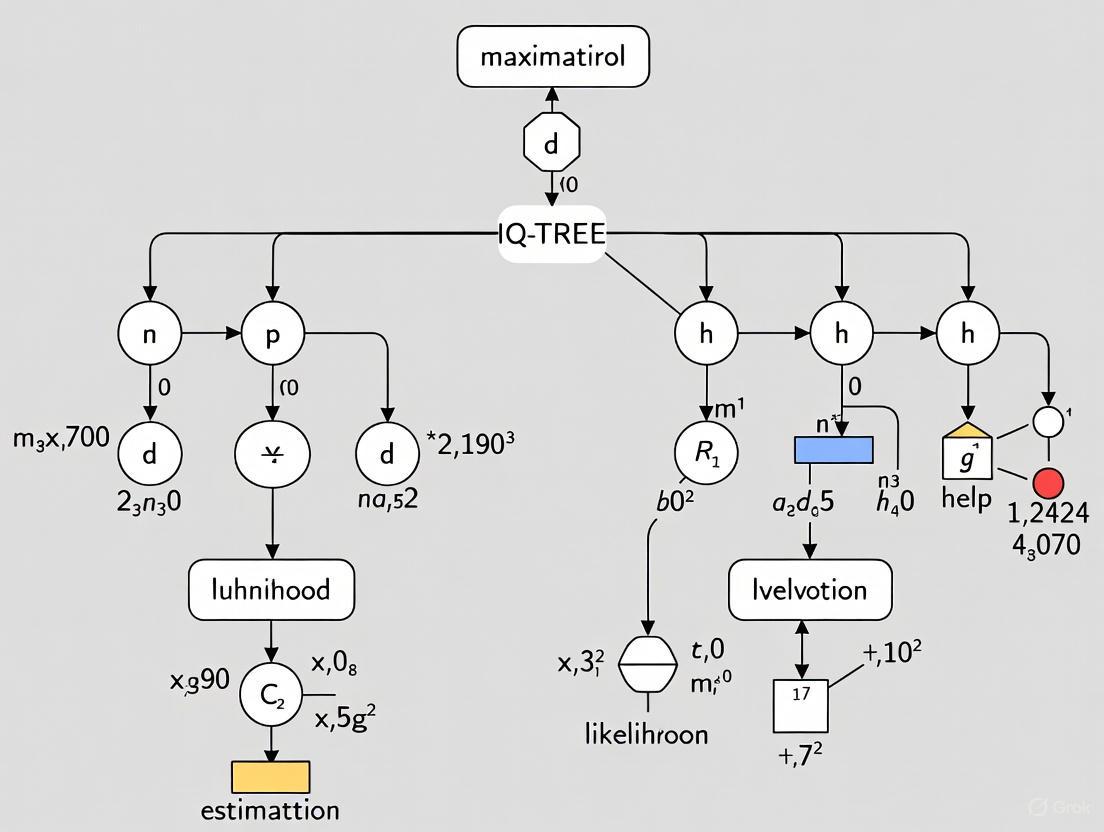
This guide provides a thorough exploration of IQ-TREE, a powerful software for maximum likelihood phylogenetic analysis.
A Comprehensive Guide to IQ-TREE: Mastering Maximum Likelihood Gene Tree Estimation for Genomic Research
Abstract
This guide provides a thorough exploration of IQ-TREE, a powerful software for maximum likelihood phylogenetic analysis. Tailored for researchers and scientists in biomedical and drug development, it covers foundational concepts, step-by-step methodologies, advanced optimization techniques, and rigorous tree validation. Readers will learn to execute robust gene tree estimations, from basic commands and automated model selection with ModelFinder to complex partitioned analyses of multi-gene datasets. The article also addresses common troubleshooting scenarios and provides frameworks for comparing phylogenetic hypotheses, equipping professionals with the knowledge to generate reliable, publication-ready trees for evolutionary and genomic studies.
IQ-TREE Foundations: Core Concepts and Workflow for Beginners
IQ-TREE is a sophisticated software for estimating maximum-likelihood (ML) phylogenies, designed specifically to address the computational challenges posed by large phylogenomics datasets [1]. As a stochastic algorithm, it combines classical hill-climbing approaches with random perturbation techniques to efficiently navigate tree space and avoid local optima, a common limitation in phylogenetic inference [1]. The strategic importance of IQ-TREE within computational phylogenetics lies in its demonstrated ability to find trees with higher likelihoods compared to established programs like RAxML and PhyML while requiring similar computational resources [1] [2]. This efficiency-performance balance makes it particularly valuable for researchers working with the expansive genomic datasets common in modern evolutionary studies, comparative genomics, and drug discovery research.
The software implements a core strategy of "efficient sampling of local optima in the tree space," where the best local optimum discovered represents the reported maximum-likelihood tree [1]. This approach addresses the NP-hard combinatorial optimization problem inherent in finding optimal tree topologies, which becomes computationally prohibitive as dataset size increases [1]. For drug discovery professionals, IQ-TREE offers a robust phylogenetic inference tool that can handle the scale of data generated in contemporary pathogen genomics, target identification studies, and evolutionary analyses of protein families [3]. Its continuous development has expanded its capabilities to include advanced features such as ultrafast bootstrap approximation, automatic model selection, and partition modeling, making it a comprehensive solution for phylogenomic inference [2].
Core Algorithmic Framework and Operational Principles
Stochastic Search Strategy
IQ-TREE's effectiveness stems from its hybrid approach that integrates multiple search strategies to overcome the limitations of conventional hill-climbing algorithms. Traditional phylogenetic inference methods typically employ local tree rearrangements such as nearest neighbor interchange (NNI), subtree pruning and regrafting (SPR), or tree bisection and reconnection (TBR) to improve current trees [1]. However, these approaches only allow modifications that increase tree likelihood ("uphill" moves), making them prone to becoming trapped in local optima [1]. IQ-TREE addresses this fundamental limitation through a stochastic algorithm that incorporates "downhill" moves and maintains a population of candidate trees, enabling more thorough exploration of the tree landscape [1].
The algorithm operates through three coordinated components: hill-climbing algorithms for local optimization, random perturbation of current best trees to escape local optima, and broad sampling of initial starting trees to diversify the search [1]. This combination allows IQ-TREE to efficiently navigate complex likelihood surfaces where multiple suboptimal tree topologies may be present. The stochastic perturbation method is particularly crucial for disrupting stable but suboptimal configurations, allowing the search to transition to more promising regions of the tree space that might be inaccessible to purely deterministic approaches [1]. This strategic balance between intensive local search and stochastic global exploration enables IQ-TREE to consistently identify higher-likelihood trees compared to competing methods under equivalent computational constraints.
Workflow Visualization
The following diagram illustrates the core operational workflow of IQ-TREE's stochastic algorithm:
Figure 1: IQ-TREE stochastic algorithm workflow
Performance Benchmarks and Comparative Analysis
Experimental Setup and Methodology
The original performance evaluation of IQ-TREE employed a rigorous benchmarking methodology to assess its effectiveness against established phylogenetic inference programs [1]. Researchers compiled 70 DNA and 45 amino acid alignments from TreeBASE with specific inclusion criteria: sequences numbering between 200-800 for DNA and 50-600 for AA alignments, alignment lengths at least four times (for DNA) or two times (for AA) the number of sequences, and proportion of gaps/unknown characters ≤70% [1]. Identical sequences were discarded, retaining only one representative to reduce computational redundancy.
For comparative analysis, researchers used GTR (general time reversible) and WAG models for DNA and AA alignments respectively, with rate heterogeneity following the discrete Γ model with four rate categories [1]. To ensure consistent likelihood calculations across different software implementations, all final trees were evaluated using PhyML based on parameters produced by each program, with verification that log-likelihood differences between IQ-TREE and PhyML recomputations were negligible (<0.01) for 92% of trees [1]. Performance assessments were conducted using two complementary approaches: (1) restricting IQ-TREE's running time to that required by RAxML and PhyML to measure search efficiency, and (2) allowing IQ-TREE to run until its default stopping rule was triggered to measure maximum performance potential [1].
Quantitative Performance Results
Table 1: Performance comparison with equal running time (IQ-TREE CPU time restricted to RAxML/PhyML time)
| Comparison | Alignment Type | IQ-TREE Higher Likelihood | Comparable Likelihood | Competitor Higher Likelihood |
|---|---|---|---|---|
| IQ-TREE vs. RAxML | DNA alignments | 87.1% | - | 12.9% |
| IQ-TREE vs. PhyML | DNA alignments | 87.1% | - | 12.9% |
| IQ-TREE vs. RAxML | AA alignments | 62.2% | 22.2% | 15.6% |
| IQ-TREE vs. PhyML | AA alignments | 66.7% | 13.3% | 20.0% |
Table 2: Performance comparison with variable running time (using IQ-TREE stopping rule)
| Comparison | Alignment Type | IQ-TREE Higher Likelihood | IQ-TREE Faster | Max log-likelihood difference |
|---|---|---|---|---|
| IQ-TREE vs. RAxML | DNA alignments | 97.1% | 24.3% | +109.5 (M7964) |
| IQ-TREE vs. PhyML | DNA alignments | Not reported | 52.9% | Not reported |
| IQ-TREE vs. RAxML | AA alignments | 73.3% | 57.8% | Not reported |
| IQ-TREE vs. PhyML | AA alignments | Not reported | 0.0% | Not reported |
The benchmark data demonstrates that when constrained to identical computation time as RAxML and PhyML, IQ-TREE found higher likelihood trees in the majority of cases (62.2-87.1%) across both DNA and protein alignments [1]. This performance advantage became even more pronounced when IQ-TREE was allowed to run to completion using its default stopping rule, achieving higher likelihoods in up to 97.1% of DNA alignments compared to RAxML [1]. The maximal average log-likelihood difference of +109.5 for a specific TreeBASE alignment (ID: M7964) highlights instances where IQ-TREE's search strategy can yield substantially improved phylogenetic estimates [1].
Protocol for Maximum-Likelihood Phylogenetic Inference Using IQ-TREE
Input Data Preparation and Basic Execution
IQ-TREE requires a multiple sequence alignment as primary input, supporting common formats including PHYLIP, FASTA, Nexus, Clustal, and MSF [4] [2]. For raw unaligned sequences, preliminary alignment using tools like MAFFT or ClustalW is necessary before phylogenetic analysis. Sequence names should contain only alphanumeric characters, underscores, dashes, dots, slashes, or vertical bars, as other special characters are automatically substituted and may cause naming conflicts [4].
The most basic execution command reconstructs a maximum-likelihood tree with automatic model selection:
This command performs a comprehensive analysis including ModelFinder selection of the optimal substitution model, tree search under the selected model, and branch support evaluation [4]. Successful execution generates several output files: (1) .iqtree (main report file with textual tree representation and statistical details), (2) .treefile (ML tree in NEWICK format for visualization in tools like FigTree or iTOL), and (3) .log (complete run log) [4]. The software implements automatic checkpointing, creating compressed .ckp.gz files to resume interrupted analyses, while completed runs require the -redo flag to overwrite previous results [4].
Advanced Configuration and Model Selection
For detailed model selection without full tree reconstruction:
This command performs ModelFinder analysis to identify the optimal substitution model based on Bayesian Information Criterion (BIC) minimization, with options to use AIC or AICc via -AIC or -AICc flags [4]. To increase the maximum category limit for rate heterogeneity models:
For maximum accuracy when computational resources permit, a full tree search can be performed for each model candidate:
Model selection can be restricted to specific base models using the -mset option (e.g., -mset WAG,LG for protein sequences) or model types using -msub (e.g., -msub nuclear or -msub viral for taxonomic-specific protein models) [4].
Table 3: Essential research reagents and computational solutions for IQ-TREE analysis
| Resource Type | Specific Tool/Format | Function/Purpose |
|---|---|---|
| Input Formats | PHYLIP, FASTA, Nexus, Clustal, MSF | Sequence alignment formats compatible with IQ-TREE |
| Alignment Tools | MAFFT, ClustalW | Generate multiple sequence alignments from raw sequences |
| Model Selection | ModelFinder (integrated) | Automatic determination of best-fit substitution model |
| Tree Visualization | FigTree, Dendroscope, iTOL | Display and annotation of output phylogenetic trees |
| Support Assessment | UFBoot2 (integrated) | Ultrafast bootstrap approximation for branch support |
| Sequence Simulation | AliSim (integrated) | Simulate sequence alignments under specified models |
Applications in Drug Discovery and Biomedical Research
Phylogeny analysis with IQ-TREE provides critical insights for multiple drug discovery applications, particularly in target identification and pathogen evolution studies [3]. For target identification, phylogenetic trees reconstruct evolutionary relationships within protein families implicated in disease pathways (e.g., GPCRs, kinases, ion channels) [3]. Evolutionary conserved regions often denote fundamental biological functions that, when dysregulated, can lead to disease, making them promising drug targets [3]. Phylogenetic clustering can reveal functional resemblances between proteins despite sequence divergence, enabling drug optimization for multi-target therapies or high specificity through exploitation of subtle evolutionary differences [3].
In infectious disease research, IQ-TREE reconstructs phylogenetic histories of pathogens to track transmission dynamics, identify resistance-conferring mutations, and understand virulence evolution [3]. The software's ability to handle large datasets makes it particularly valuable for tracking rapidly evolving pathogens like influenza and HIV, where phylogenetic analyses identify prevalent subtypes and inform vaccine antigen selection [3]. Phylogeny-guided target identification can highlight pathogen-specific proteins absent or sufficiently divergent in humans, reducing off-target effects in antimicrobial drug development [3].
The following diagram illustrates key drug discovery applications of phylogenetic analysis:
Figure 2: Drug discovery applications of phylogenetic analysis
Integration with Complementary Bioinformatics Tools
IQ-TREE functions effectively as part of a comprehensive bioinformatics pipeline, integrating with numerous specialized tools to extend its analytical capabilities. For phylogenomic studies with partitioned data, IQ-TREE implements complex partition models allowing individual evolutionary models for different genomic loci, mixed data types, and varied rate heterogeneity types across partitions [2]. This capability enables more biologically realistic analyses of multi-gene datasets where evolutionary processes differ among genomic regions.
The software's AliSim component simulates sequence alignments under sophisticated evolutionary models, providing valuable data for method validation and experimental design [2]. When combined with protein-protein interaction networks and machine learning approaches (e.g., Support Vector Machines, Random Forests), phylogenetic conservation patterns derived from IQ-TREE analyses can predict drug-target interactions and assess target druggability [3]. Recent advances in phylodynamic modeling further integrate IQ-TREE's phylogenetic outputs with epidemiological information to simulate disease spread and inform therapeutic deployment strategies during outbreaks [3].
For genomic-scale analyses, IQ-TREE efficiently utilizes multicore computers and distributed parallel computing environments to reduce computation time [2]. The software's checkpointing functionality automatically saves progress, enabling recovery from system interruptions—a critical feature for extended analyses on cluster computing systems [2]. These technical capabilities ensure IQ-TREE remains practical for the large-scale phylogenetic analyses required in contemporary genomics research and drug discovery applications.
For researchers conducting maximum likelihood gene tree estimation with IQ-TREE, proper preparation of input data is a critical first step that directly impacts the reliability and interpretability of phylogenetic results. This guide details the supported alignment formats and sequence naming conventions, providing the foundational knowledge required for robust phylogenetic analysis within a broader IQ-TREE research framework. Adhering to these specifications ensures data integrity, facilitates seamless software interoperability, and minimizes computational errors during tree reconstruction.
Supported Alignment Formats
Format Comparison and Selection
IQ-TREE accepts multiple sequence alignments (MSA) in several common formats. The table below summarizes the essential characteristics of each supported format to guide your selection.
Table 1: Supported Multiple Sequence Alignment Formats in IQ-TREE
| Format | Description | Key Features | Best Use Cases |
|---|---|---|---|
| PHYLIP | A concise format originating from the PHYLIP package [5]. | Exists in sequential and interleaved flavors. A header line declares the number of sequences and their length [5]. | Default and recommended format for most analyses; widely supported. |
| FASTA | A simple, ubiquitous format where each sequence is preceded by a '>' header line [5]. | Easy to read and generate. Can store unaligned or aligned sequences; for alignments, all sequences must be the same length [6]. | Initial data storage; sharing alignments; input for alignment programs. |
| NEXUS | A highly flexible and extensible format that can contain data, trees, and commands in distinct blocks [5]. | Can embed rich information like sequence partitions, taxon sets, and character sets [6]. | Complex analyses requiring partitioned models or combined data/tree storage. |
| CLUSTAL/ MSF | Formats output by common alignment programs like ClustalW and MAFFT. | Typically include headers with alignment information and visual guides. | Direct input of results from alignment software. |
Detailed Format Specifications
PHYLIP Format
The PHYLIP format begins with a header line specifying the number of sequences and the alignment length. The sequences can follow in either sequential or interleaved style [5]. The sequential format presents each sequence on a single, continuous line, while the interleaved format breaks the sequences across multiple lines, making it more human-readable for large alignments.
Example of Sequential PHYLIP Format [4]:
FASTA Format
In a FASTA alignment, each record starts with a '>' character followed by the sequence identifier and optional description. The subsequent lines contain the sequence itself. When used for alignments, gaps (typically denoted by '-') are used to maintain positional homology, and all sequences must be truncated or padded to the same length [6].
Example of Aligned FASTA Format:
NEXUS Format
The NEXUS file is structured into blocks. The DATA block contains the alignment dimensions and the matrix itself, while the SETS block can define partitions and groups, which is invaluable for complex, multi-model analyses [6].
Example of a NEXUS File Snippet [6]:
Sequence Naming Rules and Conventions
IQ-TREE, like many phylogenetic programs, enforces specific rules for sequence names to prevent parsing errors and ensure compatibility with downstream tree visualization software [4].
Permitted and Prohibited Characters
- Permitted Characters: Alphanumeric characters (a-z, A-Z, 0-9), underscore (_), dash (-), dot (.), slash (/), and vertical bar (|) [4].
- Prohibited Characters: All other special characters, including spaces, parentheses, commas, and colons, are not allowed. These characters have special meanings in the Newick tree format and will interfere with file parsing [4].
Automatic Name Sanitization
If your input alignment contains prohibited characters, IQ-TREE will automatically substitute them with underscores (_). For example, a sequence named hawk's-eye will be converted to hawk_s-eye in the output tree [4]. It is critical to check that this automatic sanitization does not create duplicate sequence names (e.g., if hawk's-eye and hawk_s-eye both exist in the original alignment), as this will cause an error and halt the analysis [4].
Practical Protocols for Input Preparation
Protocol 1: Converting Between Alignment Formats
Converting an alignment into an IQ-TREE-compatible format is a common prerequisite. Below are reliable methods for format conversion.
Using EMBOSSseqret
The seqret tool from the EMBOSS suite is a command-line utility for rapid format conversion [7].
- Installation: Install via conda:
conda install -c bioconda emboss - Conversion to NEXUS:
seqret -sequence input.mafft.fasta -outseq output.nex -osformat nexus - Conversion to PHYLIP:
seqret -sequence input.mafft.fasta -outseq output.phy -osformat phylip
Using BioPython
For programmatic control or integration into workflows, BioPython's AlignIO module is ideal [7].
Using ALTER (Web-Based Tool)
For small to moderately sized alignments without access to a command line, the ALTER web service provides a user-friendly point-and-click interface for converting among NEXUS, FASTA, PHYLIP, and other formats [8]. Simply upload your file, select the desired output format, and download the converted file.
Protocol 2: Validating Your Input Alignment
Before executing an IQ-TREE analysis, perform these validation checks:
- Check Sequence Lengths: Ensure all sequences in the alignment are of identical length.
- Inspect Sequence Names: Verify that names use only permitted characters and are unique.
- Verify Formatting: For PHYLIP files, confirm the header line correctly states the number of taxa and sites. For FASTA, ensure no duplicate headers exist.
Workflow Visualization
The following diagram illustrates the comprehensive workflow for preparing and validating input data for IQ-TREE, from raw sequences to a finalized, validated alignment file.
The Scientist's Toolkit: Essential Research Reagents
This table catalogs key software solutions and their functions for preparing and analyzing phylogenetic data within an IQ-TREE framework.
Table 2: Essential Software Tools for Phylogenetic Input Preparation
| Tool Name | Function | Application Context |
|---|---|---|
| IQ-TREE | Maximum Likelihood Tree Inference | Core software for reconstructing gene and species trees from sequence alignments [9] [4]. |
| MAFFT/ ClustalW | Multiple Sequence Alignment | Generates the initial sequence alignment from raw sequences, which is a prerequisite for IQ-TREE analysis [4]. |
| EMBOSS seqret | Format Conversion | Command-line tool for converting alignment files between formats (e.g., FASTA to PHYLIP/NEXUS) [7]. |
| BioPython | Scriptable Bioinformatics | A Python library for parsing, manipulating, and converting biological sequence files programmatically [7]. |
| ALTER | Web-Based Format Conversion | Online tool for easy conversion among alignment formats without command-line expertise [8]. |
Within the broader context of IQ-TREE maximum likelihood gene tree estimation research, the initial steps of executing a basic analysis and correctly interpreting its results are fundamental. IQ-TREE implements a fast and effective stochastic algorithm for estimating maximum likelihood (ML) phylogenies, often finding higher-likelihood trees compared to other methods when allowed comparable computation time [1]. This protocol is designed to guide researchers, scientists, and drug development professionals through a standard IQ-TREE workflow, enabling them to generate robust gene trees for downstream genomic analyses. The focus here is on a simple, yet complete, analysis from a single sequence alignment.
Application Notes & Protocol
Pre-Analysis Preparation: Input Data
Sequence Alignment: IQ-TREE requires a multiple sequence alignment as its primary input. Supported formats include PHYLIP, FASTA, NEXUS, and CLUSTALW [4]. The alignment should consist of homologous DNA, protein, or codon sequences. If starting with raw, unaligned sequences, a preliminary step using an alignment tool like MAFFT is necessary [10].
Sequence Names: Ensure sequence names use only alphanumeric characters, underscores (_), dashes (-), dots (.), slashes (\), or vertical bars (|). Other characters will be automatically substituted, which could potentially create duplicate names and cause errors [4].
A Simple Command-Line Run
The most basic IQ-TREE analysis requires only a single command. For an alignment file named example.phy, the command is:
Here, the -s option specifies the alignment file [4]. By default, IQ-TREE will perform a full analysis, including ModelFinder model selection (since version 1.5.4) and tree search under the selected best-fit model [4] [9].
Key Command-Line Options for a Basic Run:
-s <alignment>: (Required) Specifies the input alignment file [9].-m <model>: Specifies the substitution model. Using-m MFPinvokes ModelFinder to find the best-fit model before tree reconstruction, which is now the default behavior [4] [9].-pre <prefix>: Specifies a prefix for all output files to prevent overwriting in multiple analyses [4] [9].-redo: Overwrites previous output files if re-running an analysis [4].-nt AUTO: Automatically determines the optimal number of CPU cores to use, leveraging multicore processors for faster computation [9].-B <replicates>: Performs the ultrafast bootstrap with the specified number of replicates (e.g.,-B 1000) to assess branch supports [10] [11].
The following diagram illustrates the logical workflow and key components executed by a simple IQ-TREE command.
Interpreting Key Output Files
Upon successful completion, IQ-TREE generates several output files. Understanding their content is crucial for evaluating the analysis.
Table 1: Key Output Files from a Basic IQ-TREE Run
| Output File | Description | Key Contents |
|---|---|---|
example.phy.iqtree |
The main report file; a self-readable, text-based summary of the entire analysis [4]. | Selected substitution model and its parameters; Final maximum likelihood tree in a textual layout; Likelihood of the final tree; Support values (if bootstrapping was performed). |
example.phy.treefile |
The estimated tree in NEWICK format [4]. | This is the primary tree file for downstream applications and visualization in tools like FigTree or iTOL. |
example.phy.log |
The log file recording the progress of the run, including messages printed to the screen [4]. | Diagnostic information and warnings; Details of the model selection process; Computational statistics. |
Excerpt from a Main Report File (example.phy.iqtree)
The report file contains the scientifically critical information. Below is an annotated excerpt from a typical run:
Interpretation Notes:
- Model: The best-fit model (e.g.,
TIM2+I+G) is chosen based on a statistical criterion like BIC [4]. - Tree Likelihood: The log-likelihood value represents how well the tree explains the observed alignment data under the chosen model.
- Tree Topology: The textual tree and the Newick string show the evolutionary relationships. It is important to remember that by default, the tree is unrooted, unless an outgroup was specified with the
-ooption [4].
The Scientist's Toolkit: Research Reagent Solutions
Table 2: Essential Materials and Software for IQ-TREE Analysis
| Item Name | Function / Purpose | Usage Example / Notes |
|---|---|---|
| Multiple Sequence Alignment | The fundamental input data representing the aligned homologous sequences for phylogenetic analysis. | Can be DNA, amino acid, or codon sequences. Formats include PHYLIP, FASTA [4]. |
| IQ-TREE Executable | The core software that performs the maximum likelihood tree estimation and model selection [1]. | Downloaded and installed for the user's operating system; added to the system PATH [4]. |
| Partition File | (For partitioned analysis) Defines how different genomic regions or data types are split and which model is applied to each. | Used with -p option. Can be in RAxML or NEXUS format, allowing mixed models [11]. |
| ModelFinder | Integrated tool within IQ-TREE that automatically determines the best-fit substitution model for the data [4]. | Invoked by default or explicitly with -m MFP. Reduces model selection bias. |
| Ultrafast Bootstrap (UFBoot) | A rapid method for assessing branch support on the phylogenetic tree, approximating traditional bootstrap proportions [10] [11]. | Activated with -B 1000 (for 1000 replicates). Higher replicates increase support value reliability. |
| Constraint Tree | A user-defined tree topology used to guide or constrain the tree search, testing specific phylogenetic hypotheses. | Provided via -g option. The final tree will be consistent with the constraint topology [11]. |
| Tree Visualization Software | Essential for visually interpreting the final phylogenetic tree. | Tools like FigTree or iTOL are used to open and display the .treefile [4]. |
This protocol outlines the fundamental steps for performing a initial gene tree estimation using IQ-TREE, from executing a simple command-line run to interpreting the critical output files. Mastering this basic workflow is a prerequisite for leveraging more advanced features of IQ-TREE, such as partitioned analyses with mixed data [11], likelihood mapping [9], and complex model testing, which are essential for sophisticated phylogenomic studies in research and drug development. The reproducibility and robustness of the analysis are enhanced by IQ-TREE's checkpointing system, which allows interrupted runs to be resumed, and the -redo option, which facilitates the replication of analyses [4] [9].
In the context of maximum likelihood gene tree estimation research using IQ-TREE, the interpretation of results hinges on a thorough understanding of the primary output files. Following the execution of a phylogenetic analysis, IQ-TREE generates several output files, three of which are fundamental for result interpretation: the main report file (.iqtree), the tree file in NEWICK format (.treefile), and the run log (.log) [4] [12]. These files collectively provide a complete picture of the analysis, from the final phylogenetic tree and its statistical support to the detailed model parameters and computational proceedings. This guide details the structure and content of these files, enabling researchers to accurately assess the reliability of their phylogenetic inferences and effectively report their findings.
The .iqtree Report File
Purpose and Significance
The .iqtree file is the main report file from any IQ-TREE analysis [4] [12]. It is a self-readable, comprehensive summary containing all essential results, including the selected substitution model, model parameters, likelihood scores, and a textual representation of the final tree [4]. This file should be the first point of reference for understanding the outcome of a phylogenetic analysis.
Key Content Sections
A typical .iqtree report file is structured into several key sections, each providing specific critical information. The table below summarizes the core components and their utility for researchers.
Table 1: Key sections of the .iqtree report file
| Section | Description | Research Utility |
|---|---|---|
| Input & Analysis Details | Lists input alignment, sequence type, and analysis specifications. | Verifies analysis parameters and data integrity. |
| Best-Fit Model | Reports the selected model of sequence evolution (e.g., TIM2+I+G4) [4]. |
Justifies model choice for publication; informs model constraints for future analyses. |
| Model Parameters | Details estimated parameters (e.g., base frequencies, substitution rates, gamma shape) [4]. | Provides quantitative evolutionary parameters for comparative studies and model validation. |
| Tree Log-Likelihood | The final log-likelihood of the maximum likelihood tree under the chosen model. | Enables statistical comparison of different trees or analyses using likelihood-based tests. |
| Textual Tree Representation | A schematic, text-based drawing of the final tree, often with branch supports. | Allows for quick, visual inspection of the tree topology and key relationships without specialized software. |
| Branch Support Metrics | If performed, reports values for Ultrafast Bootstrap (UFBoot) [2] and/or SH-aLRT. | Critical for assessing the statistical confidence in inferred phylogenetic relationships. |
The .treefile and .log Files
The .treefile: The Phylogenetic Tree
The .treefile contains the final tree in NEWICK format [4] [12]. This is a machine-readable representation of the phylogenetic tree, including branch lengths. This file is the primary output for downstream applications and visualizations.
- Usage: The
.treefilecan be loaded into tree visualization software like FigTree, iTOL, or Dendroscope [2] to generate publication-quality figures. - Content: The tree is unrooted by default, even if drawn with an outgroup in the textual representation [4] [12]. The outgroup taxon is often drawn at the top for graphical convenience, but the underlying tree structure remains unrooted.
- Additional Files: When branch support analysis is performed (e.g., with
-B 1000), IQ-TREE also generates a.contreefile, which is a consensus tree with assigned branch supports where branch lengths are optimized on the original alignment [12].
The .log File: The Run Record
The .log file is a chronological log of the entire analysis, recording all messages that appeared on the screen during the run [4]. It is an essential tool for debugging and monitoring the progress of computationally intensive jobs.
- Primary Function: To provide a detailed record of the analysis steps, including the progress of model selection, tree search iterations, and any warnings or errors [4].
- Reporting Bugs: If an analysis fails or produces unexpected results, this file and the original alignment should be sent to the IQ-TREE authors for troubleshooting [4].
Experimental Protocols for Phylogenetic Workflow
Standard Maximum Likelihood Phylogenetic Inference
This protocol outlines a standard analysis for inferring a maximum likelihood gene tree from a multiple sequence alignment, incorporating model selection and branch support assessment.
Research Reagent Solutions:
- Multiple Sequence Alignment: Input data in PHYLIP, FASTA, or NEXUS format. Sequences should be aligned beforehand using tools like MAFFT or ClustalW [4].
- IQ-TREE Software: The core phylogenetic inference engine, invoked from the command line [9].
- Tree Visualization Software: e.g., FigTree or iTOL, to visualize and interpret the final
.treefile[4] [2].
Procedure:
- Input Preparation: Prepare your multiple sequence alignment file (e.g.,
gene.phy). Ensure sequence names use only alphanumeric characters and underscores to avoid automatic substitution by IQ-TREE [4]. - Command Execution: Run a comprehensive analysis that includes automatic model selection (
-m MFP), Ultrafast Bootstrap (-B 1000), and the SH-aLRT test (-alrt 1000). A recommended command is: The--prefixoption assigns a unique name to all output files to prevent overwriting [4] [12]. - Output Analysis: Upon completion, analyze the generated files systematically.
- Consult
my_analysis.iqtreeto identify the best-fit model and review model parameters. - Check branch support values (UFBoot and SH-aLRT) in the same report file.
- Open
my_analysis.treefilein a tree viewer to explore the phylogeny. - Scan
my_analysis.logfor any runtime warnings or errors.
- Consult
- Result Reporting: For publication, report the best-fit model, key model parameters, log-likelihood, and the branch support metric used (e.g., UFBoot supports on the tree figure).
- Input Preparation: Prepare your multiple sequence alignment file (e.g.,
Workflow Visualization
The diagram below illustrates the key steps and outputs of a standard IQ-TREE analysis, from data input to final result interpretation.
The following table provides a consolidated overview of the three primary output files for quick reference and use as an analysis checklist.
Table 2: Summary of primary IQ-TREE output files and their role in phylogenetic inference
| File Extension | Primary Function | Key Information Contained | Essential for Publication? |
|---|---|---|---|
| .iqtree | Comprehensive results report | Best-fit model, parameters, log-likelihood, textual tree, branch supports. | Yes (Model and support values must be reported). |
| .treefile | Final tree for visualization & downstream analysis | Maximum likelihood tree in NEWICK format with branch lengths. | Yes (Typically submitted to tree repositories). |
| .log | Runtime record & debugging | Step-by-step analysis log, warnings, errors, and computational details. | No (But should be archived for reproducibility). |
Advanced IQ-TREE Methodology: From Model Selection to Complex Analyses
Model selection represents a critical step in maximum likelihood phylogenetic analysis, as using an inappropriate substitution model can lead to systematic errors and inaccurate tree topologies. ModelFinder, integrated within the IQ-TREE software, implements an efficient algorithm to automatically select the best-fit model for a given sequence alignment. The method computes the log-likelihoods of an initial parsimony tree for many different models and evaluates them using the Akaike information criterion (AIC), corrected Akaike information criterion (AICc), and Bayesian information criterion (BIC). By default, ModelFinder selects the model that minimizes the BIC score, though researchers can specify alternative criteria [4].
The -m MFP option in IQ-TREE activates the ModelFinder Plus mode, which performs both model selection and subsequent phylogenetic tree reconstruction using the selected best-fit model. This automated approach eliminates guesswork in model specification while ensuring phylogenetic inferences are based on statistically justified models of sequence evolution. For researchers conducting gene tree estimation, this functionality provides an optimized balance between model fit and parameter complexity, preventing both underfitting and overfitting of sequence data [4].
Theoretical Framework and Algorithm
Model Selection Criteria
ModelFinder employs a rigorous statistical framework for model comparison based on information theory:
- Bayesian Information Criterion (BIC): The default selection criterion that penalizes model complexity more strongly than AIC, making it particularly suitable for larger datasets. The formula is given by BIC = -2lnL + kln(n), where lnL is the maximized log-likelihood, k is the number of parameters, and n is the sample size [4].
- Akaike Information Criterion (AIC): Preferable when the true model is not in the candidate set, calculated as AIC = -2lnL + 2k [4].
- Corrected Akaike Information Criterion (AICc): Includes a correction for finite sample sizes, making it more appropriate for smaller datasets [4].
Supported Substitution Models
IQ-TREE and ModelFinder support an extensive range of substitution models for different data types [13]:
Table 1: Supported DNA Substitution Models in ModelFinder
| Model Category | Example Models | Parameters | Key Characteristics |
|---|---|---|---|
| Equal rates and frequencies | JC, JC69 | 0 | Equal substitution rates and equal base frequencies |
| Unequal frequencies | F81 | 3 | Equal rates but unequal base frequencies |
| Transition/Transversion | K80, HKY | 1-4 | Unequal transition/transversion rates |
| Complex asymmetrical | TIM, TVM, SYM | 3-7 | Various rate asymmetries with or without equal frequencies |
| General time reversible | GTR | 8 | Unequal rates and unequal base frequencies |
| Lie Markov models | 3.3b, 5.6a, 6.6 | Varies | Non-reversible models with consistent mathematical properties |
For protein sequences, ModelFinder tests common empirical matrices including LG, WAG, JTT, and mixture models (e.g., C10-C60). The -madd option allows researchers to include additional model components for consideration [14].
Computational Protocol
Basic Model Selection Workflow
The following diagram illustrates the complete ModelFinder workflow for phylogenetic analysis:
Command Implementation
Basic Model Selection with Tree Reconstruction:
This command performs the complete analysis: model selection followed by maximum likelihood tree search using the best-fit model. Output files include alignment.fasta.iqtree (main report), alignment.fasta.treefile (ML tree in NEWICK format), and alignment.fasta.log (run log) [4].
Model Selection Only:
The -m MF option performs model selection without subsequent tree reconstruction, useful for preliminary analysis or when incorporating selected models into partitioned analyses [4].
Advanced Model Selection with Customization:
This customized command:
- Uses AIC instead of the default BIC for model selection (
-AIC) - Restricts testing to specified base models (
-mset WAG,LG,JTT) - Includes mixture models for consideration (
-madd C10,C20,C60) - Increases the maximum category limit to 15 (
-cmax 15) - Automatically determines the optimal number of CPU threads (
-nt AUTO) [4] [14].
Research Reagent Solutions
Table 2: Essential Computational Tools for Model-Based Phylogenetics
| Tool/Resource | Function | Application Context |
|---|---|---|
| IQ-TREE with ModelFinder | Phylogenetic inference with automated model selection | Maximum likelihood gene tree estimation from molecular sequences |
| MAFFT | Multiple sequence alignment | Preprocessing of raw sequence data before phylogenetic analysis |
- Alignment Masking Tools: Removal of ambiguously aligned regions to reduce phylogenetic noise, particularly important for rRNA gene sequences [15].
- FigTree/iTOL: Tree visualization software for interpreting and presenting phylogenetic results [4].
- PartitionFinder | Model selection for partitioned | Genomic-scale analyses with multiple | gene regions or data types [15].
Example Application with DNA Sequences
Case Study: Animal Mitochondrial Genes
For the example alignment example.phy containing mitochondrial DNA sequences from various animals, the following command would be appropriate:
In this case, ModelFinder identified TIM2+I+G4 as the best-fit model based on BIC scores. The selected model features:
- Unequal base frequencies with specific rate parameters (6-digit code: 010232)
- Proportion of invariant sites (I) accounting for conserved positions
- Gamma distribution with 4 rate categories (G4) modeling rate variation across sites [4]
Troubleshooting Common Issues
Long Run Times with Large Datasets:
- Use
-nt AUTOor specify multiple cores (-nt 8) to parallelize computations - Reduce model test complexity with
-msetto restrict candidate models - For preliminary analysis, use
-m MFwithout tree reconstruction
ModelFinder Not Considering Specific Models:
- Current versions may have issues with the
-maddoption; include models directly in-msetinstead:
Handling Checkpoint Files:
- IQ-TREE creates checkpoint files (
.ckp.gz) to resume interrupted analyses - Use
-redoto overwrite previous results when modifications are needed [4]
Advanced Implementation Strategies
Protein Model Selection with Mixture Models
For protein-coding sequences, incorporating profile mixture models can significantly improve model fit:
Key parameters:
-msub nuclear: Restricts testing to amino acid models optimized for nuclear-encoded proteins- Profile mixture models (C10-C60): Account for site-specific amino acid preferences
-T 10: Utilizes 10 CPU threads to accelerate computation [14]
Genome-Scale Phylogenomics
For phylogenomic analyses with concatenated alignments:
The -spp option enables partition model selection, where ModelFinder determines the best-fit model for each data partition separately while estimating trees from concatenated alignments [14].
ModelFinder's -m MFP option provides an efficient, statistically rigorous framework for substitution model selection in maximum likelihood phylogenetic analysis. By automating this critical step, researchers can focus on biological interpretation rather than model specification technicalities. The protocol outlined here enables robust gene tree estimation across diverse biological datasets, from single genes to phylogenomic-scale data. Proper implementation of automated model selection ensures phylogenetic inferences reflect underlying sequence evolutionary processes while minimizing potential biases from inappropriate model assumptions.
In phylogenomics, the analysis of multi-gene alignments requires models that account for heterogeneous evolutionary processes across different genomic loci. Partition models in IQ-TREE provide a powerful framework for this purpose by allowing distinct substitution models for different data partitions, significantly improving phylogenetic inference accuracy [16] [17]. These models accommodate process heterogeneity by assigning separate evolutionary parameters to predefined subsets of alignment sites, such as genes or codon positions [18].
A critical distinction among partition models lies in how they handle branch lengths. The three primary models—edge-equal, edge-proportional, and edge-unlinked—differ in their assumptions about branch length relationships across partitions, offering varying trade-offs between biological realism and parameter complexity [16] [17]. The edge-proportional model is generally recommended for typical analyses as it balances model adequacy with computational feasibility [16] [11].
This protocol details the implementation of partition models in IQ-TREE, providing a structured approach for researchers conducting phylogenomic analyses. We cover model selection, partition file preparation, and command execution, with a specific focus on edge-linked and edge-unlinked models.
Key Concepts and Partition Models
Definitions and Biological Rationale
Partition models address heterogeneous evolution in phylogenomic datasets, where different genomic regions may evolve under distinct selective pressures and evolutionary constraints [17] [18]. Failure to account for this heterogeneity can lead to systematic errors and biased phylogenetic estimates [19].
- Edge-Equal Partition Model: All partitions share an identical set of branch lengths. This model is typically unrealistic for most empirical datasets as it does not account for different evolutionary rates between partitions [16] [11].
- Edge-Proportional Partition Model (Edge-Linked): Partitions share proportional branch lengths, with each partition having its own specific rate that rescales all branch lengths. This model accommodates different evolutionary rates between partitions while maintaining proportional relationships [16] [17].
- Edge-Unlinked Partition Model: Each partition has its own independent set of branch lengths. This is the most parameter-rich model that can account for heterotachy (changes in evolutionary rates over time) but may be prone to overfitting with many short partitions [16] [17].
Model Comparison and Selection Criteria
Table 1: Comparison of Partition Models in IQ-TREE
| Model Type | IQ-TREE Option | Branch Length Handling | Advantages | Limitations | Best Use Cases |
|---|---|---|---|---|---|
| Edge-Equal | -q |
All partitions share identical branch lengths | Minimal parameters; computationally efficient | Biased if partitions have different rates | Rarely recommended; theoretical comparisons |
| Edge-Proportional | -p (-spp in v1.x) |
Partitions share proportional branch lengths with partition-specific rates | Accounts for different evolutionary speeds; good balance | Assumes proportional branch lengths across partitions | Recommended for most empirical analyses |
| Edge-Unlinked | -Q (-sp in v1.x) |
Each partition has its own independent branch lengths | Accounts for heterotachy; most flexible | Parameter-rich; potential overfitting; may create phylogenetic terraces | Datasets with suspected rate variation across lineages |
The choice between models involves balancing model adequacy against parameter complexity. The edge-proportional model (-p) generally offers the best compromise for typical analyses [11]. For datasets where evolutionary rates may vary across lineages (heterotachy), the edge-unlinked model (-Q) may be more appropriate, though users should be aware of potential computational challenges including the creation of phylogenetic terraces—sets of distinct tree topologies that have identical likelihood scores under certain conditions of missing data [17].
Table 2: Quantitative Performance Characteristics of Partition Models
| Model Type | Relative Computational Speed | Number of Branch Length Parameters | Typical BIC Score Improvement | Handling of Missing Data |
|---|---|---|---|---|
| Edge-Equal | Fastest | 1 set | Lowest | No special considerations |
| Edge-Proportional | Intermediate | 1 set + k-1 rates | High | Robust |
| Edge-Unlinked | Slowest | k sets | Variable (can be high with adequate data) | May create phylogenetic terraces |
Partitioning Schemes and Model Selection
Defining Partitioning Schemes
The performance of partitioned analyses depends critically on the partitioning scheme—how alignment sites are grouped into subsets [19]. Two main approaches exist:
- A priori partitioning: Sites are grouped based on biological features such as gene boundaries, codon positions, or functional regions [19] [20]. This approach is intuitive but may not adequately capture evolutionary variation within predefined subsets [19].
- Data-driven partitioning: Sites are grouped algorithmically based on evolutionary rates or patterns [19] [20]. Methods include:
Automated Partition Selection
IQ-TREE implements ModelFinder with a greedy algorithm that automatically selects optimal partitioning schemes [11] [2]. The algorithm starts with the full partition model and sequentially merges partitions until model fit no longer improves, as measured by AICc or BIC [11].
To find the best partition scheme without tree reconstruction:
For faster analysis resembling PartitionFinder:
To reduce computational burden with relaxed hierarchical clustering:
Experimental Protocols
Preparing Partition Files
IQ-TREE supports two partition file formats: RAxML-style and NEXUS. The NEXUS format offers greater flexibility, allowing different rate heterogeneity models for different partitions and mixed data types [16] [11].
RAxML-Style Format
Create a text file with the following structure:
All partitions will use the same rate heterogeneity model specified in the -m option [11].
NEXUS Format
For more control, create a NEXUS file:
This format allows specifying different models and rate heterogeneity types for each partition [16].
For mixed data types (DNA, protein, codon models):
The CODON keyword ensures proper interpretation of codon models [16] [11].
Running Partitioned Analysis
Basic Partitioned Analysis
For edge-proportional analysis (recommended):
This command performs tree reconstruction with ultrafast bootstrap (1000 replicates) under the specified partition model [11].
Comparing Partition Models
To compare different partition models:
Compare resulting BIC scores in .iqtree files to determine the best-fitting model [11].
Bootstrap Resampling Strategies
IQ-TREE supports different bootstrap resampling strategies for partition models:
Site resampling within partitions (default):
Partition resampling:
Partition then site resampling:
The GENESITE strategy may help reduce false positive support values [11].
Advanced Analysis: Phylogenetic Terraces
For large datasets with missing data, the edge-unlinked model may lead to phylogenetic terraces [17]. IQ-TREE implements Phylogenetic Terrace Aware (PTA) data structures to optimize computations in such cases [17] [11].
To exploit terrace awareness:
This can substantially speed up analyses with missing data [17].
Workflow and Visualization
Partitioned Analysis Workflow
The following diagram illustrates the complete workflow for conducting a partitioned phylogenetic analysis in IQ-TREE:
The Scientist's Toolkit
Table 3: Essential Research Reagent Solutions for Partitioned Phylogenomic Analysis
| Tool/Resource | Function | Implementation Notes |
|---|---|---|
| IQ-TREE Software | Phylogenetic inference with partition models | Versions 1.x use -spp and -sp; Version 2.x+ use -p and -Q [11] [2] |
| Partition File (NEXUS format) | Defines subset boundaries and models | Enables mixed models and data types; supports codon models [16] |
| ModelFinder | Automated model and partition scheme selection | Implemented via -m MFP+MERGE; uses greedy algorithm [11] [2] |
| TIGER + RatePartitions | Data-driven partitioning by evolutionary rates | Alternative to a priori partitioning; especially useful for UCEs and non-coding DNA [20] |
| Phylogenetic Terrace Aware (PTA) | Optimizes computation with missing data | Particularly beneficial for edge-unlinked models with incomplete data [17] |
| Ultrafast Bootstrap (UFBoot) | Efficient branch support assessment | 10-40x faster than RAxML rapid bootstrap; less biased support values [2] |
Troubleshooting and Optimization
Common Issues and Solutions
- Computational intensity: Use
-rcluster 10to examine only the top 10% of partition merging schemes [11]. - Model selection uncertainty: Compare BIC scores across different partition models to select the best-fitting one [11].
- Missing data issues: For edge-unlinked models with extensive missing data, use the
-teraoption to enable terrace-aware computation [17]. - Mixed data types: Utilize NEXUS format with separate alignment files for different data types (DNA, protein, codon) [16] [11].
Best Practices
- Always start with the edge-proportional model (
-p) as it offers the best balance for most analyses [16] [11]. - Use NEXUS partition files to specify different rate heterogeneity models for different partitions [16].
- Employ ModelFinder (
-m MFP+MERGE) to determine the optimal partitioning scheme [11] [2]. - Use UFBoot for efficient branch support assessment with partition models [2].
- Consider data-driven partitioning methods for datasets lacking obvious structural features [19] [20].
Partitioned analysis in IQ-TREE provides a robust framework for phylogenomic inference using multi-gene datasets. The edge-proportional and edge-unlinked models offer flexible approaches to account for evolutionary heterogeneity across genomic loci. By following the protocols outlined in this document—from partition file preparation to model selection and bootstrap assessment—researchers can implement these sophisticated analyses effectively. The integration of automated tools like ModelFinder and terrace-aware data structures further enhances the efficiency and accuracy of partitioned phylogenetic inference.
In the context of maximum likelihood gene tree estimation using IQ-TREE, accurately modeling sequence evolution across different genomic regions is crucial for obtaining reliable phylogenetic inferences. Partition models address this by allowing different subsets of an alignment (e.g., genes or codon positions) to evolve under distinct substitution models and rates [16]. Using an inappropriate partitioning scheme or an incorrect model can lead to systematic errors and biased phylogenetic estimates. This guide details the creation and application of two primary partition file formats supported by IQ-TREE: the straightforward RAxML-style format and the highly flexible NEXUS format. Implementing these files correctly allows researchers to account for heterogeneities in their phylogenomic data, ultimately leading to more accurate estimations of evolutionary relationships, a consideration of paramount importance in fields like drug development where evolutionary insights can inform target identification.
Partition Model Types in IQ-TREE
IQ-TREE supports three primary partition models, which differ in how they handle branch lengths across partitions. Understanding these models is essential for selecting the most appropriate one for a given dataset [16] [11].
Table 1: Partition Branch Length Models in IQ-TREE
| Model Option | Branch Length Linking | Key Characteristics | Recommended Use |
|---|---|---|---|
Edge-Equal (-q) |
Equal | All partitions share an identical set of branch lengths. | Generally unrealistic as it ignores different evolutionary speeds between partitions. |
Edge-Proportional (-p or -spp) |
Proportional | Partitions share a tree topology, but each has its own evolutionary rate that rescales all branch lengths. | Recommended for typical analyses; accounts for different evolutionary rates. |
Edge-Unlinked (-Q or -sp) |
Unlinked | Each partition has its own independent set of branch lengths. | Most parameter-rich model; accounts for heterotachy; can be overparameterized for short partitions. |
The following workflow diagram outlines the decision process for selecting and using a partition model in IQ-TREE:
The RAxML-style Partition File Format
The RAxML-style partition file offers a simple, text-based format for defining data partitions. Its straightforward structure is ideal for standard analyses where all partitions share the same rate heterogeneity pattern [16] [11].
Basic Syntax and Examples
Each line in the file defines a single partition using the format: DATATYPE, PartitionName = Start_Site-End_Site.
Example 1: Defining two consecutive DNA partitions
This example creates two DNA partitions named part1 (sites 1-100) and part2 (sites 101-384) [16].
Example 2: Defining non-consecutive and codon positions
This more complex example shows how to define a partition spanning non-adjacent regions (part1) and how to define partitions for codon positions. The backslash (\) followed by 3 indicates every third site, starting from the specified number [16]:
part2will include the 1st and 2nd codon positions.part3will include the 3rd codon positions.
Protocol: Creating and Using a RAxML-style File
- Create a text file (e.g.,
partitions.txt). - Add partition definitions, one per line, using the syntax above.
- Run IQ-TREE using the
-poption for the edge-proportional model: In this command, the-m GTR+I+Gmodel specification will be applied to all partitions defined inpartitions.txt[11].
The NEXUS Partition File Format
The NEXUS partition format is more powerful and flexible than the RAxML-style format. It allows researchers to specify individual substitution models and rate heterogeneity types for each partition, combine data from multiple alignment files, and handle mixed data types (e.g., DNA, protein, and codon models) within a single analysis [16] [11].
Basic Structure and Syntax
A basic NEXUS partition file includes a sets block containing charset definitions for the partitions and a charpartition command to assign models.
Example 1: Basic NEXUS with individual models
This file defines two partitions and assigns them different substitution models and rate heterogeneity types (HKY+G for part1 and GTR+I+G for part2), a feature not possible in the RAxML-style format [16] [11].
Advanced Applications and Syntax
The NEXUS format supports highly complex analyses, as shown in the following examples.
Example 2: Combining mixed data from multiple files
This example demonstrates the power of the NEXUS format [11]:
- Multiple alignment files: Partitions are drawn from different source files (
dna.phy,prot.phy,codon.phy). - Mixed data types: The analysis combines DNA (
part1,part2), protein (part3,part4), and codon (part5) models in a single analysis. - Asterisk (
*) usage: The*forpart5indicates the entirecodon.phyalignment. - CODON keyword: Specifying
CODONensures the partition is correctly interpreted for codon model analysis [16].
Example 3: Specifying non-consecutive and codon sites
This is the NEXUS equivalent of the RAxML-style example for defining codon positions and non-consecutive sites [16].
Protocol: Creating and Using a NEXUS Partition File
- Create a text file with a
.nexextension (e.g.,partitions.nex). - Start with
#nexuson the first line. - Define the
setsblock usingbegin sets;andend;. - Declare character sets using the
charsetcommand for each partition. - Assign models to each partition using the
charpartitioncommand. - Run IQ-TREE. If the alignment file(s) are specified within the NEXUS file, the
-soption can be omitted:
Selecting and Optimizing Partition Schemes
Simply defining partitions is often not enough. IQ-TREE provides tools to find the best partition scheme automatically, preventing over-parameterization and improving model fit [11].
Protocol: Using ModelFinder to Find the Best Partition Scheme
The MFP+MERGE option instructs IQ-TREE to start with the full partition model and iteratively merge partitions if the merge improves the model fit (assessed by BIC, AIC, or AICc) [11].
To reduce computational time by considering only invariable sites and Gamma rate heterogeneity (similar to PartitionFinder), use:
For very large datasets, use the -rcluster option to only examine the top fraction of merging schemes:
Bootstrapping with Partition Models
Assessing branch support with bootstrap methods is a standard practice. IQ-TREE offers specific options for bootstrapping partitioned analyses [11].
Protocol: Ultrafast Bootstrap for Partitioned Analysis
- Standard site resampling: Resamples sites within each partition independently.
- Partition resampling: Resamples entire partitions with replacement (
GENEsampling), appropriate for a few long genes. - Gene-wise site resampling: A hybrid approach that resamples partitions and then sites within the resampled partitions (
GENESITE), which can help reduce false positives.
Table 2: Key Research Reagent Solutions for Phylogenomic Partition Analysis
| Tool / Reagent | Function / Purpose | Example / Note |
|---|---|---|
| IQ-TREE Software | Core software for maximum likelihood phylogenomic inference under complex models, including partition and mixture models. | Latest version provides enhanced speed and model support [2]. |
| Partition File | Defines the subset of alignment sites (e.g., by gene or codon position) that share an evolutionary model. | Can be RAxML-style or NEXUS format. |
| Sequence Alignment | Input data for phylogenetic analysis; can be a single concatenated file or multiple files for mixed data. | Formats: PHYLIP, FASTA, NEXUS, Clustal. |
| Partition Scheme Selector (MFP+MERGE) | Algorithm to automatically find the best-fit partition scheme by merging partitions to optimize statistical criteria. | Implemented in IQ-TREE; analogous to PartitionFinder [11]. |
| Ultrafast Bootstrap (UFBoot) | Rapid method for assessing branch support on phylogenetic trees, compatible with partition models. | Less biased and faster than standard bootstrap [2]. |
| ModelFinder | Integrated tool for fast and automatic selection of best-fit substitution models for each partition. | Much faster than jModelTest/ProtTest [2]. |
Table 3: RAxML-style vs. NEXUS Partition File Comparison
| Feature | RAxML-style Format | NEXUS Format |
|---|---|---|
| Simplicity | High; simple, line-based syntax. | Lower; requires structured blocks and commands. |
| Model Flexibility | Low; all partitions must use the same rate heterogeneity type specified in the command line. | High; allows different models and rate heterogeneity types for each partition via charpartition. |
| Data Source | Limited to a single alignment file. | High; can combine subsets from multiple alignment files in one analysis. |
| Data Type Mixing | Not supported. | Supported; allows mixing DNA, protein, and codon models. |
| Site Definition Power | Moderate; supports consecutive ranges and modulo operators for codon positions. | High; supports all RAxML-style features plus more complex set operations. |
| Ideal Use Case | Quick, standard analyses where partitions share similar evolutionary patterns. | Complex phylogenomic analyses with mixed data types or when partitions require distinct models. |
Correctly defining partition files is a critical step in modern phylogenomics using IQ-TREE. The RAxML-style format provides a quick and easy solution for standard analyses. In contrast, the NEXUS format offers unparalleled flexibility for complex, real-world datasets, enabling researchers to combine different data types and specify tailored models for each genomic region. By leveraging IQ-TREE's integrated tools for partition scheme selection and bootstrap support, researchers can build more robust and reliable gene trees, forming a solid foundation for downstream evolutionary analyses.
In the context of maximum likelihood gene tree estimation using IQ-TREE, selecting an appropriate model of sequence evolution is a critical step that directly impacts topological accuracy and branch length estimation. While using a single substitution model for an entire concatenated alignment represents the simplest approach, this method often fails to account for heterogeneous evolutionary processes across different genes or genomic regions. ModelFinder+MERGE (MFP+MERGE) implements a sophisticated algorithm that actively seeks an optimal partitioning scheme by merging subsets of data that share similar substitution patterns. This protocol details the application of the MFP+MERGE strategy within IQ-TREE, providing researchers with a powerful method to improve phylogenetic inference while avoiding both under-partitioning and over-parameterization.
Theoretical Foundation: From Single Models to Optimized Partition Schemes
The Spectrum of Partitioning Strategies
Phylogenetic analyses of multi-gene datasets can employ several strategies for modeling sequence evolution, each with distinct advantages and limitations:
- Single Model Approach: Applies one substitution model to all sites in the concatenated alignment. While computationally efficient, this approach ignores potential heterogeneity in evolutionary processes across different genes or codon positions [21].
- Partitioned Model (Edge): Uses a separate substitution model for each pre-defined partition (e.g., individual genes or coding regions). This approach accommodates heterogeneity but may lead to over-parameterization when partitions have similar evolutionary dynamics [21].
- Partitioned-Merged Model (MFP+MERGE): Employs a greedy algorithm to identify and merge partitions with similar substitution patterns, resulting in an optimized partitioning scheme that balances model fit with parameter efficiency [21] [22].
The ModelFinder+MERGE Algorithm
The MFP+MERGE approach implements a model-based partitioning strategy that begins with each gene (or user-defined partition) as a separate subset. Through an iterative process, the algorithm evaluates potential partition mergers using statistical criteria such as the Bayesian Information Criterion (BIC) or Akaike Information Criterion (AIC). The greedy algorithm proceeds by:
- Starting with the full partition model (each gene as a separate partition)
- Systematically testing mergers between partition pairs
- Accepting mergers that improve the model selection criterion
- Continuing until no further improvements can be made [21] [22]
This approach effectively identifies partitions with statistically indistinguishable substitution patterns, creating a more parameter-efficient model without significantly compromising fit.
Table 1: Comparison of Partitioning Strategies in IQ-TREE
| Strategy | Command | Advantages | Limitations |
|---|---|---|---|
| Single Model | -s concatenated.fa -m TEST |
Computational efficiency; simple interpretation | Fails to account for evolutionary heterogeneity |
| Partitioned Model | -p partition.nex -m TEST |
Accounts for different evolutionary patterns | Potential over-parameterization; requires a priori partitioning |
| MFP+MERGE | -p partition.nex -m MFP+MERGE |
Optimized balance of fit and complexity; data-driven partitioning | Increased computational time; complex model selection |
Materials and Reagents
Research Reagent Solutions
Table 2: Essential Materials for Partition Scheme Optimization
| Item | Function | Example/Note |
|---|---|---|
| IQ-TREE2 | Phylogenetic inference software | Version 2.2.0 or higher recommended [21] [22] |
| Multiple Sequence Alignment | Input data for analysis | Concatenated alignment of orthologous sequences [21] |
| Partition File | Defines initial data partitions | NEXUS format specifying gene boundaries [22] |
| OrthoFinder | Identifies single-copy orthologs | For dataset construction [21] |
| MAFFT | Generates sequence alignments | For alignment of individual genes [21] |
| PhyKIT | Concatenates aligned sequences | Creates supermatrix and initial partition file [22] |
| High-Performance Computing | Computational resources | MFP+MERGE requires significant RAM and multiple cores |
Experimental Protocol: Implementing MFP+MERGE
Dataset Preparation and Concatenation
Identify Single-Copy Orthologous Genes: Use OrthoFinder to identify genes present as single copies across all taxa in your analysis [21].
Generate Individual Alignments: Create multiple sequence alignments for each orthologous gene using MAFFT [21].
Create Concatenated Supermatrix: Use PhyKIT to generate a concatenated alignment and corresponding partition file [22].
Convert Partition File to NEXUS Format: Convert the RAxML-style partition file to NEXUS format for IQ-TREE compatibility [22].
Running ModelFinder+MERGE Analysis
Execute the MFP+MERGE analysis in IQ-TREE using the following command structure [21] [22]:
Critical Parameters:
-s protein_alignment.fasta: Specifies the input alignment file-p proteins_partitions.nex: Defines the initial partition file-m MFP+MERGE: Activates the ModelFinder Plus merge algorithm-bb 1000: Performs 1000 ultrafast bootstrap replicates-alrt 1000: Computes 1000 SH-like approximate likelihood ratio test replicates-pre merged_result: Sets the prefix for output files
Results Interpretation and Validation
- Examine the .iqtree File: Identify the optimized partition scheme and corresponding models [22].
- Evaluate Branch Supports: Assess node support using bootstrap and SH-aLRT values [21].
- Compare to Alternative Strategies: Contrast results with single model and fully partitioned approaches.
- Validate Biological Plausibility: Ensure the resulting phylogeny aligns with established taxonomic knowledge.
Case Study: Orthopoxvirus Phylogenomics
To illustrate the MFP+MERGE approach, consider a dataset comprising 53 single-copy proteins from 13 Orthopoxvirus species [21]. Analysis under different partitioning strategies reveals:
- Single Model Approach: Selected Q.bird+F+I+G4 as the best-fit model for the entire concatenated alignment [21].
- MFP+MERGE Approach: Identified an optimized scheme that merged subsets of partitions while assigning different models to distinct partition groups [22].
The MFP+MERGE analysis demonstrated that while some proteins shared sufficient similarity in substitution patterns to warrant merging, others required distinct models, highlighting the heterogeneity in evolutionary pressures across the Orthopoxvirus proteome [21].
Visualizing the MFP+MERGE Workflow
MFP+MERGE Algorithm Flow
Comparative Analysis of Partitioning Schemes
Table 3: Performance Metrics Across Partitioning Strategies in a Model Dataset
| Partitioning Strategy | Number of Partitions | BIC Score | AIC Score | Computational Time |
|---|---|---|---|---|
| Single Model | 1 | 125,643 | 124,892 | 0.5 hours |
| Full Partition Model | 53 | 118,752 | 115,841 | 4.2 hours |
| MFP+MERGE Optimized | 3 | 117,935 | 116,324 | 3.1 hours |
The MFP+MERGE strategy achieved a BIC score improvement of over 7,700 points compared to the single model approach, while requiring only 3 partitions instead of 53 in the full partition model. This represents an excellent balance between model fit and parameter efficiency, with the BIC penalizing excessive complexity in the full partition model [22].
Advanced Applications and Considerations
Model Selection for Specific Data Types
The MFP+MERGE approach supports various data types and models:
- Amino Acid Data: Tests empirical models such as LG, JTT, WAG, and profile mixture models [21] [22].
- Nucleotide Data: Evaluates models ranging from simple (JC) to complex (GTR) with rate heterogeneity accommodations.
- Site-Heterogeneous Models: Incorporates models like C20 and C60 that account across-site variation in amino acid preferences [22].
Troubleshooting Common Issues
- Computational Limitations: For large datasets, use the
-mtreeoption to reduce memory usage. - Convergence Issues: Increase the number of optimization rounds with
-num_opt_rounds. - Model Non-identifiability: Consider constraining similar partitions based on biological knowledge.
The ModelFinder+MERGE implementation in IQ-TREE provides phylogenomic researchers with a powerful, data-driven method for optimizing partition schemes. By systematically identifying and merging partitions with similar evolutionary dynamics, the approach achieves an optimal balance between model fit and parameter efficiency. This protocol outlines comprehensive procedures for implementing MFP+MERGE analyses, from dataset preparation through results interpretation, enabling more accurate and statistically robust phylogenetic inference in gene tree estimation research.
Codon substitution models are powerful tools in molecular evolution that provide a more comprehensive framework for understanding evolutionary histories compared to nucleotide or amino acid models. These models consider sequences as strings of codons, the triplets of nucleotides that specify amino acids during translation. By simultaneously accounting for both the underlying mutational processes at the DNA level and the selective constraints at the protein level, codon models can detect complex evolutionary patterns that are invisible to other methods [23]. Specifically, while amino acid models can only estimate purifying selection, codon models can detect both purifying and positive Darwinian selection acting on protein-coding sequences [23]. This makes them particularly valuable for studying gene evolution, detecting adaptive evolution, and resolving challenging phylogenetic relationships.
The theoretical foundation of codon models, like all substitution models, relies on the Markov property, where the probability distribution of future states depends only on the present state [23]. However, codon models operate on a much larger state space (61 × 61 possible sense codons, with stop codons typically omitted) compared to nucleotide (4 × 4) or amino acid (20 × 20) models [23]. This expanded parameter space makes them computationally more demanding but also biologically more realistic for analyzing protein-coding genes. For highly divergent species, phylogenetic trees constructed using codon models have demonstrated superior accuracy to those built with amino acid substitution models [23].
The Critical Role of the Genetic Code
Genetic Code Specification in Codon Models
The genetic code is the fundamental set of rules that maps codons to amino acids, and its specification is paramount in codon model implementation. The standard genetic code defines how most nuclear genes translate 64 possible codons into 20 amino acids plus stop signals, but variant genetic codes exist in certain organelles (e.g., mitochondria) and some nuclear genomes [24]. When applying codon models, an accurate specification of the genetic code ensures that the model correctly handles synonymous and non-synonymous substitutions—the key distinction that enables the detection of selective pressures.
Incorrect genetic code specification leads to systematic errors in evolutionary inference. For instance, if a codon that is a stop codon in the specified genetic code appears in the middle of a coding sequence alignment, the model would misinterpret the evolutionary process. Similarly, failure to account for species-specific genetic codes (e.g., the invertebrate mitochondrial code or ciliate nuclear code) would misclassify substitutions, potentially leading to erroneous conclusions about selection regimes [25]. Research shows that aligning sequences with different inherent genetic codes presents a significant methodological challenge, as the choice of genetic code affects the translation frame and subsequent analysis [25].
Biological Basis for Genetic Code Variations
The canonical genetic code is not universal across all life forms. Variant genetic codes have evolved in various lineages, primarily through reassignments of stop codons to amino acids or changes in amino acid specificity [24]. These differences, while relatively rare, are biologically significant and must be respected in phylogenetic analysis. For example, the vertebrate mitochondrial code uses the codon AGA as a stop codon instead of encoding arginine as in the standard code, while the ciliate nuclear code reassigns the standard stop codons UAA and UAG to glutamine [24].
When analyzing datasets containing genes from organisms with different genetic codes, researchers must decide whether to recode sequences to a common standard or to specify the correct genetic code for each sequence during analysis. The latter approach preserves more biological information but requires sophisticated software implementation [25]. The development of synthetic biological systems with expanded genetic codes further highlights the importance of flexible genetic code specification in analytical tools [24].
Protocol: Implementing Genetic Codes in IQ-TREE for Codon Analysis
Preparing Alignment and Partition Files
Step 1: Sequence Alignment and Quality Control Begin with high-quality codon-aware alignment of protein-coding DNA sequences. Ensure all sequences are in-frame without indels that would disrupt the reading frame. Verify the correct reading frame for each sequence, as a reading frame is defined by the initial triplet of nucleotides from which translation starts [24]. Remove sequences with premature stop codons unless analyzing pseudogenes. Use tools such as PAL2NAL or PRANK for accurate codon alignment.
Step 2: Create a NEXUS-formatted Partition File IQ-TREE requires a NEXUS partition file to specify the codon model and genetic code. The file should define the character sets and model specifications:
In this example, gene1 and gene2 are defined using the backslash syntax to specify codon positions (1-300\3 extracts positions 1, 4, 7,..., 298). The CODON keyword with genetic code identifiers (e.g., Universal, Vertebrate_Mitochondrial) tells IQ-TREE to apply codon models with the specified genetic codes [11].
Step 3: Available Genetic Codes in IQ-TREE IQ-TREE supports numerous genetic codes. The most commonly used include:
Table 1: Standard Genetic Codes Available in IQ-TREE
| Code Identifier | Description | Key Features |
|---|---|---|
Universal |
Standard nuclear code | Default for most organisms |
Vertebrate_Mitochondrial |
Vertebrate mitochondrial code | AGA/AGG stops, AUA Met |
Invertebrate_Mitochondrial |
Invertebrate mitochondrial code | AUA Met, AAA Asn |
Yeast_Mitochondrial |
Yeast mitochondrial code | CUA Thr, AUA Met |
Ciliate |
Ciliate nuclear code | UAA/UAG Gln |
Consult the IQ-TREE documentation for the complete list of supported genetic codes and their identifiers [11].
Running Analysis with Specified Genetic Codes
Step 4: Execute IQ-TREE with Partition Model
Run the analysis using the partition file with the -p option (or -spp for IQ-TREE version 1.x):
This command performs maximum likelihood tree reconstruction with the specified codon models and genetic codes, along with 1000 ultrafast bootstrap replicates using the gene-site resampling strategy [11].
Step 5: Model Selection and Partition Scheme Optimization For optimal results, allow IQ-TREE to simultaneously select the best-fit substitution model and partition scheme:
The MFP+MERGE option enables ModelFinder to find the best partition scheme by potentially merging partitions, while -rcluster 10 examines only the top 10% of partition schemes to reduce computational time [11].
Step 6: Results Interpretation Examine the output files for:
partition.nex.iqtree: Contains the final tree with support values and model parameterspartition.nex.log: Log file with detailed analysis progresspartition.nex.conaln: Concatenated alignment file
Pay particular attention to the ω parameter (dN/dS ratio) estimates for each partition, which indicate selective pressures, and ensure the specified genetic codes properly handled all codons in the alignment.
Troubleshooting Common Issues
Handling Multiple Genetic Codes in Single Alignment When analyzing sequences with different inherent genetic codes, avoid simply applying a single genetic code to the entire dataset. Instead, use the partition file to assign the correct genetic code to each subset of sequences. For sequences from little-studied organisms with potentially novel genetic codes, preliminary analysis using the standard code with careful inspection for unexpected stop codons is recommended.
Computational Resource Management
Codon models are computationally intensive. For large datasets, consider using the -rcluster option to limit the number of partition schemes examined or use the -nt option to specify multiple CPU cores for parallel computation. The edge-linked proportional partition model (-p option) provides a good balance between biological realism and computational feasibility [11].
Research Reagents and Computational Tools
Table 2: Essential Computational Tools for Codon Model Analysis
| Tool/Resource | Function | Application Context |
|---|---|---|
| IQ-TREE | Maximum likelihood phylogenetic inference | Primary software for codon model implementation with genetic code specification [11] |
| PAML (Phylogenetic Analysis by Maximum Likelihood) | Phylogenetic analysis by maximum likelihood | Alternative software package for codon-based evolutionary analysis [23] |
| ModelFinder | Model selection algorithm integrated in IQ-TREE | Automatically selects best-fit substitution models and partition schemes [11] |
| PAL2NAL | Codon alignment tool | Converts protein sequence alignment and corresponding DNA sequences into codon-aligned DNA alignment |
| Genetic Code Tables | Reference for variant genetic codes | Essential for correct specification of non-standard genetic codes in analysis [24] |
| Codon Optimization Tools | Enhance protein expression | Tools like IDT Codon Optimization Tool rebalance codon usage for heterologous expression [26] |
Workflow Visualization
The following diagram illustrates the complete workflow for utilizing codon models with genetic code specification in IQ-TREE:
Applications in Evolutionary and Biomedical Research
Codon models with proper genetic code specification have enabled significant advances in evolutionary biology and biomedical research. In studies of viral evolution, such as the Japanese encephalitis virus, codon usage bias analysis has revealed that natural selection is the major force shaping codon usage patterns, providing insights into virus adaptation and transmission dynamics [27]. The ability to detect positive selection through codon models has proven invaluable for identifying specific amino acid sites under adaptive evolution in pathogens, vaccine targets, and drug resistance loci.
In synthetic biology and biotechnology, understanding codon usage patterns has direct applications in optimizing protein expression. While phylogenetic codon models analyze natural variation, codon optimization tools use similar principles in reverse—engineering DNA sequences to match host organism codon preferences for enhanced recombinant protein production [28]. Recent advances in deep learning approaches for codon optimization, such as DeepCodon, demonstrate how evolutionary principles derived from codon models can be applied to practical problems in protein engineering [29]. These interdisciplinary applications highlight the broad utility of codon-based analyses across basic and applied research.
Proper implementation of codon models with correct genetic code specification in IQ-TREE provides researchers with a powerful method for extracting maximum evolutionary information from protein-coding DNA sequences. The protocol outlined here enables accurate detection of selective pressures and phylogenetic relationships that might be obscured by simpler models. As the field advances, integration of codon models with emerging machine learning approaches promises to further enhance their utility in both evolutionary studies and biotechnology applications.
Troubleshooting and Optimizing IQ-TREE Runs for Speed and Accuracy
In the context of maximum likelihood gene tree estimation research, efficient management of computational resources is not merely a technical convenience but a fundamental requirement for conducting robust, reproducible phylogenomic analyses. IQ-TREE, a widely used software for phylogenetic inference via maximum likelihood, integrates sophisticated algorithms for model selection, tree search, and branch support calculation. These processes are computationally intensive, especially with the large genomic datasets common in contemporary evolutionary biology and pharmaceutical research, such as in tracing pathogen evolution for drug target identification. The software provides specific parameters, primarily -mem for controlling Random Access Memory (RAM) allocation and -nt AUTO for optimizing multi-core processor execution, which researchers must strategically deploy to balance analysis speed, computational cost, and hardware limitations. Proper configuration of these parameters prevents job failures due to memory exhaustion, maximizes hardware utilization, and ensures the successful completion of complex phylogenetic inferences, including those employing advanced models like the non-reversible Lie Markov models or heterotachy-aware GHOST model [30] [31].
Theoretical Foundations of Memory and Parallel Processing in Phylogenetics
Memory Usage Patterns in Phylogenetic Inference
The memory footprint of an IQ-TREE analysis is influenced by several factors related to the dataset and the chosen model. Understanding these factors allows researchers to anticipate requirements and pre-emptively manage them.
- Dataset Dimensions: The size of the input alignment—specifically, the number of sequences (taxa) and the number of sites (alignment length)—is a primary determinant of memory consumption. Larger datasets require more memory to store the sequence data, the associated conditional likelihood vectors at each tree node, and the ancestral state reconstructions [31].
- Model Complexity: The choice of evolutionary model significantly impacts memory needs. Simple models like Jukes-Cantor (JC) require less memory, while more complex models like the general time-reversible (GTR) model with FreeRate heterogeneity (+R) or mixture models (e.g., C10-C60) demand substantially more memory to store additional model parameters and site-specific likelihood calculations [32] [31].
- Analysis Type: Standard tree search, ultrafast bootstrap (
-bb), and likelihood mapping (-lmap) have different computational profiles. Bootstrapping, for instance, involves multiple independent replicates and can be memory-intensive, particularly with partition models where resampling can be performed per gene or per site within genes [11].
Parallel Computing Architectures in IQ-TREE
IQ-TREE leverages parallel processing to significantly reduce computation time, primarily through multi-threading. The -nt (number of threads) option is key to this.
-nt AUTO: This setting instructs IQ-TREE to automatically determine the optimal number of CPU threads to use. It is designed to prevent over-subscription of resources, which can degrade performance, especially on shared computing systems [33].-ntmax: This parameter sets an upper limit on the number of threads that-nt AUTOcan deploy. The default is the total number of CPU cores available on the system, but it can be restricted to avoid conflicting with other running processes [33].- Parallelization Scope: The software parallelizes several core computations, including the likelihood calculations for different sites during tree search and the evaluation of individual bootstrap replicates. This parallelization is most effective for large datasets, where the computational workload can be efficiently distributed across multiple cores [31] [34].
Practical Protocols for Resource Control
This section provides actionable methodologies for implementing resource management strategies in your phylogenetic workflow.
Protocol 1: Directly Controlling RAM with the-memOption
The -mem option allows a user-defined ceiling on RAM usage, which is critical for stable operation on systems with limited memory or for running multiple jobs concurrently.
1. Application Note: The -mem option is vital for preventing an OS from terminating an IQ-TREE process due to memory overuse, a problem observed in real-world scenarios like Nextstrain builds [35]. Using this parameter constrains IQ-TREE's memory allocation, forcing it to use more memory-efficient, albeit potentially slower, algorithms.
2. Step-by-Step Procedure:
a. Estimate Available Memory: Determine the physical RAM available for your job. On high-performance computing (HPC) clusters using Slurm, this is often provided via the $SLURM_MEM_PER_NODE environment variable.
b. Set the Memory Limit: Specify the -mem option followed by the amount of RAM and the unit (e.g., G for gigabytes, M for megabytes).
c. Execute IQ-TREE: Run the analysis with the memory flag.
3. Code Example for HPC (Slurm) Integration: The following example demonstrates how to dynamically assign available memory to IQ-TREE within a Slurm job script.
Table 1: Key Options for Managing Memory in IQ-TREE
| Option | Format | Function | Use Case |
|---|---|---|---|
-mem |
-mem XG or -mem XM |
Sets a hard upper limit on RAM usage. | Preventing job kills on memory-limited systems; running multiple jobs. |
-safe |
-safe |
Uses a numerically stable, memory-saving likelihood kernel. | Avoiding numerical underflow on challenging datasets (e.g., very long branches). |
Protocol 2: Optimizing Multi-Core Execution with-nt AUTO
Using -nt AUTO automates core management, simplifying deployment across different computing environments.
1. Application Note: The automatic thread detection in -nt AUTO ensures efficient use of CPU resources without requiring manual tuning. It is particularly useful in heterogeneous computing environments or when the optimal thread count is not known in advance.
2. Step-by-Step Procedure:
a. Omit Explicit Thread Count: Do not specify a number for -nt.
b. Use -nt AUTO: Let IQ-TREE determine the best thread count.
c. (Optional) Set a Maximum: Use -ntmax to prevent IQ-TREE from using all cores on a shared machine.
3. Code Example for Automated Multi-Core Execution:
Table 2: Key Options for Managing CPU Cores in IQ-TREE
| Option | Format | Function | Use Case |
|---|---|---|---|
-nt AUTO |
-nt AUTO |
Automatically determines the optimal number of threads. | Default use on dedicated servers or HPC nodes for simplicity and efficiency. |
-ntmax |
-ntmax <number> |
Sets the maximum number of threads -nt AUTO can use. |
Preventing over-subscription on shared workstations or when using job schedulers. |
--runs |
--runs <number> |
Performs multiple independent tree searches. | Increasing the chance of finding the global maximum likelihood tree on difficult datasets. |
Protocol 3: Resource Management for Partitioned and Bootstrapped Analyses
Partitioned and bootstrapped analyses represent some of the most resource-intensive workflows in IQ-TREE.
1. Application Note: Partition models (-p, -spp) allow different genomic loci to have their own substitution models and rates, which improves model fit but increases memory and CPU load. Combining this with ultrafast bootstrap (-bb) further multiplies the computational burden, making resource management essential [11].
2. Step-by-Step Procedure for a Resource-Aware Partition Analysis:
a. Define Partitions: Create a NEXUS or RAxML-style partition file.
b. Select Model and Scheme: Use -m MFP+MERGE to simultaneously find the best partition scheme and model.
c. Apply Resource Limits: Use -mem and -nt AUTO to control resource use during this intensive process.
d. Perform Bootstrapping: Add the bootstrap option, which will adhere to the previously set resource limits.
3. Code Example:
The diagram below illustrates the decision-making workflow for configuring these parameters.
The Scientist's Toolkit: Essential Research Reagents and Computational Materials
Table 3: Key Computational "Reagents" for IQ-TREE Analysis
| Item / File Type | Function / Significance | Example Use Case |
|---|---|---|
| Sequence Alignment (PHYLIP, FASTA, NEXUS) | Primary input data containing the aligned molecular sequences for all taxa. | File alignment.fa provided to the -s option. |
| Partition File (NEXUS/RAxML format) | Defines subsets of sites (e.g., genes, codon positions) for independent model parameter estimation. | Specified with -p to apply partition models. |
Substitution Model (e.g., GTR+I+G, LG+C20) |
The mathematical model of sequence evolution used for likelihood calculation. | Defined with the -m option; critical for accuracy. |
| Constraint Tree | A user-defined topology (NEWICK format) to guide or restrict the tree search space. | Specified with -g to test hypotheses of monophyly. |
Checkpoint Files (.ckp.gz, .state) |
Binary files written periodically, allowing a stopped analysis to be resumed. | Use -redo to overwrite; omit to resume from checkpoint. |
Troubleshooting and Optimization Strategies
Even with careful planning, researchers may encounter resource-related issues. The following strategies are recommended for diagnosis and resolution.
Symptom: Job is Killed by Operating System
- Diagnosis: This is typically due to exceeding allocated memory, as highlighted in a reported issue where a job limited to 5GB attempted to use 19GB of virtual memory [35].
- Solution: Consistently use the
-memoption with a value slightly below your total available RAM. For HPC clusters, ensure your#SBATCH --memvalue and the-memvalue are aligned.
Symptom: Analysis is Slower Than Expected with
-nt AUTO- Diagnosis: The automatic detection might be conservative, or the dataset may be too small to benefit from parallelization, as overhead can dominate gains with small alignments.
- Solution: For large datasets, try manually setting
-ntto the number of physical cores available and monitor performance. Use tools liketoporhtopto verify that IQ-TREE is utilizing multiple cores.
Symptom: High Memory Usage with Complex Models
- Diagnosis: Advanced models like site-heterogeneous mixtures (e.g.,
C10-C60) or the non-reversibleNONREVmodel inherently require more memory for parameter storage and site-specific calculations [31]. - Solution: If memory is a constraint, consider using a simpler model or reducing the number of rate categories (e.g.,
GTR+G4instead ofGTR+R10). The-rclusteroption can also reduce memory and CPU time during partition scheme finding by only evaluating the top fraction of merging schemes [11].
- Diagnosis: Advanced models like site-heterogeneous mixtures (e.g.,
Effective management of computational resources is a cornerstone of modern phylogenetic research using IQ-TREE. By understanding and strategically applying the -mem and -nt AUTO options, researchers can reliably execute analyses ranging from single-gene trees to large-scale phylogenomic inferences with partitioned models and robust branch support measures. The key recommendations are to always use the -mem option to ensure job stability, to default to -nt AUTO for efficient core utilization, and to consult the output log files to understand the actual resource consumption for future optimization. As IQ-TREE continues to evolve with new features like the IQ2MC pipeline for divergence dating with complex mixture models, proactive resource management will remain an essential skill for scientists pushing the boundaries of evolutionary inference [36] [37].
Checkpointing is a vital feature in IQ-TREE that automatically saves the progress of a phylogenetic analysis at regular intervals, creating recovery points that allow the software to resume from the last saved state in case of an interruption [9] [34]. This functionality is particularly crucial for large-scale phylogenomic analyses, which may require days or even weeks of computation on high-performance computing (HPC) clusters where job time limits or system failures can prematurely terminate runs [31]. By leveraging checkpointing, researchers can prevent catastrophic data loss and computational waste, ensuring that valuable processor time and resources are preserved.
The checkpointing mechanism in IQ-TREE operates by writing a compressed checkpoint file (with the suffix .ckp.gz) that captures the current state of the analysis [9]. This file includes essential information such as the current candidate tree set, model parameter estimates, and optimization progress. The frequency of these checkpoints is controlled by a time interval, with a default of 20 seconds, which can be adjusted to balance between the overhead of frequent file writing and the potential loss of computation between checkpoints [9]. This robust implementation makes IQ-TREE particularly suitable for analyzing large genomic datasets that are common in modern evolutionary biology and drug discovery research.
Checkpointing Implementation and File Management
Core Components and File Specifications
Table 1: IQ-TREE Checkpointing System Components
| Component | Description | File Format | Purpose |
|---|---|---|---|
| Checkpoint File | Compressed state file | .ckp.gz |
Stores analysis progress including tree candidates and model parameters |
| Log File | Text-based log | .log |
Records analysis history and debugging information |
| Checkpoint Time Interval | User-configurable save frequency | N/A | Controls how often checkpoint is updated (default: 20 seconds) |
The checkpoint file (.ckp.gz) serves as the central repository for all recovery information and is automatically generated during an IQ-TREE analysis [9]. This file uses gzip compression to conserve disk space while maintaining the integrity of the saved state. Users should never modify this file manually, as any alterations could corrupt the recovery data and prevent successful resumption of the analysis [9]. The system also maintains a log file that records the analysis progress, which is particularly valuable for debugging and verifying that checkpoint resumption has occurred correctly.
IQ-TREE's checkpointing is designed to be automatic and transparent, requiring no special configuration from users under normal circumstances. However, understanding the file management aspects is crucial for efficient workflow organization, especially when running multiple simultaneous analyses. The checkpoint files are tied to the output prefix specified by the user (either through the -pre option or derived from the alignment filename), allowing parallel analyses to maintain distinct recovery states without interference [9] [4].
Operational Workflow and Logic
Diagram 1: Checkpointing and recovery logic
The workflow demonstrates that upon restarting IQ-TREE with the same command, the software automatically detects the presence of a valid checkpoint file and resumes from the last saved state rather than beginning anew [9]. This logic applies whether the interruption was caused by manual termination, system failure, or reaching computational resource limits. If the analysis successfully completed in a previous run, IQ-TREE will refuse to overwrite the results unless explicitly instructed to do so with the -redo flag, providing protection against accidental data loss [4].
Practical Protocols for Resuming and Restarting Analyses
Standard Resumption Procedure
The fundamental approach for recovering an interrupted analysis involves re-executing the original IQ-TREE command in the same directory containing the checkpoint files. The software will automatically detect the .ckp.gz file and resume from the last checkpoint. For example, if the original command was:
The exact same command should be used for resumption. During the restart process, IQ-TREE will display messages in the log indicating that it has recovered the previous state, such as "CHECKPOINT: Candidate tree set restored" followed by the best log-likelihood value achieved before the interruption [38]. This confirmation is essential for verifying that the resumption has occurred correctly and that no computational progress has been lost.
Advanced Restart Scenarios and Commands
Table 2: Commands for Analysis Restart and Recovery
| Scenario | Command | Outcome |
|---|---|---|
| Normal Resumption | iqtree2 -s alignment.phy -m MFP -nt 8 |
Automatically resumes from checkpoint |
| Force Overwrite | iqtree2 -s alignment.phy -m MFP -nt 8 -redo |
Ignores existing results and restarts |
| Adjust Checkpoint Frequency | iqtree2 -s alignment.phy -cptime 60 |
Saves checkpoint every 60 seconds |
| HPC Job Resumption | iqtree2 -s alignment.phy -nt $SLURM_CPUS_PER_TASK -mem ${MEM}G |
Resumes with same computational resources |
In cases where a previous analysis completed successfully but needs to be rerun (for example, to test different parameters), the -redo option must be explicitly included to override IQ-TREE's protective mechanism that prevents overwriting of existing results [9] [4]. This is particularly important when running benchmark comparisons or when modifications to the analysis parameters are required based on preliminary results.
For HPC environments, it is crucial to maintain consistent computational resources between the original and resumed runs. The NIH Biowulf HPC documentation recommends using environment variables such as $SLURM_CPUS_PER_TASK for thread specification and calculating memory allocation to ensure continuity [34]. This maintains the same parallelization configuration that was active when the checkpoint was created, preventing potential inconsistencies during resumption.
Troubleshooting Common Checkpoint Issues
Several common issues can arise during checkpoint resumption. Error messages such as "Tree file does not start with an opening-bracket" may indicate corruption in intermediate files, though this doesn't necessarily mean the checkpoint itself is damaged [38]. In such cases, first attempt to resume using the standard procedure, as the checkpoint mechanism is often resilient to these peripheral file issues.
If resumption fails repeatedly, these steps can help diagnose the problem:
- Verify checkpoint file integrity: Ensure the
.ckp.gzfile exists and has not been modified since the interruption - Check disk space: Insufficient storage can prevent IQ-TREE from writing temporary files during resumption
- Consistent software version: Use the same IQ-TREE version for resumption as was used in the original run
- Command consistency: Ensure all parameters in the resumption command match the original analysis
When troubleshooting, the log file (.log) provides detailed information about the resumption process and may contain specific error messages that aid in diagnosis. For persistent issues, using the -redo option may be necessary as a last resort, though this sacrifices previous computational progress [9] [4].
Research Reagent Solutions for Phylogenetic Analysis
Table 3: Essential Computational Tools for IQ-TREE Analyses
| Tool/Resource | Function | Application Context |
|---|---|---|
| IQ-TREE Software | Phylogenetic inference using maximum likelihood | Core analysis engine for tree reconstruction and model selection |
| Checkpoint File (.ckp.gz) | State preservation and recovery | Automatic resumption of interrupted analyses |
| Multiple Sequence Alignment | Input data for phylogenetic analysis | Starting point for tree reconstruction in PHYLIP, FASTA, or NEXUS format |
| ModelFinder Algorithm | Best-fit model selection | Integrated model selection to determine optimal substitution model |
| HPC Scheduler (Slurm) | Job management and resource allocation | Orchestrating parallel execution on computational clusters |
These research reagents form the foundation of a robust phylogenetic analysis workflow when using IQ-TREE. The checkpoint file operates as a safety mechanism that preserves the substantial computational investment required for large-scale phylogenetic analyses, particularly those involving genome-scale datasets or complex evolutionary models [31]. When integrated with HPC scheduling systems like Slurm, the checkpointing capability allows researchers to efficiently utilize shared computational resources despite job time limits, making large-scale phylogenetic computations feasible in resource-constrained environments.
The ModelFinder component represents another critical element in the workflow, as it automatically determines the most appropriate substitution model for the dataset, significantly impacting the accuracy of the resulting phylogenetic estimates [4]. When combined with checkpointing, this allows for complex model selection procedures to be conducted without fear of losing progress due to interruptions, encouraging more thorough and biologically realistic model specification.
Checkpointing represents an essential functionality for reliable phylogenetic inference with IQ-TREE, particularly in the context of large-scale genomic analyses common in modern evolutionary biology and drug discovery research. By implementing the protocols outlined in this document—understanding the checkpoint file structure, following appropriate resumption procedures, and utilizing troubleshooting techniques when needed—researchers can significantly enhance the efficiency and robustness of their computational workflows. The integration of automatic checkpoint recovery with IQ-TREE's advanced phylogenetic methods creates a resilient framework for tackling the computational challenges presented by contemporary phylogenomic datasets.
Within the broader scope of IQ-TREE maximum likelihood (ML) gene tree estimation research, robust error handling is not merely a technical concern but a foundational component of biological inference. Gene tree estimations are essential for elucidating gene, genome, species, and phenotypic evolution [39]. However, the accurate inference of gene trees is often confounded by processes such as incomplete lineage sorting (ILS), gene duplication and loss, and horizontal gene transfer, as well as numerical and computational challenges inherent to the analysis of large phylogenomic datasets [39] [40]. The core algorithmic strength of IQ-TREE lies in its stochastic combination of hill-climbing and random perturbation to efficiently explore tree space and find optimal likelihood trees [1]. Despite this sophisticated approach, researchers frequently encounter three major categories of obstacles: numerical instabilities during model parameter optimization, abrupt and unexplained failed runs, and complications arising from duplicate or nearly identical sequences. This application note provides a structured, practical guide to diagnosing, troubleshooting, and resolving these common issues, ensuring the reliability of downstream evolutionary analyses.
Understanding Common Errors and Their Diagnostics
Effective troubleshooting requires a systematic approach to diagnosing error origins. The table below categorizes common symptoms, their potential causes, and immediate diagnostic steps.
Table 1: Common IQ-TREE Errors and Diagnostic Steps
| Error Category | Common Symptoms & Messages | Likely Causes | Immediate Diagnostic Actions |
|---|---|---|---|
| Numerical Instabilities | Log-likelihood is NaN, Model convergence failure, wildly fluctuating branch lengths or model parameters. |
• Over-parameterized model for the data.• Alignment columns with no information (e.g., all gaps).• Extreme rate heterogeneity among sites. | • Run iqtree -s alignment.phy -m TEST to find a more suitable model.• Check alignment for invariant sites and excessive gaps. |
| Failed Runs | ERROR: Species tree inference failed [41], process terminates abruptly with no tree file, empty output files. |
• Insufficient RAM [41].• Exceeded runtime limits on clusters.• Hidden issues in input data (e.g., invalid characters). | • Check system monitoring tools for memory (RAM) usage [41].• Inspect the .log file for the final operation before the crash. |
| Duplicate Sequences | WARNING: Identical sequences found, unusually long branch lengths, zero internal branches in the tree. |
• Genuine biological duplicates (e.g., heterozygous sequences).• Data contamination or mislabeling.• Over-splitting of loci in ortholog identification. | • Use iqtree -s alignment.phy --seqtype DNA --check to identify identical sequences.• Review the origin and curation of the sequence data. |
A general workflow for diagnosing and resolving these issues is presented in the following diagram, which outlines a logical pathway from error occurrence to solution.
Protocols for Handling Numerical Instabilities
Numerical instabilities during likelihood optimization often arise from a mismatch between the statistical model's complexity and the informational content of the sequence alignment. The following protocol provides a step-by-step method for resolving these issues.
Protocol: Resolving Model-Related Instabilities
Objective: To achieve a stable, converged model optimization by selecting an appropriate substitution model and preparing a robust alignment. Reagents & Tools: IQ-TREE software, multiple sequence alignment (MSA) file, ModelFinder. Duration: 1-4 hours, depending on alignment size.
Initial Model Selection: Begin by using ModelFinder's integrated model selection tool, which is more robust to numerical issues than specifying a complex model a priori. Execute:
This allows IQ-TREE to find the best-fit model without over-parameterizing from the start [11].
Partitioned Analysis: For multi-gene alignments, a partitioned model can prevent instability by allowing different genes to have different evolutionary rates. Create a partition file (e.g.,
partitions.nex) and run:The
MFP+MERGEoption instructs IQ-TREE to find the best partition scheme by potentially merging partitions with similar evolutionary patterns, which reduces parameter count and enhances stability [11].Alignment Cleaning: Manually inspect and clean the MSA. Remove columns that are predominantly gaps or completely invariant, as these can contribute to likelihood calculation failures. Use alignment editors or custom scripts for this purpose.
Rate Heterogeneity Adjustment: If instability persists, explicitly test simpler rate heterogeneity models. Avoid models with both invariant sites (+I) and Gamma rates (+G) simultaneously. Instead, test them separately using commands like:
Protocols for Managing Failed Runs
Failed runs, where IQ-TREE terminates abruptly without producing a result, are frequently linked to resource limitations or hidden data issues, as evidenced by a case where a species tree inference failed despite 16GB of RAM being fully utilized [41].
Protocol: Mitigating Resource and Data Failures
Objective: To complete an IQ-TREE run by ensuring adequate computational resources and data integrity. Reagents & Tools: High-performance computing (HPC) cluster or workstation with sufficient RAM, sequence alignment file. Duration: Variable, from several hours to days.
Memory (RAM) Allocation: IQ-TREE's memory footprint scales with the number of sequences and sites. For large phylogenomic datasets, 16GB may be insufficient [41]. Monitor memory usage during a run using tools like
toporhtop. If memory is exhausted, resume the analysis on a system with significantly more RAM (e.g., 64GB or 128GB).Constrained Tree Search: To reduce the topological search space and computational burden, perform a constrained tree search. Provide a reasonable constraint tree (e.g., from a previous analysis or a known species tree) in a file like
constraint.treand run:This forces the search to consider only topologies consistent with the constraint, which can prevent memory-intensive explorations of implausible tree spaces [11].
Input Data Validation: Scrutinize the input alignment file for non-standard characters, formatting errors, or inconsistencies in sequence names. Ensure the file is a valid PHYLIP, FASTA, or NEXUS format. IQ-TREE's
--checkoption can help identify some of these issues.
Protocols for Handling Duplicate Sequences
The presence of identical or nearly identical sequences can skew branch length estimates and mislead the tree search. In the context of gene tree estimation, this often relates to complex orthology relationships resulting from gene duplication, leading to one-to-many or many-to-many orthology relationships [42].
Protocol: Identifying and Processing Duplicates
Objective: To manage duplicate sequences in a way that preserves phylogenetic signal while eliminating redundancy that harms model fitting. Reagents & Tools: IQ-TREE software, scripts for sequence identity analysis (e.g., CD-HIT, custom Python/Biopython). Duration: 30 minutes to 2 hours.
Automatic Detection: Let IQ-TREE identify and report identical sequences using the built-in check:
This will output a list of sequences that are identical, allowing for an informed decision on how to proceed.
Strategic Removal: For sequences that are genuine technical replicates or redundant alleles, remove all but one representative sequence. However, in studies focused on population-level variation or heterozygosity, this may not be appropriate. The key is to align data curation with the biological question.
Orthology Re-assessment: In gene family analyses, "duplicates" may indicate mis-assigned orthologs/paralogs. Re-run orthology prediction tools (e.g., OrthoFinder) with adjusted parameters to ensure that each sequence in the alignment is a distinct ortholog, as errors here can profoundly impact gene tree accuracy and subsequent reconciliation with the species tree [42] [40].
The Scientist's Toolkit: Essential Research Reagents and Solutions
The following table details key software, data types, and computational resources required for successful IQ-TREE gene tree estimation and error resolution.
Table 2: Research Reagent Solutions for IQ-TREE Gene Tree Estimation
| Reagent / Solution | Function / Purpose | Example Use in Protocol |
|---|---|---|
| ModelFinder | Integrated model selection to prevent over-parameterization and instability. | Automatically selects the best-fit nucleotide or amino acid substitution model for a given alignment (-m MFP) [11]. |
| Partition File (NEXUS) | Defines subsets of alignment sites for partitioned analysis, accounting for heterotachy. | Allows different genes or codon positions to have distinct models and rates, improving model fit and stability (-p partitions.nex) [11]. |
| Constraint Tree | A user-supplied tree (Newick format) to guide the topological search, reducing computational load. | Forces the search to find the best tree within a defined set of topologies, preventing memory-intensive failures (-g constraint.tre) [11]. |
| Sequence Identity Checker | Tool to identify 100% identical sequences in an alignment. | IQ-TREE's internal checker (--check) or external tools like CD-HIT help identify and manage redundant sequences. |
| High-Memory Compute Node | A computational server or HPC node with large RAM capacity (e.g., >64GB). | Essential for analyzing large phylogenomic datasets (thousands of taxa or long alignments) without abrupt failure due to memory exhaustion [41]. |
Within the ambitious framework of a thesis on IQ-TREE gene tree estimation, mastering error handling is a critical step towards producing robust, reproducible phylogenetic inferences. Numerical instabilities, failed runs, and duplicate sequences are not mere roadblocks but opportunities to deepen one's understanding of the complex interplay between molecular evolution models, data structure, and computational limits. By applying the diagnostic workflows, detailed protocols, and toolkit solutions outlined in this document, researchers can systematically overcome these challenges. This ensures that their final gene trees serve as a reliable foundation for downstream evolutionary analyses, from inferring the functional fate of duplicated genes [42] to accurately reconstructing species relationships in the face of incomplete lineage sorting and other discordance-generating processes [39].
In maximum likelihood phylogenetic estimation, accounting for site-specific rate variation is fundamental to constructing accurate evolutionary trees. The discrete Gamma model is a standard approach for modeling this rate heterogeneity across alignment sites. By default, many phylogenetic software packages, including IQ-TREE, use a limited number of rate categories (often 4) to approximate the Gamma distribution, which represents a compromise between computational speed and model accuracy. The -cmax parameter in IQ-TREE allows researchers to increase the upper limit of these rate categories, enabling a more granular and biologically realistic representation of site-specific evolutionary rates. Utilizing a higher number of categories is particularly critical for resolving deep evolutionary relationships and for analyzing large genomic-scale datasets, such as those common in gene tree estimation for drug target identification, where model misspecification can directly impact downstream biological interpretations [11].
Increasing the number of rate categories improves the fit of the model to the data but comes with significant computational costs. The strategy for increasing -cmax is not isolated; it interacts with other model parameters and is constrained by hardware capabilities. This protocol details a systematic approach for determining and implementing an optimal number of rate categories, balancing statistical rigor with computational feasibility. The procedures are framed within the context of IQ-TREE maximum likelihood gene tree estimation research, providing actionable methods for scientists and drug development professionals aiming to derive robust phylogenetic inferences from their genomic data.
Theoretical Foundation and Practical Implications of Rate Categories
The Role of Rate Categories in Model Fit
The Gamma model of rate heterogeneity operates by allowing different sites in a molecular sequence alignment to evolve at different speeds. A continuous Gamma distribution is used to model this variation, and for computational tractability, this distribution is discretized into a finite number of rate categories, each assigned a specific rate value. A low number of categories (e.g., 4) provides a coarse approximation, potentially failing to capture the full complexity of rate variation present in real data, especially in large, multi-gene alignments. This can lead to systematic errors in branch length estimation and, in some cases, incorrect tree topologies.
Increasing the number of categories refines this approximation, bringing the discrete model closer to the continuous Gamma distribution. Research has shown that for large datasets, increasing the number of categories beyond the default can significantly improve the log-likelihood of the model, indicating a better fit to the data. However, the marginal improvement diminishes as the number of categories increases. The challenge is to identify the point where the likelihood gain plateaus, representing the optimal balance for a given dataset. This is particularly relevant in partitioned analyses of multi-gene alignments, where the -p option is recommended, allowing each partition to have its own evolution rate [11].
Interaction with Other IQ-TREE Parameters
The -cmax parameter does not function in isolation. Its effect is intertwined with other model selection and optimization features in IQ-TREE:
- ModelFinder (
-m MF): When using ModelFinder for automatic model selection, the-cmaxparameter sets the upper bound for the number of Gamma rate categories it will test. - FreeRate Models (
-m FREEor-m FREEI): As an alternative to the Gamma model, IQ-TREE supports FreeRate models, which do not assume a pre-specified Gamma distribution but instead estimate a specific number of rate categories, their proportions, and their values directly from the data. The-cmaxparameter can control the maximum number of categories tested for these models as well. - Partition Model (
-p): In a partitioned analysis, specifying-pallows each partition to have its own set of branch lengths and substitution model parameters, including its own rate heterogeneity model. The-cmaxparameter can be used to refine the rate category approximation within each partition.
Table 1: Key IQ-TREE Parameters Interacting with -cmax
| Parameter | Function | Interaction with -cmax |
|---|---|---|
-m MFP |
Automatic model selection with PartitionFinder-like scheme. | -cmax defines the maximum categories tested for Gamma/FreeRate. |
-p <file> |
Partition model with partition-specific evolution rates. | Refines rate category granularity within each partition. |
-rcluster 10 |
Reduces computation by testing only top 10% partition schemes. | Mitigates runtime increase from using high -cmax in model selection. |
-B / -bb |
Performs ultrafast bootstrap. | Higher -cmax can improve branch support accuracy at a computational cost. |
Hardware and Software Considerations for High-cmax Analyses
Computational Resource Requirements
Increasing the number of rate categories has a direct and multiplicative effect on the computational burden of a phylogenetic analysis. The likelihood calculation must be performed for each site and for each rate category, effectively increasing the computational time linearly with the number of categories. For very large datasets (e.g., thousands of taxa or tens of thousands of sites), this can make analyses with high -cmax values prohibitively slow without adequate hardware.
Based on general phylogenetic software requirements, the following hardware specifications are recommended for undertaking analyses that leverage a high -cmax value [43]:
Table 2: Recommended Hardware Specifications
| Component | Minimal Requirement | Recommended for Large Datasets |
|---|---|---|
| Processor (CPU) | Single-core, ≥2.0 GHz | Multi-core (≥8 cores) for parallelization |
| Memory (RAM) | 2 GB | ≥16 GB |
| Storage | 15 GB available space | High-speed SSD with ≥100 GB |
| Graphics (GPU) | Not required | Not required (IQ-TREE is primarily CPU-based) |
Software and Workflow Configuration
The core software for this protocol is IQ-TREE (version 2.2.2.7 or later). The following workflow diagram outlines the key decision points and steps in a high-cmax analysis.
Diagram 1: Workflow for determining the optimal number of rate categories.
Experimental Protocol for Determining Optimal Rate Categories
Step-by-Step Guide
This protocol provides a detailed methodology for empirically determining the optimal number of rate categories for a given dataset.
A. Initial Model Selection
- Prepare Data: Ensure your sequence alignment (e.g.,
dataset.phy) is in PHYLIP format. - Baseline Analysis: Run IQ-TREE with ModelFinder to establish a baseline model.
This command will automatically select the best-fit substitution model and number of rate categories, up to the default
-cmaxvalue.
B. Iterative Increase of Rate Categories
- Re-run with Increased
-cmax: Manually specify the model found in step 2 and increase the-cmaxparameter. For example, if the selected model wasTIM2+F+I+G4: - Record Results: Note the log-likelihood (LnL), the number of parameters (np), and the Akaike/Bayesian Information Criterion (AIC/BIC) from the
.iqtreereport file. - Iterate: Repeat steps 3 and 4, progressively increasing the
-cmaxvalue (e.g., 12, 16, 20, 24). The goal is to observe the point of diminishing returns in the likelihood score.
C. Model Comparison and Validation
- Compare Models: Use a Likelihood Ratio Test (LRT) for nested models or compare AIC/BIC scores for non-nested models. A significant improvement in LnL (or a lower AIC/BIC) justifies the more complex model.
- Final Analysis: Once the optimal number of categories is identified, perform the final tree search with strong branch support measures, such as ultrafast bootstrap:
Research Reagent Solutions
The following table lists key computational tools and resources essential for implementing this protocol.
Table 3: Essential Research Reagents and Tools
| Item Name | Function/Description | Usage in Protocol |
|---|---|---|
| IQ-TREE Software | A core tool for maximum likelihood phylogenomic inference. | Performs all tree searches, model selection, and likelihood calculations. [11] |
| PHYLIP Format Alignment | The standard input file format for the phylogenetic analysis. | Provides the multiple sequence alignment (MSA) for analysis (-s dataset.phy). |
| ModelFinder (MFP) | An IQ-TREE module for finding best-fit substitution models. | Automates model selection, including the number of Gamma rate categories. [11] |
| Partition File | A NEXUS or RAxML-style file defining data partitions. | Used with -p for complex, multi-gene analyses. [11] |
| High-Performance Computing (HPC) Cluster | A computer cluster designed for high-throughput computational tasks. | Manages the significant computational load of high-cmax analyses on large datasets. |
Data Interpretation and Reporting Standards
Analyzing Results and Troubleshooting
After completing the iterative protocol, analyze the output of each run. Create a table summarizing the model fit statistics:
Table 4: Example Model Fit Comparison for a Hypothetical Dataset
| Model | LnL | AIC | Delta AIC | Parameters (np) | Notes |
|---|---|---|---|---|---|
| TIM2+F+I+G4 | -12345.6 | 24721.2 | (Baseline) | 15 | Default model. |
| TIM2+F+I+G8 | -12340.1 | 24716.2 | -5.0 | 17 | Significant improvement. |
| TIM2+F+I+G12 | -12339.8 | 24717.6 | +1.4 | 19 | AIC increases, reject. |
| TIM2+F+FREERATE4 | -12341.5 | 24723.0 | +1.8 | 18 | FreeRate alternative. |
In this example, G8 provides the best fit (lowest AIC). The G12 model should be rejected despite a marginally better LnL, as the increased number of parameters is not justified by the AIC score. If the likelihood plateaus or AIC begins to increase, the previous value is optimal.
Common issues include:
- Memory Exhaustion: For large datasets, high
-cmaxcan exhaust RAM. Reduce the number of threads or use a machine with more memory. - Minimal Likelihood Gain: If increasing categories yields no significant improvement, the default model is likely sufficient.
- Long Run Times: Use the
-rclusteroption during partitioned model selection to reduce the number of partition schemes tested, saving time [11].
Application in Drug Development Research
The drive for model accuracy in phylogenetics is not merely academic. In drug development, particularly in target discovery and validation, accurate gene trees are critical for understanding the evolutionary relationships of proteins across species. This informs decisions about the relevance of animal models and helps identify potential off-target effects. Human genetic evidence has been shown to more than double the probability of a drug target's clinical success [44]. Precise phylogenetic inference, enabled by proper model parameterization like optimizing rate categories, contributes to the foundational biology that validates a potential drug target as causal and tractable. By applying the protocols outlined here, researchers in pharmaceutical R&D can enhance the robustness of their phylogenetic analyses, thereby strengthening the biological rationale for pursuing a particular therapeutic target.
Validating and Comparing Phylogenetic Trees: Ensuring Robust Results
Likelihood mapping, introduced by Strimmer and von Haeseler in 1997, is a powerful visual method for assessing the phylogenetic information content of a multiple sequence alignment [45]. This technique visualizes the treelikeness of all possible quartets in a single triangular graph, providing researchers with a quick interpretation of the phylogenetic signal and the presence of potential conflicting phylogenetic relationships within their dataset [45] [31]. Unlike full tree reconstruction methods, likelihood mapping evaluates the support for alternative topologies across many subsets of taxa, making it particularly valuable for identifying datasets with weak signal or substantial evolutionary conflicts.
Within the context of IQ-TREE maximum likelihood gene tree estimation research, likelihood mapping serves as a crucial quality assessment step before undertaking comprehensive phylogenetic analysis. It helps researchers determine whether their alignment contains sufficient phylogenetic signal to reliably reconstruct evolutionary relationships or whether the data may be affected by issues such as recombination, horizontal gene transfer, or model misspecification [45]. The implementation in IQ-TREE 2 provides a fast and parallelized version of this method, dramatically reducing computation time compared to original implementations while handling much larger genomic datasets efficiently [31].
Theoretical Foundation of Likelihood Mapping
The Quartet Method Principle
Likelihood mapping operates on the principle of quartet evaluation, where for every possible set of four taxa (a quartet), the method computes the maximum likelihood for each of the three possible unrooted tree topologies [45]. The relative support for these topologies is then represented as a point in a two-dimensional simplex - specifically, an equilateral triangle where each corner corresponds to full support for one of the three possible trees. The position of the point within this triangle indicates the relative support for each topology, with points near the corners indicating strong support for one tree, points along the edges indicating partial support, and points in the center indicating no clear support for any topology.
The mathematical basis of likelihood mapping utilizes Bayesian probabilities of tree topologies given the alignment data. For each quartet of sequences, the probabilities of the three possible unrooted trees are calculated and represented as barycentric coordinates within the triangle. This approach allows for a comprehensive assessment of phylogenetic signal by sampling either all possible quartets or a large random subset thereof, providing a complete picture of the phylogenetic information contained in the alignment.
Interpretation of Likelihood Mapping Regions
The triangular plot in likelihood mapping is divided into seven distinct regions that correspond to different levels of phylogenetic resolvability [45]:
- Three corner areas (Areas 1, 2, 3): Represent fully resolved quartets with strong support for one of the three possible topologies. Quartets falling into these regions are considered phylogenetically informative.
- Three edge areas (Areas 4, 5, 6): Represent partially resolved quartets that support two topologies simultaneously. These indicate some phylogenetic signal but with ambiguity in resolution.
- One central area (Area 7): Represents unresolved quartets where no topology is supported over the others. High proportions of quartets in this area suggest insufficient phylogenetic signal.
Table 1: Interpretation of Likelihood Mapping Results
| Region Type | Areas | Phylogenetic Interpretation | Data Quality Implication |
|---|---|---|---|
| Fully Resolved | 1, 2, 3 | Strong support for one topology | High phylogenetic signal |
| Partially Resolved | 4, 5, 6 | Support for two topologies | Moderate phylogenetic signal |
| Unresolved | 7 | No clear topological support | Low phylogenetic signal |
A dataset with strong phylogenetic signal typically exhibits >70% of quartets in the corner regions, while datasets with >30% of quartets in the center may produce unreliable trees [45]. The likelihood mapping statistics generated by IQ-TREE provide exact percentages for each region, enabling quantitative assessment of phylogenetic signal quality.
Computational Implementation in IQ-TREE
Performance Advantages
IQ-TREE 2 incorporates significant algorithmic improvements that make likelihood mapping feasible for large genomic datasets that would be computationally prohibitive with earlier implementations [31]. Benchmarking tests demonstrate that IQ-TREE 2 performs likelihood mapping orders of magnitude faster than the original TREE-PUZZLE implementation while producing identical results [31]. For example, on a DNA alignment of 110 vertebrate species and 25,919 sites, the original implementation required 282 minutes, while IQ-TREE 2 completed the analysis in just 1 minute using one CPU core and 21 seconds using four cores [31]. Similar performance gains were observed for amino acid alignments, making this tool practical for modern phylogenomic studies.
Integration with IQ-TREE Workflow
The likelihood mapping analysis in IQ-TREE is seamlessly integrated with the software's comprehensive phylogenetic toolkit. Researchers can easily incorporate this assessment into their standard analysis pipeline, using the same alignment files and model specifications as for tree reconstruction. Furthermore, IQ-TREE allows for constrained likelihood mapping where specific taxonomic groups can be defined to test particular evolutionary hypotheses, and supports partitioned analyses that account for different evolutionary patterns across genes or codon positions [11].
Experimental Protocol for Likelihood Mapping Analysis
Input Preparation Requirements
The starting point for likelihood mapping analysis is a multiple sequence alignment in one of the common formats supported by IQ-TREE, such as PHYLIP, FASTA, or NEXUS [4]. The alignment should include all sites - both invariant and polymorphic - unless there are specific reasons to exclude invariant sites, in which case ascertainment bias correction should be applied [46]. For coding sequences, users may specify codon models via the -st CODON option to better capture evolutionary patterns [4].
Before performing likelihood mapping, it is advisable to conduct tests of symmetry to verify fundamental model assumptions using the --symtest option in IQ-TREE [45]. These tests evaluate whether the data violate assumptions of stationarity and homogeneity, which could affect phylogenetic inference. Partitions that significantly violate these assumptions (p-value < 0.05) can be identified and potentially excluded using the --symtest-remove-bad option [45].
Basic Command Implementation
The fundamental command structure for likelihood mapping in IQ-TREE is straightforward:
In this command:
-s alignment.physpecifies the input alignment file-lmap 2000sets the number of random quartets to be evaluated (here 2000)-n 0tells IQ-TREE to stop after the likelihood mapping analysis without performing tree reconstruction
For large datasets with hundreds of taxa, evaluating all possible quartets would be computationally prohibitive. The -lmap option allows sampling a representative subset of quartets, with 2000-10000 quartets typically providing a stable estimate of phylogenetic signal [45]. The -n 0 option is crucial for ensuring the analysis stops after likelihood mapping rather than proceeding to full tree reconstruction.
Advanced Implementation Options
For more sophisticated analyses, IQ-TREE provides several additional options:
This command:
- Incorporates a partition model (
-p partition.nex) to account for different evolutionary patterns across genes or codon positions [11] - Increases the number of quartets to 5000 for greater precision
- Specifies pre-defined clusters of taxa for focused analysis
For datasets with specific evolutionary questions, researchers can perform 2-, 3-, or 4-cluster likelihood mapping to test relationships between predefined taxonomic groups [45]. This targeted approach is particularly useful for testing specific evolutionary hypotheses or examining support for particular clades of interest.
Diagram 1: Likelihood Mapping Analysis Workflow
Results Interpretation and Analysis
Quantitative Assessment of Phylogenetic Signal
The primary output of likelihood mapping analysis includes both visual representations (in SVG and EPS formats) and numerical summaries in the report file [45]. The numerical results provide exact percentages of quartets falling into each of the seven regions of the likelihood map, enabling objective assessment of phylogenetic signal strength.
Table 2: Likelihood Mapping Output Files and Their Contents
| Output File | Format | Content Description |
|---|---|---|
alignment.lmap.svg |
SVG vector image | Visual likelihood mapping plot |
alignment.lmap.eps |
EPS image | High-resolution version for publications |
alignment.iqtree |
Text report | Detailed statistics and interpretation guide |
The report file includes a dedicated "LIKELIHOOD MAPPING STATISTICS" section that explains the division of the plot into areas and provides the percentage of quartets in each region [45]. Researchers should pay particular attention to the proportion of quartets in the three corners (fully resolved) versus the center (unresolved), as this ratio indicates the overall strength of phylogenetic signal in the alignment.
Decision Framework Based on Results
The results of likelihood mapping analysis should guide subsequent phylogenetic inference:
- High resolution (>70% in corners): Data contain strong phylogenetic signal suitable for detailed tree reconstruction and parameter estimation.
- Moderate resolution (30-70% in corners): Phylogenetic analysis may be possible but with caution; consider model selection improvements or data filtering.
- Low resolution (<30% in corners): Data may be unsuitable for reliable phylogenetic inference; consider expanding taxon sampling, increasing alignment length, or investigating potential confounding factors.
Unexpected patterns, such as high proportions of quartets along the edges rather than in the corners, may indicate evolutionary conflicts such as recombination, hybridization, or incomplete lineage sorting [45]. In such cases, researchers should investigate these biological phenomena directly rather than proceeding with standard tree reconstruction.
Research Reagent Solutions
Table 3: Essential Computational Tools for Phylogenetic Signal Assessment
| Tool/Resource | Function in Analysis | Implementation in IQ-TREE |
|---|---|---|
| Multiple Sequence Alignment | Provides evolutionary data for analysis | Input via -s option [4] |
| Partition Models | Accounts for heterogeneous evolution across sites | Specified via -p partition_file [11] |
| Substitution Models | Defines evolutionary process assumptions | Selected via -m option [4] |
| Ascertainment Bias Correction | Compensates for invariant site exclusion | Applied via +ASC option [46] |
| Constant Site Frequencies | Improves base frequency estimation | Provided via -fconst option [46] |
Advanced Applications and Integration
Partitioned Likelihood Mapping
For phylogenomic datasets with multiple genes or genome regions, likelihood mapping can be extended to partitioned analyses that account for heterogeneous evolutionary processes across different data subsets [11]. By specifying a partition file with -p partition.nex, researchers can assess phylogenetic signal separately for each partition or for the concatenated alignment as a whole. This approach helps identify whether phylogenetic signal is consistent across genomic regions or concentrated in specific loci, which is particularly important when investigating potential discordant evolutionary histories among genes.
Taxon Group-Specific Analysis
IQ-TREE supports focused likelihood mapping analyses on predefined groups of taxa using cluster specification files [45]. This advanced feature allows researchers to:
- Test specific evolutionary hypotheses about relationships between taxonomic groups
- Identify which parts of the tree are well-supported versus problematic
- Design targeted sequencing or taxon sampling strategies to resolve uncertain relationships
This application is particularly valuable in systematic biology where relationships between certain clades may be contentious, and researchers need to determine whether additional data might resolve these uncertainties.
Diagram 2: Results Interpretation Framework
Troubleshooting and Methodological Considerations
Common Issues and Solutions
Researchers may encounter several challenges when performing likelihood mapping analysis:
- Computational time: For very large datasets (≥1000 sequences), use random quartet sampling with
-lmap Nwhere N provides a balance between precision and computation time [45] [31]. - Weak phylogenetic signal: If results show high proportions of unresolved quartets, consider whether the alignment length is sufficient or whether the taxonomic sampling is appropriate for the research question.
- Model inadequacy: Poorly fitting substitution models can reduce apparent phylogenetic signal; use ModelFinder (
-m MFP) to select optimal models [4]. - Missing data: Extensive missing data can artificially reduce phylogenetic signal; consider using IQ-TREE's mechanisms for handling missing data [31].
Integration with Comprehensive Phylogenetic Workflow
Likelihood mapping should not be performed in isolation but as part of a comprehensive phylogenetic analysis pipeline. The results should inform subsequent steps including:
- Model selection using ModelFinder [4]
- Tree search with appropriate parameters based on signal strength
- Branch support estimation using ultrafast bootstrap [11]
- Assumption checking using tests of symmetry [45]
This integrated approach ensures that phylogenetic inferences are based on a thorough understanding of the data's properties and limitations, leading to more robust evolutionary conclusions.
Ultrafast Bootstrap (UFBoot), implemented within the IQ-TREE software package, represents a significant advancement for assessing branch support in maximum likelihood phylogenetic estimates. Unlike standard nonparametric bootstrap, UFBoot achieves orders-of-magnitude speed improvement through resampling estimated log-likelihoods (RELL) and efficient tree sampling algorithms while providing less biased support values. This application note details the methodology for implementing UFBoot in phylogenetic analyses, provides a framework for interpreting support values within the context of phylogenomic datasets, and integrates these approaches with emerging measures of phylogenetic concordance to provide a more comprehensive assessment of evolutionary relationships.
The Ultrafast Bootstrap (UFBoot) approximation approach addresses a critical computational bottleneck in phylogenetic analysis—the assessment of clade support through nonparametric bootstrap methods [47]. Traditional bootstrap analysis requires extensive computation time as it performs full maximum likelihood tree searches on hundreds of bootstrap replicates, creating substantial limitations for large phylogenomic datasets. UFBoot achieves a median speedup of 3.1 to 10.2 times compared to RAxML rapid bootstrap for real DNA and amino acid alignments through implementation of two key innovations [47].
First, UFBoot utilizes the RELL (resampling estimated log-likelihood) method, which reuses site-wise log-likelihoods calculated from the original alignment rather than performing full likelihood optimization for each bootstrap replicate. Second, it implements an efficient tree sampling algorithm based on important quartet puzzling with nearest-neighbor interchanges (IQP-NNI) to explore tree space thoroughly while employing an adaptive stopping rule that assesses convergence of branch support values [47]. This approach allows UFBoot to provide robust branch support estimates while dramatically reducing computational requirements.
A critical distinction of UFBoot lies in its interpretation compared to standard bootstrap. Where standard bootstrap tends to be conservative and underestimates true clade probabilities, UFBoot support values more closely approximate the actual probability of a clade being correct, providing a less biased estimate [47]. This difference in interpretation necessitates adjusted thresholds for considering branches "supported" in phylogenetic inferences.
UFBoot Methodology and Protocol
Basic UFBoot Implementation
The fundamental command for performing UFBoot analysis in IQ-TREE is straightforward:
The -B option specifies the number of bootstrap replicates (1000 in this example), which should be increased for larger datasets or when higher precision is required [4]. The --boot-trees flag instructs IQ-TREE to save the bootstrap trees to a file.
For protein sequences, the command can be extended with model selection:
Here, the -m MFP option enables ModelFinder Plus to automatically select the best-fit substitution model before performing bootstrap analysis [4].
UFBoot with Partitioned Data
For phylogenomic analyses with partitioned data, UFBoot can accommodate different substitution models across partitions while accounting for partition-specific characteristics:
The -p option specifies a partition file that defines how the alignment is divided into subsets (e.g., by gene or codon position), while -m MFP+MERGE enables simultaneous model selection and partition scheme optimization [11]. IQ-TREE supports different resampling strategies for partitioned data:
These strategies help account for variation in evolutionary processes across genomic regions and can reduce false positive support values [11].
Advanced UFBoot Options
For challenging datasets, several advanced options refine UFBoot performance:
The --bnni option enables thorough NNI optimization of each bootstrap tree to avoid overestimation of support values, while --wbtl writes the bootstrap tree likelihoods to a file for further analysis [4]. For large datasets where computational resources are limited, the -rcluster option can reduce computation time by examining only the top percentage of partition merging schemes:
This command examines only the top 10% of partition schemes, similar to the --rcluster-percent option in PartitionFinder [11].
Table 1: Essential UFBoot Command-Line Options in IQ-TREE
| Option | Argument | Function | Use Case |
|---|---|---|---|
-B |
1000-10000 | Number of ultrafast bootstrap replicates | General use; increase for precision |
-m |
MFP | ModelFinder Plus for model selection | Standard analysis with model testing |
-p |
partition_file | Partition file for multi-gene data | Phylogenomic datasets |
--sampling |
GENE/GENESITE | Alternative resampling schemes | Partitioned data analysis |
--bnni |
None | Optimizes bootstrap trees with NNI | Prevents support overestimation |
--prefix |
output_name | Sets output file prefix | Organizing multiple analyses |
Interpreting UFBoot Support Values
Support Value Thresholds and Interpretation
The interpretation of UFBoot support values differs significantly from standard bootstrap supports due to its less biased nature. Simulation studies demonstrate that standard bootstrap support values of 80% correspond to approximately 95% probability of the clade being correct, indicating a conservative bias [47]. In contrast, UFBoot support values more closely approximate the actual probability, meaning a UFBoot support value of 95% indicates approximately 95% probability of the clade being correct [47].
Based on empirical testing and simulation studies, the following thresholds are recommended for interpreting UFBoot support values:
- ≥95%: Strong support - the clade has high probability of being correct
- 90-94%: Moderate to good support
- 80-89%: Weak support - the clade may be correct but requires caution in interpretation
- <80%: No substantial support - the grouping should not be relied upon
These thresholds differ from the traditional 70% cutoff often used for standard bootstrap, reflecting UFBoot's less conservative nature [48]. As one researcher notes, "Some people will argue that 70% UB values are reliable, and some people will actually buy that argument," highlighting ongoing discussion in the field regarding appropriate cutoffs [48].
Comparative Performance of Bootstrap Methods
Table 2: Comparison of Branch Support Methods in Phylogenetics
| Method | Speed | Bias | Recommended Threshold | Best Use Cases |
|---|---|---|---|---|
| Standard Bootstrap | Slow (baseline) | Conservative | 70-80% for moderate support | Small datasets, method validation |
| Rapid Bootstrap (RAxML) | 8-20x faster than standard | Slightly less conservative than standard bootstrap | 80% for moderate support | Large DNA/protein alignments |
| UFBoot (IQ-TREE) | 3-33x faster than rapid bootstrap | Nearly unbiased | 95% for strong support | Large phylogenomic datasets, exploratory analysis |
| SH-aLRT | Very fast | Variable; can be overly conservative | 80% for moderate support | Initial screening, very large datasets |
Simulation studies reveal that UFBoot is robust against moderate model violations, though severe model misspecification (such as using JC instead of GTR+Γ) can inflate support values [47]. This underscores the importance of proper model selection alongside bootstrap analysis.
Integration with Concordance Factors
Gene and Site Concordance Factors
In phylogenomic analyses, UFBoot support can be usefully complemented with gene (gCF) and site (sCF) concordance factors, which provide additional dimensions of phylogenetic support [49]. Concordance factors measure the proportion of individual genes or sites that support a particular branch in the reference tree, offering insights into phylogenetic conflict and resolution across the genome.
To calculate concordance factors alongside UFBoot in IQ-TREE:
The --gcf option specifies the file containing trees for individual loci, while --scf calculates site concordance factors with 100 quartets per branch [49].
Interpreting Concordance Factors with UFBoot
Gene and site concordance factors provide different information from bootstrap supports, measuring concordance rather than sampling variance. In analyses of empirical datasets such as bird phylogenomes, branches with 100% UFBoot support may show gCF values as low as 1.15% and sCF values around 37% [49]. This pattern occurs because:
- High UFBoot + Low gCF/sCF: Indicates strong signal for a branch despite substantial underlying conflict or limited information in individual loci
- Low UFBoot + Low gCF/sCF: Suggests genuine uncertainty about the branch due to conflicting signals
- Discrepancies between gCF and sCF: gCF values lower than sCF values typically indicate limited information in individual gene trees rather than strong conflicting signal
Workflow for integrated phylogenetic support analysis combining UFBoot with concordance factors.
This integrated approach reveals that UFBoot primarily measures sampling variance, while concordance factors quantify the distribution of phylogenetic signal across the genome, providing complementary information for robust phylogenetic inference [49].
Research Reagent Solutions
Table 3: Essential Computational Tools for UFBoot Analysis
| Tool/Resource | Function | Application in Protocol |
|---|---|---|
| IQ-TREE Software | Maximum likelihood phylogenetic inference with UFBoot | Primary analysis platform for tree building and support estimation |
| PartitionFinder | Optimal partitioning scheme and model selection | Defining data partitions for phylogenomic analysis |
| ModelFinder | Automated substitution model selection | Identifying best-fit models using AIC/BIC criteria |
| FigTree/iTOL | Phylogenetic tree visualization | Visualizing trees with UFBoot and concordance values |
| R/phangorn | Phylogenetic analysis in R | Post-analysis processing and comparison of support values |
Troubleshooting and Optimization
Addressing Common Issues
Several common issues may arise during UFBoot implementation:
Checkpoint errors: If IQ-TREE reports that a previous run successfully finished, use the
-redooption to overwrite previous outputs:iqtree -s alignment -B 1000 -redo[4].Low support values: Consistently low UFBoot supports may indicate genuine phylogenetic ambiguity, but can also result from model misspecification or insufficient data. Consider checking model fit and increasing data quantity.
Long run times: For very large datasets, use the
-rclusteroption to reduce computation time for partition model selection:iqtree -s alignment -p partition_file -m MF+MERGE -rcluster 10[11].
Optimization Strategies
Replicate count: For publication-quality analyses, use at least 1000 UFBoot replicates, increasing to 10,000 for more precise support values on critical branches [48].
Model selection: Always use ModelFinder (
-m MFP) unless previous analyses have definitively established the appropriate substitution model [4].Partition awareness: For multi-gene alignments, use partition models (
-p) with edge-linked proportional branch lengths, which generally provide the best balance between parameter richness and biological realism [11].
UFBoot represents a significant advancement in phylogenetic support assessment, enabling rapid and accurate estimation of branch support values even for large phylogenomic datasets. Its near-unbiased support estimates facilitate more straightforward biological interpretation compared to conservative standard bootstrap methods. However, proper implementation requires attention to model selection, partitioning schemes, and replicate numbers. Furthermore, UFBoot is most informative when integrated with concordance factors, which provide complementary information about phylogenetic conflict and resolution across the genome. This integrated approach offers a more comprehensive framework for assessing robustness in phylogenetic inference, particularly important in the context of drug development where evolutionary relationships can inform target selection and understanding of pathogen diversity.
Within the broader context of maximum likelihood gene tree estimation, the ability to rigorously test alternative phylogenetic hypotheses is a cornerstone of evolutionary analysis. Researchers often need to assess whether a tree estimated from molecular data significantly contradicts a specific prior hypothesis, such as one based on morphological traits, biogeography, or established taxonomies. This protocol details the application of tree constraints and statistical topology tests within the IQ-TREE software package, providing a structured framework for testing evolutionary hypotheses. By integrating constrained tree searches with robust statistical comparisons like the Shimodaira-Hasegawa (SH) test and the Approximately Unbiased (AU) test, this guide enables a systematic evaluation of alternative topologies, which is critical in fields like drug development where understanding pathogen evolution can inform vaccine design.
Theoretical Foundation: Tree Constraints and Topology Tests
The Role of Constrained Tree Search
A constrained tree search forces the phylogenetic inference to consider only tree topologies that are consistent with a user-defined hypothesis. In IQ-TREE, this is implemented via the -g option, which accepts a constraint tree in NEWICK format [11]. The resulting maximum likelihood (ML) tree will obey the specified topological constraints, allowing researchers to directly compute the likelihood of a hypothesis-informed tree. The constraint tree can be multifurcating and need not include all species in the alignment, offering flexibility in hypothesis specification [11].
Statistical Tests for Topology Comparison
Once alternative trees (e.g., an unconstrained ML tree and one or more constrained trees) are inferred, statistical tests determine if their likelihood scores are significantly different. These tests address a critical issue in phylogenetic analysis: selection bias. This bias arises when the alternative tree hypothesis is selected based on the data (e.g., the ML tree), rather than being fixed a priori [50].
- Kishino-Hasegawa (KH) Test: A two-tree test that does not correct for selection bias. Its Type I error rate can be inflated when the alternative tree is the ML tree [50].
- Shimodaira-Hasegawa (SH) Test: A multi-tree test designed to correct for selection bias. However, recent studies indicate it can be overly conservative [50].
- Approximately Unbiased (AU) Test: A multi-tree test that uses a multiscale bootstrap technique to correct for selection bias and is generally less conservative than the SH test. Recent research recommends the AU test over the SH test [50].
Table 1: Key Statistical Tests for Topology Comparison in Phylogenetics
| Test Name | Scope | Correction for Selection Bias | Performance & Recommendation |
|---|---|---|---|
| Kishino-Hasegawa (KH) | Two-tree | No | Inflated Type I error when testing against the ML tree [50]. |
| Shimodaira-Hasegawa (SH) | Multi-tree | Yes | Can be overly conservative; recommendation is to abandon it [50]. |
| Approximately Unbiased (AU) | Multi-tree | Yes | Provides less biased p-values; recommended for use [50]. |
| Chi-square test | Two-tree | No | Usually behaves well but may require correction in extreme cases [50]. |
The following diagram illustrates the comprehensive workflow for testing alternative topologies, from hypothesis formulation to final interpretation.
Experimental Protocols
Protocol 1: Performing a Constrained Tree Search
This protocol forces IQ-TREE to find the best tree that agrees with a pre-specified topological constraint.
- Define the Constraint: Formulate your biological hypothesis as a tree topology. For example, to test the monophyly of a group (Human, Seal, Cow, Whale), the constraint tree in NEWICK format would be:
((Human,Seal),(Cow,Whale));[11]. - Create a Constraint File: Save the constraint tree to a plain text file (e.g.,
example.constr). - Run IQ-TREE with Constraint: Execute the following command, which will perform a full tree search within the space of trees defined by your constraint [11].
-s example.phy: Input sequence alignment.-m TIM2+I+G: Substitution model. Use-m MFPfor automatic model selection.-g example.constr: Input constraint tree file.--prefix constrained_run: Prefix for output files to avoid overwriting.
Protocol 2: Comparing Topologies with Statistical Tests
This protocol statistically compares the fit of different trees (e.g., the constrained vs. unconstrained ML tree) to the data.
- Reconstruct Candidate Trees: Generate the trees you wish to compare. This typically includes:
- The unconstrained ML tree (e.g.,
unconstrained_run.treefile). - One or more constrained trees (e.g.,
constrained_run.treefile).
- The unconstrained ML tree (e.g.,
- Create a Tree Set File: Concatenate all candidate trees into a single file (e.g.,
candidate_trees.tre). Perform Site-Likelihood Analysis: Run IQ-TREE to compute the per-site log-likelihoods for each candidate tree [51] [9].
-z candidate_trees.tre: File containing the set of candidate trees.-n 0: Skips the tree search phase; only computes likelihoods.
Execute Statistical Tests: Use external software packages like
CONSELto perform the SH and AU tests based on the site-likelihood file generated (topology_test.sitelh) [50].
Protocol 3: Ultrafast Bootstrap with Partition Models
For phylogenomic datasets with distinct genes, this protocol assesses branch supports while accounting for partition-specific evolution.
- Define Partitions: Create a partition file (e.g.,
partitions.nex) specifying gene boundaries and models [11]. - Run Partitioned Analysis with Bootstrap:
-p partitions.nex: Specifies the partition file and allows each partition to have its own evolutionary rate [11].-B 1000: Performs 1000 ultrafast bootstrap replicates [11].--sampling GENESITE: Uses a resampling strategy that resamples partitions and then sites within resampled partitions, which can help reduce false positive supports [11].
Table 2: Essential Research Reagent Solutions for IQ-TREE Phylogenetic Analysis
| Reagent / Resource | Function / Purpose | Example Specification / Note |
|---|---|---|
| Sequence Alignment | Primary input data for tree inference. | PHYLIP, FASTA, or NEXUS format. Must be a multiple sequence alignment [4]. |
| Constraint Tree | Encodes the topological hypothesis to be tested. | NEWICK format. Can be multifurcating and need not contain all taxa [11]. |
| Partition File | Defines subsets of alignment (e.g., genes) with independent evolutionary models. | NEXUS format allows specification of non-consecutive sites and mixed data types [11]. |
| Substitution Model | Mathematical model of sequence evolution. | Can be specified manually (e.g., GTR+I+G) or found automatically with -m MFP [4]. |
| IQ-TREE Software | Core software for maximum likelihood phylogenetic inference. | Version 2.0+ is recommended for features like non-reversible models and efficient parallelization [31]. |
Anticipated Results and Interpretation
The primary output from the topology test protocol will be a set of p-values from the SH and AU tests for each candidate tree. Interpretation hinges on these p-values: a tree is considered to be rejected by the data if its p-value is below a significance threshold (e.g., 0.05) [50]. For example, if the constrained tree returns an AU test p-value of 0.02, this provides significant evidence to reject the constrained topological hypothesis. Conversely, a high p-value indicates that the tree cannot be statistically distinguished from the best tree(s) in the set and remains a plausible hypothesis.
When reporting results, include the log-likelihood scores of all compared trees and the corresponding p-values. The AU test is generally the most reliable metric for interpretation due to its robust correction for selection bias [50]. The constrained tree search will produce a fully resolved tree that is the best possible tree given the constraints, which can be visualized alongside the unconstrained ML tree to identify the specific topological differences driven by the hypothesis.
Troubleshooting and Optimization
- Handling Sequence Names: IQ-TREE automatically substitutes special characters (like
/) in sequence names with underscores, which can cause issues if it creates duplicate names. Ensure sequence names use only alphanumeric characters, underscores, dashes, or dots to avoid this [4] [52]. - Optimizing for Large Datasets: For large phylogenomic analyses, use the
-rclusteroption (e.g.,-rcluster 10) to only examine the top 10% of partition merging schemes, dramatically reducing computation time for model selection [11]. - Checkpointing and Resumption: IQ-TREE automatically creates checkpoint files (
.ckp.gz). If a run is interrupted, simply re-run the same command to resume. Use the-redooption only to forcibly overwrite previous results [4] [9].
Maximum likelihood (ML) phylogenetic inference is a cornerstone of evolutionary biology, genomics, and drug development research. For large-scale phylogenomic analyses, researchers require tools that are both computationally efficient and effective at finding optimal trees. This Application Note provides a systematic performance benchmark of three widely used ML programs—IQ-TREE, RAxML, and PhyML—focusing on their tree likelihood optimization capabilities and computational speed. Framed within a broader thesis on IQ-TREE's gene tree estimation research, this protocol delivers structured quantitative comparisons, detailed experimental methodologies, and practical guidance for scientists making informed software choices for their phylogenetic analyses.
Empirical large-scale benchmarks reveal that IQ-TREE often finds phylogenetic trees with higher likelihood scores compared to RAxML and PhyML when allocated similar computation time, demonstrating its efficient exploration of tree space [1]. However, this likelihood advantage can sometimes come at the cost of longer computation times [1]. RAxML/ExaML consistently performs as a close second in likelihood optimization and is often faster, establishing itself as a robust and efficient choice [53]. PhyML sometimes fails to complete analyses on large concatenated datasets [53], while FastTree is the fastest but generates lower likelihood values and more dissimilar tree topologies [53]. The choice between these tools thus involves a trade-off between the thoroughness of tree-space exploration and computational speed, which can be guided by dataset size, phylogenetic question, and available computational resources.
Quantitative Performance Comparison
Benchmarking studies conducted on empirical phylogenomic datasets provide direct comparisons of the likelihood and speed performance of these major ML tools.
Table 1: Performance Comparison on DNA and Amino Acid Alignments with Equal CPU Time
| Program Comparison | Data Type | % of Alignments where IQ-TREE found higher likelihoods | Key Performance Notes |
|---|---|---|---|
| IQ-TREE vs. RAxML | DNA Alignments | 87.1% | IQ-TREE's search strategy explores tree-space more efficiently [1]. |
| IQ-TREE vs. RAxML | Amino Acid Alignments | 62.2% | For 22.2% of alignments, likelihood differences were negligible (<0.01) [1]. |
| IQ-TREE vs. PhyML | DNA Alignments | 87.1% | IQ-TREE and RAxML/ExaML are the top performers for concatenation-based species tree inference [53]. |
| IQ-TREE vs. PhyML | Amino Acid Alignments | 66.7% | PhyML was faster than IQ-TREE in 100% of protein alignments in one benchmark [1]. |
Table 2: Performance Overview with Default Stopping Rules
| Program | Typical Tree Search Strategy | Computational Speed | Best Use-Case Scenarios |
|---|---|---|---|
| IQ-TREE | Stochastic perturbation with NNI hill-climbing [53] [1] | Variable; can be slower than RAxML but finds better trees [1] | Studies prioritizing high likelihood scores; complex datasets where avoiding local optima is critical [1]. |
| RAxML/ExaML | SPR-based hill-climbing with lazy subtree rearrangement [53] | Fast; a close second to IQ-TREE in likelihood [53] | Large concatenated phylogenomic datasets; analyses where computational efficiency and robustness are key [53]. |
| PhyML | Combines SPR (early) and NNI (late) rearrangements [53] | Can fail on large concatenated analyses [53] | Standard single-gene tree inference [53]. |
| FastTree | Approximate NJ + minimum evolution + ML-based NNI [53] | Fastest; orders of magnitude faster than others [53] | Exploratory analysis of very large datasets where speed is paramount over accuracy [53]. |
Algorithmic Foundations and Search Strategies
The performance differences between these programs stem from their core tree search algorithms and strategies for navigating the vast tree space.
IQ-TREE's Stochastic Algorithm
IQ-TREE employs a unique stochastic approach designed to escape local optima. Instead of a single starting tree, it generates multiple starting trees and maintains a pool of candidate trees during the analysis. The algorithm iteratively selects a candidate tree, applies stochastic perturbations (e.g., random NNI moves), and initiates an NNI-based hill-climbing search. If a better tree is found, it replaces the worst tree in the pool. This method allows IQ-TREE to sample local optima in tree space more broadly, with the best local optimum reported as the ML tree [53] [1].
RAxML's Heuristic SPR Search
RAxML implements a subtree pruning and regrafting (SPR)-based hill-climbing algorithm with key heuristics to enhance speed. It uses "lazy subtree rearrangement", limiting candidate regrafting positions to those within a certain distance from the pruning point. If a candidate position yields a substantially worse likelihood, more distant branches are ignored. RAxML also employs approximate prescoring of SPR candidates and can apply simultaneous SPRs to accelerate the analysis [53].
PhyML's Combined SPR and NNI Search
The latest PhyML version performs a combined search, using SPR rearrangements in early stages and NNI rearrangements in later stages. During the SPR phase, it filters candidate regrafting positions based on parsimony scores, then performs approximate ML evaluation on the most promising candidates. PhyML accepts the best "uphill" SPR move for each subtree immediately, potentially applying multiple simultaneous SPRs. Once converged, the tree is further optimized by NNI-based hill-climbing [53].
Experimental Protocols for Benchmarking
To ensure reproducible and comparable benchmarks between phylogenetic tools, follow this standardized experimental protocol.
Dataset Selection and Preparation
- Source: Collect empirical multiple sequence alignments from public repositories like TreeBASE [1] or phylogenomic studies [53].
- Criteria: Select alignments with varying numbers of sequences (e.g., 50-800 for proteins, 200-800 for DNA) and lengths (at least 4x the number of sequences for DNA, 2x for proteins) [1].
- Format: Use standard formats (PHYLIP, FASTA, NEXUS). Remove identical sequences, keeping only one representative [1].
Software Execution and Parameter Settings
- Program Versions: Use recent stable versions of IQ-TREE, RAxML/ExaML, and PhyML.
- Common Parameters:
- Computational Resources:
Performance Metrics and Evaluation
- Likelihood Scores: Compute final log-likelihoods of inferred trees using a consistent software (e.g., PhyML) for comparable likelihood values [1].
- Topological Accuracy: Calculate normalized Robinson-Foulds distances [54] to compare tree topologies between replicates and programs.
- Computational Efficiency: Measure CPU time until program completion or until stopping rules are met [1].
- Statistical Significance: Apply statistical tests like the approximately unbiased (AU) test to determine if topological differences are significant [54].
The Scientist's Toolkit: Essential Research Reagents
Table 3: Key Software and Computational Tools for Phylogenetic Benchmarking
| Tool Name | Type | Primary Function | Usage in Benchmarking |
|---|---|---|---|
| IQ-TREE | Command-line program | ML phylogenetic inference | Test subject for likelihood and speed comparison [9] [1]. |
| RAxML/ExaML | Command-line program | ML phylogenetic inference | Test subject for likelihood and speed comparison [53]. |
| PhyML | Command-line program | ML phylogenetic inference | Test subject for likelihood and speed comparison [53]. |
| Ape R Package | R statistical package | Tree distance calculation | Compute Robinson-Foulds and branch score distances between trees [54]. |
| TreeBASE | Online database | Repository of phylogenetic data | Source of empirical alignments for benchmarking [1]. |
Reproducibility Considerations in Phylogenetic Inference
A critical finding for researchers is that ML tree inference can exhibit substantial irreproducibility. A 2020 study found that 18.11% of IQ-TREE and 9.34% of RAxML-NG gene trees were topologically irreproducible across two identical runs [54]. This irreproducibility can significantly impact downstream species tree estimation, making ASTRAL species trees irreproducible in 9 of 15 phylogenomic datasets analyzed [54].
To enhance reproducibility:
- Report Random Seeds: Always specify the random number seed (
-seedin IQ-TREE) to recreate identical analyses [9] [54]. - Control Computational Environment: Processor type and thread number can affect results; maintain consistent hardware and software environments [54].
- Conduct Multiple Searches: Perform numerous independent tree searches (e.g., 20) to enhance finding the optimal tree [54].
- Document Complete Settings: Beyond the substitution model, report the number of tree searches, thread counts, and random seeds in publications [54].
Based on comprehensive benchmarking, we recommend:
For Maximum Likelihood Accuracy: Use IQ-TREE when the primary goal is obtaining trees with the highest likelihood scores, particularly for complex datasets where escaping local optima is crucial [1].
For Balanced Speed and Accuracy: Choose RAxML/ExaML for large concatenated phylogenomic analyses where computational efficiency is important without substantially compromising on likelihood scores [53].
For Exploratory Analysis: Consider FastTree for initial explorations of very large datasets where speed is critical, acknowledging its lower accuracy [53].
For Reproducible Science: Always conduct multiple independent runs, report random seeds and detailed computational environment information, and verify key findings across different phylogenetic inference methods [54].
These benchmarks and protocols provide researchers with a foundation for selecting appropriate phylogenetic tools and conducting rigorous, reproducible phylogenetic analyses in evolutionary biology and drug development research.
Conclusion
IQ-TREE provides a comprehensive, efficient, and statistically sound framework for maximum likelihood gene tree estimation, integral to evolutionary biology and genomic research. By mastering its foundational workflows, advanced model selection, partitioned analysis capabilities, and robust validation tools, researchers can generate highly reliable phylogenetic trees. For biomedical and clinical research, these robust phylogenetic inferences are pivotal for tracing pathogen evolution, understanding disease mechanisms, and identifying drug targets. Future directions will involve leveraging IQ-TREE's growing capabilities for even larger genomic datasets and integrating its results with other forms of biological evidence to accelerate translational science.
References
- 1. IQ-TREE: A Fast and Effective Stochastic Algorithm for ... [https://pmc.ncbi.nlm.nih.gov/articles/PMC4271533/]
- 2. iqtree/iqtree3: IQ-TREE version 3: software for phylogenetics [https://github.com/iqtree/iqtree3]
- 3. What are the applications of phylogeny analysis in drug ... [https://synapse.patsnap.com/article/what-are-the-applications-of-phylogeny-analysis-in-drug-discovery]
- 4. Beginner's Tutorial - IQ-TREE [https://iqtree.github.io/doc/Tutorial]
- 5. Data formats in bioinformatics [http://lorenzogatti.me/2017-ACGT-Tutorials/docs/howto_Format_Data/]
- 6. What is the most suitable file format for storing sequence ... [https://www.biostars.org/p/216926/]
- 7. How to convert fasta alignment to nexus or phylip format? [https://bioinformatics.stackexchange.com/questions/19626/how-to-convert-fasta-alignment-to-nexus-or-phylip-format]
- 8. Convert among Alignment file formats (Nexus, phylip, fasta, etc.) [https://www.kmeverson.org/blog/convert-among-alignment-file-formats-nexus-phylip-fasta-etc]
- 9. Command Reference - IQ-TREE [https://iqtree.github.io/doc/Command-Reference]
- 10. Gene tree estimation [https://bio-protocol.org/exchange/minidetail?id=8912975&type=30]
- 11. Advanced Tutorial - IQ-TREE [https://iqtree.github.io/doc/Advanced-Tutorial]
- 12. Tutorial for Workshop on Molecular Evolution [http://www.iqtree.org/doc/molevol]
- 13. Substitution Models - IQ-TREE [https://iqtree.github.io/doc/Substitution-Models]
- 14. Help with model selection, protein mixture models #200 [https://github.com/iqtree/iqtree2/discussions/200]
- 15. Q2-phylogeny: Community Tutorial [https://forum.qiime2.org/t/q2-phylogeny-community-tutorial/4455]
- 16. Complex Models - IQ-TREE [https://iqtree.github.io/doc/Complex-Models]
- 17. Terrace Aware Data Structure for Phylogenomic Inference ... [https://pmc.ncbi.nlm.nih.gov/articles/PMC5066062/]
- 18. Partitioned data analysis - RevBayes [https://revbayes.github.io/tutorials/partition/]
- 19. Automatic selection of partitioning schemes for phylogenetic ... [https://bmcecolevol.biomedcentral.com/articles/10.1186/s12862-015-0283-7]
- 20. A simple method for data partitioning based on relative ... [https://pmc.ncbi.nlm.nih.gov/articles/PMC6118207/]
- 21. GitHub... [https://github.com/asgiraldoc/MaximumLikelihood-EvolutionaryGeneticsPhylogenetics]
- 22. Concatenation and model testing [https://evomics.org/wp-content/uploads/2024/01/partitioning_and_concatenation.html]
- 23. Next-generation development and application of codon ... [https://pmc.ncbi.nlm.nih.gov/articles/PMC9911445/]
- 24. Genetic code [https://en.wikipedia.org/wiki/Genetic_code]
- 25. Aligning sequences with multiple genetic codes! [https://bioinformatics.stackexchange.com/questions/21926/aligning-sequences-with-multiple-genetic-codes]
- 26. Codon Optimization Tool | IDT [https://eu.idtdna.com/pages/tools/codon-optimization-tool]
- 27. Evaluation of codon usage patterns and molecular ... [https://www.sciencedirect.com/science/article/pii/S1567134823000084]
- 28. Comparative Analysis of Codon Optimization Tools [https://pmc.ncbi.nlm.nih.gov/articles/PMC12010093/]
- 29. DeepCodon: A deep learning codon-optimization model to ... [https://www.sciencedirect.com/science/article/pii/S2693125725000433]
- 30. iqtree/iqtree2: IQ-TREE software version 2 [https://github.com/iqtree/iqtree2]
- 31. IQ-TREE 2: New Models and Efficient Methods for ... [https://pmc.ncbi.nlm.nih.gov/articles/PMC7182206/]
- 32. iqtree(1) — iqtree — Debian stretch — Debian Manpages [https://manpages.debian.org/stretch/iqtree/iqtree.1]
- 33. - IQ -Teaching - Research Computing Center Wiki Tree [https://wiki.gacrc.uga.edu/wiki/IQ-Tree-Teaching]
- 34. iqtree on Biowulf [https://hpc.nih.gov/apps/iqtree.html]
- 35. resource constraints are not passed to Memory - IQ (via `augur...) TREE [https://github.com/nextstrain/ncov/issues/949]
- 36. IQ2MC: A New Framework to Infer Phylogenetic Time ... [https://ecoevorxiv.org/repository/view/9125/]
- 37. A New Framework to Infer Phylogenetic Time Trees Using ... [https://zenodo.org/records/15321227]
- 38. Failure restarting from checkpoint (erroneous "does not ... [https://github.com/Cibiv/IQ-TREE/issues/41]
- 39. “Correcting” Gene Trees to be More Like Species ... [https://pmc.ncbi.nlm.nih.gov/articles/PMC10263008/]
- 40. Improved gene tree error correction in the presence of ... [https://pmc.ncbi.nlm.nih.gov/articles/PMC4393519/]
- 41. Error when estimating species tree with msa + IQTREE #416 [https://github.com/davidemms/OrthoFinder/issues/416]
- 42. Unveiling the functional fate of duplicated genes through ... [https://pubmed.ncbi.nlm.nih.gov/40813247/]
- 43. A Comprehensive Protocol for Bayesian Phylogenetic ... [https://pmc.ncbi.nlm.nih.gov/articles/PMC12021591/]
- 44. Refining the impact of genetic evidence on clinical success [https://www.nature.com/articles/s41586-024-07316-0]
- 45. Assessing Phylogenetic Assumptions - IQ-TREE [https://iqtree.github.io/doc/Assessing-Phylogenetic-Assumptions]
- 46. Intro to phylogenetic trees - NVI Documentation - Read the Docs [https://nvi-documentation.readthedocs.io/en/latest/tutorials/07-intro_phylogeny.html]
- 47. Ultrafast Approximation for Phylogenetic Bootstrap - PMC [https://pmc.ncbi.nlm.nih.gov/articles/PMC3670741/]
- 48. UltraFast boostrap branch support analysis [https://www.biostars.org/p/9539939/]
- 49. and site-concordance factors in phylogenomics - Rob Lanfear [https://www.robertlanfear.com/blog/files/concordance_factors.html]
- 50. Performance of Topology Tests under Extreme Selection Bias [https://pmc.ncbi.nlm.nih.gov/articles/PMC10773725/]
- 51. How to compare my phylogenetic trees ?? [https://www.biostars.org/p/237357/]
- 52. Explore use of IQ-TREE's constraint tree option · Issue #79 [https://github.com/nextstrain/seasonal-flu/issues/79]
- 53. Evaluating Fast Maximum Likelihood-Based Phylogenetic ... [https://pmc.ncbi.nlm.nih.gov/articles/PMC5850867/]
- 54. An investigation of irreproducibility in maximum likelihood ... [https://www.nature.com/articles/s41467-020-20005-6]