Troubleshooting Molecular Clock Model Selection: A Practical Guide for Biomedical Researchers
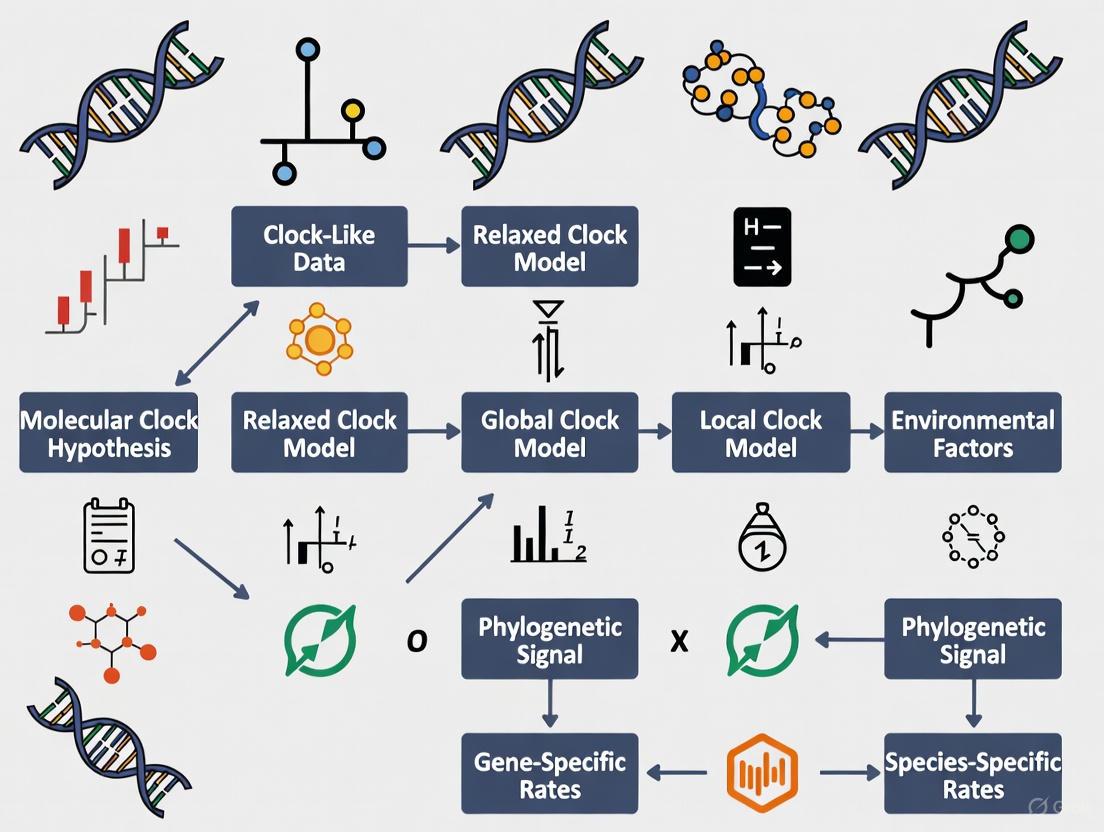
Selecting an appropriate molecular clock model is a critical, yet often challenging, step in Bayesian phylogenetic analysis for studying pathogen evolution, drug resistance, and disease origins.
Troubleshooting Molecular Clock Model Selection: A Practical Guide for Biomedical Researchers
Abstract
Selecting an appropriate molecular clock model is a critical, yet often challenging, step in Bayesian phylogenetic analysis for studying pathogen evolution, drug resistance, and disease origins. This article provides a comprehensive, practical framework for researchers and drug development professionals to navigate this process. It covers the foundational principles of strict, relaxed, and random local clock models; outlines methodological approaches for implementation in modern software like BEAST X; details troubleshooting strategies for common pitfalls like lack of temporal signal; and explains rigorous validation and comparative techniques using marginal likelihoods and Bayesian evaluation of temporal signal (BETS). The guide synthesizes recent methodological advances to empower robust and reliable divergence time estimation in biomedical research.
Understanding the Molecular Clock: From Strict Assumptions to Relaxed Models
The molecular clock hypothesis, first postulated by Zuckerkandl and Pauling in the 1960s, proposed that evolutionary changes at the molecular level accumulate at a roughly constant rate over time [1] [2]. This foundational insight established that genetic distance—the number of evolutionary changes between sequences—could serve as a measure of evolutionary time, much like the steady radioactive decay of atoms allows geologists to date rock formations [3] [2].
Over subsequent decades, this simple concept has evolved into a sophisticated statistical framework. Modern molecular clock modeling no longer assumes a single, universal rate but incorporates complex patterns of rate variation across lineages using Bayesian inference methods [3] [1]. This progression from a simple hypothesis to computationally intensive Bayesian methods represents a fundamental shift in how evolutionary biologists convert genetic divergence into estimates of absolute time, enabling investigations into questions ranging from viral emergence to deep evolutionary history [1] [4].
The Evolution of Clock Models: From Strict to Relaxed Clocks
The initial "strict" molecular clock model assumed that every branch in a phylogenetic tree evolves according to the same substitution rate [5]. While mathematically straightforward, this assumption proved biologically unrealistic for most datasets, as evolutionary rates can vary considerably among species due to factors like generation time, metabolic rate, population size, and the efficacy of DNA repair [3].
A Hierarchy of Relaxed Clock Models
To address the limitations of the strict clock, researchers developed "relaxed" molecular clock models that accommodate rate variation among lineages [3] [5]. These models differ primarily in how they handle the relationship between evolutionary rates on adjacent branches in a phylogeny.
Table: Major Molecular Clock Model Types
| Model Type | Key Assumption | Rate Variation | Best Application Context |
|---|---|---|---|
| Strict Clock | Single evolutionary rate across all branches [5] | None | Closely-related populations with similar biology; validation of clock-like behavior [6] |
| Uncorrelated Relaxed Clock | Each branch has independent rate drawn from shared distribution (e.g., lognormal, exponential) [5] | High; rates can change abruptly between branches | Datasets with substantial, unpredictable rate variation across lineages [5] [7] |
| Autocorrelated Relaxed Clock | Evolutionary rates change gradually; descendant branches have rates correlated with ancestors [3] | Moderate; neighboring branches have similar rates | Deep evolutionary timescales where rates evolve gradually [3] |
| Random Local Clock | Limited number of rate changes at specific points in tree [5] | Flexible; more variation than strict but less than fully relaxed clock | Situations where specific clades are known to evolve at different rates [5] |
| Time-Dependent Rate | Evolutionary rate varies systematically with time scale [1] | Rate decay toward present | Pathogens with different short-term vs. long-term rates; ancient DNA [1] |
The development of these models represents a fundamental trade-off in statistical modeling: as models gain parameters to better fit biological reality (accuracy), they also increase statistical uncertainty and computational demands (complexity) [3]. The optimal model should therefore have enough parameters to adequately explain the data—but no more [3].
Troubleshooting Molecular Clock Model Selection
Selecting an appropriate molecular clock model represents a critical step in phylogenetic dating analysis. The following troubleshooting guide addresses common challenges researchers encounter.
Frequently Asked Questions
Q: My root-to-tip regression in TempEst shows a low R² value. Does this mean my dataset lacks temporal signal and is unsuitable for molecular clock dating?
A: Not necessarily. A low R² value from root-to-tip regression does not definitively indicate a lack of temporal signal [6]. Root-to-tip regression assumes a strict molecular clock, and a poor fit may indicate substantial among-branch rate variation rather than complete absence of temporal signal [6]. In such cases, a relaxed clock model may be more appropriate. The recommended approach is to formally test for temporal signal using Bayesian Evaluation of Temporal Signal (BETS), which compares marginal likelihoods between models with and without tip dates [6].
Q: How can I determine which molecular clock model is best for my dataset?
A: Model selection should be performed using statistical comparison of marginal likelihoods, typically through nested sampling or path sampling [6]. Create and compare four models: strict and relaxed clock models, each with and without tip dates [6]. This approach simultaneously tests temporal signal (dated vs. undated) and clock model fit (strict vs. relaxed). If BETS provides evidence for temporal signal, you can proceed with dating analyses even if root-to-tip regression shows poor fit [6].
Q: What is the impact of calibration strategy on molecular clock dating?
A: Calibration strategy significantly impacts divergence time estimates [4] [8]. Multiple calibrations generally produce more reliable estimates than single calibrations [4]. Deeper calibrations (closer to the root) are preferred over shallow calibrations, as they capture a larger proportion of the overall genetic variation and provide more accurate timescale estimates [4]. The use of well-justified calibration priors that account for fossil uncertainty is crucial, as arbitrary parameters in minimum-bound calibrations can strongly impact divergence time estimates [8].
Q: How can I assess whether my chosen molecular clock model is actually adequate for my data, rather than just being the best of the available options?
A: Use posterior predictive simulations to assess model adequacy [9]. This method involves: (1) conducting a Bayesian molecular clock analysis of your empirical data; (2) using parameters from the posterior distribution to simulate new datasets; (3) comparing branch length estimates between the empirical data and simulated data [9]. An inadequate model will show significant discrepancies between empirical and posterior predictive branch lengths, indicating model misspecification [9].
Experimental Protocol: Bayesian Evaluation of Temporal Signal (BETS)
Purpose: To formally test for the presence of sufficient temporal signal in dated molecular sequences for molecular clock dating [6].
Procedure:
- Model Specification: Set up four separate analyses in BEAST or similar Bayesian phylogenetic software:
- Strict clock model with tip dates
- Strict clock model without tip dates
- Uncorrelated relaxed clock model with tip dates
- Uncorrelated relaxed clock model without tip dates
Parameter Settings: For undated models, fix the substitution rate at 1.0 or at the order of magnitude assumed for your taxon based on literature values [6].
Marginal Likelihood Estimation: For each model, estimate the log marginal likelihood using nested sampling, path sampling, or generalized stepping-stone sampling [6].
Bayes Factor Calculation: Calculate log Bayes factors between dated and undated models for both strict and relaxed clocks. A positive Bayes factor favoring dated models indicates presence of temporal signal [6].
Interpretation: If Bayes factors strongly favor models with tip dates over corresponding models without tip dates, this indicates sufficient temporal signal exists in your data to proceed with molecular clock dating [6].
Essential Research Reagents and Computational Tools
Table: Key Resources for Molecular Clock Analysis
| Resource Type | Specific Tools | Primary Function |
|---|---|---|
| Bayesian Dating Software | BEAST2 [5] [7], RevBayes [10], MCMCTree [8] | Bayesian phylogenetic inference with molecular clock models |
| Model Selection | Nested Sampling (BEAST2) [6], Path Sampling/Generalized Stepping-Stone Sampling [6] | Marginal likelihood estimation for model comparison |
| Temporal Signal Assessment | TempEst [6], BacDating [6] | Root-to-tip regression to explore temporal signal |
| Fossil Calibration | Fossil calibration priors implemented in BEAST2, MCMCTree, RevBayes [10] [8] | Incorporating fossil information to calibrate molecular clock |
| Result Analysis & Visualization | Tracer [7], TreeAnnotator [7], FigTree [7] | Analyzing MCMC output, summarizing tree distributions, and visualizing time trees |
Molecular Clock Model Selection Workflow
The following diagram illustrates the logical workflow for molecular clock model selection, from initial data assessment to final model validation:
The strict molecular clock model is a foundational concept in molecular evolution, providing a framework for estimating evolutionary timescales from genetic data. This model assumes that genetic mutations accumulate at a constant rate across all lineages in a phylogenetic tree, serving as a "clock" that measures evolutionary time. While its simplicity offers computational advantages, the model's core assumption also defines its specific applications and limitations. This technical support center article guides researchers through the troubleshooting and appropriate implementation of the strict clock model within their phylogenetic analyses.
Core Concepts and Theoretical Foundation
Key Assumptions of the Strict Clock Model
The strict clock model operates on several fundamental assumptions:
- Rate Constancy: The model assumes that the evolutionary rate (the number of substitutions per site per time unit) is identical across all branches of the phylogenetic tree [5] [11]. This is its defining characteristic.
- Poisson Process: It often assumes that molecular evolution follows a Poisson process, where the mean and variance of the number of substitutions are equal [12].
- Neutral Theory Foundation: The concept is theoretically underpinned by the neutral theory of evolution, which posits that most evolutionary changes at the molecular level are due to the fixation of neutral mutations [11].
Mathematical and Statistical Formulation
In practice, the strict clock is a one-parameter model [5]. This single parameter represents the fixed evolutionary rate, which converts branch lengths (measured in expected substitutions per site) into evolutionary time. In Bayesian software like BEAST, this parameter is typically equipped with a proper CTMC reference prior to facilitate estimation [5]. The fundamental calculation for a strict clock often relies on the formula ( d = 2rt ), where ( d ) is the genetic distance, ( r ) is the fixed rate, and ( t ) is the time since divergence [11].
Troubleshooting Guide: Common Issues and Solutions
Researchers often encounter specific challenges when applying the strict clock model. The following table addresses frequent issues and provides recommended actions.
| Common Issue | Symptoms | Underlying Cause | Solution |
|---|---|---|---|
| Clock Violation | Poor model fit in posterior predictive checks [9]; Significant rate heterogeneity detected in preliminary tests [13] [12]. | True variation in evolutionary rates among lineages due to factors like generation time or metabolic rate [14]. | Test clock adequacy [9]; Switch to a relaxed clock model (e.g., uncorrelated lognormal) [5] [13]. |
| Poor MCMC Mixing | Low Effective Sample Size (ESS) values for key parameters; inability to achieve convergence. | Model misspecification, including an inappropriate strict clock when rates are variable. | Run multiple chains to check consistency [15]; Re-evaluate tree prior compatibility with sampling scheme [15]. |
| Biased Time Estimates | Divergence time estimates are significantly older or younger than fossil or biogeographic evidence. | Model over-simplification forcing an incorrect average rate across all lineages. | Use multiple, reliable calibrations [16]; Compare results with a relaxed clock analysis [15]. |
| Intraspecific Data | Extremely high rate variance (e.g., ucld.stdev >> 1) if a relaxed clock is forced; poor fit for population-level trees. |
Coalescent process and intra-species sampling creates trees that conflict with species-level tree priaries [15]. | Consider a multi-species coalescent model (*BEAST) [15]; Use a random local clock [15]. |
Frequently Asked Questions (FAQs)
Q1: When should I use a strict clock instead of a relaxed clock? Use a strict clock when analyzing very closely related species or populations with similar generation times and life history traits, where the assumption of rate constancy is biologically plausible [11]. It is also the preferred model when sequence data is limited, as it is computationally efficient and less parameter-rich, reducing the risk of overfitting [13].
Q2: How can I statistically test if my data violates the strict clock assumption? You can perform a Likelihood Ratio Test (LRT) to compare the fit of a model with a enforced clock to one without it [12]. For Bayesian analyses, you can assess model adequacy using posterior predictive simulations, which test whether the data generated under the strict clock model resemble your empirical data [9]. An overdispersed molecular clock (index of dispersion >>1) also indicates violation [12].
Q3: My strict clock analysis runs fine, but Bayes Factors strongly favor a relaxed clock. Which model should I trust? This is a common scenario. If a relaxed clock is strongly favored but has poor MCMC mixing (low ESS), it can indicate a conflict between your data, the tree prior, and the clock model [15]. A strict clock with good convergence might be more reliable than a non-convergent relaxed clock. Investigate if your tree prior (e.g., Yule vs. Coalescent) is appropriate for your taxon sampling [15]. A random local clock can sometimes be a good middle-ground option [5] [15].
Q4: What are the best practices for calibrating a strict clock analysis? Calibrations are essential for converting relative time to absolute time. Use multiple, reliable calibration points where possible. Sources include:
- Fossils: Provide minimum age constraints for nodes [16] [17] [11].
- Biogeographic Events: Known geological events like continental drift or island formation can constrain divergence times [16] [11].
- Ancient DNA: Tip-dating of historically sampled specimens can provide very precise calibrations [17] [11]. Always consider the uncertainty associated with your calibrations and use appropriate priors to represent this uncertainty in your analysis.
Experimental Protocol: Model Selection and Adequacy Assessment
This protocol provides a step-by-step guide for comparing the strict clock against alternative models and evaluating its performance, drawing on established methodologies [13] [9].
Workflow for Molecular Clock Model Selection
The following diagram outlines the logical decision process for selecting and validating a molecular clock model.
Step-by-Step Methodology
- Sequence Data Preparation: Begin with a high-quality, multiple sequence alignment. Assess and account for rate heterogeneity across sites (e.g., using a Gamma model) [13].
- Preliminary Tree Inference: Reconstruct an initial phylogenetic tree using a clock-free method to understand the basic relationships.
- Initial Clock Test: Perform a likelihood ratio test to compare a model enforcing a molecular clock to an unconstrained model. A significant result indicates rejection of the strict clock [12].
- Bayesian MCMC Analysis:
- Strict Clock Analysis: Configure your analysis (e.g., in BEAUti) using the strict clock model [5]. Use appropriate priors, such as the CTMC reference prior for the clock rate.
- Relaxed Clock Analysis: Run a parallel analysis using a relaxed clock model, such as the Uncorrelated Lognormal (UCLN) clock [5] [13].
- Model Comparison: Calculate Bayes Factors from the marginal likelihoods of the strict and relaxed clock analyses to determine which model provides a better fit to your data [9].
- Model Adequacy Assessment:
- Take a sample of posterior parameters (rates, times, tree) from your strict clock analysis.
- Simulate new sequence alignments based on these parameters.
- Re-estimate phylograms from these simulated datasets using a clock-free method.
- Compare the branch lengths of the empirical phylogram to the distribution of branch lengths from the simulated data. A high proportion of empirical branches falling outside the 95% quantile of the simulated distribution indicates the strict clock model is inadequate [9].
The Scientist's Toolkit: Essential Research Reagents and Software
The following table details key software tools and conceptual "reagents" essential for conducting strict clock analyses.
| Item Name | Type | Function | Key Considerations |
|---|---|---|---|
| BEAST/BEAST2 | Software Package | A cross-platform program for Bayesian evolutionary analysis using MCMC. It implements strict, relaxed, and random local clock models for estimating rooted, time-measured phylogenies [5] [14]. | The primary software for Bayesian molecular clock dating. Uses BEAUti for configuration. |
| Strict Clock Model | Analytical Model | The one-parameter model that assumes a single, constant evolutionary rate across all tree branches, converting branch lengths to time [5] [18]. | Use when clock-likeness is not rejected. Computationally efficient. |
| CTMC Reference Prior | Statistical Prior | A proper prior used in BEAST for the clock rate parameter under the strict clock model, which helps in obtaining valid posterior estimates [5]. | Default prior in BEAST; generally recommended. |
| Tracer | Software Tool | Used to analyze the output of BEAST (and other MCMC programs). It assesses convergence (via ESS), compares model fit (Bayes Factors), and summarizes parameter estimates [13] [15]. | Critical for diagnosing MCMC performance and model selection. |
| Posterior Predictive Simulation | Analytical Method | A technique to assess model adequacy by simulating data under the fitted model and comparing it to the empirical data. Used to identify branches where the clock model fits poorly [9]. | Final step for validating that the model is a plausible description of the data. |
| Fossil Calibrations | Data Input | Dated fossil evidence used to assign absolute times to specific nodes in the tree, converting relative branch lengths to years [16] [17]. | The most common source of calibration information. Requires careful placement and uncertainty specification. |
| r8s / treePL | Software Package | Implements penalized likelihood methods for divergence time estimation on a fixed tree topology. Can implement strict and relaxed clocks and is faster for very large datasets [11]. | An alternative to Bayesian methods for large-scale phylogenies. |
Molecular clocks are fundamental to evolutionary biology, providing a framework for dating species divergences. The strict molecular clock model, which assumes a constant evolutionary rate across all lineages, is often violated by real biological data. Relaxed clock models address this limitation by allowing evolutionary rates to vary across the tree, providing more realistic and accurate estimates of divergence times. This guide provides troubleshooting and methodological support for researchers selecting and implementing these models in their phylogenetic analyses.
Frequently Asked Questions (FAQs)
1. What is the fundamental difference between a strict clock and a relaxed clock model? A strict clock model assumes every branch in the phylogenetic tree evolves at the same, constant rate, making it a one-parameter model. In contrast, relaxed clock models permit variation in evolutionary rates across different branches, with various statistical frameworks to describe how this variation occurs [5].
2. When should I use an uncorrelated relaxed clock versus a random local clock? The uncorrelated relaxed clock model allows each branch to have its own independent evolutionary rate, drawn from an underlying distribution (e.g., log-normal, exponential). This is suitable when you expect rate changes to be sudden and unrelated between ancestor and descendant lineages. The random local clock model is a compromise, allowing for a limited number of rate changes across the tree, which is useful when you expect some lineages to share similar rates but want to avoid the complexity of a fully relaxed clock [5].
3. My Bayesian relaxed clock analysis is taking too long. What can I do? High computational burden is a common challenge, especially with large phylogenomic datasets. If using Bayesian methods like BEAST is infeasible, consider a composite or approximate approach. One method involves using the bag of little bootstraps to generate a set of plausible phylogenies, dating each one with a faster method like RelTime, and then summarizing the results to incorporate phylogenetic uncertainty into your final time estimates [19].
4. How does phylogenetic uncertainty affect my divergence time estimates? When you first infer a phylogeny and then scale it to time in a sequential analysis (SA), you risk overconfidence in your divergence time estimates (i.e., overly narrow confidence/credibility intervals) if the phylogeny is not well-resolved. A joint analysis (JA), which co-infers the phylogeny and divergence times, incorporates this topological uncertainty and can provide more reliable confidence intervals, especially for nodes with low support [19].
5. Are my relaxed clock time estimates accurate if I use the wrong model of rate variation? Simulation studies show that accuracy depends on whether your assumed model matches the true, unknown process. If your analysis uses an autocorrelated model but rates actually evolved randomly (and vice-versa), the frequency with which the true time falls within the 95% credibility interval can drop significantly (e.g., to around 83%). To enhance robustness, one strategy is to build composite credibility intervals from analyses run under both autocorrelated and random rate models [20].
Troubleshooting Common Experimental Issues
Poor Chain Mixing in MCMC Analyses
- Problem: Low Effective Sample Size (ESS) for key parameters like the clock rate or tree prior.
- Solution: Adjust your MCMC proposal mechanisms. Increase the tuning frequency for moves on the tree topology (e.g.,
mvNNI) and node times (e.g.,mvNodeTimeSlideUniform). Consider using amvTreeScalemove to propose scaling the entire tree, which can improve mixing of the root age and overall branch rates [10].
Infeasibly Long Computation for Large Datasets
- Problem: Bayesian analysis of a phylogenomic dataset with tens of thousands to millions of sites will not finish in a reasonable time.
- Solution: Implement a joint inference pipeline using maximum likelihood and RelTime. The workflow involves generating multiple bootstrap replicate alignments, inferring an ML tree for each, dating each tree with RelTime, and then summarizing the node ages and confidence intervals from the resulting set of timetrees [19].
Unrealistically Wide or Narrow Credibility Intervals
- Problem: The estimated credibility intervals for divergence times seem biologically implausible.
- Solution:
- Wide Intervals: This may be due to high uncertainty in the tree topology. Ensure you are using a sufficient amount of phylogenetic signal (e.g., more genes/longer alignments) and consider a joint analysis to properly account for this uncertainty [19].
- Narrow Intervals: This could indicate overconfidence, potentially from using an incorrect relaxed clock model. Run your analysis under both autocorrelated and random rate models and consider reporting composite credibility intervals [20]. Re-evaluate your fossil calibrations, as overly informative, incorrect priors can also lead to biased, overprecise estimates.
Experimental Protocols & Workflows
Protocol 1: Bayesian Comparison of Relaxed Clock Models in RevBayes
This protocol outlines the steps for comparing different relaxed clock models in a Bayesian framework [10].
1. Specify the Birth-Death Model:
- Create a Rev script (e.g.,
m_BDP_bears.Rev) to define the tree prior. - Specify priors for diversification (
diversification ~ dnExponential(10.0)) and turnover (turnover ~ dnBeta(2.0, 2.0)). - Define deterministic nodes for the birth rate (
birth_rate := diversification / denom) and death rate. - Set a prior on the root age, often offset by a known fossil time (e.g.,
root_time ~ dnLognormal(mu_ra, stdv_ra, offset=tHesperocyon)). - Instantiate the time tree stochastic node:
timetree ~ dnBDP(lambda=birth_rate, mu=death_rate, rho=rho, rootAge=root_time, ...).
2. Set up the Clock Models:
- Create separate Rev files for each clock model (e.g., strict, uncorrelated lognormal, autocorrelated).
- For an uncorrelated lognormal clock, define a clock rate and a standard deviation parameter (
ucld_sigma) that controls the magnitude of rate variation across branches. - Link the clock model to the tree by creating a vector of branch rates.
3. Specify the Substitution Model:
- Define the nucleotide substitution model (e.g., HKY, GTR) and the site-rate heterogeneity model (e.g., Gamma, Invariant sites).
4. Configure and Run the MCMC:
- In a master Rev script, use the
source()function to import the model components. - Create the full model:
mymodel = model(timetree). - Set up monitors and MCMC samples (e.g.,
mymcmc = mcmc(mymodel, monitors, moves)). - Run the MCMC for a sufficient number of generations:
mymcmc.run(generations=10000).
5. Analyze Output and Compare Models:
- Use tools like Tracer to assess MCMC convergence (ESS > 200).
- Calculate marginal model likelihoods using stepping-stone sampling or path sampling to determine the best-fitting relaxed clock model.
Protocol 2: Joint Inference of Phylogeny and Divergence Times using RelTime with Bootstrapping
This protocol is designed for large datasets where full Bayesian inference is computationally prohibitive [19].
1. Generate Bootstrap Replicate Alignments:
- For standard bootstrapping (BS): Generate
rreplicate datasets by randomly sampling sites from the original sequence alignment with replacement. - For large datasets, use the bag of little bootstraps (LBS): Sample
lsites from the original alignment (wherelis much smaller than the total alignment lengthL), then create replicate datasets by samplingLsites with replacement from this little sample.
2. Infer Maximum Likelihood Phylogenies:
- For each bootstrap replicate alignment (BS or LBS), perform a maximum likelihood phylogenetic analysis to infer the tree topology and branch lengths.
3. Estimate Divergence Times:
- Apply the RelTime method (or another relaxed clock method) to each inferred ML phylogeny, using the provided calibration constraints.
- This step produces a set of
rtimetrees, each with estimated node ages.
4. Summarize Results:
- Infer a consensus phylogeny from the set of bootstrap replicate phylogenies.
- For each node in the consensus tree, summarize the divergence time and confidence intervals from the corresponding nodes in the set of timetrees. This incorporates phylogenetic uncertainty into the final time estimates.
Model Comparison Tables
Table 1: Key Features of Common Relaxed Clock Models
| Model | Rate Variation Assumption | Key Parameters | Best Used When... | Common Software |
|---|---|---|---|---|
| Strict Clock [5] | No variation; a single rate across the entire tree. | Clock rate. | There is strong empirical evidence for rate constancy; as a simple null model. | BEAST, RevBayes, MrBayes |
| Uncorrelated Relaxed Clock [5] | The rate on each branch is drawn independently from a shared distribution (e.g., log-normal). | Clock rate (mean), and a parameter for the variance of rates (e.g., ucld_sigma). |
You expect rates to change abruptly and independently between lineages. | BEAST, RevBayes |
| Autocorrelated Relaxed Clock | The rate on a branch is correlated with the rate of its ancestral branch. | Clock rate, and a parameter governing the degree of autocorrelation. | You expect evolutionary rates to change gradually over time. | MCMCTree, MrBayes |
| Random Local Clock [5] | A limited number of rate changes occur at specific points on the tree, with local rate constancy. | Number and location of rate changes, and the value of each local rate. | You want a model between the strict and fully relaxed clocks, with some lineages sharing rates. | BEAST |
Table 2: Troubleshooting Guide for Computational Issues
| Problem | Potential Cause | Recommended Solution |
|---|---|---|
| Low ESS for clock model parameters | Poor MCMC mixing | Adjust tuning parameters for tree and clock operators; increase MCMC run length [10]. |
| Analysis will not finish | Dataset is too large for Bayesian methods | Switch to a joint inference method using ML and RelTime with bootstrapping [19]. |
| Credibility intervals too wide | High phylogenetic uncertainty or insufficient data | Use joint analysis to incorporate topology uncertainty; increase sequence data [19]. |
| Credibility intervals too narrow | Incorrect clock model; over-confident calibrations | Test both autocorrelated and random rate models; report composite CrIs; re-check calibration priors [20]. |
Visual Workflows and Diagrams
Diagram 1: Relaxed Clock Model Selection Workflow
This diagram outlines the logical decision process for selecting an appropriate relaxed clock model.
Diagram 2: Joint Inference of Phylogeny & Times
This diagram visualizes the workflow for the joint inference protocol using bootstrapping and RelTime [19].
The Scientist's Toolkit: Research Reagent Solutions
Table 3: Essential Software and Analytical Tools
| Tool Name | Type | Primary Function | Key Feature |
|---|---|---|---|
| BEAST / BEAST2 [5] [20] | Software Package | Bayesian evolutionary analysis by sampling trees and parameters. | User-friendly BEAUti interface; implements uncorrelated relaxed clocks and random local clocks. |
| RevBayes [10] | Software Package | Bayesian phylogenetic inference using a probabilistic programming language. | Highly modular and flexible for building custom relaxed clock and tree models. |
| MultiDivTime [20] | Software Package | Estimates divergence times using a Bayesian framework with autocorrelated rates. | Implements the Thorne & Kishino autocorrelated relaxed clock model. |
| RelTime [19] | Algorithm/Method | Estimates relative divergence times and confidence intervals. | Computationally efficient; can be used in joint inference pipelines with bootstrapping. |
| Tracer | Diagnostic Tool | Analyzes MCMC output from Bayesian evolutionary analyses. | Visualizes posterior distributions, ESS, and chain convergence. |
| PAML [20] | Software Package | Phylogenetic analysis by maximum likelihood. | Used for estimating branch lengths and substitution model parameters as input for dating. |
Frequently Asked Questions
1. What are autocorrelated errors and what problems do they cause in my analysis? Autocorrelated errors (or serial correlation) occur when the error terms in your model are correlated over time, violating the assumption of error independence in standard regression analysis. This is common in time series data. When this happens, the estimated regression coefficients, while still unbiased, no longer have the minimum variance property. The Mean Squared Error (MSE) may seriously underestimate the true variance of the errors, and the standard errors of the regression coefficients can become inaccurate. This, in turn, means that statistical confidence intervals and inference procedures are no longer strictly applicable, potentially leading to misleading conclusions [21] [22].
2. How can I test for the presence of autocorrelation in my model's residuals? There are several common methods to test for autocorrelation:
- Durbin-Watson Test: This test is used to detect the presence of autocorrelation at a lag of 1. The test statistic ranges from 0 to 4. A value of 2 indicates no autocorrelation, a value between 0 and 2 suggests positive autocorrelation, and a value between 2 and 4 suggests negative autocorrelation [23] [22].
- Ljung-Box Test: This test has a null hypothesis that the residuals are independently distributed. A p-value below 0.05 typically leads to a rejection of the null hypothesis, indicating the presence of autocorrelation in the time series [22].
- Correlogram (ACF Plot): Plotting the Autocorrelation Function (ACF) helps visualize the correlation between a time series and its lagged values. Non-random data with autocorrelation will show at least one significant lag in the ACF plot that exceeds the significance bounds [24] [22].
3. My data has a strong temporal component. What types of models can I use? For time series data, autoregressive models are a common choice. In an autoregressive model, the current value of the series is regressed on its own previous values.
- AR(1): A first-order autoregressive model, where the value at time t is predicted based on the value at t-1:
yₜ = β₀ + β₁yₜ₋₁ + εₜ[24]. - AR(k): A k-th order autoregressive model uses the previous k values to predict the current value:
yₜ = β₀ + β₁yₜ₋₁ + ... + βₖyₜ₋ₖ + εₜ[24]. The partial autocorrelation function (PACF) plot is particularly useful for identifying the orderkof an autoregressive model, as significant spikes indicate which lagged terms are useful predictors [24].
4. How do I choose the right molecular clock model for my phylogenomic data? Molecular clock models range from strict to increasingly relaxed assumptions. The choice depends on the level of rate variation your data exhibits. The table below summarizes common models [5]:
| Model | Core Assumption | Key Application / Use Case |
|---|---|---|
| Strict Clock | A single, global evolutionary rate applies to all branches in the phylogenetic tree. | Suitable when little to no rate heterogeneity is expected across the tree. Serves as a simple null model [5]. |
| Fixed Local Clock | Pre-defined clades are allowed to have their own constant evolutionary rates, while a constant rate is maintained across the rest of the tree. | Useful when prior knowledge (e.g., from taxonomy or life history) suggests specific lineages evolved at different rates [5]. |
| Uncorrelated Relaxed Clock | Every branch in the tree has its own independent evolutionary rate, drawn from a specified probability distribution (e.g., log-normal). | Applied when evolutionary rates are expected to vary significantly and abruptly across branches without correlation between adjacent branches [5]. |
| Random Local Clock | The model proposes a series of local molecular clocks that extend over subregions of the phylogeny, allowing for a variable number of rate changes. | A middle-ground option that permits more variation than a strict clock but less than a fully relaxed clock, with the number and location of rate shifts informed by the data [5]. |
5. What tools can help me visualize and test evolutionary rate variation in phylogenomic data? ClockstaRX is a specialized tool for exploring and testing evolutionary rate signals in phylogenomic data. It uses principal components analysis (PCA) to model the main axes of rate variation across branches and loci. It implements formal statistical tests to:
- Reject the degenerate multiple pacemaker model: A test to determine if there is any predictable component of rate variation in your data.
- Identify the number of significant "pacemakers": Determines how many principal components (axes of variation) significantly describe the data.
- Identify local pacemakers: Tests which specific phylogenetic branches are driving the variation on each significant PC axis [25]. This information is crucial for diagnosing complex rate heterogeneity and can inform decisions on data filtering or model selection for subsequent molecular dating analyses [25].
Troubleshooting Guides
Issue 1: Detecting and Addressing Autocorrelation in Time Series Regression
- Symptoms: You have fitted a linear model to time series data, and your residuals (the differences between observed and predicted values) are not randomly distributed. A plot of residuals vs. time may show clusters or a cyclical pattern.
- Diagnostic Protocol:
- Plot Residuals vs. Time: Visually inspect for non-random patterns [24].
- Conduct a Formal Test: Perform a Durbin-Watson or Ljung-Box test on the residuals. A significant result (p-value < 0.05 for Ljung-Box) confirms autocorrelation is present [22].
- Analyze ACF and PACF Plots: Use these plots to understand the structure of the autocorrelation. The PACF plot is key for identifying the order
pof an autoregressive (AR) process. A significant spike at lag 1 in the PACF suggests an AR(1) model may be appropriate [24].
- Resolution Strategy:
- Model Transformation: Instead of ordinary least squares, use a model that explicitly accounts for the time dependency, such as an autoregressive model (e.g.,
yₜ = β₀ + β₁yₜ₋₁ + εₜ) or a model with autoregressive errors [21] [24]. - Incorporate Lagged Variables: Use lagged versions of the dependent variable as predictors in your regression analysis to account for the temporal dependency [22].
- Model Transformation: Instead of ordinary least squares, use a model that explicitly accounts for the time dependency, such as an autoregressive model (e.g.,
Issue 2: Selecting a Molecular Clock Model in the Presence of Rate Heterogeneity
- Symptoms: Your molecular dating analysis yields unrealistic or overly uncertain divergence times. A strict clock model feels too simplistic, but you are unsure which relaxed clock model to use.
- Diagnostic Protocol:
- Perform an Initial Rate Variation Analysis: Use a tool like ClockstaRX to analyze your phylogenomic data (a set of gene trees and a species tree). The input is typically inferred gene trees with branch lengths in substitutions per site [25].
- Run ClockstaRX Tests:
- Use the
collect.ratesfunction to extract branch rates from gene trees that are concordant with the species tree. - Use the
clock.spacefunction to perform PCA on the matrix of rates (loci x branches). - Examine the results of the three key tests (
pPhi,pPCs,pIL) to understand the global and local structure of rate variation [25].
- Use the
- Resolution Strategy:
- If a single PC dominates: A simple relaxed clock model where each locus has its own rate may be sufficient.
- If multiple significant PCs are found: There are subsets of loci with distinct rate patterns. Consider partitioning your data or using a more complex clock model that can handle this.
- If specific branches are identified as local pacemakers: A Random Local Clock model or carefully defined Fixed Local Clock model might be the most appropriate choice, as these branches are key drivers of rate heterogeneity [25] [5].
The following workflow diagram outlines the key decision points in this troubleshooting process:
The Scientist's Toolkit: Essential Research Reagents & Materials
The following table details key resources used in the experiments and methodologies cited in this guide.
| Research Reagent / Tool | Primary Function & Application |
|---|---|
| ClockstaRX Software | A flexible R-based platform for exploring, visualizing, and performing hypothesis tests on evolutionary rate variation in phylogenomic data sets. It helps identify groups of loci and branches that contribute significantly to rate heterogeneity patterns [25]. |
| BEAST2 Software Package | A comprehensive Bayesian statistical software platform for phylogenetic analysis, particularly known for its wide array of implemented molecular clock models (strict, relaxed, random local clock) for divergence time estimation [5]. |
| Phylogenomic Data Set | The fundamental input, consisting of an inferred species tree and a set of independent gene trees (e.g., from individual loci or recombination-free regions) with branch lengths representing expected substitutions per site [25]. |
| Autocorrelation Function (ACF) Plot | A graphical diagnostic tool (correlogram) used to visualize the correlation between a time series and its lagged values. It helps identify trends, seasonality, and non-stationarity in time series data and model residuals [24] [23] [22]. |
| Partial Autocorrelation Function (PACF) Plot | A graphical tool that shows the correlation between a time series and its lags after removing the effects of intermediate lags. It is primarily used to identify the order p of an autoregressive (AR) model [24] [22]. |
| Durbin-Watson Test Statistic | A quantitative test used to detect the presence of first-order autocorrelation in the residuals from a regression analysis, providing a single number to guide diagnostics [23] [22]. |
The relationships between these core components in a molecular clock analysis workflow are illustrated below:
Troubleshooting Guides
Guide 1: Resolving Model Selection Uncertainty
Problem: Researchers are uncertain whether their dataset requires a relaxed molecular clock or if a simpler model is sufficient, leading to potential overfitting or underfitting.
Background: The Random Local Clock (RLC) model serves as an intermediate between the overly simplistic strict clock and the parameter-rich uncorrelated relaxed clock. It allows different phylogenetic regions to have different rates, with only a small number of rate changes across the tree [26] [5].
Diagnosis:
- Symptoms: Poor chain convergence in Bayesian MCMC analyses, low effective sample sizes (ESS) for rate parameters, or conflicting time estimates between different clock models.
- Diagnostic Steps:
- Conduct Bayes factor comparison between strict, random local, and uncorrelated relaxed clock models [27] [5].
- Check posterior probability of rate changes in RLC output—if concentrated near zero, a strict clock may be sufficient.
- Examine rate heterogeneity across branches using tracer-style software.
Solution:
- Initial Setup: Begin with RLC model using Bayesian stochastic search variable selection (BSSVS) to sample over all possible local clock configurations [26].
- MCMC Configuration: Run analysis for adequate generations (typically 10-100 million, depending on dataset size).
- Model Assessment: Check the posterior number of rate changes. If K = 0 with high probability, your data likely supports a strict molecular clock.
- Implementation: The RLC model is implemented in BEAST 1.5.4 and later versions, accessible through the BEAUti interface [26] [5].
Prevention: Always conduct model comparison using marginal likelihood estimation before final dating analysis. Use ClockstaR to determine optimal clock partitioning schemes for multigene datasets [27].
Guide 2: Addressing Poor MCMC Mixing in RLC Analyses
Problem: Poor mixing and convergence issues when using Random Local Clock models, characterized by low effective sample sizes (ESS) for rate parameters and tree model statistics.
Background: The RLC model has a complex state space that includes the product of all 2^(2n-2) possible local clock models across all possible rooted trees, which can challenge MCMC sampling [26].
Diagnosis:
- Symptoms: ESS values below 200, poor convergence between independent runs, and multimodal posterior distributions for rate parameters.
- Diagnostic Tools: Use Tracer or similar software to monitor ESS, trace plots, and posterior distributions.
Solution:
- Parameter Tuning: Adjust operating scale factors for tree and clock parameter proposals in BEAST.
- Chain Length: Increase chain length substantially—RLC analyses often require longer runs than strict clock models.
- Proposal Weights: Optimize proposal mechanism weights for tree and clock parameters.
- Initialization: Initialize chains with reasonable starting trees rather than random trees.
Verification: Run multiple independent analyses from different starting points to verify convergence to the same posterior distribution [26].
Frequently Asked Questions
Q1: When should I choose a Random Local Clock over other molecular clock models? A1: The RLC model is particularly appropriate when you expect sparse, possibly large-scale rate changes across the phylogeny rather than many small changes on every branch. It approaches the problem of rate variation by proposing a series of local molecular clocks, each extending over a subregion of the full phylogeny [26]. This makes it well-suited for datasets where large subtrees share the same underlying substitution rate, with variation described by the stochastic nature of the evolutionary process [26].
Q2: How does the Random Local Clock model differ from uncorrelated relaxed clock models? A2: Uncorrelated relaxed clocks allow each branch to have its own independent evolutionary rate drawn from an underlying distribution [5]. In contrast, the RLC model permits different regions in the tree to have different rates, but within each region the rate must be the same [26]. The RLC model therefore has an intermediate number of parameters between the single-parameter strict clock and the highly parameterized uncorrelated relaxed clock that has a separate parameter for each branch.
Q3: What are the computational requirements for RLC analysis? A3: RLC analyses are computationally intensive due to the enormous model space—for n sequences, there are 2^(2n-2) possible local clock models to consider [26]. However, the method efficiently samples this space using Markov chain Monte Carlo (MCMC) to implement Bayesian model averaging over random local molecular clocks. Adequate MCMC chain lengths are essential, and multiple runs are recommended to verify convergence.
Q4: Can I test whether my data supports a strict molecular clock using RLC? A4: Yes, one major advantage of the RLC model is that it conveniently allows a direct test of the strict molecular clock against a large array of alternative local molecular clock models [26]. If the posterior probability strongly supports zero rate changes (K=0), this provides evidence for a strict clock where "one rate rules them all."
Experimental Protocols & Methodologies
Protocol 1: Implementing Random Local Clock Analysis in BEAST
Purpose: To estimate divergence times using Random Local Clock models when there is expected to be variation in evolutionary rates among lineages, but with spatial correlation along the tree.
Materials:
- Software Requirements: BEAST package (v1.5.4 or later), BEAUti, Tracer [26] [5]
- Data Requirements: Aligned molecular sequences (nucleotide, codon, or amino acid)
- Computational Resources: Adequate memory and processing power for potentially long MCMC runs
Procedure:
- Data Preparation:
- Load alignment file into BEAUti
- Select appropriate site model (HKY85, GTR, etc.) with discrete-Gamma distributed rate heterogeneity [26]
Clock Model Configuration:
Tree Model Setup:
- Select appropriate tree prior (Yule, Birth-Death, etc.)
- Configure calibrations if available
MCMC Settings:
- Set chain length appropriate to dataset size (typically 10-100 million generations)
- Configure logging parameters for adequate sampling
Analysis Execution:
- Run BEAST with generated XML file
- Monitor progress for potential issues
Output Analysis:
- Use Tracer to assess convergence and ESS values
- Use TreeAnnotator to generate maximum clade credibility tree
- Visualize results with appropriate software
Troubleshooting Tips:
- If ESS values are low, increase chain length or adjust operator weights
- If convergence is poor, run multiple independent chains to verify results
- For large datasets, consider using BEAGLE library to accelerate computation
Protocol 2: Bayesian Stochastic Search Variable Selection in RLC
Purpose: To efficiently sample the complex model space of possible local clock configurations using BSSVS approach.
Background: Bayesian stochastic search variable selection traditionally applies to model selection in linear regression, but has been adapted for molecular clock analysis [26].
Procedure:
- Model Augmentation: Augment the model state-space with a set of binary indicator variables δ = (δ₁,...,δ_P) where P is the number of branches [26]
- MCMC Sampling: Sample both the parameter values and model indicators simultaneously
- Posterior Analysis: Calculate posterior probabilities for each local clock configuration
- Model Averaging: Average over all sampled models to account for model uncertainty
Research Reagent Solutions
Table 1: Essential Computational Tools for Random Local Clock Analysis
| Tool/Resource | Function | Implementation Notes |
|---|---|---|
| BEAST Package | Bayesian evolutionary analysis by sampling trees | Primary software for RLC implementation [26] [5] |
| BEAUti | Bayesian evolutionary analysis utility | Graphical interface for configuring RLC analyses [5] |
| Tracer | MCMC output analysis | Diagnosing convergence and ESS values |
| TreeAnnotator | Tree summarization | Generating maximum clade credibility trees |
| ClockstaR | Clock partitioning selection | Determining optimal clock partitions for multigene datasets [27] |
Table 2: Statistical Approaches for Clock Model Comparison
| Method | Application | Interpretation |
|---|---|---|
| Bayes Factors | Model comparison between strict, RLC, and relaxed clocks | BF > 10 indicates strong support for one model over another [27] |
| BSSVS | Stochastic search over rate change locations | Identifies branches with significant rate changes [26] |
| Posterior Model Probabilities | RLC model averaging | Probability of different numbers of rate changes K |
| Marginal Likelihood Estimation | Model selection | Stepping-stone sampling or path sampling approaches |
Workflow Visualization
RLC Analysis Workflow
Clock Model Comparison
Frequently Asked Questions (FAQs)
Q1: My molecular clock analysis is yielding implausibly ancient divergence times for a clade of small mammals. Could their short generation times be affecting my results? Yes, this is a likely cause. Lineages with shorter generation times often accumulate mutations more rapidly per calendar year. This is because DNA replication, during which most mutations occur, happens more frequently in a given time period. If your model assumes a constant rate but is applied to species with differing generation times, the branch lengths will be overestimated for the faster-evolving lineages, pushing back the inferred divergence times. You should employ a relaxed clock model that can account for this variation among lineages [3].
Q2: I am studying a group of reptiles with vastly different metabolic rates. How can I test if this factor is a significant driver of evolutionary rate variation in my dataset? Early hypotheses suggested that higher metabolic rates could lead to increased mutation rates due to a greater production of oxidative DNA damage [3]. However, a phylogenetically independent comparison study on mammals found no evidence for a correlation between metabolic rate and the rate of molecular evolution after accounting for other factors [28]. To test this in your dataset, you can treat metabolic rate as a continuous trait and use correlation analysis within a phylogenetic framework (e.g., phylogenetic generalized least squares) to see if it explains a significant portion of the variation in branch-specific substitution rates.
Q3: My analysis of a cancer genome dataset reveals unexpected variation in mutation spectra between patients. Could inter-individual differences in DNA repair capacity (DRC) be responsible? Absolutely. Significant inter-individual variation in DNA Repair Capacity (DRC) exists even among healthy individuals, forming a normal distribution within the population [29]. This variation is influenced by common genetic variants (polymorphisms) in DNA repair genes and epigenetic factors. In a cancer context, these inherent differences can affect the baseline mutation rate and the spectrum of mutations that accumulate, influencing both disease susceptibility and the response to DNA-damaging chemotherapies [29] [30].
Q4: When I apply both fossil calibrations and a pedigree-based mutation rate to my species tree, I get conflicting divergence time estimates. Why does this happen, and which should I trust? This discrepancy is an active area of research. The two approaches can yield different estimates because:
- Fossil-calibrated concatenation can be influenced by model misspecification, such as not accounting for incomplete lineage sorting (ILS), which can make divergences appear older [17].
- Mutation-rate calibrated multispecies coalescent (MSC) methods directly estimate species divergence times and are less sensitive to the vagaries of the fossil record. However, they require accurate estimates of generation time and mutation rate [17]. There is no universal answer; the best practice is to compare the results of both methods and be transparent about the discrepancies. Using the MSC method with carefully selected fossil calibrations is often considered a robust approach [17].
Q5: What is the single most important recommendation for avoiding biased results in Bayesian molecular clock analysis? Conduct a prior sensitivity analysis [31]. The choice of prior distributions, especially for the tree model (e.g., birth-death process), can have a profound impact on your posterior estimates of divergence times. You should run your analysis with different, biologically plausible priors to see if your key conclusions about node ages remain stable. Using highly informative priors that are inconsistent with your data can lead to incorrect inferences, a problem that can be diagnosed by checking if the prior generates reasonable expectations for parameters like the root age and evolutionary rate [31].
Troubleshooting Guides
Problem 1: Widespread Incomplete Lineage Sorting (ILS) Biasing Divergence Time Estimates
- Symptoms: Widespread gene tree heterogeneity despite strong support for the species tree; divergence time estimates that are consistently older than fossil evidence suggests.
- Root Cause: Traditional phylogenetic clock models equate sequence divergence time with species divergence time. However, gene coalescence always predates species split in the absence of gene flow, leading to overestimates of species divergence times [17].
- Solution:
- Method Selection: Shift from concatenation-based methods to the Multispecies Coalescent (MSC) model. The MSC jointly estimates the species tree and gene trees, explicitly modeling the coalescent process to separate the time of population divergence (speciation) from the time of gene coalescence [17].
- Software & Workflow:
- Validation: Compare the estimated species tree and divergence times with those from a concatenated analysis. A significant difference, particularly older ages in the concatenated analysis, is indicative of ILS bias.
Problem 2: Incorrect Detection of Temporal Signal in Bayesian Analysis
- Symptoms: A Bayesian Evaluation of Temporal Signal (BETS) strongly supports the presence of a temporal signal even when date-randomization should show there is none. Subsequent molecular clock analyses produce unreliable time estimates.
- Root Cause: A statistical artefact known as "tree extension," often caused by using an overly informative tree prior that is inconsistent with the data. This forces the model to explain genetic diversity by extending branch lengths, mimicking the signal of evolutionary time [31].
- Solution:
- Perform Prior Predictive Simulations: Before analyzing your real data, run your model with the chosen priors (but no data) to generate simulated datasets. Check if the priors produce biologically plausible values for key parameters like the root age and evolutionary rate [31].
- Conduct Prior Sensitivity Analysis: Re-run your BETS and dating analysis with different tree prior settings (e.g., varying the birth rate in a birth-death prior). If your results and model selection are highly sensitive to the prior choice, your findings are not robust [31].
- Model Selection: Ensure you are using a molecular clock model (strict or relaxed) that is appropriate for your data. Using an overly complex "no-clock" model when rates are fairly constant can increase uncertainty [3].
Quantitative Data on Drivers of Rate Variation
Table 1: Summary of Key Biological Drivers of Molecular Rate Variation
| Driver | Proposed Mechanism | Evidence from Comparative Studies | Key Statistical Method |
|---|---|---|---|
| Generation Time | More rounds of DNA replication per unit time in shorter-lived organisms lead to more replication errors and a higher mutation rate per year [3]. | A negative correlation between generation time and substitution rate at fourfold degenerate sites in mammalian protein sequences [28]. | Phylogenetically independent comparisons and correlation analysis [28]. |
| Metabolic Rate | Higher metabolic activity generates more reactive oxygen species (ROS), leading to increased oxidative DNA damage and a higher mutation rate [3]. | A study on 61 mammal species found no evidence for an effect of metabolic rate on the rate of sequence evolution after accounting for other factors [28]. | Correlation analysis of genetic distances against differences in body mass and metabolic rate [28]. |
| DNA Repair Capacity (DRC) | The efficiency of multiple DNA repair pathways (NER, BER, MMR, etc.) determines the fraction of DNA lesions that become fixed mutations. Inter-individual and inter-species variation in DRC directly affects mutation rate [29] [30]. | Functional assays show significant inter-individual variation in DRC in human populations, and this variation is associated with disease susceptibility (e.g., a 2000-fold higher skin cancer risk in Xeroderma Pigmentosum patients with defective NER) [29] [30]. | Functional DNA repair assays (e.g., comet assay, host-cell reactivation) on cell lines or blood samples from different individuals [29]. |
Experimental Protocols for Key Assays
Protocol 1: Host-Cell Reactivation (HCR) Assay for Measuring Nucleotide Excision Repair (NER) Capacity
Purpose: To functionally measure an individual's cellular proficiency in repairing bulky DNA adducts, such as those induced by UV light, which is primarily handled by the NER pathway [29].
- Sample Collection: Isolate lymphocytes from fresh whole blood samples of study participants.
- Plasmid Preparation: Use a reporter plasmid (e.g., expressing luciferase or GFP) that has been damaged in vitro by a defined dose of UV-C light.
- Cell Transfection: Co-transfect the damaged reporter plasmid and a control undamaged plasmid (e.g., expressing Renilla luciferase) into the isolated lymphocytes.
- Incubation and Repair: Allow cells to incubate for a set period (e.g., 24 hours) to permit repair of the damaged plasmid.
- Reporter Gene Activity Measurement: Lyse the cells and measure the activity of the reporter gene (e.g., luminescence). The activity of the repaired plasmid is normalized to the activity of the control plasmid.
- Data Analysis: The normalized reporter activity is directly proportional to the cell's NER capacity. Results are typically expressed as a percentage of repair activity relative to a reference standard [29].
Protocol 2: Phylogenetically Independent Contrasts for Testing Correlations with Life History Traits
Purpose: To test for a correlation between a life history trait (e.g., generation time) and the rate of molecular evolution while accounting for the non-independence of species due to shared evolutionary history [28].
- Data Compilation:
- Genetic Data: Assemble a sequence alignment for a set of genes from multiple species.
- Trait Data: Collect data on the trait of interest (e.g., body mass, generation time) for the same species.
- Phylogeny: Obtain a well-supported, time-calibrated phylogenetic tree for the species.
- Genetic Distance Calculation: Calculate the pairwise genetic distances for specific sequence types (e.g., fourfold degenerate sites) for each pair of species.
- Independent Contrasts: Using specialized software (e.g., functions in R packages like
apeorcaper), compute phylogenetically independent contrasts for both the genetic distances and the trait values. - Correlation Analysis: Perform a correlation analysis (e.g., linear regression) on the independent contrasts, not the raw species values. A significant correlation indicates a relationship between the trait and evolutionary rate that is independent of phylogeny [28].
Pathway and Workflow Diagrams
Biological Drivers of Mutation Rate
Molecular Clock Troubleshooting Workflow
The Scientist's Toolkit: Research Reagent Solutions
Table 2: Essential Materials and Software for Molecular Clock and DNA Repair Studies
| Item Name | Type | Primary Function / Application |
|---|---|---|
| BEAST 2 / RevBayes | Software Package | Bayesian evolutionary analysis software. Used for phylogenetic reconstruction, molecular dating, and population dynamics under strict and relaxed clock models [32] [10]. |
| StarBEAST2 | Software Package | A specialized package for BEAST 2 that implements the Multispecies Coalescent (MSC) model to infer species trees from multi-locus data while accounting for incomplete lineage sorting [17]. |
| Reporter Plasmid (e.g., Luciferase) | Molecular Biology Reagent | A plasmid containing a reporter gene used in functional DNA repair assays (e.g., HCR). The plasmid is damaged in vitro, and its functional recovery after transfection into host cells quantifies repair capacity [29]. |
| Comet Assay Kit | Laboratory Assay Kit | A kit for the single-cell gel electrophoresis assay. Used to measure DNA strand breaks at the level of individual cells, providing a direct snapshot of DNA damage and repair capacity [29]. |
| PAML (e.g., MCMCTree) | Software Package | A package of programs for phylogenetic analysis by maximum likelihood. The MCMCTree program is used for Bayesian estimation of divergence times using relaxed molecular clock models [32]. |
The Critical Impact of Model Choice on Divergence Time and Evolutionary Rate Estimates
Frequently Asked Questions
What is the most common source of error in molecular clock dating? Molecular clock model misspecification is a significant source of estimation error. Using an incorrect model of rate variation among lineages (e.g., applying a strict clock when rates vary substantially) can lead to inaccurate divergence time estimates, even with otherwise good data and calibrations [4].
How does calibration strategy impact date estimates? The position and number of calibrations strongly influence results. Shallow calibrations (close to the tips) can cause the overall timescale to be underestimated by up to three orders of magnitude. An effective strategy is to include multiple calibrations and prefer those close to the root of the phylogeny [4] [33].
What is the practical difference between strict and relaxed molecular clocks? Strict molecular clocks assume a constant rate of evolution across all lineages, while relaxed clocks allow rates to vary. Relaxed clocks include uncorrelated models (independent rates per branch) and autocorrelated models (rates change gradually along lineages) [11]. Strict clocks are simpler but often biologically unrealistic for distantly related species.
How can I assess the reliability of my divergence time estimates? In Bayesian analysis, examine posterior probability distributions and credibility intervals. Conduct sensitivity analyses by testing alternative calibration schemes, prior distributions, or clock models. Wide confidence intervals or major shifts in estimates under different assumptions indicate uncertainty [11].
Which software is best for divergence time estimation? The choice depends on your data and needs. BEAST focuses on time-calibrated phylogenies with various relaxed clock models. MCMCTree (in PAML) is significantly faster for large datasets while producing comparable estimates. r8s and treePL use penalized likelihood approaches suitable for large phylogenies [11] [34].
Troubleshooting Guides
Problem: Inconsistent Results with Different Clock Models
Issue: Divergence time estimates vary substantially when using different molecular clock models.
Diagnosis and Solution:
- Check Rate Variation: Test if your data violates the strict clock assumption using likelihood ratio tests in packages like PAML [11].
- Compare Models: Run analyses under both autocorrelated and uncorrelated relaxed clock models. Use composite credibility intervals that combine results from both approaches for more robust uncertainty estimates [34].
- Validate with Simulations: If possible, simulate data under different clock models to understand how model misspecification affects your specific dataset [4].
Prevention: Always report results from multiple clock models and conduct model selection tests (e.g., using AIC/BIC) to justify your choice [11].
Problem: Unrealistically Old or Young Divergence Times
Issue: Estimated divergence times conflict with established fossil evidence or biogeographic events.
Diagnosis and Solution:
- Audit Calibrations: Ensure calibrations use appropriate probability distributions rather than fixed points. Compare user-specified priors with marginal priors by running analyses without sequence data [4].
- Reposition Calibrations: Move calibrations closer to the root rather than using only shallow calibrations. Deeper calibrations capture a larger proportion of overall genetic variation [4] [33].
- Use Multiple Calibrations: Incorporate several well-justified calibrations to reduce averaging error and improve precision across the tree [4].
Prevention: Consult fossil experts or biogeographic literature for appropriate calibration uncertainties. Use complex geological histories rather than single time points when calibrating with biogeographic events [35].
Problem: Computationally Prohibitive Run Times
Issue: Bayesian molecular clock analyses take too long to complete or fail to converge.
Diagnosis and Solution:
- Software Selection: For large datasets, consider MCMCTree which can be much faster than BEAST or MultiDivTime while producing comparable estimates [34].
- Reduce Complexity: Use a fixed topology instead of estimating it simultaneously with divergence times. Start with simpler models before progressing to complex ones [34].
- Computational Optimization: Utilize parallel processing, increase effective sample sizes gradually, and ensure proper MCMC convergence diagnostics [11].
Prevention: For very large phylogenies (thousands of taxa), consider faster penalized likelihood methods in r8s or treePL for initial explorations [11].
Experimental Protocols and Data
Protocol: Bayesian Molecular Clock Analysis with Multiple Calibrations
This protocol provides a framework for robust divergence time estimation using Bayesian methods [4] [36]:
Sequence Alignment and Quality Control
- Align sequences using MAFFT with guidance from tools like GUIDANCE2 to account for alignment uncertainty
- Remove unreliable alignment columns and assess alignment quality
Model Selection
- Select appropriate nucleotide substitution models using ProtTest (for proteins) or MrModeltest (for nucleotides) based on AIC/BIC criteria
- Compare different clock models (strict, uncorrelated relaxed, autocorrelated relaxed) using model selection tests
Calibration Strategy
- Identify multiple calibration points, prioritizing deeper nodes closer to the root
- Use probability distributions for calibrations rather than fixed points to incorporate uncertainty
- Compare user-specified priors with marginal priors by running analysis without sequence data
Bayesian Analysis
- Run MCMC analyses with at least 50,000 generations (adjust based on dataset size)
- Monitor convergence using effective sample sizes (ESS > 200) and trace plots
- Repeat under different clock models to assess robustness
Sensitivity Analysis
- Test impact of different calibration schemes
- Evaluate effect of alternative prior distributions
- Compare results across different clock models
Quantitative Comparison of Relaxed-Clock Methods
Table 1: Performance metrics for relaxed-clock methods based on simulation studies [34]
| Software | Computational Speed | Accuracy (Model Match) | Accuracy (Model Violation) | Best Use Case |
|---|---|---|---|---|
| MCMCTree | Fastest (<2 minutes for small datasets) | 7.5% average difference from true time | 9.4% average difference from true time | Large datasets, exploratory analyses |
| MultiDivTime | Moderate (3x slower than MCMCTree) | 5.1% average difference from true time | 8.9% average difference from true time | Small to medium datasets |
| BEAST | Slowest (orders of magnitude slower) | Similar to MultiDivTime | Similar to MultiDivTime | Complex models, co-estimation of topology and times |
Table 2: Impact of calibration strategy on time estimation accuracy [4]
| Calibration Strategy | Number of Calibrations | Position in Phylogeny | Effect on Time Estimates | Recommendation |
|---|---|---|---|---|
| Single calibration | 1 | Shallow (close to tips) | Underestimation by up to 3 orders of magnitude | Avoid |
| Single calibration | 1 | Deep (close to root) | Moderate accuracy | Acceptable when multiple not possible |
| Multiple calibrations | 3+ | Mixed, including deep nodes | Highest accuracy | Strongly recommended |
| Multiple calibrations | 3+ | Primarily shallow | Moderate to poor accuracy | Avoid |
Workflow Visualization
Molecular Clock Analysis Workflow
The Scientist's Toolkit
Table 3: Essential research reagents and computational tools for molecular clock analysis [11] [37] [36]
| Tool/Resource | Type | Primary Function | Key Features |
|---|---|---|---|
| BEAST | Software Package | Bayesian evolutionary analysis | Implements various relaxed clock models, co-estimation of topology and times |
| MCMCTree | Software Program | Bayesian divergence time estimation | Fast computation, uses approximate likelihood, good for large datasets |
| PAML | Software Package | Phylogenetic analysis by maximum likelihood | Includes MCMCTree, codon models, ancestral reconstruction |
| r8s | Software Program | Divergence time estimation | Penalized likelihood, fast for large trees, requires fixed topology |
| MrBayes | Software Package | Bayesian phylogenetic inference | General-purpose, flexible priors, can implement simple clock models |
| MAFFT | Algorithm | Multiple sequence alignment | Fast and accurate, handles large datasets, multiple alignment strategies |
| ProtTest/MrModeltest | Software Tools | Evolutionary model selection | Automates best-fit model identification using AIC/BIC criteria |
| GUIDANCE2 | Server/Tool | Alignment confidence assessment | Scores alignment reliability, identifies unreliable regions |
Troubleshooting Inaccurate Time Estimates
Implementing Clock Models: A Step-by-Step Guide with BEAST X and Beyond
BEAST X represents a significant advancement in the BEAST (Bayesian Evolutionary Analysis Sampling Trees) platform, providing a cross-platform, open-source software for Bayesian phylogenetic, phylogeographic, and phylodynamic inference. This latest version introduces substantial improvements in flexibility and scalability for evolutionary analyses, with particular emphasis on pathogen genomics. The software combines molecular phylogenetic reconstruction with complex trait evolution, divergence-time dating, and coalescent demographics in an efficient statistical inference engine [38].
Two primary themes characterize BEAST X's advancements: the development of state-of-science, high-dimensional models spanning multiple biological and public health domains, and the implementation of novel computational algorithms that significantly accelerate inference across complex, highly structured models. These developments build upon BEAST's established success in integrating sequence, phenotypic, and epidemiological data along time-scaled phylogenetic trees, which has proven crucial for understanding the epidemiology and evolutionary dynamics of rapidly evolving pathogens such as Ebola virus, SARS-CoV-2, and mpox virus [38].
Technical Specifications: Substitution and Clock Models
Advanced Substitution Models
BEAST X incorporates several extensions to existing substitution processes that model additional features affecting sequence changes [38]:
Markov-Modulated Models (MMMs): These constitute a class of mixture models that allow the substitution process to change across each branch and for each site independently within an alignment. MMMs are composed of K substitution models (nucleotide, amino acid, or codon models) of dimension S to construct a KS × KS instantaneous rate matrix used in calculating the observed sequence data likelihood [38].
Random-Effects Substitution Models: These extend standard continuous-time Markov chain (CTMC) models by incorporating additional rate variation, representing the original model as fixed-effect parameters while allowing random effects to capture deviations from the simpler process. This enables more appropriate characterization of underlying substitution processes while retaining the basic structure of biologically or epidemiologically motivated base models [38].
Table 1: Key Substitution Models in BEAST X
| Model Type | Key Features | Applications | Computational Considerations |
|---|---|---|---|
| Markov-Modulated Models (MMMs) | Site- and branch-specific heterogeneity; Integrates over candidate substitution processes | Captures different selective pressures over site and time; Bacterial, viral, and plastid genome evolution | High computational demand due to augmented dimensionality; Mitigated through BEAGLE library |
| Random-Effects Substitution Models | Extends CTMC models; Captures additional rate variation; Uses shrinkage priors for regularization | Studies nonreversibility in substitution processes; SARS-CoV-2 sequence analysis | Overparameterization addressed with shrinkage priors; Enables model selection for random effects |
Enhanced Molecular Clock Models
BEAST X provides significant enhancements to molecular clock modeling, moving beyond the traditional strict clock assumption to accommodate various sources of rate heterogeneity [38]:
Time-Dependent Evolutionary Rate Model: Accommodates evolutionary rate variations through time, which is particularly prevalent in rapidly evolving viruses with long-term transmission histories. This model uses phylogenetic epoch modeling to specify unique substitution processes throughout evolutionary history, with discretized time intervals determined by boundaries at times T₀ < T₁ < … < Tₘ₋₁ < Tₘ [38].
Relaxed Clock Models: BEAST X improves upon classic uncorrelated relaxed clock models with several new approaches, including a continuous random-effects clock model, a more general mixed-effects relaxed clock model, and an enhanced shrinkage-based local clock model that provides tractable and interpretable inference [38].
Table 2: Molecular Clock Models in BEAST X
| Clock Model | Rate Variation Assumption | Key Features | Best Applications |
|---|---|---|---|
| Strict Clock | Constant rate across all branches | Single evolutionary rate parameter; Computationally efficient | Datasets with minimal rate variation; Preliminary analyses |
| Time-Dependent Model | Rate varies through time across all lineages | Epoch-based structure with rate shifts at specified boundaries; Improves node height estimation | Pathogens with long-term transmission history; Foamy virus co-speciation |
| Uncorrelated Relaxed Clock | Rates vary independently among branches | No assumption of rate correlation between branches; Accommodates significant rate heterogeneity | Datasets with substantial among-lineage rate variation |
| Random Local Clock | Different rates allowed for different clades | Shrinkage-based implementation; Biologically interpretable; Identifies rate changes across tree | datasets where specific clades exhibit distinct evolutionary rates |
Figure 1: Molecular Clock Model Hierarchy in BEAST X
Model Selection Framework
Theoretical Foundation
Model selection represents a critical trade-off between model accuracy and model complexity. While adding more parameters always improves how well a model fits the data at hand (accuracy), it simultaneously increases statistical uncertainty about each parameter and reduces the biological interpretability of the model. The optimal model should therefore contain enough parameters to adequately explain the data—but no more [3].
In phylogenetic analyses, researchers often face the choice between strict clock models (assuming constant rates across all branches), relaxed clock models (allowing rate variation among branches), and "no-clock" models (equivalent to having a separate evolutionary rate parameter for each branch). The "no-clock" approach, while seemingly avoiding assumptions about rate constancy, actually incorporates an extremely parameter-rich model that can lead to increased statistical uncertainty and potentially poorer phylogeny estimates when rate variation among organisms is not extensive [3].
Bayesian Evaluation of Temporal Signal (BETS)
The Bayesian Evaluation of Temporal Signal (BETS) provides a formal framework for assessing whether a dataset contains sufficient temporal signal for molecular clock dating analyses [6]. The recommended approach involves:
Creating Four Comparative Models:
- Dated strict clock model (SC_dated)
- Undated strict clock model (SC_undated)
- Dated relaxed clock model (UCLD_dated)
- Undated relaxed clock model (UCLD_undated)
Marginal Likelihood Estimation: Calculating log marginal likelihoods for all four models using methods such as path sampling or stepping-stone sampling.
Bayes Factor Comparison: Comparing marginal likelihoods to determine whether dated models are statistically preferred over undated models, indicating the presence of temporal signal [6].
Figure 2: BETS Workflow for Temporal Signal Assessment
Troubleshooting Guides and FAQs
Common Experimental Challenges and Solutions
FAQ: How should I proceed when root-to-tip regression in TempEst shows low R² value?
Challenge: A low R² value in root-to-tip regression analysis often suggests poor temporal signal, but this test operates under a strict molecular clock assumption and may not be reliable when significant among-branch rate variation exists [6].
Solution:
- Don't rely solely on root-to-tip regression: Low R² values do not necessarily indicate a complete lack of temporal signal.
- Perform formal model selection: Use Bayesian model selection methods to compare strict versus relaxed clock models.
- Implement BETS: Evaluate temporal signal using the Bayesian framework, which is more appropriate than root-to-tip regression for datasets with potential rate variation [6].
FAQ: My dataset comes from a slowly evolving pathogen (like Mycobacterium tuberculosis) with limited sampling span. Should I assume a strict clock and fix the rate based on literature?
Challenge: Many historical studies have fixed evolutionary rates at literature-based values without testing temporal signal, particularly for slowly evolving pathogens with short sampling timespans [6].
Solution:
- Always test temporal signal explicitly: Use BETS regardless of the evolutionary rate or sampling span.
- You have nothing to lose: Testing temporal signal provides empirical justification for your model choices and strengthens study conclusions.
- If temporal signal is absent: Consider incorporating additional genomic data or using alternative dating approaches rather than relying solely on fixed rates from literature [6].
FAQ: Which marginal likelihood estimation method should I use for model selection in BEAST?
Challenge: Multiple marginal likelihood estimation methods exist, with different computational requirements and accuracy profiles [6].
Solution:
- BEAST1 users: Consider Generalized Stepping-Stone Sampling (GSS) for high accuracy, though it is computationally intensive.
- BEAST2 users: Utilize the MODEL_SELECTION package, which allows runs to be resumed if interrupted—a significant practical advantage.
- Path sampling: Often simpler to set up than nested sampling; use pre-burning MCMC length equivalent to your main BEAST run where ESS > 200 for all parameters [6].
Advanced Troubleshooting Scenarios
FAQ: How do I handle datasets with predominantly contemporaneous samples?
Challenge: Root-to-tip regression and date-randomization tests perform poorly with predominantly contemporaneous samples due to limited temporal information [6].
Solution:
- Focus on model-based approaches: BETS provides more reliable inference for such datasets compared to regression-based methods.
- Account for rate variation: Recognize that contemporaneous samples with varying genetic distances to common ancestors directly indicate among-lineage rate variation.
- Use appropriate tree priors: Consider coalescent models that account for the specific sampling structure of your data [6].
FAQ: What if model selection favors a strict clock despite poor root-to-tip regression?
Challenge: Apparent contradiction between root-to-tip regression results and formal model selection outcomes [6].
Solution:
- Trust the formal model selection: If BETS provides evidence for temporal signal, the root-to-tip regression result becomes largely irrelevant.
- Root-to-tip regression is not a formal test: Unlike Bayesian model selection, root-to-tip regression has no established statistical significance framework.
- Proceed with dating analyses: When BETS supports dated models, proceed with divergence time estimation and other downstream analyses [6].
Essential Research Reagent Solutions
Table 3: Key Computational Tools for Molecular Clock Analyses
| Tool/Resource | Function | Application Context | Implementation Considerations |
|---|---|---|---|
| BEAST X | Bayesian phylogenetic inference platform | Primary analysis environment for substitution models, clock models, and phylogeography | Cross-platform; Open-source; Requires BEAGLE library for optimal performance |
| BEAGLE Library | High-performance computational library | Accelerates likelihood calculations for complex substitution models | Essential for Markov-modulated models and large datasets |
| TempEst | Root-to-tip regression analysis | Preliminary assessment of temporal signal and data quality | Limited to strict clock assumption; Not a formal statistical test |
| BacDating | Bayesian dating of bacterial genomes | Specialized for bacterial pathogens including Mycobacterium tuberculosis | Incorporates specific priors appropriate for bacterial evolutionary rates |
| MODEL_SELECTION Package | Marginal likelihood estimation | Bayesian model selection for clock models and tree priors | Available in BEAST2; Allows resuming interrupted runs |
| Path Sampling/Stepping-Stone Sampling | Marginal likelihood estimation | Model comparison and temporal signal testing | Computationally intensive; Requires careful tuning of parameters |
Experimental Protocols
Protocol: Bayesian Evaluation of Temporal Signal (BETS)
Purpose: To formally assess the presence of temporal signal in molecular sequence data [6].
Steps:
- Dataset Preparation: Compile sequence data with associated sampling dates in appropriate format.
- Model Specification:
- Create dated and undated strict clock models (SCdated, SCundated)
- Create dated and undated relaxed clock models (UCLDdated, UCLDundated)
- For undated models, uncheck 'tip dates' in BEAUti and fix the substitution rate
- Marginal Likelihood Estimation:
- Use path sampling or stepping-stone sampling
- Set pre-burning MCMC length equivalent to main BEAST run with ESS > 200
- Configure steps and chain length appropriately (e.g., 100 steps with 500,000 iterations each for a 50 million iteration main run)
- Bayes Factor Calculation:
- Calculate log marginal likelihood differences
- Compare dated versus undated models
- Interpret using established Bayes factor thresholds (e.g., >10 for strong support)
Interpretation: If dated models are strongly favored over undated models, temporal signal is present and dating analyses can proceed. If undated models are favored, the dataset lacks temporal signal for reliable dating [6].
Protocol: Molecular Clock Model Selection
Purpose: To select the most appropriate molecular clock model for a given dataset [6].
Steps:
- Model Specification: Configure competing clock models in BEAUti:
- Strict clock model
- Uncorrelated relaxed clock model (e.g., UCLD)
- Random local clock model (if applicable)
- Prior Specification: Apply appropriate priors for clock model parameters
- Marginal Likelihood Estimation: Use path sampling, stepping-stone sampling, or nested sampling to estimate marginal likelihoods
- Model Comparison: Calculate Bayes factors to identify strongly supported model
- Sensitivity Analysis: Check robustness of selection to prior choices
Interpretation: Select the clock model with strongest statistical support for subsequent phylogenetic analyses.
Molecular clock models are fundamental to Bayesian evolutionary analysis in BEAST2, as they describe how evolutionary rates vary across a phylogenetic tree. Selecting and configuring an appropriate clock model is crucial for obtaining accurate estimates of divergence times. This technical support guide focuses on three primary models: the Strict Clock, which assumes a single evolutionary rate throughout the tree; Uncorrelated Relaxed Clocks, which allow each branch to have an independent rate drawn from a parametric distribution; and the Random Local Clock (RLC), which proposes a limited number of rate-change points across the tree [5] [39]. The choice of model represents a trade-off between biological realism and statistical power, where overly simple models may be inaccurate, while overly complex models can lead to poor parameter estimation [3]. This document provides troubleshooting guides and FAQs to help researchers navigate the configuration of these models in BEAUti, framed within the broader context of troubleshooting molecular clock model selection research.
Clock Model Fundamentals and Selection Criteria
BEAUti provides access to several molecular clock models through its 'Clocks' panel [5]. The core principle of any molecular clock is to provide a conversion rate between branch lengths (measured in expected substitutions per site) and evolutionary time. The models differ in how they handle variation in this rate across different lineages:
- Strict Clock: This is a 1-parameter model that assumes every branch in the phylogenetic tree evolves according to the same evolutionary rate [5]. It is a good starting point for an initial analysis, especially when no prior experience with the data type exists, as it helps determine if there is sufficient signal in the data [40].
- Uncorrelated Relaxed Clock: This model allows each branch to have its own evolutionary rate, and these rates are considered "uncorrelated" because the rate on one branch does not depend on the rate on neighboring branches [5]. This allows evolutionary rates to change abruptly from one branch to the next. The branch-specific rates are sampled from a chosen probability distribution, such as log-normal, exponential, or gamma [5] [40]. An optimised relaxed clock (ORC) version is now available, which uses adaptive operators and is generally more efficient than earlier implementations [40].
- Random Local Clock (RLC): The RLC model permits more variation than a strict clock but less than a fully relaxed clock [5] [39]. It works by proposing a series of local molecular clocks, each extending over a subregion of the full phylogeny. Each branch is a potential location for a change from one local clock to another. The number of rate changes is sampled during the MCMC, allowing the model to behave like a strict clock (if no changes are proposed) or a relaxed clock (if many changes are proposed) based on the evidence in the data [40] [39].
Model Selection Workflow
Selecting the most appropriate clock model is a critical step. The following diagram outlines a recommended decision workflow, incorporating hypothesis testing to ensure the selected model is justified by your data.
Comparative Analysis of Clock Models
The table below summarizes the key characteristics, strengths, and weaknesses of each clock model to aid in the selection process.
Table 1: Comparison of Molecular Clock Models in BEAST2
| Model | Key Assumption | Number of Parameters | Best Use Case | Advantages | Disadvantages |
|---|---|---|---|---|---|
| Strict Clock [5] | One rate rules all branches. | One (the clock rate). | Shallow phylogenies with low rate variation; initial data exploration [41] [40]. | Computationally efficient; superior statistical power when rate variation is low [41]. | Can produce biased estimates if rate variation is present [4]. |
| Uncorrelated Relaxed Clock [5] | Rate on each branch is independent. | One rate per branch, plus parameters of the rate distribution. | Data with substantial and potentially abrupt rate variation among lineages [40]. | Accommodates complex rate variation; does not assume smooth rate change. | Can overparameterize the model if rate variation is low; wider posterior intervals [41] [3]. |
| Random Local Clock [39] | Sparse number of rate changes across the tree. | The number and location of rate changes are estimated. | Data where large subtrees are expected to share the same rate [39]. | Model averages over strict and relaxed clocks; can be more biologically interpretable. | Can suffer from convergence issues; more complex to set up [40]. |
Troubleshooting Guides and FAQs
Strict Clock
Q: When is it statistically justified to use a Strict Clock? A: The strict clock is superior when the level of rate variation between branches is low [41]. This is often the case in shallow phylogenies (with Miocene or more recent roots) where closely related species are likely to have similar generation times, metabolic rates, and other traits influencing substitution rates [41]. You can test the appropriateness of the strict clock using a Likelihood Ratio Test (LRT) or by checking the posterior distribution of the coefficient of variation in a preliminary relaxed clock run. If this distribution is "hugging" zero, it indicates support for the strict clock [40].
Q: How do I incorporate a known evolutionary rate into my analysis? A: In BEAUti's "Clock Model" panel, you can simply fill in the known value for the "Clock.rate" of your partition. BEAUti will automatically fix this rate. If the known rate has associated uncertainty (e.g., ( 2.3 \pm 0.25 )), it is better to estimate the rate but place a strong prior on it. Avoid using a normal distribution, as it allows negative rates. Instead, use a log-normal prior, which is restricted to positive values. Configure the log-normal's mean (M) to your known rate (e.g., 2.3), check the "Mean in real space" box, and set the standard deviation (S) to match the 95% uncertainty interval [42].
Uncorrelated Relaxed Clock
Q: Which distribution (log-normal, exponential, gamma) should I use for the branch rates? A: The default and most common choice is the log-normal distribution [40]. If you do not observe substantial differences in the posterior estimates (e.g., tree topology and parameter estimates in Tracer) when switching distributions, the analysis can be considered robust to this choice. However, if substantial differences are observed, you may need to perform formal model selection via path sampling or nested sampling to identify the most appropriate distribution [40].
Q: The ESS for my relaxed clock parameters is low. How can I improve mixing? A: Low ESS indicates poor mixing, which can be addressed by:
- Running a longer MCMC chain: This is the first and simplest option to try [43].
- Tuning operator weights: In the "Operators" panel in BEAUti (View > Show Operators panel), you can increase the weight for operators associated with poor-mixing parameters. For example, increasing the weight of the
ClockRateScaleroperator will propose new clock rates more frequently [43]. - Adding an UpDown operator: Parameters like
clockRateandTree.heightare often highly correlated. Adding or increasing the weight of an UpDown operator that scales these parameters together can dramatically improve efficiency [43].
Random Local Clock
Q: I get a "Fatal exception: Could not find a proper state to initialise" error when using a starting tree. Why? A: This initialization error is often caused by an incompatibility between your provided Newick starting tree and the model's priors [44]. There are two primary causes:
- Invalid Clade Membership: A clade specified in a calibration is supposed to be monophyletic, but the starting tree includes extra taxa within that clade. The solution is to adjust the topology of your starting tree to match the monophyletic constraints.
- Incompatible Node Age: The age of a calibrated clade in your starting tree falls outside the range specified by the calibration prior. For example, a calibration may require a node to be at least 5 million years old, but the starting tree has a younger age. The solution is to ensure your Newick file includes branch lengths and that the age of the most recent common ancestor (MRCA) of any calibrated clade falls within the calibration's prior distribution [44].
Q: How can I fix the tree topology during an RLC analysis?
A: By default, BEAST will estimate the tree topology. To keep it fixed, you need to remove or disable the operators that change the topology. This involves setting the weight of operators like Uniform, SubtreeSlide, Exchange (narrow and wide), and WilsonBalding to zero in the XML file [44]. A tutorial on fixing the starting tree is available on the BEAST2 website [44]. Be aware that fixing the topology may reduce uncertainty in your estimates.
General Configuration and Calibration
Q: What is the best strategy for calibrating the molecular clock? A: Simulation studies have shown that the most effective strategy is to include multiple calibrations and to prefer those that are close to the root of the phylogeny [4]. Deeper calibrations capture a larger proportion of the overall genetic variation in the tree, leading to more accurate timescale estimates. Furthermore, using multiple calibrations can reduce the negative impact of molecular clock model misspecification [4].
Q: My output files already exist, and BEAST2 won't run. What should I do? A: To avoid accidentally overwriting previous results, BEAST2 does not overwrite existing log or tree files by default [45]. You have three options:
- Overwrite: In the BEAST2 launcher, select "Overwrite" from the dropdown menu or use the
-overwritecommand-line flag. - Resume: To continue an existing analysis, select "Resume" or use the
-resumeflag. - Rename: Change the filenames for the
tracelogandtreelogin the MCMC panel of BEAUti. Using variables like$(filebase)(name of the XML file) and$(seed)(random number seed) can help automate this and prevent future conflicts [45].
The Scientist's Toolkit: Essential Research Reagents
Table 2: Essential Software and Packages for BEAST2 Clock Analyses
| Tool / Package | Function / Purpose | Usage Context |
|---|---|---|
| BEAST2 [45] | Core software for Bayesian evolutionary analysis via MCMC. | Required for all analyses. |
| BEAUti [45] | Graphical utility for generating BEAST2 XML configuration files. | Used to set up models, priors, and MCMC settings. |
| Tracer [43] | Tool for analyzing MCMC output logs; assesses convergence (ESS) and summarizes parameter estimates. | Essential for evaluating every run. |
| SA Package [45] | Enforces the validity of sampled ancestor trees. | Required for analyses involving fossil samples. |
| ORC Package [40] | Implements the optimised relaxed clock model with adaptive operators. | Recommended over older relaxed clock versions for better performance. |
| MM Package [45] | Provides substitution models for morphological character evolution. | Required for analyses combining molecular and morphological data. |
Configuring clock models in BEAUti requires careful consideration of biological assumptions, statistical power, and practical implementation details. The strict clock offers power and simplicity when rate variation is minimal, while uncorrelated relaxed clocks provide flexibility for handling complex rate heterogeneity. The random local clock presents a powerful intermediate model that can automatically infer the number and location of rate changes. Success in molecular dating hinges not only on model selection but also on proper calibration practices—specifically, using multiple and deep calibrations where possible. By utilizing the troubleshooting guides and FAQs provided here, researchers can systematically diagnose and resolve common issues, leading to more robust and reliable estimates of evolutionary timescales in their phylogenetic research.
Frequently Asked Questions
Q1: My analysis using a random local clock model is running very slowly on a large phylogenetic tree. What are my options? This is a common scalability issue with traditional local clock inference. You can consider implementing a shrinkage-based random local clock model. This approach uses heavy-tailed priors with mean zero to shrink increments of change between branch-specific clock rates, which often leads to a significant increase in computational efficiency. Reported results show an over 3-fold speed increase compared to the popular random local clock when estimating branch-specific clock rates [46].
Q2: I want to use a shrinkage prior for clock rate inference but have no prior knowledge about where local clocks might be located on my tree. Is a meaningful analysis still possible? Yes. A key advantage of the shrinkage-clock method is that it does not require a priori knowledge of the existence and location of clocks. The model is designed to recover heritable clock structure directly from the data, even in the absence of prior assumptions about clock placement [46].
Q3: What are the main limitations of standard local clock models that shrinkage priors aim to overcome? Standard local clock procedures can have several limitations, including:
- Poor scaling to large taxa problems
- Potential model misspecification
- Requirement for prior knowledge about clock existence and location [46] Shrinkage-based methods address these challenges through heritable clock rate evolution with Bayesian shrinkage.
Q4: For a researcher new to Bayesian methods in molecular clock dating, what is a key methodological improvement in modern implementations? Modern implementations now leverage efficient Hamiltonian Monte Carlo (HMC) samplers that exploit closed-form gradient computations. This technical advancement enables the application of these models to larger trees that were previously computationally prohibitive [46].
Experimental Protocols & Workflows
Protocol 1: Implementing a Shrinkage-Based Random Local Clock
Objective: To estimate branch-specific evolutionary rates on a phylogenetic tree using a shrinkage-clock model without requiring prior knowledge of local clock locations.
Materials:
- Genomic sequence alignment (e.g., FASTA format)
- Known phylogenetic tree topology (optional)
- Computational resources supporting Bayesian inference
Procedure:
- Model Specification:
- Define an autocorrelated model of clock rate evolution
- Implement heavy-tailed priors (e.g., horseshoe, Laplace) with mean zero on rate increments
- Set up the hierarchical structure for heritable rate variation across branches
Sampling Configuration:
- Configure Hamiltonian Monte Carlo sampler parameters
- Implement gradient computations in closed form for efficiency
- Set appropriate chain lengths and thinning intervals
Convergence Assessment:
- Run multiple independent chains
- Calculate potential scale reduction factors (PSRF)
- Examine trace plots and effective sample sizes
Posterior Analysis:
- Extract posterior distributions of branch-specific rates
- Identify significantly accelerated or decelerated lineages
- Calculate posterior probabilities for local clock configurations
Troubleshooting:
- If chains fail to converge, consider reparameterization or stronger priors
- For computational bottlenecks, verify gradient computation implementation
- If results show excessive shrinkage, adjust prior hyperparameters
Protocol 2: Comparative Analysis of Clock Models
Objective: To compare the performance of shrinkage-clock models against traditional random local clocks and strict clock models.
Materials:
- Simulated datasets with known rate variation patterns
- Empirical datasets with established evolutionary histories
- Benchmarking computational environment
Procedure:
- Data Preparation:
- Generate or curate datasets spanning different tree sizes
- Include both simple and complex rate variation scenarios
- Prepare appropriate partitioning schemes if needed
Model Comparison Framework:
- Implement strict clock, random local clock, and shrinkage-clock models
- Use consistent tree topologies across analyses
- Apply identical convergence criteria
Performance Metrics:
- Record computational time for each analysis
- Calculate marginal likelihoods for model comparison
- Assess accuracy against known simulated truths
- Evaluate precision of rate parameter estimates
Research Reagent Solutions
| Reagent/Resource | Function in Experiment | Key Characteristics |
|---|---|---|
| Hamiltonian Monte Carlo (HMC) Sampler | Enables efficient posterior sampling in high-dimensional parameter spaces | Utilizes gradient information for faster convergence; essential for large trees [46] |
| Heavy-Tailed Priors | Shrinks small rate changes toward zero while allowing significant changes | Prior mean of zero; prevents overfitting of minor rate variations [46] |
| Closed-Form Gradient Computation | Accelerates the HMC sampling process | Provides exact gradients rather than numerical approximations [46] |
| Autocorrelated Rate Model | Models heritable nature of evolutionary rates across lineages | Accounts for phylogenetic correlation in rate evolution [46] |
Performance Comparison of Clock Models
| Model Type | Scalability to Large Trees | Prior Clock Knowledge Required | Computational Efficiency | Implementation Complexity |
|---|---|---|---|---|
| Strict Clock | Excellent | None | Highest | Low |
| Random Local Clock | Poor | Extensive | Low (3x slower than shrinkage) [46] | Medium |
| Shrinkage Clock | Good (scalable inference) [46] | None | Medium (3x faster than random local clock) [46] | High |
Frequently Asked Questions (FAQs)
| FAQ Question | Technical Answer | Common Error Messages / Symptoms |
|---|---|---|
| Why does my molecular clock model fail to converge? | Poor convergence often stems from poorly tuned HMC parameters (step size, number of steps) or ill-conditioned posterior distributions from unidentifiable models [47]. | Low ESS (<100), high lambda values in BEAST X output, divergent transitions. |
| How do I select an appropriate kinetic energy mass matrix (M)? | A diagonal matrix with elements approximating the posterior inverse variance for each parameter is a good start. For strongly correlated parameters (e.g., clock rates and tree heights), use a dense mass matrix estimated from a preliminary run [48]. | Slow exploration, "snaking" trajectories in parameter traces, low ESS despite high acceptance rate. |
| My HMC sampler has a low acceptance rate. How can I fix it? | A low acceptance rate typically indicates an improper step size (epsilon). Reduce the leapfrog step size to improve simulation accuracy. The optimal acceptance rate is around 0.65 [48]. |
"Rejection rate is too high" warnings, trajectories where energy change (delta-H) is consistently large. |
| What causes "divergent transitions" in my HMC samples? | Divergences occur when the numerical integration on the Hamiltonian trajectory is inaccurate, often due to regions of high curvature in the posterior. This is common with poorly specified relaxed clock models [47] [38]. | "There were X divergent transitions after warmup" warning, biased estimates in time-calibrated phylogenies. |
Troubleshooting Guides
Problem 1: Poor Effective Sample Size (ESS) for Clock Model Parameters
- Symptoms: ESS for parameters like
clock.rateor branch-specific rates is below 100, while other parameters mix well. Analysis runs take impractically long. - Diagnosis: This is a classic sign of a poorly tuned mass matrix (
M) in the kinetic energy function. The sampler is inefficiently exploring the scales of different parameters [48]. - Solution:
- Run a short preliminary analysis with a diagonal mass matrix and default settings.
- From the samples, calculate the posterior variance of each parameter.
- Set the diagonal elements of the mass matrix to be proportional to the inverse of these variances.
- For highly correlated parameters (common between substitution rates and divergence times), consider estimating a dense mass matrix.
Problem 2: HMC Sampler Gets Stuck in Local Regions
- Symptoms: Parameter traces show little movement over many iterations, or the run fails to explore multiple modes of the posterior (e.g., different tree topologies).
- Diagnosis: The combination of step size (
epsilon) and number of steps (L) may be insufficient to propel the sampler away from its current state. The trajectory is too short [48]. - Solution:
- Increase the number of steps (
L): This allows for longer trajectories, enabling the sampler to move to distant, uncorrelated states. - Use the No-U-Turn Sampler (NUTS) variant of HMC, which automatically tunes
Land is the default in modern software like BEAST X [38]. - If manually tuning, monitor the acceptance rate and aim for the 0.65 target by adjusting
epsilon.
- Increase the number of steps (
Experimental Protocols for HMC in Molecular Clock Inference
Protocol 1: Benchmarking HMC Performance for Clock Model Selection
This protocol outlines how to compare the performance of different sampling algorithms when fitting complex clock models.
- Data Preparation: Select a curated genomic alignment with reliable calibration points (e.g., a known virus dataset).
- Model Specification: Set up two identical analysis configurations in BEAST X, using a flexible clock model like the Uncorrelated Relaxed Clock or the Shrinkage-based Local Clock [38].
- Sampler Configuration:
- Run 1: Use the standard Metropolis-Hastings (M-H) sampler.
- Run 2: Use the HMC sampler with a tuned mass matrix and NUTS for step adaptation [38].
- Execution: Run both analyses for an identical, fixed number of MCMC steps (e.g., 10 million).
- Performance Metrics: Calculate the minimum and median Effective Sample Size (ESS) across all parameters for each run. Record the total computation time. The sampler with a higher ESS per unit time is more efficient.
Table: Key Performance Metrics for Sampler Comparison
| Metric | Description | Target Value |
|---|---|---|
| Minimum ESS | The lowest ESS for any key parameter (e.g., clock.rate, treeModel.rootHeight). |
> 100 |
| Median ESS | The median ESS across all parameters. | As high as possible |
| ESS/hour | The minimum ESS divided by the total computation time in hours. | Higher is better |
| Acceptance Rate | The proportion of proposed HMC states that are accepted. | ~0.65 |
Protocol 2: Diagnosing and Resolving Model Non-identifiability
This protocol helps determine if poor HMC performance is due to a fundamental unidentifiability in the molecular clock model.
- Symptom Identification: Note parameters with very low ESS and high correlation in the posterior analysis.
- Model Reduction: Simplify the complex model step-by-step. For example, fix the clock rate to a known value or switch from a relaxed clock to a strict clock model.
- Re-run HMC: Execute the HMC sampler with the simplified model.
- Result Interpretation: If the sampler efficiency (ESS) improves dramatically, the original model was likely overparameterized or unidentifiable given the data. Model selection criteria (e.g., path sampling) should be used to justify the final model [47].
Workflow Visualization
The following diagram illustrates the logical workflow for troubleshooting HMC in a molecular clock analysis, integrating the FAQs and protocols above.
The Scientist's Toolkit: Research Reagent Solutions
Table: Essential Computational Tools for HMC-based Phylogenetic Inference
| Tool / Reagent | Function / Purpose | Application Context |
|---|---|---|
| BEAST X | A cross-platform software for Bayesian evolutionary analysis. Provides state-of-the-art HMC transition kernels for molecular clock, coalescent, and trait evolution models [38]. | Primary software environment for performing HMC-scaled molecular clock inference. |
| HMC/NUTS Sampler | The core algorithm engine within BEAST X. It uses gradients for efficient traversal of high-dimensional parameter spaces, drastically improving mixing for clock and tree parameters [38]. | Replaces standard M-H samplers for complex model classes. |
| Leapfrog Integrator | A numerical solver for simulating the Hamiltonian dynamics. It is volume-preserving (symplectic) and has low global error, making it the integrator of choice for HMC [48]. | Fundamental component of the HMC algorithm, specified in the sampler settings. |
| Mass Matrix (M) | A tuning parameter (part of the kinetic energy) that determines the scale and correlation structure of the sampler's exploration. A well-tuned matrix is critical for efficiency [48]. | Diagnosing and fixing slow mixing in specific parameters. |
| Path Sampling / Stepping Stone Sampling | A method for estimating the marginal likelihood of a model. Used for rigorous Bayesian model selection between different molecular clock models [47]. | Comparing strict, relaxed, and local clock models to select the best fit for the data. |
Frequently Asked Questions (FAQs)
Q1: My phylogeographic visualization is cluttered and unreadable. How can I simplify it? Clutter occurs when visualizing complex trees with many paths. Use spatial clustering to group ancestral and sampled locations [49]. In tools like EvoLaps, you can:
- Apply automatic clustering (e.g., K-means) or manual clustering (e.g., lasso selection, draggable anchors) on the geographic map [49].
- Perform clustering dynamically and iteratively. Start with a few large clusters, then subdivide specific clusters for higher resolution in areas of interest [49].
- The tool will generate a simplified inter-cluster transition tree, reducing visual complexity while preserving the overall migration narrative [49].
Q2: How can I visually trace the evolutionary history of a specific trait or clade in my data? Use cross-highlighting and selection features available in software like EvoLaps [49]:
- In the phylogenetic tree view, click on a node. This will highlight the "upstream" path to the root and the "downstream" clade in two distinct colors.
- This highlighting is automatically reflected on the phylogeographic map, showing the spatial migration path of the selected lineage.
- Conversely, selecting a path on the map will highlight the corresponding branches in the phylogenetic tree. This is particularly useful for identifying dispersal events that triggered speciation [49].
Q3: What is the difference between a strict, relaxed, and random local molecular clock model? The choice of clock model determines how evolutionary rates are allowed to vary across your phylogenetic tree [5].
| Clock Model | Key Assumption | Best Use Case |
|---|---|---|
| Strict Clock [5] | A single, constant evolutionary rate applies to all branches. | Situations with strong evidence for constant evolutionary rates across lineages (e.g., some viral datasets). |
| Uncorrelated Relaxed Clock [5] | Every branch has its own independent evolutionary rate, drawn from a specified distribution (e.g., log-normal). | Datasets where evolutionary rates are expected to vary significantly and independently across lineages. |
| Random Local Clock [5] | The tree is partitioned into several regions, each with its own local clock. More variation than strict, less than relaxed. | Scenarios where evolutionary rate changes are expected to be linked to specific lineage or event. |
Q4: My software cannot integrate my trait data with my phylogenetic tree. What are my options? Use a tool designed for data integration, such as Treelink or EvoLaps.
- Treelink allows automated integration by linking leaf labels in your tree (e.g., Newick format) to a key in a standard dataset file (e.g., CSV). It can handle multiple data fields and supports operations like classifying the tree based on a trait or visualizing trait distribution across branches and leaves [50].
- EvoLaps incorporates a tool for ancestral character state reconstruction for discrete traits using maximum likelihood. This allows you to corroborate your phylogeographic scenario with the evolutionary history of other traits of interest [49].
Troubleshooting Guides
Problem: Inconsistent or Conflicting Results from Different Molecular Clock Models
Issue: Your analysis produces different divergence times or evolutionary rates depending on whether you use a strict, relaxed, or random local clock model.
Solution: Follow a structured diagnostic workflow to identify the most appropriate model for your data.
Diagnostic Steps:
Formal Model Comparison:
- Method: Use Bayes Factors (for models implemented in BEAST/BEAST2) or path sampling to quantitatively compare the fit of different clock models to your data.
- Procedure: Run each candidate model (Strict, Uncorrelated Relaxed, Random Local Clock) and calculate marginal likelihoods. A Bayes factor greater than 10 provides strong evidence in favor of the better-fitting model.
Check MCMC Diagnostics:
- Method: Examine the output log files in a tool like Tracer.
- Procedure: Ensure all parameters, especially the posterior and likelihood, have Effective Sample Sizes (ESS) > 200. Low ESS values indicate the MCMC chain has not converged, making model comparisons unreliable.
Posterior Predictive Simulation:
- Method: Simulate new sequence datasets based on your model's posterior parameter distributions and compare them to your empirical data.
- Procedure: If the summary statistics from the simulated data (e.g., site patterns, tree length) consistently deviate from your real data, it indicates a poor model fit, suggesting an inappropriate clock model is being used.
Assess Biological Plausibility:
- Method: Critically evaluate the results from the best-fitting model.
- Procedure: Are the inferred divergence times consistent with the fossil record or known historical events? Are the estimated evolutionary rates within a biologically realistic range for your organism (e.g., viruses, plants, mammals)?
Problem: Poor Contrast in Phylogeographic Visualizations Hampers Interpretation
Issue: The paths on your map are hard to distinguish due to low color contrast, overlapping lines, or similar colors.
Solution: Systematically adjust the graphical variables of the paths to enhance clarity.
Resolution Steps:
Adjust Graphical Variables:
- In EvoLaps, the display of paths is controlled by four variables: line thickness, curvature, opacity, and color [49].
- Activate time-dependent gradients for these variables. For example, a "line thickness gradient" can make paths from the root (thicker) visually distinct from more recent paths (thinner), creating a "bouncing ball" effect that is easier to trace [49].
Ensure Color Contrast:
- Rule: When choosing colors for map elements or diagram nodes, ensure a sufficient contrast ratio between foreground (e.g., text, lines) and background. For standard text, the WCAG Enhanced contrast guideline requires a ratio of at least 7:1 [51] [52].
- Application: Use a color contrast checker. When defining colors for your tools or diagrams, explicitly set the
fontcolorto be high-contrast against the node'sfillcolor[51] [53]. For example, use a dark gray (#202124) or black text on light backgrounds, and white (#FFFFFF) text on dark backgrounds.
Simplify using Clustering:
- If the scenario remains cluttered, use the spatial clustering methods described in the FAQ to reduce the number of paths, creating a higher-level, simplified view of the phylogeographic spread [49].
The Scientist's Toolkit: Essential Research Reagents & Software
| Tool / Reagent | Function / Application | Key Features |
|---|---|---|
| BEAST2 [5] [49] | Software for Bayesian evolutionary analysis of molecular sequences using MCMC. | Implements strict, relaxed, and random local molecular clocks; continuous and discrete phylogeography. |
| EvoLaps [49] | Web application for visualizing spatial and temporal spread of pathogens. | Cross-highlighting between tree and map; spatial clustering; animation of spread; ancestral state reconstruction. |
| Treelink [50] | Platform for linking datasets and sequence files to phylogenetic trees. | Automated integration of CSV data to tree nodes; sequence extraction; tree clustering (TreeClus); phylogeographic mapping (TreeMap). |
| Ancestral State Reconstruction | Method to infer trait values (e.g., location, host) at ancestral nodes. | Implemented in EvoLaps (ML for discrete traits) [49] and Treelink (parsimony and likelihood) [50]. |
| CTMC Reference Prior [5] | A statistically rigorous prior distribution for evolutionary rate parameters in Bayesian analyses. | Used in BEAST for the strict clock model to improve parameter estimation [5]. |
Foundational Concepts: Sampling Bias and the Molecular Clock
What is the core issue of sampling bias in phylogeography? Sampling bias occurs when collected genetic sequences do not proportionally represent the true geographic distribution of an outbreak or population. This non-representative sampling can severely distort the reconstruction of historical migration pathways, ancestral locations, and evolutionary timelines. Phylogeographic inference is particularly vulnerable because the analyzed sequences are often a small, geographically clustered subset of the total pathogen population, which can lead to incorrect conclusions about the origin and spread of a virus [54] [55].
How is sampling bias related to molecular clock models? The molecular clock, a technique for deducing divergence times from genetic mutation rates, is fundamental to phylogeography for estimating when migration events occurred. However, the clock's "ticking" is not always constant. Factors like generation time, population size, and DNA repair mechanisms can cause rate variation across lineages. When sampling is biased, it can create a false appearance of rate variation or mask real heterogeneity, compromising the accuracy of divergence time estimates, which in turn affects the timing of spatial spread reconstructed in phylogeographic analyses [12] [56].
Troubleshooting Guides for Discrete Phylogeography
Problem: My discrete phylogeographic reconstruction suggests a high number of migrations to a specific location. Could this be an artifact? Yes, this is a common artifact of sampling bias. Methods like Discrete Trait Analysis (DTA) can mistakenly interpret uneven sampling as high migration rates. A location that has been sequenced more intensively will appear to be a major migration sink, even if this does not reflect the true epidemiological process [55].
Solution:
- Use the Structured Coalescent: Transition from DTA to models based on the structured coalescent, such as the BAyesian STructured coalescent Approximation (BASTA). These models explicitly account for differences in sampling intensity across locations and can provide less biased estimates of migration rates [55].
- Incorporate Travel History Data: If available, annotate sequences with travel history metadata. This helps distinguish between true local transmission and introductions from travelers, which are often over-represented in sequencing databases [55].
Experimental Protocol: Simulating to Validate Discrete Phylogeographic Inferences A key method to diagnose the impact of bias is through simulation-based validation.
- Simulate a "True" Outbreak: Use software like the
diversitreepackage in R to simulate a pathogen phylogeny under a known geographic history with symmetrical migration rates between locations (A and B). This establishes a ground truth [55]. - Introduce Sampling Bias: From the simulated dataset, create a biased sample by subsampling sequences from location A at a much higher rate than from location B.
- Reconstruct Phylogeography: Perform a discrete phylogeographic analysis (e.g., using maximum likelihood or Bayesian DTA) on the biased sample.
- Compare to Ground Truth: Quantify the error by comparing the reconstructed root location, number of migrations, and node states to the known simulation parameters. This protocol can reveal how specific sampling schemes distort inference [55].
Troubleshooting Guides for Continuous Phylogeography
Problem: My continuous phylogeographic analysis infers an origin in a geographic area with poor sampling. Is this reliable? This is a classic red flag for sampling bias in continuous models. The Brownian Motion Phylogeography (BMP) model, a popular choice, is highly sensitive to a lack of sampling from certain areas. It can incorrectly infer an origin in an unsampled region's center due to the model's statistical properties, not the actual history [54].
Solution:
- Consider Alternative Models: For endemic spread scenarios, the spatial Λ-Fleming-Viot (ΛFV) process has been shown to be more robust to sampling bias than BMP. Evaluate which model is more appropriate for your research question [54].
- Use Sequence-Free Samples: A potential corrective measure is to add "sequence-free" samples—samples with known location but no genetic data—from under-sampled areas. This guides the model to consider a more realistic geographic range. However, this requires prior knowledge of the outbreak's spatial extent and adds computational complexity [54].
Experimental Protocol: Comparing BMP and ΛFV Models
- Research Question and Data Preparation: Formulate whether the study involves a recent outbreak/colonization (potentially suited for BMP) or endemic spread (potentially suited for ΛFV). Prepare a dataset of genetic sequences with associated latitude and longitude coordinates [54].
- Model Configuration: Set up two parallel analyses in a Bayesian evolutionary analysis software like BEAST. One analysis uses the BMP model, and the other uses the ΛFV model, keeping all other settings (e.g., tree prior, molecular clock) consistent [54].
- MCMC Run and Diagnostics: Run a Markov Chain Monte Carlo (MCMC) analysis for both models for a sufficient number of steps, ensuring convergence and adequate effective sample sizes (ESS > 200) for all key parameters.
- Comparative Analysis: Compare the posterior estimates of the root location and the dispersal parameters between the two models. Use tools like Tracer to assess statistical fit. The model that provides a more biologically plausible and statistically robust reconstruction, considering known sampling efforts, should be prioritized [54].
Model Selection and Calibration FAQs
How do I choose the right molecular clock model for my phylogeographic study? The choice depends on the level of rate variation in your data and your study goals. The following table summarizes the core options:
Table 1: Molecular Clock Models for Phylogeographic Analysis
| Model Type | Key Assumption | Best Use Case in Phylogeography | Considerations |
|---|---|---|---|
| Strict Clock | Constant substitution rate across all lineages. | Initial, fast analyses; data confirmed to be clock-like. | Often violated in real data; can lead to biased time estimates [57]. |
| Relaxed Clock (Uncorrelated) | Substitution rates are drawn independently from a underlying distribution (e.g., lognormal). | General-purpose use when moderate rate variation is expected among lineages; no strong a priori assumption of rate autocorrelation [57]. | A default choice for many Bayesian phylogeographic studies. |
| Relaxed Clock (Autocorrelated) | Descendant lineages have substitution rates similar to their ancestors. | Studies where evolutionary rates are expected to change gradually over time. | Computationally intensive; may not fit scenarios with rapid rate shifts [12]. |
| Local Clock | Specific, pre-defined clades evolve at different but internally constant rates. | Testing hypotheses about rate changes in specific lineages (e.g., a virus in a new host population) [57]. | Requires prior knowledge to define the clades. |
| Discrete Clock | Lineages are assigned to a limited number of rate categories without assuming autocorrelation. | Modeling rate variation flexibly when non-adjacent lineages might share similar rates [57]. | Heuristic search required; implemented in maximum likelihood frameworks like Physher. |
What are the best practices for calibrating the molecular clock in my analysis? Accurate calibration is critical for converting genetic distances into time. The table below outlines the primary methods:
Table 2: Molecular Clock Calibration Methods
| Method | Description | Application Context |
|---|---|---|
| Node Calibration | Uses the fossil record or known historical events to place time constraints (e.g., minimum age) on specific nodes in the tree. | Common for deep-time evolutionary studies across species [56]. |
| Tip Calibration | Treats heterochronous samples (e.g., ancient DNA or serial samples from an outbreak) as tips whose known sampling dates calibrate the clock. | Essential for studying recent, fast-evolving pathogens like viruses; provides high calibration precision [56]. |
| Total Evidence Dating | Combines molecular, morphological, and temporal data in a single unified Bayesian analysis to simultaneously estimate topology, divergence times, and fossil placement. | A comprehensive but complex approach for integrating multiple lines of evidence [56]. |
Visualization and Computational Tools
What tools can help me visualize my phylogeographic results and identify potential bias? Advanced visualization is key to interpreting complex phylogenetic and phylogeographic data. Modern tools move beyond static trees:
- PhyloScape: A web-based, interactive platform that allows for customizable visualization of phylogenetic trees with rich metadata annotation. It supports integration with geographic maps, heatmaps, and other charts, making it easier to spot geographic or temporal sampling gaps [58].
- Nextstrain: A community-driven project that provides real-time tracking of pathogen evolution, featuring powerful and intuitive phylogeographic visualizations that are widely used in epidemic response [59].
Workflow Diagram: A Framework for Addressing Sampling Bias
The following diagram outlines a logical workflow for diagnosing and mitigating sampling bias in phylogeographic studies.
The Scientist's Toolkit: Essential Research Reagents & Software
Table 3: Key Computational Tools for Phylogeographic Analysis
| Tool / "Reagent" | Type | Primary Function | Relevance to Sampling Bias |
|---|---|---|---|
| BEAST / BEAST2 [54] [56] | Software Package | Bayesian evolutionary analysis sampling trees. | Implements various clock, tree, and phylogeographic models (BMP, ΛFV, DTA) for robust inference. |
| BASTA [55] | Algorithm/Model | BAyesian STructured coalescent Approximation. | Reduces bias in migration rate estimation in discrete phylogeography under uneven sampling. |
| Physher [57] | Software Package | Maximum likelihood estimation of evolutionary rates and divergence times. | Implements discrete and local clock models outside a Bayesian framework, offering an alternative approach. |
| PhyloScape [58] | Visualization Platform | Interactive and scalable visualization of phylogenetic trees with metadata. | Critical for diagnosing sampling bias by visually correlating phylogeny with geographic and other sample data. |
| diversitree [55] | R Package | Analysis of evolutionary diversification. | Used for simulating phylogenies under controlled models to test the impact of sampling bias. |
| Sequence-Free Samples [54] | Data Type | Samples with known location but no genetic sequence. | A corrective "reagent" to guide continuous phylogeographic models to consider under-sampled areas. |
Frequently Asked Questions
My analysis fails to initialize with a "Class could not be found" error. What should I do? This typically means a required BEAST2 package is missing. Check the error message for the specific class name (e.g.,
morphmodels.evolution.substitutionmodel.LewisMK) and the XML file's header for a list of required packages. Install the missing package via BEAUti's "Manage Packages" menu. If the XML was manually edited, you may need to correct a typo in the component name [45].BEAST2 reports that my output files already exist. How can I proceed? BEAST2 prevents accidental file overwriting by default. You can:
- Use the
-overwriteoption in the command line or select "Overwrite" in the BEAST2 launcher to replace existing files. - Use the
-resumeoption to continue a previous analysis and append to the files. - Manually change the output file names in the BEAUti MCMC panel or move the existing files [45].
- Use the
What does a low Effective Sample Size (ESS) for a parameter indicate, and what is a good value? A low ESS indicates poor mixing of the Markov Chain Monte Carlo (MCMC) sampler, meaning the parameter's posterior distribution is not being reliably estimated. While ESS > 100 is sometimes used as a minimum, aiming for ESS > 200 is better. Likelihood parameters should always have adequate ESSs. Very low ESSs may require adjusting operator weights or increasing chain length [60].
My analysis is running, but the MCMC output file is empty. What is happening? For large datasets with hundreds of taxa, the initial burn-in phase can take several hours. Perform a sanity test on a small dataset first. For the large dataset, you can estimate total run time by doing a short test with
burnin=0,sampfreq=1, andnsamp=1and then scaling the time accordingly [61].How can I assess whether my chosen molecular clock model is an adequate fit for my data? Traditional model selection only finds the best model from a set of candidates. To test for absolute model adequacy, use posterior predictive simulation. This method simulates new data sets using parameter samples from your posterior and compares them to your empirical data. An overall adequacy index and branch-specific deviations can identify if and where the model fails [9].
My analysis will not start because it says no valid starting tree could be found. Am I missing a calibration? MCMCtree requires an explicit calibration on the root age, either in the tree file or the control file. Ensure you have provided a sensible root calibration. Run the analysis with
usedata = 0to sample from the prior and check that the resulting time prior, especially the root age, makes sense and does not conflict with other calibrations [61].
Troubleshooting Guides
Issue: Molecular Clock Analysis Fails to Initialize
Problem: Your BEAST2 or MCMCtree analysis fails to start. Common errors include missing classes or invalid starting conditions.
Investigation & Diagnosis:
- Diagnostic Step 1: Check the error message for "Class could not be found" [45]. This indicates a missing BEAST2 package.
- Diagnostic Step 2: For MCMCtree, verify that a root calibration has been specified and that all calibrations are consistent (e.g., no minimum bound older than the maximum bound) [61].
- Diagnostic Step 3: Check that the initial values for all parameters are valid and compatible with the prior distributions.
Resolution:
- For missing packages: Open BEAUti, navigate to
File > Manage Packages, and install the required package mentioned in the error message or XML header [45]. - For calibration issues: Use a tree visualization tool like FigTree to confirm calibration placements. Use R packages like
snormcmc3rto plot calibration densities and check for conflicts [61]. - For invalid initial values: In BEAUti, review the initial values in the "Priors" panel. Manually edit the XML file to set sensible starting values for parameters, especially tree heights and rates.
Follow the logical troubleshooting path for initialization issues below:
Issue: MCMC Analysis Fails to Converge
Problem: After starting, the MCMC analysis runs but parameters show low Effective Sample Size (ESS), indicating failure to converge on a stationary posterior distribution.
Investigation & Diagnosis:
- Diagnostic Step 1: Use Tracer to examine ESS values. Parameters with ESS < 100-200 are concerning [60].
- Diagnostic Step 2: Check trace plots for parameters, especially the prior and likelihood. A "fuzzy caterpillar" appearance suggests good mixing; spiky or trending traces suggest poor mixing.
- Diagnostic Step 3: Confirm the clock model adequacy. An inadequate model can lead to poor convergence [9].
Resolution:
- Increase chain length: Run the MCMC for more generations.
- Adjust operators: Tune the step sizes and weights of MCMC operators. For example, the
subtreeSlideoperator size should be proportional to tree height [60]. - Test with a smaller dataset: Build a small dataset with 10-20 taxa to ensure your model and settings yield sensible results before scaling up [61].
- Consider model adequacy: If convergence remains elusive, your clock model may be inadequate. Use posterior predictive simulations to test it [9].
Issue: Assessing Molecular Clock Model Adequacy
Problem: You have selected a relaxed clock model but want to objectively test if it is a plausible description of your data's evolutionary process.
Investigation & Diagnosis: This is a methodological issue addressed by posterior predictive simulation [9]. The goal is to test if data simulated under your model resembles your empirical data.
Resolution: Follow this experimental protocol to assess model adequacy:
- Run Bayesian Analysis: Conduct your molecular clock analysis on the empirical data to obtain a posterior distribution of branch-specific rates and times.
- Generate Predictive Data: Randomly select 100 samples from the posterior (post-burn-in). For each sample, multiply branch-specific rates and times to create phylograms. Simulate new sequence alignments along these phylograms using the estimated substitution model parameters.
- Re-estimate Phylogenies: Use a clock-free method (e.g., maximum likelihood in
phangorn) to estimate a phylogram from each simulated dataset and from the empirical data. - Calculate Test Statistics:
- For each branch, calculate a posterior predictive P value based on its length distribution across the simulated datasets.
- Calculate an overall adequacy index (A), defined as the proportion of empirical branches whose lengths fall outside the 95% quantile range of the posterior predictive branch lengths.
- Calculate the median branch length deviation across all branches.
An adequate model should have a low value of A and small branch length deviations.
The workflow for testing model adequacy is summarized in the following diagram:
Research Reagent Solutions
Table 1: Essential software and databases for viral pathogen relaxed clock analysis.
| Item Name | Type | Function/Brief Explanation |
|---|---|---|
| BEAST2 & BEAUti [45] [60] | Software Package | Core platform for Bayesian phylogenetic analysis using MCMC, with a GUI for setting up relaxed clock models. |
| Tracer | Software Tool | Visualizes and analyzes MCMC output, crucial for diagnosing convergence via ESS and trace plots [60]. |
| Pathogen Detection Project | Database | NCBI resource providing bacterial and fungal pathogen sequences and AMR data for analysis [62]. |
| AMRFinderPlus | Database & Tool | NCBI tool and database for identifying antimicrobial resistance, stress response, and virulence genes [62]. |
| Nextclade | Software Tool | Web tool for aligning sequences, calling mutations, and placing sequences on a phylogeny for viruses [63]. |
| INSaFLU | Software Platform | Web-based platform for genomic analysis of influenza and other viruses, integrating mapping, variant calling, and phylogenetics [64]. |
| Posterior Predictive Simulation | Methodological Framework | A procedure to assess the absolute adequacy of a molecular clock model by comparing empirical data to model-simulated data [9]. |
| mcmc3r R package | Software Tool | An R package for preparing MCMCtree control files and analyzing results, including power posterior calculations for model selection [61]. |
Best Practices for MCMC Settings and Run Diagnostics to Ensure Convergence
Core Concepts of MCMC Diagnostics
What is the primary goal of MCMC convergence diagnostics?
The primary goal is to assess whether the Markov chain has reached a stable and representative state of the target posterior distribution. Convergence diagnostics help determine if the samples collected are valid for making statistical inferences about model parameters. Without proper convergence checking, researchers risk drawing conclusions from unreliable estimates that do not accurately represent the true posterior distribution [65].
Why is diagnosing convergence challenging in practice?
Diagnosing convergence is challenging because no single diagnostic can provide a definitive guarantee. Instead, researchers must rely on multiple diagnostic tools and visual inspections to build evidence that chains are mixing well and adequately exploring the parameter space. The autocorrelated nature of MCMC samples means successive states are highly dependent, making it difficult to determine when the chain has forgotten its initial starting point and is sampling from the true stationary distribution [66] [65].
Essential Diagnostic Tools and Methods
What are the key numerical diagnostics for MCMC convergence?
The most reliable numerical diagnostics include the Gelman-Rubin statistic (R-hat), Effective Sample Size (ESS), and newer approaches like R*. These should be used together for a comprehensive assessment [65] [67] [68].
Table: Key Numerical Diagnostics for MCMC Convergence
| Diagnostic | Purpose | Target Value | Interpretation |
|---|---|---|---|
| Gelman-Rubin (R-hat) | Measures mixing of multiple chains by comparing within-chain and between-chain variance [65] [67] [68] | < 1.01 for all parameters [67] | Values > 1.01 indicate poor mixing between chains |
| Effective Sample Size (ESS) | Estimates number of independent samples in the autocorrelated chain [66] [65] [67] | > 400-1000 for stable inferences [67] | Low ESS indicates high autocorrelation and insufficient sampling |
| R* | Machine learning classifier that discriminates between individual chains to detect lack of mixing [67] | Indicates chain indistinguishability | Single statistic across all parameters that signals convergence issues |
What visual diagnostics should researchers employ?
Visual inspection of trace plots remains one of the most powerful methods for diagnosing convergence issues. Researchers should plot multiple chains with different starting values and look for:
- Stationarity: Chains should fluctuate around a constant mean without drifts or trends
- Good mixing: Chains should show rapid up-and-down movement rather than slow wandering
- Convergence: Multiple chains should overlap and show similar distributions [65] [68]
The workflow below illustrates the recommended diagnostic process:
Troubleshooting Common Convergence Problems
What should researchers do when convergence fails?
When diagnostics indicate convergence failure, researchers should systematically investigate these common causes:
- Poor initialization: Chains started from unreasonable initial values may take excessively long to find the typical set. Solution: Use better initial values from simpler models, prior samples, or random draws from wide distributions [65]
- Inadequate tuning: Poorly tuned proposal distributions lead to low acceptance rates and inefficient sampling. Solution: Adjust step sizes, proposal distributions, or use adaptive algorithms that tune themselves automatically [65]
- Model misspecification: The statistical model may be poorly specified for the data. Solution: Revise model assumptions, including likelihood, priors, or constraints, then check for model adequacy and sensitivity [65]
How can researchers improve convergence efficiency?
Several strategies can significantly improve MCMC convergence and sampling efficiency:
- Run multiple chains from different initial values to detect and avoid problems like local modes, while combining output to increase effective sample size [65]
- Adjust proposal weights and mechanisms to ensure parameters are being updated efficiently. The acceptance probability in Metropolis-Hastings algorithm depends on the product of likelihood, prior, and proposal ratios [66]
- Use more advanced algorithms such as Hamiltonian Monte Carlo or No-U-Turn Sampler, which often provide more efficient exploration of complex parameter spaces [65]
- Consider appropriate burn-in and thinning, though note that thinning is not always necessary or beneficial and primarily reduces storage requirements [65]
Experimental Protocols for Reliable Diagnostics
What is the recommended protocol for molecular clock model selection?
For molecular clock model selection in phylogenetic analyses, researchers should employ marginal likelihood estimation methods rather than relying on simple heuristic approaches:
- Path sampling (PS) and stepping-stone sampling (SS) provide more reliable marginal likelihood estimates than the harmonic mean estimator, which has been shown to be unreliable. These methods require sampling from a series of power posteriors between posterior and prior distributions [69]
- Generalized stepping-stone sampling (GSS) combines advantages of PS/SS with working distributions to shorten the integration path, avoiding numerical issues associated with prior exploration [69]
- Critical settings: For PS/SS analyses, use proper priors (as improper priors lead to improper Bayes Factors), set number of path steps to at least 50, and ensure the initial MCMC chain has converged before beginning marginal likelihood estimation [69]
Table: Recommended MCMC Settings for Phylogenetic Analyses
| Setting | Recommendation | Purpose |
|---|---|---|
| Chain Length | Determine experimentally; start with 10-100 million generations [66] [69] | Ensure adequate exploration of parameter space |
| Number of Chains | At least 4 replicate chains with different random seeds [66] | Detect convergence issues and local modes |
| Sampling Frequency | Balance between file size and autocorrelation; often 1,000-10,000 generations [66] | Reduce storage while maintaining information |
| Burn-in | Discard initial iterations until chains reach stationarity [65] | Remove dependence on initial values |
| Marginal Likelihood Estimation | Use PS/SS/GSS with 50+ path steps and proper priors [69] | Accurate model comparison via Bayes Factors |
How should researchers determine adequate MCMC simulation length?
The required MCMC simulation length depends on multiple factors and must be determined experimentally:
- Dataset size and model complexity significantly impact required chain length. Models with more parameters and complex interactions typically require longer runs [66]
- Priors and proposal mechanisms affect sampling efficiency. Well-chosen priors and tuned proposals reduce required chain length [66]
- Diagnostic-driven approach: Run iterative simulations, diagnose performance using ESS and R-hat, adjust settings, and rerun until all diagnostics pass conservative thresholds [66]
The relationship between MCMC parameters and diagnostics can be visualized as follows:
The Scientist's Toolkit: Essential Research Reagents
Table: Essential Computational Tools for MCMC Diagnostics
| Tool Category | Examples | Primary Function |
|---|---|---|
| Convergence Diagnostics | R-hat, ESS, R* [65] [67] [68] | Quantitative assessment of chain mixing and sampling efficiency |
| Statistical Tests | Geweke test, Heidelberger-Welch test, Raftery-Lewis test [65] | Formal testing of stationarity, convergence, and accuracy |
| Visualization Methods | Trace plots, autocorrelation plots, density plots [65] [68] | Visual assessment of chain behavior and mixing |
| Model Comparison | Path sampling, Stepping-stone sampling, Generalized SS [69] | Marginal likelihood estimation for Bayesian model selection |
| Software Implementations | BEAST, RevBayes, Stan [10] [69] | Phylogenetic and Bayesian modeling platforms with MCMC capabilities |
Diagnosing and Solving Common Problems in Molecular Clock Analysis
Frequently Asked Questions
Does a low R² value mean my data is unreliable for BEAST analysis? Not necessarily. A low R-squared (e.g., 0.05-0.1) does not automatically mean your data lacks a temporal signal or is unreliable. It often indicates extensive among-branch evolutionary rate variation (relaxed clock model) rather than a complete absence of a temporal signal [70]. You should perform a formal statistical test, like the Bayesian Evaluation of Temporal Signal (BETS), to confirm whether a molecular clock analysis is appropriate [70].
Is there a universally sufficient R² threshold? No fixed R² cut-off value guarantees sufficiency for molecular clock analysis [70]. While one user suggested an R² of at least 0.6 is needed for "good output," this is not a formal statistical threshold [70]. The interpretation depends on your data and research context.
Should I remove outliers to improve my R²? Avoid removing data points solely to increase the R² value, as this forces the data to fit your model instead of finding the best model for your data [70]. Only remove sequences if you have a justified reason, such as known sequencing errors, date mislabeling, or recombination [70].
My R² is low, but the regression is significant. What does this mean? Statistical significance in this context indicates that the observed relationship between genetic divergence and time is unlikely to be due to pure chance. However, because data points in a phylogeny are not independent, the significance test itself has limitations [71]. A significant yet low R² suggests a real but weak temporal signal, which may be sufficient for analysis with a relaxed clock model, especially with a large sample size.
Troubleshooting Guide: Low R² in TempEst
This guide helps you diagnose and address the issues behind a low R² value.
| Symptom | Possible Interpretation | Recommended Action |
|---|---|---|
| Very low R² (e.g., <0.1-0.2), no clear trend in plot | Data may lack a measurable temporal signal for a strict clock [71]. | Perform BETS to formally test for a temporal signal before proceeding with BEAST [70]. |
| Low R² but visible positive trend in plot, with data points scattered around the line | Data has a temporal signal but exhibits rate variation (relaxed clock) [70]. | Proceed with a relaxed clock model (e.g., in BEAST) instead of a strict clock. |
| Low R² driven by a few distinct data points | Potential outlier sequences with annotation errors, contamination, or unusual evolutionary history [71]. | Investigate outliers for justifiable reasons for removal (e.g., incorrect sampling date), but do not remove them just to inflate R² [70]. |
| Low R² with data points falling into distinct, divergent lineages | Data may be best described by a local clock model, with different substitution rates in different lineages [72]. | Use a tool like Clockor2 to explore the fit of local clock models to your data [72]. |
Experimental Protocols for Formal Temporal Signal Analysis
Protocol 1: Bayesian Evaluation of Temporal Signal (BETS)
BETS is a robust method to statistically confirm the presence of a temporal signal in your data.
- Model Setup: Prepare two BEAST XML files for your dataset:
- Model 1 (Heterochronous): Tips are assigned their correct sampling dates.
- Model 2 (Isochronous): All tips are assigned the same date.
- Marginal Likelihood Calculation: Use a method like Path Sampling or Stepping-Stone Sampling in BEAST 2 to calculate the log marginal likelihood for each model [70].
- Bayes Factor Calculation: Compute the difference between the two log marginal likelihoods. This difference is the log Bayes Factor. A positive value (typically >3) provides evidence for the heterochronous model, confirming a temporal signal [70].
Protocol 2: Exploring Local Clocks with Clockor2
For complex datasets with potential lineage-specific rate differences, Clockor2 provides a fast, exploratory analysis [72].
- Input Data: Provide a rooted phylogenetic tree where tips are annotated with sampling times and, optionally, group identifiers (e.g., host species).
- Local Clock Search: Use the "clock-search" function to explore the optimal number of local clocks in your dataset. The algorithm will iterate through possible configurations.
- Model Comparison: Compare different local and global clock configurations using information criteria like the Bayesian Information Criterion (BIC), which penalizes model complexity. A lower BIC suggests a better model fit [72].
The Scientist's Toolkit: Essential Research Reagents
| Item | Function in Analysis |
|---|---|
| TempEst Software | A graphical tool for the initial exploration of temporally-sampled sequence data. It performs root-to-tip regression to visualize temporal signal and identify potential outliers [71]. |
| BEAST 2 Package | A comprehensive software platform for Bayesian evolutionary analysis. It is used for full phylogenetic inference under strict and relaxed molecular clock models, and for performing BETS [70]. |
| Clockor2 | A client-side web application for conducting root-to-tip regression. It uniquely allows for the rapid fitting and comparison of both global and local strict molecular clock models [72]. |
| Path Sampling | A statistical method used within BEAST to calculate the marginal likelihood of a model, which is essential for model comparison via Bayes Factors in BETS [70]. |
Workflow and Decision Pathways
The following diagram outlines a logical pathway for diagnosing and responding to a low R² value in your TempEst analysis.
Key Takeaway: A low R² in TempEst is a starting point for investigation, not a final verdict. It prompts you to choose a more appropriate molecular clock model or to formally validate the temporal signal in your data before drawing evolutionary conclusions.
Troubleshooting Guide: Common Scenarios & Solutions
| Problem Scenario | Likely Cause | Diagnostic Check | Recommended Solution |
|---|---|---|---|
| Poor model fit and inconsistent node ages during Bayesian analysis. | Model misspecification; the chosen clock model does not fit the low rate of evolution. | Perform model comparison using Marginal Likelihood Estimation (e.g., path sampling, stepping-stone sampling). | Switch to a Relaxed Clock Model that does not assume a strict molecular clock and allows rate variation among branches [17]. |
| Low statistical support for the temporal signal in root-to-tip regression. | Insufficient genetic change over time due to a low mutation rate and/or short sampling time frame. | Check the coefficient of determination (R²) and significance (p-value) of the regression. A low R² indicates a weak signal [73]. | 1. Increase the number of genomic loci analyzed.2. If possible, incorporate older historical or ancient DNA samples to extend the time frame [17]. |
| Significant discrepancy between divergence times estimated using fossil calibrations vs. mutation rates. | Inappropriate fossil calibration points or incorrect assumptions about mutation rates and generation times. | Cross-reference calibration points with the latest paleontological data. Compare mutation rates from pedigree studies with those derived from the data. | Re-evaluate fossil calibrations for reliability. Use MSC methods calibrated with pedigree-based mutation rates to independently validate dates [17]. |
| Excessive uncertainty (very wide HPD intervals) in estimated divergence times. | Widespread Incomplete Lineage Sorting (ILS) confusing the species tree history. | Calculate the gene tree discordance across the genome. High levels of discordance suggest substantial ILS. | Employ a Multispecies Coalescent (MSC) model that explicitly accounts for ILS rather than using concatenation methods [17]. |
Frequently Asked Questions (FAQs)
Q1: What is the "Temporal Signal Dilemma" specifically for a pathogen like Mycobacterium tuberculosis? The dilemma arises because Mtb evolves very slowly and has a low mutation rate. Over the time scales typically sampled (e.g., decades or a few centuries), there may be too few genetic changes to robustly estimate the rate of evolution. This results in a weak or undetectable "temporal signal," making it difficult to calibrate the molecular clock and infer accurate evolutionary timelines [17] [73].
Q2: My root-to-tip regression shows a low R² value. Does this mean my molecular clock analysis will fail? Not necessarily, but it is a major warning sign. A low R² indicates a weak temporal signal, which will likely lead to very wide confidence intervals on your estimated dates. You should not proceed with a strict clock model. Using a relaxed clock model within a Bayesian framework that incorporates uncertainty in the rate estimate is crucial. Furthermore, exploring analyses with more genomic data or different calibration strategies is recommended [17].
Q3: How does the Multispecies Coalescent (MSC) help with dating slowly evolving pathogens? Traditional phylogenetic methods that use concatenation can be biased by incomplete lineage sorting (ILS), which is common when speciation events are close in time. The MSC model explicitly accounts for the differences between gene trees and the species tree. This provides a more accurate estimate of the actual species divergence times, which is especially important when the molecular signal is subtle, as with slowly evolving pathogens [17].
Q4: What are the best practices for calibrating the molecular clock for Mtb in the absence of a robust fossil record? For pathogens without a good fossil record, you can:
- Use pedigree-based mutation rates: Apply per-generation mutation rates estimated from whole-genome sequencing of pathogen pedigrees (parent-offspring pairs) to scale the branch lengths of the tree to absolute time [17].
- Use historical events: Calibrate nodes based on known historical events, such as the documented spread of a specific strain to a new geographic region, ensuring these events are supported by strong epidemiological evidence.
Experimental Protocols
Protocol 1: Assessing Temporal Signal via Root-to-Tip Regression Objective: To diagnostically check for the presence of a sufficient molecular clock signal in your dataset.
- Dataset Preparation: Compile a multiple sequence alignment of your Mtb genomes.
- Build a Phylogeny: Infer a maximum likelihood (ML) phylogenetic tree from the alignment. The tree must be unrooted.
- Root the Tree: Use TempEst or similar software to perform a regression of the root-to-tip genetic distances (y-axis) against the sampling dates of the isolates (x-axis). The software will find the root position that maximizes the correlation.
- Interpret Results: A strong temporal signal is indicated by a high R² value and a statistically significant (p < 0.05) positive correlation. A weak or absent signal shows a low R² and no clear correlation [73].
Protocol 2: Bayesian Divergence Time Estimation using a Relaxed Clock Objective: To estimate the evolutionary timescale of Mtb strains while accounting for rate variation among lineages.
- Model Selection: Prior to time-stamping, use software like ModelFinder or jModelTest2 to select the best-fit nucleotide substitution model.
- Software Setup: Use a Bayesian evolutionary analysis software package such as BEAST 2.
- Model Configuration:
- Clock Model: Select a Relaxed Clock Log Normal model. This allows the evolutionary rate to vary across different branches of the tree.
- Tree Prior: For intra-species dating, the Coalescent Bayesian Skyline prior is often appropriate.
- Calibrations: If using a mutation rate, specify a prior distribution based on pedigree studies (e.g., Normal distribution with mean and standard error from literature). If using a historical event, apply a uniform prior with hard minimum and maximum bounds.
- MCMC Run: Execute the Markov Chain Monte Carlo (MCMC) analysis for a sufficient number of steps (often tens to hundreds of millions) to achieve high effective sample sizes (ESS > 200) for all key parameters.
- Analyze Output: Use Tracer to check for convergence and ESS. Use TreeAnnotator to generate a maximum clade credibility tree and visualize it in FigTree to see the estimated node ages with 95% highest posterior density (HPD) intervals [17].
Workflow Visualization
Decision workflow for molecular clock analysis of Mtb
Gene tree heterogeneity caused by ILS
The Scientist's Toolkit: Research Reagent Solutions
| Item | Function/Benefit | Application in Mtb Research |
|---|---|---|
| Whole-Genome Sequencing Kits | Provides the complete genetic data required for high-resolution phylogenetic analysis and SNP calling. | Essential for generating the core genome alignments used in all downstream molecular clock analyses [17]. |
| Multispecies Coalescent (MSC) Software (e.g., StarBEAST2) | A Bayesian analytical platform that explicitly models incomplete lineage sorting (ILS) by co-estimating multiple gene trees within a species tree. | Critical for obtaining accurate species divergence times when analyzing closely related Mtb strains, where ILS is likely to confound simpler concatenation methods [17]. |
| Pedigree-Based Mutation Rate Estimates | Provides an independent, absolute calibration point for the molecular clock, circumventing potential biases in the fossil record. | Used to rescale the coalescent unit in MSC analyses to years, allowing for direct estimation of divergence times without fossil calibrations [17]. |
| Relaxed Clock Models | Allows the evolutionary rate to vary across different branches of the phylogenetic tree, providing a more realistic model for pathogen evolution. | Should be the default choice for Mtb analyses due to the potential for rate variation across different lineages and environments [17]. |
Troubleshooting Guide: Molecular Clock Model Selection
This guide addresses common challenges researchers face when selecting and applying molecular clock models in evolutionary studies and drug development.
FAQ: Frequently Asked Questions on Molecular Clock Rate
1. My divergence time estimates seem biologically unrealistic. What is the most common error in these calculations?
A frequent and critical error is the confusion between substitution rates (within a lineage) and divergence rates (between lineages). The divergence rate is typically twice the substitution rate. Using a divergence rate in a formula that requires a substitution rate will result in an estimate that is half the correct value. A survey of literature found that nearly half of published studies contained significant calculation errors of this nature, leading to estimates that could be off by an order of magnitude [74].
- Formula to use for population expansion times: ( t = \tau / 2u )
- ( t ): time since expansion
- ( \tau ): the mode of the mismatch distribution
- ( u ): the cumulative substitution rate for the sequence (not the per-nucleotide divergence rate) [74].
2. How can I determine if my chosen molecular clock model is an adequate fit for my data?
Traditional model selection chooses the best model from a set of candidates, but it cannot tell you if that model is actually a good description of your data. To assess model adequacy, you can use Posterior Predictive Simulation [9].
- Method: After a Bayesian molecular clock analysis, use the parameter samples from the posterior distribution to simulate new data sets.
- Check: Compare these simulated data sets to your empirical data. If the empirical data falls outside the range of variation seen in the simulated data, your model is likely inadequate [9].
- Test Statistic: A useful adequacy index (A) is the proportion of branches in your phylogeny whose lengths, when estimated with a clock-free method, fall outside the 95% quantile range of branch lengths from the simulated data [9].
3. When should I use a strict clock versus a relaxed clock model?
The choice depends on the biological reality of your system and the trade-off between model accuracy and statistical certainty [75].
- Use a Strict Clock when you have strong prior evidence that the evolutionary rate is constant across your phylogeny. This model is simpler and can provide more certain estimates if its assumption is correct [76] [75].
- Use a Relaxed Clock when you expect rates to vary across lineages (e.g., due to differences in generation time, metabolic rate, or population size). This model is more realistic for most cross-species analyses. While it has more parameters, it can provide better and more certain estimates than a "no-clock" model that assumes unlimited rate variation [75].
4. I am working with mitochondrial DNA. How do I account for the effects of natural selection on the clock rate?
Selective pressures, like purifying selection, can cause a linear molecular clock to overestimate divergence times. To correct for this:
- Focus on Neutral Sites: Use a mutation rate calibrated based on synonymous mutations alone, as these are less subject to selection.
- Use a Time-Dependent Rate: Acknowledge that the apparent mutation rate is slower over longer time periods because weakly deleterious mutations have time to be purged, but they appear as mutations over short timescales. Always use a calibration that incorporates this effect for the entire genome you are studying [77].
Experimental Protocol: Assessing Molecular Clock Model Adequacy
This protocol outlines the steps for using Posterior Predictive Simulations to test if your molecular clock model is a plausible fit for your data [9].
1. Bayesian Phylogenetic Analysis
- Perform a Bayesian molecular clock analysis (e.g., using BEAST [56]) on your empirical nucleotide sequence data.
- Ensure the analysis samples from the posterior distribution of branch-specific rates and divergence times.
- Output: A set of samples from the posterior distribution, including phylogenetic trees with branch lengths in units of time and substitution rate parameters.
2. Posterior Predictive Simulation
- Randomly select a subset (e.g., 100) of the posterior samples, excluding the burn-in phase.
- For each selected sample, multiply the branch-specific rates and times to generate a phylogenetic tree where branch lengths are in substitutions per site (a phylogram).
- Using these phylograms and the corresponding substitution model parameters, simulate new sequence alignments. The size of each simulated alignment should match your original empirical data set.
3. Clock-Free Estimation on Simulated and Empirical Data
- Using a maximum likelihood method (e.g., implemented in
phangorn[9]), estimate a phylogram from each of the posterior predictive simulated data sets. Crucially, do not enforce a molecular clock during this estimation. - Also, estimate a phylogram from your original empirical data using the same clock-free method.
4. Calculate the Adequacy Index (A)
- For each branch in the phylogeny, compare its length in the empirical phylogram to the distribution of lengths for that same branch from the posterior predictive phylograms.
- Calculate a posterior predictive P-value for each branch.
- The overall adequacy index, A, is the proportion of branches in the empirical phylogram that fall outside the 95% quantile range of the posterior predictive distribution. A high value of A suggests the model is inadequate [9].
The following workflow diagram illustrates the steps of this protocol:
Molecular Clock Models at a Glance
The table below summarizes the key types of molecular clock models to help guide your selection.
| Model Type | Key Principle | Ideal Use Case | Key Considerations |
|---|---|---|---|
| Strict Clock [76] [75] | Assumes a single, constant evolutionary rate applies to all branches in the phylogeny. | Intraspecific data, viruses, closely related species with similar life histories. | Can be overly simplistic for diverse lineages, but provides greater statistical certainty if assumptions are met [75]. |
| Relaxed Clock (Uncorrelated) [75] | Allows evolutionary rates to vary freely across branches, with no assumption that adjacent branches have similar rates. | Data sets with complex and unpredictable rate variation across the tree. | Does not assume rate autocorrelation; can estimate the level of autocorrelation from the data [75]. |
| Relaxed Clock (Autocorrelated) [56] [75] | Models evolutionary rate as a heritable trait, where closely related lineages are expected to have more similar rates. | Data sets where rate is expected to change gradually over time (e.g., due to body size or generation time evolution). | Models "rate inheritance"; suitable when expecting slow, systematic change in evolutionary rates [56]. |
| Local Clock [76] | Allows for predefined, distinct rate categories in different parts of the phylogeny. | Testing a priori hypotheses about rate shifts in specific clades (e.g., after a key adaptation). | Requires prior knowledge to define the clades that will have different rates [76]. |
Research Reagent Solutions: Molecular Clock Calibration
This table details essential materials and information sources needed for robust molecular clock calibration.
| Reagent / Resource | Function in Experiment | Key Details |
|---|---|---|
| Fossil Calibrations (Node Dating) [56] | Provides absolute time constraints for nodes in the phylogeny. | The oldest fossil of a clade sets the minimum age. A maximum bound should be set using stratigraphic or model-based methods [56]. |
| Fossil Calibrations (Tip Dating) [56] | Treats fossils as tips on the tree, using morphological data to place them simultaneously with molecular data. | Requires a combined molecular & morphological matrix. Does not rely solely on the oldest fossil and avoids interpretations of negative evidence [56]. |
| Ancient DNA / Serial Samples [56] [75] | Provides a direct measurement of evolutionary rate over a known timescale. | Ideal for viruses and recent evolutionary events (e.g., using sub-fossil material). Provides a directly calibrated rate [75]. |
| Annotated Genome Sequences | Enables selection of appropriate genomic regions for analysis. | Coding regions (for synonymous rates), non-coding regions, and rRNA genes evolve at different rates due to varying selective pressures [56] [77]. |
| Software: BEAST [56] | Bayesian evolutionary analysis software for molecular clock dating. | Supports multiple clock models, node and tip calibration, and complex substitution models [56]. |
| Software: r8s [56] | Software for estimating phylogeny divergence times. | Allows for the use of multiple fossil constraints to calibrate molecular clocks [56]. |
Addressing Poor MCMC Mixing and Low ESS for Clock and Tree Parameters
Troubleshooting Guide: Key Questions and Answers
This guide addresses common challenges researchers face when encountering poor Markov Chain Monte Carlo (MCMC) mixing and low Effective Sample Size (ESS) for molecular clock and tree parameters in Bayesian phylogenetic analyses.
What do poor MCMC convergence diagnostics actually look like in practice?
Answer: Poor convergence manifests through specific patterns in trace plots and diagnostic values:
| Diagnostic Pattern | Visual Description in Trace Plots | Key Parameter Affected | ESS Indicator |
|---|---|---|---|
| Insufficient Sampling | Parameter sampling around a central value but not densely [78] | All parameters | ESS values highlighted in red, significantly below 200 [78] |
| Insufficient Moves | "Skyline" or "Manhattan" shape; parameter remains static for many generations [78] | Parameters with infrequent proposed changes (e.g., ACRV alpha) [78] | Very low ESS for parameters with infrequent moves [78] |
| Poor Starting Values | Steep climb from starting value without reaching stationarity [78] | Parameters initialized in low-probability regions | Low ESS, trace does not stabilize [78] |
| Parameter Correlation | Individual parameters mix poorly with moderate autocorrelation [79] | Collinear parameters in hierarchical models | Reasonable but suboptimal ESS, no divergences [79] |
How can I determine if my model has a fundamental issue versus just needing more MCMC generations?
Answer: The "more iterations may help" warning is common, but there are thresholds. If you find yourself running more than a few thousand iterations with minimal improvement, deeper model problems are likely [80]. Before extending runs, investigate these fundamental issues:
- Check Parameter Identifiability: The model may include too much flexibility, leading to lack of identifiability or multiple modes [79].
- Examine Prior Specifications: If the sampler finds nonsensical but high-probability regions, this indicates that prior distributions do not incorporate sufficient domain knowledge to exclude unrealistic parameter values [79].
- Assess Model Parameterization: Poor parameterization can create difficult geometries for the sampler, which more iterations cannot resolve [80].
What are the most effective strategies to improve mixing for tree parameters?
Answer: Improving tree parameter mixing often involves calibration strategy and model selection:
| Strategy | Implementation | Effect on Mixing |
|---|---|---|
| Multiple Calibrations | Incorporate several well-justified fossil or biogeographic calibrations [4] | Reduces bias from rate variation and improves overall timescale accuracy [4] |
| Prefer Deep Calibrations | Use calibrations close to the root over shallow node calibrations [4] | Deep calibrations capture more genetic variation, leading to more reliable rate estimates [4] |
| Clock Model Selection | Use model selection to choose between strict, relaxed uncorrelated, and relaxed autocorrelated clocks [3] | Correct clock model reduces misspecification error, a major source of estimation error [4] |
| Model Averaging | Implement substitution model averaging where appropriate [81] | Can offer improved convergence in some cases compared to a single model [81] |
My priors are only "mildly informative." Why is this causing problems?
Answer: So-called "mildly informative" priors can be problematic when large regions of the parameter space they allow are biologically nonsensical. By not constraining these regions, your priors are effectively informative in an unhelpful way, guiding the sampler toward unrealistic modes [79]. The solution is prior predictive checking to ensure your priors exclude impossible values (e.g., negative variances) and reflect genuine domain knowledge [79].
Diagnostic Workflow for MCMC Issues
The following diagram outlines a systematic approach to diagnosing and addressing poor mixing and low ESS.
The Scientist's Toolkit: Essential Research Reagents
The following table details key methodological components and their functions in molecular clock analyses.
| Reagent/Method | Function in Analysis | Troubleshooting Role |
|---|---|---|
| Tracer Software | Visualizes MCMC traces and calculates ESS/R-hat statistics [78] | Primary diagnostic tool for identifying poor mixing and low ESS [78] |
| Effective Sample Size (ESS) | Diagnostic measuring number of independent samples; ESS = N/τ (τ is autocorrelation time) [78] | Key metric of sampling efficiency; ESS >200 is generally good [78] |
| Relaxed Clock Models | Allows substitution rates to vary across lineages (uncorrelated or autocorrelated) [3] | Corrects for model misspecification, a major source of error [4] |
| Calibration Priors | Probability distributions placed on node ages using fossil/biogeographic evidence [4] | Provides absolute time scale; multiple deep calibrations improve accuracy [4] |
| Prior Predictive Checking | Simulating data from priors to check for biological realism [79] | Prevents nonsensical parameter values and improves sampler efficiency [79] |
Optimizing HMC Samplers for High-Dimensional Models in BEAST X
Frequently Asked Questions (FAQs)
Q1: What are the main advantages of using HMC over traditional samplers in BEAST X for high-dimensional models? HMC samplers in BEAST X leverage gradient information to make informed proposals, allowing for more efficient exploration of complex, high-dimensional posterior distributions. Compared to conventional Metropolis-Hastings (MH) samplers, HMC can achieve substantial improvements in computational efficiency. Reported performance gains include a 10- to 200-fold increase in the minimum effective sample size (ESS) per unit time for episodic birth-death-sampling models, and in some cases for coalescent models like the skygrid, HMC can generate effectively independent samples over five times faster than traditional block-updating MCMC methods [82] [83]. This is particularly beneficial for models with many highly correlated parameters, such as those found in complex phylodynamic, phylogeographic, and molecular clock analyses [38] [82].
Q2: I cannot select the HMC sampler directly in BEAUti. How do I enable it for my analysis? The HMC sampler is typically enabled by manually editing the BEAST XML configuration file. This involves changing the operator specifications for the parameters you wish to sample using HMC [84]. Note that this process can be technically involved, and initial attempts may result in fatal errors if not done correctly. It is recommended to consult specific tutorials or community forums for detailed, step-by-step guidance on modifying the XML file.
Q3: Why is my analysis using HMC still very slow for a large dataset (e.g., over 1000 sequences)? While HMC improves sampling efficiency per step, analyses of large datasets (e.g., 1000-1500 sequences, each >15kb) are inherently computationally intensive. A run of 400 million MCMC steps can take several weeks [85]. To optimize performance:
- Use BEAGLE with GPU acceleration to leverage your graphics card for high-performance likelihood calculations [85].
- Optimize thread count: Empirical testing suggests that using around 4 threads can often provide the best performance, even on systems with many more available cores [85].
- Consider parallel runs: Run multiple independent MCMC chains on different machines and combine them later using LogCombiner, using a post-burn-in tree from one chain to start others to reduce burn-in time [85].
Q4: What should I do if BEAST X fails to initialize or throws a "Class could not be found" error? This error usually indicates a missing required BEAST2 package.
- Check the first line of your XML file for a list of required packages (e.g.,
required="BEAST.base v2.7.4:SA v2.1.1:MM v1.2.1"). - Open BEAUti, navigate to
File > Manage Packages, and install any missing packages listed [45]. If the XML was manually edited, the required package might not be listed. In this case, examine the error message for the missing component's name (e.g.,morphmodels.evolution.substitutionmodel.LewisMK) and search for which package provides it [45].
Q5: How does BEAST X handle the high computational cost of calculating gradients for HMC?
BEAST X incorporates innovative scalable gradient algorithms to make HMC feasible for large problems. For example, a key innovation is the use of a fast approximate gradient for matrix exponential calculations in Continuous-Time Markov Chain (CTMC) models. This approximation reduces the computational complexity from a prohibitive 𝒪(K^5) to a manageable 𝒪(K^2), where K is the number of states in the CTMC, resulting in a speedup of several orders of magnitude [86]. These linear-time, or 𝒪(N), gradient algorithms for N taxa are fundamental to many of the HMC advancements in BEAST X [38].
Troubleshooting Guides
Issue: Poor Mixing or Low Effective Sample Sizes (ESS) with HMC
Problem: Your HMC analysis is running, but the ESS for key parameters (like epoch rates in a birth-death model or population sizes in a skygrid) remains unacceptably low after a long run time.
Diagnosis and Solutions:
- Verify Gradient Configuration: Ensure that the scalable gradient computation is correctly enabled for your specific model (e.g., episodic birth-death, relaxed clock). Check the BEAST X documentation and your XML file to confirm that the appropriate HMC operators are active.
- Check Model and Prior Specification: Highly complex models with vague priors can be difficult for any sampler to explore efficiently. Consider if your model can be simplified or if more informative priors are justified by prior knowledge.
- Consult Performance Benchmarks: Compare your setup against published studies. The table below summarizes performance gains reported in the literature when using HMC, which can serve as a benchmark for what is achievable [82].
| Model Type | Comparison Sampler | Performance Gain (Min ESS/time) | Key Enabling Technology |
|---|---|---|---|
| Episodic Birth-Death-Sampling (EBDS) | Metropolis-Hastings | 10 to 200-fold increase | Linear-time gradient algorithm [82] |
| Skygrid Coalescent | Block-updating MCMC | Over 5 times faster | Linear-time gradient evaluation [83] |
| Random-Effects Substitution Models | Conventional MH in BEAST | Substantial increase in ESS/time [38] | Fast approximate likelihood gradients [38] |
The following workflow outlines a systematic approach to diagnosing and resolving poor HMC performance:
Issue: Fatal Error When Attempting to Use HMC
Problem: BEAST X fails to start and reports a fatal error immediately after you modify the XML to use HMC.
Diagnosis and Solutions: This is often a configuration or dependency issue [84] [45].
- Syntax Error in XML: Manually editing the XML file can introduce typos or incorrect tags. Carefully review the modified sections, paying close attention to the spelling of operator names and the correct structure of the XML.
- Missing Package: As with any BEAST analysis, a "Class could not be found" error indicates a missing package. Follow the FAQ guidelines above to identify and install the required package [45].
- Incompatible Model/Sampler Pairing: Ensure that the HMC sampler is being applied to a parameter and model that support it. Consult the BEAST X documentation for a list of models with implemented HMC transition kernels [38].
The logical path for troubleshooting these fatal errors is as follows:
The Scientist's Toolkit: Essential Research Reagents for HMC in BEAST X
The following table details key software and computational "reagents" essential for successfully implementing HMC-based analyses in BEAST X.
| Tool / Resource | Function / Purpose | Usage Notes |
|---|---|---|
| BEAST X Software Platform | The core open-source, cross-platform software for Bayesian phylogenetic, phylogeographic, and phylodynamic inference [38]. | Provides the statistical inference engine and HMC samplers for high-dimensional evolutionary models. |
| BEAGLE Library | A high-performance computational library for phylogenetic likelihood calculation [38]. | Critical for performance. Use a version that supports GPU acceleration (v4.0.0+) to drastically reduce computation time for large datasets [82]. |
| BEAUti2 | Graphical utility for generating BEAST XML configuration files [45]. | Used for initial model setup. Note: HMC operators often require subsequent manual XML editing [84]. |
| Path Sampling / Stepping-Stone Sampling | Robust methods for Bayesian model selection via marginal likelihood estimation [87]. | Used to compare the fit of different molecular clock or demographic models that you are analyzing. Prefer over deprecated methods like the Harmonic Mean Estimator [87]. |
| Tracer | Tool for analyzing MCMC output from BEAST to assess convergence, mixing (ESS), and parameter distributions. | Essential for evaluating the performance of your HMC sampler and diagnosing issues like low ESS. |
Experimental Protocols for Performance Benchmarking
When introducing HMC sampling for a new class of model or reporting on its performance, it is critical to follow a rigorous benchmarking protocol. Here is a detailed methodology based on established practices in the field [82] [83].
Objective: To quantitatively compare the efficiency of a novel HMC sampler against a established reference sampler (e.g., a Metropolis-Hastings or block-updating MCMC sampler) for a specific model in BEAST X.
Methodology:
- Data Selection: Use a well-characterized real-world dataset (e.g., a set of viral genomes) or a synthetic dataset simulated under a known model. The dataset should be sufficiently complex to challenge the inference algorithm.
- Analysis Setup: Configure two separate BEAST X analyses that are identical in all respects (same data, model, priors, chain length) except for the transition kernels used for the target parameters. One analysis uses the novel HMC sampler, while the other uses the reference sampler.
- Performance Measurement: Run each analysis multiple times to account for stochasticity. For each run, measure:
- Total run time (e.g., in hours).
- Effective Sample Size (ESS) for all key model parameters, calculated using tools like Tracer. The minimum ESS across all parameters is often the limiting factor.
- Efficiency Calculation: Compute the primary metric of efficiency: minimum ESS per unit time (e.g., min ESS per hour). Compare this metric between the HMC and reference sampler analyses.
- Reporting: Report the efficiency gain as a multiplier (e.g., "HMC sampling was 15-times more efficient than MH sampling"). The table below provides a template for presenting these results.
| Analysis Run | Sampler | Total Runtime (hours) | Min ESS (Key Parameter) | Efficiency (Min ESS/hour) |
|---|---|---|---|---|
| 1 | HMC | 12.5 | 1250 | 100.0 |
| 1 | Reference MH | 12.5 | 125 | 10.0 |
| 2 | HMC | 11.8 | 1121 | 95.0 |
| 2 | Reference MH | 12.1 | 109 | 9.0 |
| Summary | ~10.5x Gain |
Technical Support Center: Troubleshooting Molecular Clock Model Selection
Frequently Asked Questions (FAQs)
1. My Bayesian MCMC analysis for a relaxed clock model is running extremely slowly. What are the primary factors affecting computation time, and how can I address them? Computation time is primarily affected by the dataset size (number of taxa and sequence length), model complexity (clock model, tree prior), and MCMC chain length. For large genomic datasets, the uncorrelated relaxed clock model, which assigns each branch its own evolutionary rate, is particularly computationally intensive [5]. To address this:
- Data Subsampling: Begin your analysis with a phylogenetically informative subset of taxa and genomic sites to optimize model parameters before scaling up.
- Model Simplification: Start with a Strict Clock model (a 1-parameter model) before moving to more complex relaxed clocks [5].
- Increase Computational Power: Utilize High-Performance Computing (HPC) clusters or cloud-based solutions (e.g., AWS for Genomics) to parallelize tasks [88].
2. How can I prevent my molecular clock model from "overfitting" my genomic data? Overfitting occurs when a model is too complex and trains too specifically to the target dataset, performing poorly on new data [88].
- Use a Random Local Clock: This model permits more variation than a strict clock but less than a fully relaxed clock, potentially reducing overfitting by proposing a series of local molecular clocks over subregions of the phylogeny [5].
- Ensure Dataset Diversity: Train your model on a broad, diverse dataset. This includes balancing data across categories (e.g., healthy vs. diseased samples) and adding data from external sources or generating synthetic data to correct imbalances [88].
3. I am getting inconsistent results between model runs. How can I improve the reproducibility of my molecular clock analyses? Inconsistency often stems from poorly organized data and a lack of tracking for data processing steps.
- Standardize Data Formats: Convert raw sequence reads into standardised, machine-readable formats like FASTA or BAM files to ensure consistent inputs [88].
- Track Data Provenance: Keep a clear record of where the data came from and how it was processed. Use version control systems like Git and provenance tracking tools to ensure reproducibility and transparency [88].
4. What are the key differences between the various molecular clock models, and how do I choose? The choice of model involves a trade-off between computational burden and biological realism [5].
Table: Molecular Clock Models for Genomic Datasets
| Model | Key Principle | Computational Burden | Best Use Case |
|---|---|---|---|
| Strict Clock | Assumes a single, constant evolutionary rate across all branches [5]. | Low | Initial testing, datasets with low rate variation, or when computational resources are limited. |
| Fixed Local Clock | Allows pre-defined clades to evolve at different, constant rates [5]. | Medium | Testing a priori hypotheses about rate changes in specific lineages. |
| Uncorrelated Relaxed Clock | Allows each branch to have an independent rate drawn from a distribution (e.g., log-normal) [5]. | High | Capturing complex, branch-specific rate variation without assuming rate correlation. |
| Random Local Clock | Permits a number of local rate changes across the tree, between the strict and relaxed clock extremes [5]. | Variable (data-dependent) | Finding a balance between model complexity and the number of rate parameters. |
Optimization Strategies and Workflows
To manage the computational burden effectively, a structured workflow from data preparation to execution is essential. The following diagram outlines the key stages and decision points in this process.
Detailed Experimental Protocols
Protocol 1: Data Pre-processing for AI-Ready Genomic Datasets Preparing your data is critical for efficient and reliable model training [88].
- Backup Raw Data: Always preserve the original, unprocessed data.
- Assess Data Quality: Use tools like FastQC for sequencing data to identify issues with base quality, adapter contamination, and GC content.
- Clean Data:
- Correct errors and remove duplicates: Use alignment and variant calling pipelines (e.g., BWA, GATK) to identify and correct technical artifacts.
- Fix missing values: Estimate missing data through imputation methods or further research, documenting the method used.
- Standardize and Correct Batch Effects:
- Convert data into standardized formats (e.g., FASTA, BAM, VCF).
- Address technical variations from different sample processing conditions using batch effect correction techniques like ComBat.
- Standardize all metadata to provide the AI model with consistent inputs.
Protocol 2: A Stepwise Model Selection Strategy for Molecular Clocks This protocol helps balance model fit with computational feasibility.
- Establish a Baseline: Run a Strict Clock model on a representative subset of your data (e.g., core genes or a filtered site list). This provides a performance benchmark [5].
- Evaluate the Need for Complexity: Use model comparison techniques such as Path Sampling or Stepping-Stone Sampling to estimate marginal likelihoods and compare the Strict Clock to more complex models.
- Progress to Relaxed Clocks if Justified: If the data strongly supports a complex model, proceed with an Uncorrelated Relaxed Clock. If rate variation is suspected but localized, a Random Local Clock may offer a middle ground [5].
- Validate and Iterate: Ensure the selected model produces biologically plausible results and check for convergence by running multiple independent MCMC analyses.
The Scientist's Toolkit: Research Reagent Solutions
Table: Essential Computational Tools for Managing Genomic Data Burden
| Tool / Resource | Function | Key Application in Molecular Clock Analysis |
|---|---|---|
| BEAST 2 | Software package for Bayesian evolutionary analysis [5]. | The primary platform for implementing Strict, Relaxed, and Random Local molecular clock models. |
| High-Performance Computing (HPC) | Provides massive parallel processing and storage [88]. | Essential for running long MCMC chains for large datasets and complex models in a feasible time. |
| Snakemake / Nextflow | Workflow management systems for creating scalable and reproducible data analyses [88]. | Automates the entire data pre-processing and analysis pipeline, from raw reads to final tree, ensuring reproducibility. |
| Git | Version control system for tracking changes in code and scripts [88]. | Tracks the provenance of all analysis scripts and parameters, which is critical for reproducibility and collaboration. |
| ComBat | Statistical method for correcting batch effects [88]. | Removes technical noise from datasets (e.g., from different sequencing runs) that could mislead the molecular clock model. |
Remedies for Non-Identifiable Parameters and Model Overparameterization
Frequently Asked Questions
What are non-identifiable parameters in molecular clock models?
Non-identifiable parameters occur when different combinations of parameter values yield identical model predictions, making it impossible to estimate unique values from the data. In molecular clock analyses, a classic example is the inability to separately estimate divergence times (t) and evolutionary rates (r) using only a pairwise sequence alignment, since the likelihood depends only on the product d = r × t [89].
What is the difference between structural and practical non-identifiability?
- Structural non-identifiability: Caused by redundancies in the model itself, where a continuum of parameter values produces identical predictions. This represents a fundamental flaw in the model parameterization [90].
- Practical non-identifiability: Occurs when the available data lacks sufficient information to estimate parameters, even though the model structure is theoretically identifiable. More or better-quality data could potentially resolve this issue [90].
How can I detect non-identifiability in my molecular clock analysis? Common signs include poor MCMC convergence (indicated by low effective sample sizes and high Rhat statistics), strong correlations between parameters in the posterior distribution, and inability to obtain precise parameter estimates despite long run times [89] [91]. The Fisher Information Matrix (FIM) can be used as a diagnostic tool—a singular or near-singular FIM indicates local practical non-identifiability [90].
What are the consequences of using an overparameterized model? Overparameterized models lead to increased statistical uncertainty, inefficient computation, and potentially biased parameter estimates. They can also cause convergence problems in Bayesian analyses and reduce the power to detect meaningful biological signals [89] [3].
Troubleshooting Guide
Detection Methods
1. Fisher Information Matrix Analysis Calculate the expected Fisher Information Matrix (FIM) for your model and data. Perform an eigenvalue decomposition—if the smallest eigenvalues are close to zero, this indicates directions in parameter space that are poorly identifiable [90].
Implementation protocol:
- Compute the FIM using specialized software (e.g., OptimalDesign in Pumas)
- Perform eigenvalue decomposition:
E = eigen(F) - Examine the smallest eigenvalues: Values near zero indicate non-identifiability
- The eigenvectors corresponding to near-zero eigenvalues reveal which parameter combinations are problematic [90]
2. Posterior Predictive Simulations This Bayesian method assesses whether your model could have generated the observed data, helping identify model inadequacy that may stem from overparameterization [9].
Implementation protocol:
- Conduct Bayesian analysis of empirical data to obtain posterior distributions
- Randomly sample parameter values from the posterior
- Generate simulated datasets using these parameters
- Compare statistics between simulated and empirical data
- Significant discrepancies indicate model inadequacy [9]
3. Markov Chain Monte Carlo (MCMC) Diagnostics Carefully monitor MCMC output for signs of poor convergence that may indicate identifiability issues [89].
Key indicators:
- Low effective sample sizes (ESS < 200)
- High Rhat statistics (> 1.1)
- Strong correlations between parameters in trace plots
- Failure of multiple chains to converge to the same distribution [89]
Remediation Strategies
1. Model Simplification and Parameter Reduction
Table: Common overparameterization issues and solutions in molecular clock models
| Problem | Symptoms | Remedial Actions |
|---|---|---|
| Too many rate categories | Poor MCMC mixing, wide credible intervals | Use discrete clock with fewer categories [57] |
| Unnecessary complex substitution model | Minimal improvement in model fit | Select simpler model using AICc or BIC [89] |
| Redundant clock parameters | High correlation between rate parameters | Use autocorrelated rather than uncorrelated relaxed clock [3] |
| Excessive partitioning | Each partition has low information | Combine partitions with similar evolutionary patterns [89] |
2. Improved Calibration Strategies Proper calibration of molecular clocks can help resolve practical non-identifiability in divergence time estimation [4].
Effective calibration practices:
- Use multiple calibrations rather than a single point
- Prefer calibrations located near the root of the phylogeny
- Incorporate calibrations as probability distributions rather than fixed points
- Use fossil evidence that can be reliably assigned to taxonomic groups [4]
3. Prior Specification Well-chosen prior distributions can help constrain parameter space and improve identifiability [89] [4].
Guidelines for prior selection:
- Use informative priors based on biological knowledge when available
- Avoid excessively vague priors that permit biologically unrealistic parameter values
- Conduct prior sensitivity analysis to ensure results aren't unduly influenced by prior choice
- Use reference priors for better comparability between studies [89]
Experimental Protocols
Protocol 1: Assessing Model Adequacy Using Posterior Predictive Simulation
Purpose: To evaluate whether a molecular clock model provides an adequate description of the evolutionary process [9].
Materials:
- Sequence alignment data
- Bayesian phylogenetic software (e.g., BEAST, MrBayes, RevBayes)
- Computing resources for MCMC simulation
Procedure:
- Conduct Bayesian phylogenetic analysis of empirical data using your candidate model
- Obtain posterior distribution of parameters (branch rates, times, substitution parameters)
- Randomly select 100 samples from the posterior (excluding burn-in)
- For each sample, generate synthetic data by simulating evolution along the phylogeny
- Analyze synthetic datasets using clock-free methods to estimate phylograms
- Compare branch length distributions between synthetic and empirical data
- Calculate the proportion of branches from empirical data falling outside the 95% quantile range of synthetic data (adequacy index A) [9]
Interpretation: Models with high adequacy index values (A > 0.05) may be inadequate, suggesting overparameterization or misspecification.
Protocol 2: Local Clock Model Selection Using Genetic Algorithms
Purpose: To identify an optimal local clock configuration that balances model fit and parameter complexity [57].
Materials:
- Rooted phylogenetic tree
- Sequence alignment
- Software implementing genetic algorithms (e.g., Physher)
- Computing cluster for parallel processing (recommended)
Procedure:
- Initialize population of candidate models with different local clock configurations
- Calculate fitness score (AICc) for each model:
AICc = -2LnL + 2k + 2k(k+1)/(s-k-1)where LnL is log-likelihood, k is parameters, s is sample size [57] - Select fittest individuals for reproduction using elitist selection
- Apply recombination operator to create new model configurations
- Implement mutation operator when population diversity drops below threshold
- Iterate through generations until convergence
- Increment number of rate classes until AICc no longer improves
Interpretation: The model with lowest AICc provides the best balance of fit and complexity, reducing overparameterization while maintaining biological realism.
The Scientist's Toolkit
Table: Essential software tools for identifying and remedying non-identifiability
| Tool | Primary Function | Application to Identifiability Issues |
|---|---|---|
| BEAST | Bayesian evolutionary analysis | Implements multiple clock models; MCMC diagnostics reveal convergence issues [89] |
| MrBayes | Bayesian phylogenetic inference | General model testing; provides convergence statistics [89] |
| RevBayes | Flexible Bayesian inference | Custom model specification to test parameter redundancies [89] [10] |
| Physher | Maximum likelihood dating | Implements local and discrete clocks with genetic algorithms to avoid overparameterization [57] |
| Tracer | MCMC diagnostics | Visualizes parameter correlations and convergence issues [89] |
| r8s/treePL | Divergence time estimation | Penalized likelihood approaches with rate smoothing [11] |
| Pumas/OptimalDesign | Fisher Information Matrix | Calculates FIM to detect practical non-identifiability [90] |
Workflow Visualization
Figure 1: Troubleshooting workflow for non-identifiable parameters
Key Recommendations
- Start simple: Begin with strict clock models before progressing to relaxed clocks [3]
- Use model selection: Compare models using AICc, BIC, or Bayes factors rather than defaulting to the most complex model [89] [57]
- Check convergence thoroughly: Don't proceed with interpretation if MCMC diagnostics indicate problems [89]
- Validate with simulations: Use posterior predictive checks to verify model adequacy [9]
- Incorporate multiple information sources: Combine molecular data with fossil, morphological, and biogeographic evidence to improve identifiability [92] [4]
Successful molecular clock analysis requires careful attention to model parameterization, appropriate use of calibrations, and thorough diagnostic checking to avoid the pitfalls of non-identifiability and overparameterization.
Overcoming Challenges with Sparse Fossil Calibrations or Short Sampling Timespans
Troubleshooting Guides
Guide 1: Troubleshooting Analyses with Limited Fossil Evidence
Problem: Molecular clock analysis is yielding implausibly wide confidence intervals or biased age estimates for key nodes, and only a few fossil calibrations are available.
| Symptom | Potential Cause | Solution | Verification |
|---|---|---|---|
| Implausibly young or old divergence times for uncalibrated nodes. | Calibrations are clustered on shallow nodes, providing poor information for the rest of the tree. | Reposition calibrations: Prioritize calibrations closer to the root of the phylogeny. Deeper calibrations capture more genetic variation and improve overall timescale estimation [4]. | Rerun analysis and check if posterior age estimates for deep nodes are more consistent with known biology. |
| Posterior age estimates are significantly different from the fossil-based prior age. | The molecular data (sequence evolution) and the fossil prior are in strong conflict. | Re-evaluate fossil assignments: Check the phylogenetic placement and age determination of your fossil calibrations for errors [93]. | Run a "fossils-only" analysis (without molecular data) to confirm the calibrated priors are correctly specified. |
| Unstable estimates; results change drastically with the addition/removal of a single calibration. | The analysis is overly sensitive to a single, potentially unreliable, data point due to a lack of multiple calibrations. | Incorporate alternative calibrations: Supplement sparse fossil evidence with biogeographic calibrations (see Guide 2) or well-justified secondary calibrations [94]. | Analyze the dataset with different combinations of calibrations to assess the robustness of the estimated timescale. |
| Consistently biased estimates across multiple runs. | The model of fossil preservation and sampling is mis-specified, leading to inappropriate calibration densities [93]. | Use soft bounds: Implement calibrations with soft bounds (e.g., pL=0.025 and pU=0.025 in MCMCTREE) to allow for a small probability that the true age falls outside the minimum and maximum bounds [93]. |
Compare results using different calibration priors (e.g., soft-uniform vs. skew-t) to evaluate their impact. |
Experimental Protocol: Incorporating a Biogeographic Calibration
- Step 1: Establish Vicariance Hypothesis. Identify a geological event (e.g., island formation, river divergence, mountain uplift) that likely caused the split between two sister clades in your phylogeny. Use geological literature to confirm the event and its age [16].
- Step 2: Test for Congruence. Check if the biogeographic pattern is consistent across multiple, independently evolving taxa in the region. Congruence strengthens the calibration hypothesis [16].
- Step 3: Account for Uncertainty. The geological event likely occurred over a time period, not an instant. Furthermore, genetic divergence may lag behind the physical separation. Do not use a point calibration. Instead, use a uniform or lognormal prior that encompasses the full uncertainty of the event's timing and its biological impact [16].
- Step 4: Implement in Analysis. In your dating software (e.g., BEAST, MCMCTREE), apply the prior distribution established in Step 3 to the corresponding node in your phylogeny.
Guide 2: Troubleshooting Analyses with Short Sampling Timespans
Problem: For recently diverged populations or fast-evolving pathogens, the sampling timeframe is too short to observe sufficient genetic differences, leading to imprecise rate estimates.
| Symptom | Potential Cause | Solution | Verification |
|---|---|---|---|
| Evolutionary rate estimate is unrealistically high or low. | The analysis is overly sensitive to the assumed sampling dates of the tips, with measurement error ignored. | Integrate tip dating uncertainty: Use tools like the Empirical Calibrated Radiocarbon Sampler (ECRS) in BEAST to integrate over the entire calibrated probability density function for each radiocarbon-dated sample, rather than using a single median date [95]. | Compare rate estimates and their confidence intervals from analyses using fixed median dates versus the full ECRS distributions. |
| Low effective sample sizes (ESS) for the evolutionary rate parameter. | The signal in the data is too weak to inform the molecular clock, often due to very short internal branches and a narrow sampling window. | Apply an informed prior on the rate: Use a previously estimated substitution rate from a closely related organism as a strong prior distribution for your analysis [94]. | Check if the posterior rate distribution is shifted from the prior, indicating some signal in the data. |
| The timed tree is inconsistent with known epidemiological history. | The strict clock model is violated, and there is unaccounted-for rate variation among lineages. | Test a relaxed clock model: Employ an uncorrelated relaxed clock model (e.g., lognormal) to allow each branch to have an independent rate, which can better accommodate rapid changes in evolutionary rate [5]. | Compare marginal likelihoods of strict vs. relaxed clock models to determine the best fit. |
| The analysis fails to converge. | The model is too complex for the limited information in the data. | Simplify the model: Use a strict clock instead of a relaxed clock. Reduce the number of estimated parameters by using a simpler substitution model or a constant population size prior [95]. | Monitor MCMC convergence using Tracer; ESS values >200 for all parameters indicate successful convergence. |
Experimental Protocol: Using the Empirical Calibrated Radiocarbon Sampler (ECRS)
- Step 1: Calibrate Radiocarbon Dates. For each ancient sample, use calibration software like CALIB to convert the radiocarbon date (
14C yBP) and its measurement error into a calibrated probability density function (incal yBP). This accounts for past fluctuations in atmospheric 14C [95]. - Step 2: Prepare Calibration Files. Save the output from CALIB as an age probability density file for each sample.
- Step 3: Configure BEAST XML. In the BEAST input file, define the age prior for each ancient DNA sample by referencing the corresponding probability density file. The ECRS will automatically integrate over this distribution during the MCMC analysis [95].
- Step 4: Account for Modern Samples. The ECRS assumes modern samples (age=0) were collected in 2010. Ensure the temporal offset is correctly applied to all samples [95].
Frequently Asked Questions (FAQs)
Q1: My study group has a very poor fossil record. What are my best options for calibration? You have several alternatives. Biogeographic calibrations are a primary option, using dated geological events (e.g., island emergence, river formations) that caused vicariance to constrain node ages [16] [94]. Another common approach is to use secondary calibrations—divergence times derived from previous, well-supported molecular dating studies [94]. However, secondary calibrations should be used with caution as they incorporate the uncertainty from the original analysis, which is often not fully propagated. Always use a prior that reflects the full uncertainty of the original estimate (e.g., the 95% credible interval), not just a point estimate [94].
Q2: How does the choice of molecular clock model interact with my calibrations? The clock model and calibrations work together. With strong and multiple calibrations, the data can better inform the pattern of rate variation among lineages, making the choice between strict and relaxed clocks less critical for obtaining accurate node ages [4]. However, with sparse or weak calibrations, the risk of model misspecification is higher. An incorrectly chosen clock model can lead to substantial error in time estimates. Therefore, when calibrations are limited, it is crucial to test different clock models (strict, uncorrelated lognormal, random local clock) and select the best-fitting one using model comparison tools like path sampling [4] [5].
Q3: I'm using heterochronous data (e.g., ancient DNA). Should I fix the sample ages to their median calibrated date? No. Best practice is to integrate over the full uncertainty of the sample's age. Using a single median value ignores the measurement error from radiocarbon dating and the additional uncertainty introduced when calibrating the radiocarbon date to calendar years. This can lead to artificially precise estimates of the evolutionary rate. Tools like the Empirical Calibrated Radiocarbon Sampler (ECRS) in BEAST are specifically designed to handle this by using the entire probability distribution of the sample's age as a prior [95].
Q4: Is it better to have one reliable fossil calibration or multiple less certain ones? Simulation studies consistently show that multiple calibrations are superior. A single calibration, even a reliable one, can lead to biased estimates if there is substantial rate variation across the tree. Using multiple calibrations helps to average out this rate variation and reduces the average genetic distance between calibrated and uncalibrated nodes, leading to more accurate and precise estimates across the entire phylogeny [4]. The most effective strategy is to include multiple calibrations, with a preference for those positioned closer to the root [4].
The Scientist's Toolkit: Key Research Reagent Solutions
| Item | Function in Experiment | Key Consideration |
|---|---|---|
| CALIB Software | Converts radiocarbon dates (14C yBP) and their errors into calibrated calendar age (cal yBP) probability distributions, accounting for past atmospheric 14C variation [95]. |
Essential for preparing input for the ECRS tool in BEAST. The choice of calibration curve (e.g., IntCal13) should be appropriate for the sample's provenance. |
| Empirical Calibrated Radiocarbon Sampler (ECRS) | A tool in BEAST that uses the full probability density of a sample's calibrated age as a prior, integrating over dating uncertainty during MCMC analysis rather than relying on a fixed age [95]. | Crucial for achieving realistic confidence intervals on evolutionary rate estimates from heterochronous data. |
| Soft Bounds Calibration | A calibration implementation that assigns a small probability (e.g., 2.5%) that the true node age falls outside the specified minimum or maximum bound, making the analysis more robust to potential errors in fossil interpretation [93]. | Protects against the use of incorrectly assigned or overly precise fossil calibrations, which can strongly bias the results. |
| Skew-t Calibration Density | A flexible parametric distribution that can be used to represent asymmetric calibration uncertainty, matching percentiles to specified minimum and maximum bounds [93]. | Provides a more realistic prior for node ages compared to a simple uniform distribution when the uncertainty is not symmetrical. |
| Uncorrelated Lognormal Relaxed Clock | A molecular clock model that allows the evolutionary rate to vary independently from one branch to another, with rates drawn from a lognormal distribution [5]. | Useful for capturing sudden shifts in evolutionary rate, which are common in viral evolution or adaptive radiations, when the strict clock assumption is violated. |
| Random Local Clock | A clock model that permits a limited number of rate changes across the phylogeny, offering a middle ground between the strict clock and the fully flexible uncorrelated relaxed clocks [5]. | Can be more computationally efficient and provide a better fit for data where rate changes are expected but not on every branch. |
Validating Your Model: Bayes Factors, BETS, and Robustness Checks
Frequently Asked Questions
FAQ 1: What is the marginal likelihood, and why is it fundamental for model comparison? The marginal likelihood, denoted as (p(y | Mk)), is the probability of the observed data (y) given a model (Mk) [96]. It represents the average fit of the model over its entire parameter space, weighted by the prior distribution of the parameters. It is the normalizing constant in Bayes' theorem and is fundamental because it automatically incorporates a penalty for model complexity (the Occam's razor effect), helping to prevent overfitting [96]. Models with more parameters are inherently penalized unless they provide a sufficiently better fit to the data.
FAQ 2: How do Bayes Factors use the marginal likelihood to compare models? A Bayes Factor is the ratio of the marginal likelihoods of two competing models, (M0) and (M1) [96]. The formula is: [ BF{01} = \frac{p(y \mid M0)}{p(y \mid M1)} ] A (BF{01} > 1) indicates support for (M0), and the magnitude of the value can be interpreted using established scales. For example, a BF between 3 and 10 provides moderate support, while a value over 100 provides extreme evidence for (M0) [96].
FAQ 3: My molecular clock analysis offers several clock models (strict, relaxed, random local). How can I choose the best one? Model selection using marginal likelihoods and Bayes Factors is the ideal statistical approach for this task. In the context of molecular clocks, you can fit multiple models to your sequence data—such as a strict clock (one rate across the whole tree), an uncorrelated relaxed clock (each branch has an independent rate), or a random local clock (a intermediate number of local clocks)—and then compute the marginal likelihood for each model [5] [3]. The model with the highest marginal likelihood, or the one favored by Bayes Factors, is the best-supported by your data. This is superior to the "no-clock" model, which can be overly complex and lead to higher statistical uncertainty [3].
FAQ 4: I've heard calculating the marginal likelihood is difficult. What are my options? You are correct; calculating the marginal likelihood involves a complex integral over the parameter space, which is generally a hard task [96]. However, several numerical methods exist:
- For nested models: The Savage-Dickey density ratio provides a simpler way to compute the Bayes Factor by comparing the prior and posterior densities of a parameter under the more complex model [97].
- Using MCMC output: Chib's method leverages posterior draws from a Gibbs or Metropolis-Hastings sampler to estimate the marginal likelihood [97].
- A general-purpose method: The Gelfand-Dey method is a very general technique that can be applied to virtually any model by taking an expectation over the posterior distribution [97].
FAQ 5: Why are my marginal likelihood estimates unstable, and how can I improve them? Unstable estimates are a common computational challenge. They can arise from:
- Poor MCMC sampling: If the Markov Chain doesn't fully explore the posterior distribution, especially for models with many parameters, the estimate will be unreliable.
- Vague priors: The marginal likelihood is highly sensitive to the choice of prior distributions. A prior that is too vague can lead to an unintentionally severe penalty on the model [96].
- Implementation details: The accuracy of methods like Chib's can depend on the choice of a high-probability point (\theta^*) [97].
- Solution: Ensure your MCMC runs are long enough and have converged. Be thoughtful and justify your prior choices. For hierarchical model approaches, consider using pseudo-priors to improve sampling efficiency for parameters of models that are not currently selected [96].
Experimental Protocols & Methodologies
This section provides detailed workflows for key experiments and calculations in model comparison.
Protocol 1: Workflow for Bayesian Molecular Clock Model Selection
This protocol outlines the steps to select the best-fitting molecular clock model for your phylogenetic data using Bayesian model comparison.
Table: Molecular Clock Models for Comparison
| Model | Description | Key Parameters | Best Use Case |
|---|---|---|---|
| Strict Clock | Assumes a single, constant evolutionary rate across all branches [5]. | 1 (the clock rate) | When there is strong evidence for rate constancy. |
| Uncorrelated Relaxed Clock | Allows the evolutionary rate to vary independently on each branch from a specified distribution (e.g., log-normal) [5]. | Rate for each branch, plus distribution parameters. | When rates are expected to vary unpredictably across the tree. |
| Random Local Clock | Allows a limited number of rate changes at specific points in the phylogeny, offering a middle ground [5]. | Number of local clocks, their locations, and rates. | When testing hypotheses about rate shifts in specific lineages. |
Protocol 2: Methodology for Calculating Marginal Likelihood using the Gelfand-Dey Method
This protocol details the steps for implementing the Gelfand-Dey method, a general technique for estimating the marginal likelihood from MCMC output [97].
- Run MCMC: Obtain (S) posterior draws ({\theta^{(s)}}_{s=1}^S) for your model.
- Define a (q(\boldsymbol{\theta})) function: Select a probability density (q(\boldsymbol{\theta})) whose support is contained within the parameter space (\Theta). A common and robust choice is a truncated multivariate normal density, with:
- Mean ((\hat{\boldsymbol{\theta}})): Set to the posterior mean of the parameters.
- Covariance ((\hat{\boldsymbol{\Sigma}})): Set to the posterior covariance matrix.
- Truncation region: (\hat{\boldsymbol{\Theta}}=\left{\boldsymbol{\theta}:(\boldsymbol{\theta}-\hat{\boldsymbol{\theta}})^{\top}\hat{\boldsymbol{\Sigma}}^{-1}(\boldsymbol{\theta}-\hat{\boldsymbol{\theta}})\leq \chi_{1-\alpha}^2(K)\right}), where (K) is the parameter dimension and (\alpha) is small (e.g., 0.01) [97].
- Compute the reciprocal sum: Calculate the marginal likelihood (p(y | Mk)) using the approximation: [ \hat{p}(y | Mk) = \left[ \frac{1}{S} \sum{s=1}^S \frac{q(\boldsymbol{\theta}^{(s)})}{\pi(\boldsymbol{\theta}^{(s)}|\mathcal{M}k)p(y|\boldsymbol{\theta}^{(s)},\mathcal{M}k)} \right]^{-1} ] where (\pi(\boldsymbol{\theta}^{(s)}|\mathcal{M}k)) is the prior density and (p(y|\boldsymbol{\theta}^{(s)},\mathcal{M}_k)) is the likelihood for each draw.
The Scientist's Toolkit: Research Reagent Solutions
Table: Essential Computational Tools for Bayesian Model Comparison
| Item | Function | Example Use Case |
|---|---|---|
| MCMC Sampling Software | Software to perform Bayesian inference and generate posterior samples. | BEAST2 for phylogenetic models [5]; PyMC or Stan for general statistical models [96]. |
| Marginal Likelihood Estimator | A routine or package that implements methods like Gelfand-Dey or Chib's method. | Using the arctan or bridgesampling package in R; custom implementation in Python based on MCMC output [97]. |
| Bayes Factor Scale | A standardized scale for interpreting the strength of evidence provided by a Bayes Factor. | Interpreting a BF of 15 as "strong" evidence for a relaxed clock over a strict clock [96]. |
| Proper Priors | Well-justified probability distributions for all model parameters. | Using the CTMC reference prior for a strict clock rate in BEAST [5]; using biologically plausible priors for rate distributions in relaxed clocks. |
A Practical Guide to Nested Sampling and Path Sampling in BEAST
Frequently Asked Questions (FAQs)
FAQ 1: What is the difference between model selection and model averaging? Bayesians primarily use two techniques to handle multiple models: model selection and model averaging [98].
- Model Selection involves choosing a single model that is most appropriate for your data and using only that model during the MCMC run.
- Model Averaging allows the MCMC algorithm to jump between different models. Models that are a better fit for the data will be sampled more often than unsuitable models [98].
FAQ 2: How do I interpret Bayes Factors from a nested sampling analysis? Once you have estimates of the (log) marginal likelihoods for two models (M1 and M2), you can calculate the Bayes Factor [98] [99]. The interpretation of the log Bayes Factor follows established guidelines [98] [99]:
Table: Interpreting Bayes Factors for Model Selection
| log(Bayes Factor) | Bayes Factor (BF) | Support for Model M1 |
|---|---|---|
| > 2 | > ~7 | Positive |
| > 5 | > ~150 | Strong |
| > 10 | > ~22,000 | Very Strong |
FAQ 3: My nested sampling analysis won't start or finish. What should I check?
- Verify Installation: Ensure the NS package is correctly installed in BEAUti via
File > Manage Packagesand that BEAUti has been restarted afterward [98] [99]. - Check XML Configuration: If you converted an MCMC analysis to NS via text editing, confirm the run spec is changed to
spec="beast.gss.NS"orspec="nestedsampling.gss.NS"and that output file names are updated to avoid overwriting original files [98] [99]. - Review Operator Weights: Inefficient MCMC mixing for the main analysis can affect NS performance. Inspect Effective Sample Sizes (ESS) in Tracer; if ESS values are low (e.g., below 200), optimize operators by increasing weights for poorly mixing parameters or adding UpDown operators for correlated parameters [43].
FAQ 4: How do I determine the number of particles (N) and subChainLength? Configuring these parameters is crucial for accuracy and efficiency [98] [99].
- Particle Count (N): A higher
particleCountgives a more accurate marginal likelihood estimate but increases computation time. You can start an analysis withN=1and use the estimated information (H) from that run to calculate the required N for a target standard deviation [98] [99]. - subChainLength: This parameter determines how independent the new point is from the saved point. It must be determined by trial and error. A longer
subChainLengthleads to more independent samples but longer run times. Testing different lengths is necessary to find an optimal value [98] [99].
FAQ 5: How can I test for temporal signal in my data using model selection? The Bayesian Evaluation of Temporal Signal (BETS) method uses marginal likelihood comparison to test for temporal signal [6].
- Method: Estimate the log marginal likelihood for four models: strict clock (dated and undated) and relaxed clock (dated and undated) [6].
- Implementation: In BEAUti, create an "undated" model by unchecking the 'tip dates' option. The substitution rate should be fixed, ideally to an order of magnitude assumed for your species [6].
- Interpretation: If the log Bayes factor strongly favors the dated models, this confirms a temporal signal is present in your data. This is a formal test that is more reliable than root-to-tip regression alone [6].
Troubleshooting Guides
Issue: Poor MCMC Mixing in Main or Nested Sampling Analysis Poor mixing, indicated by low ESS values in Tracer, can stall analyses or yield unreliable results [43].
Table: Troubleshooting MCMC Mixing Issues
| Symptom | Potential Cause | Solution |
|---|---|---|
Low ESS for a specific parameter (e.g., clockRate) |
Inefficient operator for that parameter | In BEAUti's Operators panel, increase the weight for the scale operator on the problematic parameter [43]. |
Low ESS for multiple, potentially correlated parameters (e.g., clockRate and Tree.height) |
High correlation between parameters not being efficiently proposed | Add an UpDown operator with a positive weight to propose updating correlated parameters simultaneously [43]. |
| Consistently low ESS across all parameters | The chain length is insufficient for the model/data complexity | Increase the chain length in the MCMC panel to allow the chain to run for more iterations [43]. |
Issue: Choosing Between Strict and Relaxed Molecular Clocks Selecting the appropriate molecular clock model is a common application for nested sampling [98].
Protocol: Clock Model Selection using Nested Sampling
- Set Up Both Models in BEAUti: Create two XML files, one with a Strict Clock and another with a Relaxed Clock Log Normal (UCLN). Keep other settings (substitution model, tree prior) identical [98] [99].
- Run Preliminary MCMC Analyses: Execute both analyses in BEAST and compare the posterior estimates in Tracer. If results differ substantially, a formal model selection is warranted [98].
- Convert to Nested Sampling Analyses: Use the
MCMC to NS converterapp in BEAUti or manually edit the XML files to change the run spec tobeast.gss.NS, settingparticleCountandsubChainLength[98] [99]. - Run NS and Calculate Bayes Factors: Execute the NS analyses. The BEAST log will output the marginal likelihood. Calculate the log Bayes factor to determine the preferred model [98] [99].
Experimental Protocols
Detailed Protocol: Implementing Nested Sampling for Clock Model Selection This protocol provides a step-by-step guide for selecting a clock model for a Hepatitis B virus (HBV) dataset [98] [99].
Data and Software Preparation
- Alignment File: Download the HBV sequence alignment (
HBV.nex). - Software: Ensure BEAST2, BEAUti, Tracer, and the NS package are installed.
- Alignment File: Download the HBV sequence alignment (
Configure the Strict Clock Model in BEAUti
- Import the alignment and specify tip dates (e.g., using the
Auto-configurefunction). - In the
Site Modelpanel, select the HKY substitution model. - In the
Clock Modelpanel, select Strict Clock. DisableAutomatic set clock rateand fix the clock rate to a specific value (e.g.,2E-5for this tutorial). - In the
Priorspanel, set the Tree Prior to Coalescent Constant Population. - In the
MCMCpanel, set the chain length and save asHBVStrict.xml.
- Import the alignment and specify tip dates (e.g., using the
Configure the Relaxed Clock Model in BEAUti
- Open
HBVStrict.xmlin BEAUti. - In the
Clock Modelpanel, change to Relaxed Clock Log Normal. Fix the clock rate to the same value as before. - Save as a new file,
HBVUCLN.xml.
- Open
Convert and Execute Nested Sampling Analyses
- Use the
MCMC to NS converterapp to generateHBVStrict-NS.xmlandHBVUCLN-NS.xml. - Run these NS configuration files in BEAST.
- Use the
Analysis and Interpretation
- From the BEAST log, obtain the log marginal likelihood for each model.
- Calculate the log Bayes Factor:
log(BF) = log(ML_strict) - log(ML_relaxed). - Refer to the interpretation table to determine which clock model is strongly supported.
Data Presentation
Table: Essential Research Reagent Solutions for BEAST Analysis
| Reagent / Tool | Function / Purpose |
|---|---|
| BEAST2 | Core software for Bayesian evolutionary analysis using MCMC [98] [43]. |
| BEAUti2 | Graphical utility for generating and configuring BEAST2 XML input files [98] [43]. |
| NS Package | BEAST2 add-on for performing model selection via nested sampling [98] [99]. |
| Tracer | Tool for analyzing the log files from BEAST, assessing MCMC performance, and parameter ESS [98] [43]. |
| MODEL_SELECTION Package | A BEAST2 add-on that provides an alternative to NS for model selection, noted for its ability to resume interrupted runs [6]. |
Workflow Visualization
Nested Sampling for Clock Model Selection
BETS Analysis Design for Temporal Signal
Troubleshooting Guide: Resolving Common BETS Analysis Issues
This guide addresses specific issues you might encounter when implementing the Bayesian Evaluation of Temporal Signal (BETS) for molecular clock model selection.
FAQ 1: My BETS analysis incorrectly detects temporal signal even in data without a true signal. What could be causing this?
Problem: False positive detection of temporal signal, where BETS indicates strong evidence for a measurable evolutionary rate even when little or no true signal exists in the data.
Solution: This problem frequently stems from inappropriate prior specifications that are inconsistent with your data, particularly regarding the tree prior and its hyperparameters [31] [100].
- Root Cause: Highly informative priors can cause a statistical artifact known as "tree extension," where the analysis is forced to find signal that isn't present in the sequence data [100].
- Diagnostic Steps:
- Perform Prior Predictive Simulation: Run your model without sequence data to determine what parameter values (like evolutionary rate and root age) your priors would generate. Check if these values are biologically plausible for your study system [100].
- Conduct Prior Sensitivity Analysis: Run your BETS analysis under different prior distributions (e.g., varying the hyperparameters of your coalescent or birth-death tree prior). If your results change dramatically, your priors are overly influential [31] [100].
- Resolution:
- Use prior predictive simulations to establish priors that generate a reasonable expectation for parameters like the evolutionary rate [100].
- Select a molecular clock model (strict vs. relaxed) that reasonably describes the evolutionary process of your organism [100].
- Prefer tree prior models that are less informative if you lack strong prior knowledge about the population history.
FAQ 2: How do I interpret the Bayes Factors from my BETS analysis correctly?
Problem: Uncertainty in interpreting the numerical results from a BETS test and determining what constitutes sufficient evidence for or against temporal signal.
Solution: BETS works by comparing two models: one where sequences are analyzed with their correct sampling dates (heterochronous) and one where all sequences are assigned the same date (isochronous). The comparison uses log marginal likelihoods to compute log Bayes Factors [100].
Interpretation Guide: Use the following table to interpret your results. The guidelines are based on established conventions for Bayes Factors [100].
| Log Bayes Factor | Interpretation of Temporal Signal |
|---|---|
| < 3 | Not worth more than a bare mention (Insufficient evidence) |
| ≥ 3 | Positive/Strong evidence FOR temporal signal |
| ≥ 5 | Very strong evidence FOR temporal signal |
Important Consideration: These values are a guideline. Always ensure your model specification, particularly your priors, is biologically reasonable, as an incorrect model can lead to misleading Bayes Factors [31] [100].
FAQ 3: What is the practical workflow for executing a BETS test?
Problem: Uncertainty about the step-by-step process to perform a BETS analysis from start to finish.
Solution: The following workflow outlines the core steps. The diagram below visualizes this process, highlighting critical checks to avoid common pitfalls.
BETS Implementation Workflow
FAQ 4: Which molecular clock model should I use for my BETS analysis?
Problem: Difficulty selecting an appropriate molecular clock model for the BETS test, which requires specifying a full Bayesian phylogenetic model [100].
Solution: The choice depends on your biological assumptions about rate variation across lineages. Below is a comparison of common models available in software like BEAST [5].
| Clock Model | Core Assumption | Best Use Case |
|---|---|---|
| Strict Clock [5] | All branches in the tree evolve at exactly the same rate. | Data known to be highly clocklike; initial simple model for testing. |
| Uncorrelated Relaxed Clock (e.g., LogNormal) [5] | The evolutionary rate on each branch is drawn independently from an underlying distribution (e.g., lognormal). | Accounting for rate variation among lineages without assuming autocorrelation. |
| Random Local Clock [5] | The number of rate changes across the tree is more than a strict clock but fewer than a fully relaxed clock. | Modeling a phylogeny where specific clades may have shifted to a different, but constant, rate. |
Recommendation: There is no one-size-fits-all answer. If you are unsure, testing multiple clock models and comparing their fit to your data is a robust strategy. However, be aware that model misspecification can be a source of error in molecular dating [4].
The Scientist's Toolkit: Essential Research Reagents & Materials
The following table details key components and software essential for implementing BETS analyses.
| Item / Solution | Function / Purpose |
|---|---|
| BEAST/BEAST 2 | Primary software platform for performing Bayesian phylogenetic analysis, including the MCMC sampling needed for BETS [5] [100]. |
| BEAUti | Graphical user interface tool for setting up and configuring BEAST XML analysis files, including model and prior specification [5]. |
| Log Marginal Likelihood Estimators (e.g., Path Sampling/Stepping Stone Sampling) | Algorithms used within BEAST to calculate the marginal likelihoods required to compute the Bayes Factors for the BETS test [100]. |
| Tree Prior Models (e.g., Coalescent, Birth-Death) | Models that define a prior probability distribution on the phylogenetic tree topology and node ages, which is a critical component of the full model [100]. |
| Molecular Clock Models (Strict, Relaxed) | Define how evolutionary rates are distributed across the branches of the tree. A key model component that must be specified for BETS [5] [100]. |
| Tracer | Software tool for analyzing the output of BEAST MCMC runs, helping to assess convergence and evaluate model parameters. |
Temporal signal refers to the degree to which genetic sequence data, combined with their sampling dates, can reliably calibrate a molecular clock. Testing for temporal signal is an essential prerequisite for phylogenetic analyses that estimate evolutionary rates and timescales, particularly in studies of rapidly evolving pathogens, ancient DNA, and molecular epidemiology. Without sufficient temporal signal, molecular clock calibrations can produce biased or unreliable estimates of evolutionary parameters [101] [31].
The most traditional method for assessing temporal signal has been root-to-tip regression, implemented in tools such as TempEst. This approach involves plotting the genetic distance from the root of a phylogenetic tree to each tip against the sampling time of those sequences. A positive correlation with minimal scatter around the regression line suggests adequate temporal signal, with the slope providing an estimate of the evolutionary rate [101] [102]. However, this method has significant limitations: the data points are not phylogenetically independent, statistical measures like p-values are invalid, and the method cannot accommodate important sources of uncertainty such as dating errors in ancient DNA sequences [31] [100].
Bayesian Evaluation of Temporal Signal (BETS) has emerged as a more robust and statistically sound alternative. BETS uses formal Bayesian model comparison to evaluate whether sequences sampled at different times provide sufficient information to calibrate a molecular clock. This method compares the fit of models that use the actual sampling dates (heterochronous) against models that assume all samples are contemporaneous (isochronous) [101] [31].
Limitations of Root-to-Tip Regression
Statistical Deficiencies
Root-to-tip regression suffers from fundamental statistical limitations that can compromise its reliability:
- Non-independence of Data Points: The root-to-tip distances in a phylogenetic tree are not statistically independent because they share evolutionary history and branch lengths. This non-independence invalidates standard regression statistics and significance testing [31] [100].
- Inability to Quantify Uncertainty: The method does not naturally incorporate important sources of uncertainty, such as errors in sample dating, phylogenetic reconstruction uncertainty, or evolutionary rate variation among lineages [102].
- Sensitivity to Outliers: The regression approach is sensitive to outlier sequences, which can disproportionately influence the slope and correlation measures, potentially leading to misleading conclusions about temporal signal [101].
Performance Issues with Challenging Data
Root-to-tip regression performs particularly poorly under conditions that are common in real-world datasets:
- Low Evolutionary Rates: When sequences evolve slowly relative to the sampling window, the genetic differences may be minimal, resulting in a weak correlation even when temporal signal exists [102].
- High Among-Lineage Rate Variation: When different lineages evolve at substantially different rates (violating the strict clock assumption), the relationship between sampling time and genetic divergence becomes obscured [102] [56].
- Phylo-temporal Clustering: When closely related sequences in the tree share similar sampling times, this can create a false appearance of temporal signal [102] [31].
Table 1: Comparison of Temporal Signal Assessment Methods
| Feature | Root-to-Tip Regression | BETS |
|---|---|---|
| Statistical Framework | Frequentist regression | Bayesian model comparison |
| Handles Phylogenetic Non-independence | No | Yes |
| Accommodates Dating Uncertainty | No | Yes |
| Incorporates Rate Variation | Limited | Through relaxed clock models |
| Quantifies Evidence | R² value (invalid p-values) | Log Bayes factors |
| Computational Intensity | Low | High |
| Model Uncertainty | No | Yes |
The BETS Methodology
Theoretical Foundation
BETS operates on the principle of Bayesian model selection, specifically comparing two competing hypotheses:
- Heterochronous Model: The sequences were sampled at different times, and these dates provide meaningful information for calibrating the molecular clock.
- Isochronous Model: All sequences were effectively sampled at the same time, and their sampling dates do not contain useful information for clock calibration.
The comparison is quantified using log Bayes factors, which represent the weight of evidence in favor of one model over the other. A log Bayes factor greater than 3 is considered "strong" evidence for temporal signal, while values above 5 represent "very strong" evidence [101] [31].
Experimental Protocol
Implementing BETS requires the following steps:
Model Specification: Define the full Bayesian phylogenetic model, including the substitution model, molecular clock model (strict or relaxed), and tree prior (e.g., coalescent or birth-death process) [101] [31].
Marginal Likelihood Estimation: For each model (with and without sampling dates), estimate the log marginal likelihood using generalized stepping-stone sampling (GSS) or path sampling. This typically requires:
- An initial Markov chain of 10 million steps
- 50 path steps with a chain length of 500,000 iterations each [101]
Bayes Factor Calculation: Compute the difference in log marginal likelihoods between the heterochronous and isochronous models:
- log Bayes Factor = logML(heterochronous) - logML(isochronous) [101]
Interpretation: Use established thresholds to interpret the strength of evidence for temporal signal [101].
Case Study: Influenza Virus Analysis
A practical application of BETS demonstrated its effectiveness with influenza virus data. For a human lineage dataset (18 taxa, 462 bp alignment), BETS produced the following results [101]:
Table 2: BETS Analysis of Influenza Virus Data
| Model | Strict Clock | Relaxed Clock |
|---|---|---|
| No Sampling Dates | -2168.90 | -2122.02 |
| With Sampling Dates | -2093.03 | -2079.18 |
| Log Bayes Factor | 75.87 | 42.84 |
The strongly positive log Bayes factors (75.87 for strict clock, 42.84 for relaxed clock) provided formal confirmation of temporal signal in these data. Additionally, the comparison between clock models showed a log Bayes factor of 13.85 in favor of the relaxed clock, indicating that it provided a better fit to the data than the strict clock model [101].
Troubleshooting Guide and FAQs
Frequently Asked Questions
Q1: My BETS analysis indicates no temporal signal (log BF < 3). What could be the reason?
Several factors could explain lack of temporal signal:
- Insufficient evolutionary change: The sampling window may be too short relative to the evolutionary rate. Consider extending the sampling period or focusing on more rapidly evolving genomic regions [101] [102].
- Inappropriate tree prior: The choice of tree prior (e.g., coalescent vs. birth-death) and its hyperparameters can significantly impact BETS results. Conduct prior sensitivity analyses to ensure your priors are biologically realistic [31] [100].
- Model misspecification: An inadequate molecular clock model (e.g., using strict clock when rates vary substantially among lineages) can obscure temporal signal. Test both strict and relaxed clock models [101] [31].
Q2: How does BETS handle dating uncertainty in ancient DNA samples?
A key advantage of BETS is its ability to incorporate uncertainty in sample dating. Unlike root-to-tip regression, BETS can model dating uncertainty through prior distributions on sample ages, making it particularly valuable for ancient DNA studies where radiocarbon dating provides age ranges rather than precise dates [31] [100].
Q3: My BETS analysis is computationally intensive. Are there ways to optimize runtime?
Yes, several strategies can help:
- Adjust GSS settings: While the tutorial recommends specific settings (10M initial chain, 50 path steps of 500k iterations), these can be adjusted for smaller datasets [101].
- Use approximate methods: For initial exploration, consider using less computationally intensive approximations, though these may sacrifice some accuracy.
- Parallelization: Run the heterochronous and isochronous analyses in parallel rather than sequentially [101].
Q4: Can highly informative priors lead to incorrect detection of temporal signal?
Yes, recent research has shown that highly informative priors that are inconsistent with the data can result in incorrect detection of temporal signal through a statistical artifact called "tree extension." To minimize this risk [31] [100]:
- Conduct prior predictive simulations to ensure priors generate reasonable expectations for parameters like evolutionary rate and root age.
- Perform prior sensitivity analyses to assess robustness of results to prior choice.
- Select molecular clock models that reasonably describe the evolutionary process.
Advanced Troubleshooting: Prior Sensitivity
The choice of priors, particularly for the tree prior, can significantly impact BETS results. When troubleshooting unexpected BETS results, consider these steps [31] [100]:
Prior Predictive Simulation: Simulate data from your chosen priors to verify they generate biologically plausible values for key parameters like evolutionary rates and node ages.
Tree Prior Selection: Test different tree priors (constant-size coalescent, exponential-growth coalescent, birth-death process) to assess their impact on temporal signal detection.
Hyperparameter Exploration: Evaluate how hyperparameters of tree priors (e.g., population size θ in coalescent models) affect your results. The 1/x prior, while mathematically convenient, may sometimes be problematic for model comparison.
Molecular Clock Model Comparison: Test both strict and relaxed clock models, as the appropriate choice depends on the biological context and among-lineage rate variation in your data.
Essential Research Toolkit
Table 3: Essential Resources for Temporal Signal Analysis
| Tool/Resource | Function | Application in Temporal Signal Assessment |
|---|---|---|
| BEAST | Bayesian evolutionary analysis | Platform for implementing BETS analyses [101] |
| TempEst | Root-to-tip regression | Preliminary visualization of temporal structure [101] |
| BETS Package | Bayesian evaluation of temporal signal | Formal testing of temporal signal [101] [31] |
| Generalized Stepping-Stone Sampling | Marginal likelihood estimation | Calculating Bayes factors for model comparison [101] |
| Tree Priors | Modeling population history | Coalescent or birth-death models for tree structure [31] |
| Molecular Clock Models | Modeling rate variation | Strict vs. relaxed clock models for evolutionary rates [101] [31] |
BETS represents a significant advancement over root-to-tip regression for assessing temporal signal in molecular sequence data. By employing formal Bayesian model comparison, BETS provides statistically rigorous, quantitative evidence regarding the suitability of data for molecular dating analyses. While computationally more intensive than traditional methods, BETS properly accounts for phylogenetic uncertainty, accommodates dating errors, and generates interpretable Bayes factors that guide model selection decisions.
Researchers should adopt BETS as a standard practice in molecular clock studies, particularly when working with challenging datasets featuring low evolutionary rates, significant rate variation among lineages, or dating uncertainties. When used alongside complementary tools like TempEst for initial data exploration, and with careful attention to prior specification and model selection, BETS greatly enhances the reliability of evolutionary rate and divergence time estimation in phylogenetic research.
Comparing Strict, Relaxed, and Random Local Clock Models on Your Dataset
Frequently Asked Questions (FAQs)
Q1: What is the core difference between a strict, a relaxed, and a random local clock model?
The core difference lies in how each model handles the rate of molecular evolution across different branches of your phylogenetic tree.
- Strict Clock: Assumes a single, constant rate of evolution across all branches of the phylogeny. It is a simpler model but can be biologically unrealistic if rates have varied significantly among lineages [3].
- Relaxed Clock (Uncorrelated): Allows the evolutionary rate to vary freely and independently from branch to branch, without assuming that closely related branches have similar rates. Common distributions for the branch-specific rates include the exponential, lognormal, and gamma distributions [103] [3].
- Random Local Clock: A type of relaxed clock that models evolution as occurring in discrete, punctuated rate shifts across the tree. It posits that a small number of rate changes occur at specific points, and all descendant branches share the new rate until another shift happens [103].
Q2: My analysis with a relaxed clock model is yielding inconsistent results. How can I verify my model's configuration?
Inconsistencies can often be traced to the priors and the calibration densities. We recommend the following troubleshooting steps:
- Inspect the Effective Time Prior: Before analyzing your molecular data, run an analysis without the data to generate the prior predictive distribution. This shows you the joint time prior that is actually being used by the software after accounting for your fossil calibrations and the tree model. Discrepancies between your specified calibrations and the effective prior are a common source of problems [8].
- Check Fossil Calibration Impact: The quality and implementation of fossil calibrations have a major impact on divergence time estimates. Be aware that the "automatic truncation" applied by dating programs to ensure that ancestral nodes are older than descendant nodes can cause the effective priors on node ages to be very different from your specified calibration densities [8].
- Validate Model Averaging Setup: If you are using Bayesian Model Averaging (BMA) for relaxed clocks, ensure the XML file correctly specifies all underlying distributions (e.g., exponential, lognormal, gamma) and that the corresponding transition kernels and prior specifications for all parameters are properly defined [103].
Q3: When should I consider using a strict clock model over a more complex relaxed clock?
A strict clock model is most appropriate when:
- You have strong biological evidence or prior knowledge suggesting relatively constant evolutionary rates across your lineages.
- You are analyzing sequences from closely related species or populations with similar generation times and life histories.
- Your dataset is too small to reliably estimate the additional parameters of a relaxed clock model. Enforcing a strict clock can sometimes lead to more certain and accurate phylogeny estimates than an over-parameterized "no-clock" model when rate variation among lineages is not extensive [3].
Q4: What are the essential items I need to prepare for a molecular clock analysis?
The table below summarizes the key research reagents and data inputs required.
Table 1: Essential Research Reagents and Materials for Molecular Clock Analysis
| Item Name | Function / Explanation |
|---|---|
| Sequence Alignment | The core molecular data (e.g., DNA, amino acids) for the taxa of interest. It is the input from which genetic distances and evolutionary relationships are inferred. |
| Fossil Calibrations | Provide absolute time information by setting minimum and/or maximum age bounds on specific nodes in the tree. They are critical for converting genetic distances into divergence times [10] [8]. |
| Starting Tree | A phylogenetic tree (can be estimated from the data or imported from a previous study) that defines the initial topological relationships for the dating analysis [10]. |
| Substitution Model | A statistical model that corrects for multiple substitutions at the same site. Selecting an appropriate model is a prerequisite for accurate distance estimation [3]. |
| Clock Model | The specific model (Strict, Relaxed, Random Local) that defines how evolutionary rates are distributed across the tree branches. |
| Tree Prior | A model of speciation and extinction (e.g., Birth-Death process) that provides a prior distribution on the node ages and tree shape [10]. |
Q5: How do I choose between different relaxed clock models, and what if I'm uncertain?
The optimal relaxed clock model can be selected using statistical model selection techniques, such as comparing the marginal likelihood of different models using path sampling or stepping-stone sampling [103]. If you are uncertain which model is best for your dataset, a powerful alternative is Bayesian Model Averaging (BMA). This method averages over a set of candidate models (e.g., exponential, lognormal, and gamma relaxed clocks), thereby explicitly accounting for model uncertainty in your final results and avoiding overconfidence that can come from selecting a single model [103].
Troubleshooting Guides
Issue: Inconsistent Divergence Time Estimates Across Multiple Runs
Problem: Your analysis produces widely varying time estimates when run repeatedly, or the results seem biologically implausible.
Solution:
- Diagnose the Prior: Execute your analysis pipeline without the sequence data. This will generate a distribution of trees and divergence times based solely on your priors (the tree prior, fossil calibrations, and clock model). Compare this prior distribution to your expectations. If the prior is unrealistic, your posterior results will be unreliable. This is the most critical step in troubleshooting dating analyses [8].
- Re-evaluate Fossil Calibrations: Scrutinize the fossil calibrations you have applied. Incorrectly specified minimum or maximum bounds, or overly informative calibration densities on wrong nodes, can dramatically skew the results. Ensure your calibrations are based on robust paleontological evidence [8].
- Check MCMC Convergence: Ensure your Markov Chain Monte Carlo (MCMC) analysis has run for a sufficient number of generations. Use diagnostic tools (e.g., Tracer) to confirm that effective sample sizes (ESS) for all key parameters (especially the posterior and tree likelihood) are above 200, indicating that the chain has converged and sampled the posterior distribution adequately.
Issue: Poor Effective Sample Sizes (ESS) for Clock Model Parameters
Problem: After running your MCMC analysis, the ESS values for parameters like ucld.stdev (rate variation) or branchRates are low, suggesting inefficient sampling.
Solution:
- Adjust Transition Kernels (Operators): In your analysis configuration, increase the operational weight on the scaling and sliding moves for the problematic clock parameters. This tells the MCMC algorithm to propose updates for these parameters more frequently [10].
- Tune the Proposal Mechanisms: Fine-tune the
deltaorlambdaparameters of the operators (e.g.,mvScale,mvSlide) to improve their acceptance rates. An optimal acceptance rate is typically between 20% and 40% [10]. - Review Parameterization: In a relaxed clock model, if the rate variation among branches (
ucld.stdev) is estimated to be very close to zero, it might indicate that a strict clock is more appropriate for your data. Consider running a strict clock model and comparing its fit to the relaxed model.
Experimental Protocols
Protocol 1: Setting Up a Bayesian Model Averaging (BMA) Analysis for Relaxed Clocks
This protocol allows you to average over multiple uncorrelated relaxed clock models in a single analysis, as implemented in software like BEAST2 [103].
- Import Data: Load your sequence alignment into the software's graphical interface (e.g., BEAUti).
- Select Clock Model: In the "Clocks" panel, choose "Uncorrelated relaxed clock." Then, from the "Relaxed Distribution" dropdown menu, select the "BMA" option. By default, this will include the exponential, lognormal, and gamma distributions in the model mixture.
- Configure Priors: Navigate to the "Priors" panel. The software will automatically suggest prior distributions for all parameters across the different clock models in the BMA mixture. Adjust these as necessary based on your prior knowledge.
- Review Operators: Go to the "Operators" panel. The necessary transition kernels for updating the parameters and for switching between the different clock models in the mixture will have been generated automatically.
- Generate and Run XML: Produce the XML file for the MCMC analysis and execute it in the software (e.g., BEAST).
- Analyze Output: In the results, you will be able to see the posterior probability of each clock model in the mixture, providing a direct measure of which model is best supported by your data, while formally accounting for model uncertainty.
Protocol 2: Comparing Strict, Relaxed, and Random Local Clock Models via Model Selection
This protocol outlines a general workflow for formally comparing different molecular clock models.
Graphviz source code for the workflow diagram:
Diagram: Model Selection and Comparison Workflow
- Model Specification: Set up three separate analyses for your dataset. Each analysis will be identical in every aspect (substitution model, tree prior, fossil calibrations) except for the molecular clock model. Configure one analysis with a strict clock, one with an uncorrelated relaxed clock (e.g., using a lognormal distribution), and one with a random local clock.
- Marginal Likelihood Estimation: For each configured model, perform a Marginal Likelihood estimation. This typically involves specialized MCMC runs like Path Sampling (PS) or Stepping-Stone Sampling (SS). These methods compute the average likelihood of the model over the entire parameter space, providing a measure of model fit that penalizes complexity.
- Model Comparison: Calculate Bayes Factors from the estimated marginal likelihoods. A Bayes Factor is the ratio of the marginal likelihoods of two models. A value greater than 10 is generally considered strong evidence in favor of the model with the higher marginal likelihood.
- Interpretation: Select the model with the highest marginal likelihood (or the one strongly favored by Bayes Factors) for your biological interpretations. This provides a statistically rigorous basis for choosing among strict, relaxed, and random local clock models [103].
Frequently Asked Questions
Q1: What is the primary purpose of using Posterior Predictive Checks (PPC) in molecular clock analysis? PPCs are used to evaluate the absolute adequacy of a molecular clock model, rather than just its relative fit compared to other models. They test whether the model is a plausible generating process for your empirical data by simulating new data sets under the model and comparing them to your original data. This helps reveal if all candidate models in your study are fundamentally inadequate, a critical weakness of traditional model selection approaches [9].
Q2: My model passed a model selection test (e.g., a high Bayes factor), but a PPC suggests it is inadequate. Why? Model selection methods only compare the relative statistical fit of the candidate models. It is possible for a model to be the "best" among a set of poor models. The PPC, however, assesses the absolute fit. A model failing a PPC indicates it is a poor description of the underlying evolutionary process that generated your data, meaning parameter estimates (like evolutionary rates and timescales) may be biased and unreliable despite being the selected model [9].
Q3: What does a "branch length deviation" value tell me about my model's performance? The branch length deviation is a quantitative measure (labeled as A in our methodology) that calculates the median absolute difference between branch lengths estimated from the empirical data and the mean branch lengths from the posterior predictive data, relative to the empirical length. A lower value indicates higher performance, meaning the clock model you used has produced branch length estimates that are closer to those estimated without a clock assumption [9].
Q4: The PPC indicates my model is inadequate. What are the next steps? First, use the branch-specific posterior predictive P values to identify which parts of the phylogeny are in greatest conflict with the model. This can pinpoint specific evolutionary lineages causing the misfit. Your options then include:
- Considering a more parameter-rich clock model (e.g., moving from a strict to a relaxed clock).
- Investigating if the misfit is caused by other aspects of your hierarchical model, such as misspecification of the node-age priors [9].
- Ensuring that an adequate substitution model is used in conjunction with your clock model analysis [9].
Q5: How do I choose a good test statistic for my PPC? The test statistic should quantify an aspect of the data relevant to the model's purpose. For assessing molecular clock adequacy, a test statistic based on comparing branch lengths estimated with and without a clock model has proven effective. The multinomial test statistic, sometimes used for substitution models, has low power for evaluating clock models [9].
Troubleshooting Guides
Problem: Consistently High Branch Length Deviation
Issue: The overall branch length deviation value is high, indicating a systematic misfit between the model and the data across the tree.
Diagnosis & Solution: This often points to a fundamentally underparameterized clock model. For example, you might be applying a strict clock model to data that exhibits substantial rate variation among lineages.
- Action: Re-run your analysis using a relaxed clock model (e.g., an uncorrelated lognormal relaxed clock) that allows evolutionary rates to vary across branches. Then, perform the PPC again to see if the adequacy improves [9].
Problem: High Posterior Predictive P Values for Specific Branches
Issue: The overall model adequacy is acceptable, but a few specific branches have high posterior predictive P values, indicating their lengths are poorly predicted.
Diagnosis & Solution: This suggests that the model is generally adequate but fails for specific lineages. These branches may have experienced unusual evolutionary events (e.g., positive selection, a shift in mutation rate) that the standard clock model cannot capture.
- Action:
- Identify the branches using the branch-specific P values.
- Investigate biologically whether the taxa associated with these branches have known traits or histories that could explain rate variation.
- Consider using branch-site models or other methods to test for heterogeneous evolutionary processes on these specific lineages [9].
Problem: Low Power in Detecting Model Misfit
Issue: The posterior predictive P value distribution is highly concentrated, making it difficult to reject inadequate models.
Diagnosis & Solution: Standard posterior predictive P values (ppp) are known to have low power to detect model misfit because their sampling distribution under the null model is often not uniform.
- Action: Implement a calibration of the ppp. Research suggests using a posterior-calibrated ppp (posterior-cppp), which has a uniform distribution under the null model and provides much greater power to identify inadequate models [104].
Experimental Protocol: Assessing Clock Model Adequacy with PPCs
This protocol details the method for evaluating molecular clock model adequacy using posterior predictive simulations, as described by [9].
1. Bayesian Molecular Clock Analysis
- Objective: Obtain posterior distributions of branch-specific rates and times from your empirical nucleotide sequence data.
- Procedure:
- Conduct a Bayesian phylogenetic analysis using software like BEAST or MrBayes, with your chosen molecular clock model and nucleotide substitution model.
- Ensure the analysis samples from the posterior distribution, yielding a set of trees with branch lengths measured in time (chronograms).
- Output: A posterior sample of phylogenetic trees with branch-specific rate and time estimates.
2. Generate Posterior Predictive Data Sets
- Objective: Simulate new sequence alignments based on the model parameters inferred from your empirical data.
- Procedure:
- Randomly select 100 samples from the posterior distribution (excluding burn-in).
- For each sample, multiply the branch-specific rates and times to create a phylogram (branch lengths in substitutions per site).
- Using these phylograms and the corresponding posterior estimates of the substitution model parameters, simulate new sequence alignments. Each simulated data set should have the same dimensions (number of sites and sequences) as your original empirical data.
- Output: 100 simulated posterior predictive sequence alignments.
3. Estimate Branch Lengths from Simulated and Empirical Data
- Objective: Obtain clock-free estimates of branch lengths for both the posterior predictive data and the empirical data.
- Procedure:
- For each of the 100 posterior predictive data sets, use a clock-free method (e.g., maximum likelihood in
phangorn[9]) to estimate a phylogram. - Apply the same clock-free method to your original empirical data set to estimate its phylogram.
- Output: A distribution of branch length estimates for each branch in the tree from the predictive data, and a single set of branch length estimates from the empirical data.
- For each of the 100 posterior predictive data sets, use a clock-free method (e.g., maximum likelihood in
4. Calculate Adequacy Metrics
- Objective: Quantify the model's adequacy by comparing the empirical and posterior predictive branch lengths.
- Procedure:
- For each branch, calculate a posterior predictive P value. This is the proportion of posterior predictive branch lengths that are more extreme than the empirical branch length.
- Calculate the overall adequacy index, A. This is the proportion of branches in the empirical phylogram whose lengths fall outside the 95% quantile range of the corresponding distribution from the posterior predictive data sets.
- Calculate the branch length deviation: For each branch, compute the absolute difference between the empirical branch length and the mean posterior predictive branch length, divided by the empirical branch length. The median value across all branches is your final metric, where lower values indicate better performance [9].
Table 1: Key Quantitative Measures for PPC Interpretation
| Metric | Description | Interpretation | Target / Threshold |
|---|---|---|---|
| Adequacy Index (A) | The proportion of branches where the empirical branch length falls outside the 95% quantile of the posterior predictive distribution. | Lower values indicate better model adequacy. A value of 0.05 is ideal, indicating misfit for only 5% of branches. | Minimize (Target: ~0.05) |
| Branch Length Deviation | The median relative absolute deviation between empirical and mean posterior predictive branch lengths. | A lower value indicates the clock model produces branch lengths closer to clock-free estimates. | Minimize |
| Posterior Predictive P value (per branch) | The probability of observing a branch length as or more extreme than the empirical value, under the model. | A very high or very low P value (e.g., <0.025 or >0.975) suggests misfit for that specific branch. | ~0.5 is ideal for each branch |
The Scientist's Toolkit
Table 2: Essential Research Reagent Solutions for PPC Workflow
| Item | Function in PPC Analysis |
|---|---|
| Bayesian Evolutionary Analysis Software (e.g., BEAST 2, MrBayes) | Performs the initial Bayesian molecular clock analysis to obtain posterior samples of rates, times, and tree topologies. |
Sequence Simulation Tool (e.g., phangorn in R, Seq-Gen) |
Generates the posterior predictive data sets by evolving sequences along the phylograms sampled from the posterior. |
Clock-Free Tree Estimator (e.g., phangorn [9], RAxML) |
Estimates phylograms from both the empirical and posterior predictive data sets without assuming a molecular clock, providing a reference for branch length comparison. |
| Posterior Predictive Check Scripts (Custom R or Python scripts) | Automates the calculation of test statistics, P values, and adequacy indices by comparing the empirical and simulated data sets. |
� Workflow and Signaling Diagrams
Diagram 1: PPC Workflow for Molecular Clock Adequacy
Diagram 2: Model Adequacy Decision Logic
Frequently Asked Questions
Q: My divergence time estimates seem unrealistic. What is the most common mistake in calibration?
- A: A frequent issue is over-reliance on a single, shallow calibration. Estimates are most accurate when using multiple calibration points and prioritizing those closer to the root of the phylogeny. Shallow calibrations can lead to significant underestimation of divergence times, sometimes by orders of magnitude [4].
Q: How does the choice of molecular clock model affect my results?
- A: Clock model misspecification is a major source of estimation error. The impact of choosing an incorrect model (e.g., an uncorrelated model when rates are autocorrelated, or vice versa) can be substantial. However, using multiple, deep calibrations is an effective strategy to minimize this error, leading to more robust timescale estimates even if the clock model is imperfect [4].
Q: My sequence data is limited. Can I still get reliable time estimates?
- A: Yes, but with a caveat. Research indicates that with adequate calibration, evolutionary timescales can be estimated accurately even when sequence data are relatively uninformative. The key is to use high-quality calibration priors to compensate for the lack of information in the sequence data itself [4].
Q: Why are the marginal prior distributions on my node ages different from the calibration densities I specified?
- A: In Bayesian analyses, user-specified calibration priors interact with the tree prior. This interaction can cause the effective marginal priors for node ages to differ from your input calibrations. It is a best practice to run an analysis without sequence data to compare the user-specified and marginal priors, allowing you to diagnose and correct for this issue [4].
Experimental Protocols: A Simulation-Based Sensitivity Analysis
The following table summarizes the core methodology for a simulation study designed to troubleshoot calibration and prior selection, based on established research practices [4].
| Protocol Component | Detailed Methodology |
|---|---|
| Objective | To quantify the error in divergence time and substitution rate estimates caused by variation in calibration strategy and molecular clock model choice. |
| Data Simulation | Generate nucleotide sequence datasets under known conditions (true tree, node ages, pattern of rate variation, substitution model). Key treatment variables include: • Substitution rate: Various rates are tested. • Among-lineage rate variation: Implemented using relaxed-clock models. • Sequence length: Different lengths are simulated to assess data informativeness. |
| Analysis & Testing | Analyze simulated datasets using Bayesian molecular-clock methods (e.g., in BEAST or MrBayes) while systematically altering: • Calibration position: Testing calibrations at the root, deep nodes, and shallow nodes. • Number of calibrations: Comparing single vs. multiple calibration points. • Clock model: Analyzing data under both correct and misspecified relaxed-clock models (e.g., using an uncorrelated model when data evolved under an autocorrelated model). |
| Error Measurement | Calculate the difference between the known, simulated evolutionary parameters (node ages, substitution rates) and the estimates produced by the Bayesian analysis. This provides a direct measure of estimation accuracy and precision for each experimental treatment. |
Research Reagent Solutions
Essential computational tools and models for conducting sensitivity analysis in molecular dating.
| Reagent / Tool | Function |
|---|---|
| Bayesian Evolutionary Analysis (e.g., BEAST, MrBayes) | Software platforms for performing Bayesian phylogenetic inference, including divergence time estimation with relaxed molecular clocks. |
| Sequence Simulator (e.g., Seq-Gen, INDELible) | Software used to generate synthetic nucleotide sequence alignments along a known phylogenetic tree with a defined branch rate structure. |
| Uncorrelated Relaxed-Clock Models | Models where the substitution rate on each branch is drawn independently from a specified distribution (e.g., lognormal or exponential). |
| Autocorrelated Relaxed-Clock Models | Models where substitution rates are correlated across the tree, with daughter branch rates dependent on the parent branch rate. |
| Calibration Prior Densities | Probability distributions (e.g., lognormal, uniform, offset exponential) used to incorporate fossil or biogeographic information as calibration constraints on node ages. |
Logical Workflow for Sensitivity Analysis
The diagram below visualizes the recommended workflow for diagnosing and resolving issues in molecular clock analyses, incorporating the insights from the FAQs and protocols.
Troubleshooting Guides
Guide 1: Resolving Marginal Likelihood Estimation Failures
Problem: My Path Sampling/Stepping-Stone Sampling analysis fails to produce a reliable marginal likelihood estimate or the analysis crashes.
Explanation: This often occurs due to improper priors, insufficient MCMC chain length before starting marginal likelihood estimation, or poor mixing of power posteriors [69].
Solution:
- Action 1: Verify all priors are proper. Improper priors lead to improper Bayes Factors and numerical instabilities when sampling from prior distributions [69].
- Action 2: Increase the initial standard MCMC chain length to ensure convergence toward the posterior before starting marginal likelihood estimation. For medium-sized datasets, run 5,000,000 generations or more [69].
- Action 3: Enable "Print operator analysis" in BEAST's MLE settings to identify operator performance issues across power posteriors [69].
Guide 2: Handling Uncorrelated Relaxed Clock Convergence Issues
Problem: The uncorrelated relaxed clock model parameters show poor ESS (Effective Sample Size) values or fail to converge.
Explanation: Uncorrelated relaxed clocks sample each branch rate independently, creating a high-dimensional parameter space that requires longer MCMC runs [5].
Solution:
- Action 1: Substantially increase chain length—often 10-100x longer than strict clock analyses.
- Action 2: For the ucld.stdev parameter, if the posterior density excludes zero, it suggests significant rate variation justifying the model choice [69].
- Action 3: Consider using generalized stepping-stone sampling with matching coalescent working priors for more reliable model comparison [69].
Guide 3: Addressing Fixed Local Clock Model Errors
Problem: BEAST throws errors when using the Fixed Local Clock model with predefined taxon sets.
Explanation: Fixed local clocks assume user-defined taxon sets are monophyletic. Non-monophyletic sets cause overlapping local clocks during MCMC, leading to estimation errors [5].
Solution:
- Action 1: Verify monophyly of all taxon sets used for local clock definitions through preliminary phylogenetic analysis.
- Action 2: Reduce the number of local clocks to minimize potential overlaps.
- Action 3: Use Random Local Clock models as an alternative that automatically determines rate change points [5].
Frequently Asked Questions
Q1: When should I choose a Strict Clock over Relaxed Clock models? A: Use a strict clock when you have strong biological evidence for constant evolutionary rates across lineages, or when data is insufficient to estimate rate variation (e.g., minimal sequence variation or very recent divergence times) [5]. Formal model selection should be performed using marginal likelihood comparison [69].
Q2: What is the difference between Path Sampling and Stepping-Stone Sampling? A: Both use power posteriors between posterior and prior, but Stepping-Stone Sampling yields faster-converging results. Path Sampling is older but reliable; Stepping-Stone is generally preferred for better performance [69].
Q3: Why should I avoid the Harmonic Mean Estimator for model selection? A: The Harmonic Mean Estimator (HME) is unreliable for comparing demographic and molecular clock models, despite being easily computed. More accurate estimates require Path Sampling, Stepping-Stone Sampling, or Generalized Stepping-Stone Sampling [69].
Q4: How do I set up proper priors for reliable model selection? A: Proper priors are critical for accurate Bayes Factors. Use informative priors based on biological knowledge rather than improper priors. For PS/SS procedures, improper priors cause numerical instabilities when sampling from the prior [69].
Q5: What does a lognormal standard deviation value of zero indicate in relaxed clock analysis? A: If the posterior density for the ucld.stdev parameter excludes zero, it suggests significant rate variation across branches, justifying rejection of the strict clock in favor of a relaxed clock model [69].
Experimental Protocols & Data
Marginal Likelihood Estimation Protocol
Purpose: Compare molecular clock models using rigorous Bayesian model selection [69].
Methodology:
- Initial MCMC Analysis
- Run standard MCMC analysis until convergence (monitor ESS > 200)
- Chain length: 5,000,000 generations for medium datasets
- Log parameters every 1,000-5,000 steps
Power Posterior Settings
- Number of path steps: 50 (recommended)
- Chain length per power posterior: 500,000 generations
- Alpha parameter: 0.30 for Beta distribution
- Use proper priors for all parameters
Marginal Likelihood Calculation
- Compute using Path Sampling or Stepping-Stone Sampling
- Calculate Bayes Factor: 2*(lnML1 - lnML2)
- Interpret results using Kass and Raftery (1995) scale
Interpretation: Bayes Factor > 10 provides strong evidence for the model with higher marginal likelihood [69].
Model Selection Decision Workflow
Computational Requirements for Model Selection
Table: Recommended computational settings for reliable model selection
| Analysis Type | Initial MCMC Length | Path Steps | Power Posterior Length | Total Generations |
|---|---|---|---|---|
| Small Dataset (<50 taxa) | 2,000,000 | 30 | 200,000 | 8,000,000 |
| Medium Dataset (50-200 taxa) | 5,000,000 | 50 | 500,000 | 30,000,000 |
| Large Dataset (>200 taxa) | 10,000,000 | 100 | 1,000,000 | 110,000,000 |
Molecular Clock Model Comparison
Table: Key characteristics of molecular clock models in BEAST
| Model Type | Parameters | Rate Variation | Best For |
|---|---|---|---|
| Strict Clock | Single evolutionary rate | None | Closely related sequences, constant rates [5] |
| Uncorrelated Relaxed Clock | Rate per branch + distribution parameters | High (abrupt changes) | Distantly related sequences, rate heterogeneity [5] |
| Random Local Clock | Multiple local clocks + change points | Moderate | Mixed rate patterns, known clade-specific rates [5] |
| Fixed Local Clock | Predefined local clocks | User-defined | Specific clades with known differential rates [5] |
The Scientist's Toolkit
Table: Essential research reagents and computational tools for molecular clock analysis
| Tool/Reagent | Function | Implementation Notes |
|---|---|---|
| BEAST/BEAUti | Bayesian evolutionary analysis | Primary software for molecular clock modeling [5] |
| Path Sampling | Marginal likelihood estimation | Requires proper priors, multiple power posteriors [69] |
| Stepping-Stone Sampling | Marginal likelihood estimation | Faster convergence than Path Sampling [69] |
| Tracer | MCMC diagnostics | Monitor ESS, convergence; cannot read PS/SS output directly [69] |
| Proper Priors | Enable reliable Bayes Factors | Must be proper (not improper) for model comparison [69] |
| Generalized Stepping-Stone | Efficient marginal likelihood | Uses working distributions to shorten integration path [69] |
Model Selection Technical Workflow
Conclusion
Successful molecular clock analysis hinges on a rigorous and iterative process of model selection, application, and validation, rather than relying on default settings. By understanding the strengths and limitations of different clock models, leveraging the computational power of modern software like BEAST X, and systematically employing diagnostic and validation tools like BETS and marginal likelihood comparison, researchers can produce robust, defensible estimates of evolutionary rates and divergence times. For biomedical research, this translates into more reliable inferences of pathogen emergence, transmission dynamics, and drug resistance evolution, ultimately strengthening the foundation for public health interventions and therapeutic development. Future directions will involve greater integration of genomic-scale data through more efficient coalescent-based methods, continued refinement of relaxed clock models to capture biological realism, and the development of automated model selection pipelines to enhance reproducibility and accessibility.
References
- 1. Bayesian Inference of Evolutionary Histories under Time- ... [https://pmc.ncbi.nlm.nih.gov/articles/PMC6657730/]
- 2. Molecular clocks [https://evolution.berkeley.edu/molecular-clocks/]
- 3. Model Selection and the Molecular Clock - PMC [https://pmc.ncbi.nlm.nih.gov/articles/PMC1459243/]
- 4. The impact of calibration and clock-model choice on ... [https://www.sciencedirect.com/science/article/abs/pii/S1055790314002085]
- 5. Molecular Clocks | BEAST Documentation [https://beast.community/clocks]
- 6. Assessing Temporal Signal and Clock Model Selection in ... [https://groups.google.com/g/beast-users/c/vjm9iLJEUeI]
- 7. Bayesian phylogenetics: clock models - 22115 [https://teaching.healthtech.dtu.dk/22115/index.php/Bayesian_phylogenetics:_clock_models]
- 8. Comparison of different strategies for using fossil ... [https://www.sciencedirect.com/science/article/pii/S1055790317303044]
- 9. Evaluating the Adequacy of Molecular Clock Models Using ... [https://pmc.ncbi.nlm.nih.gov/articles/PMC7107558/]
- 10. Relaxed Clocks & Time Trees - RevBayes [https://revbayes.github.io/tutorials/clocks/]
- 11. 6.7 Molecular clock analysis - Bioinformatics [https://fiveable.me/bioinformatics/unit-6/molecular-clock-analysis/study-guide/PDhYDw7BlzqjyI1n]
- 12. Modeling Substitution Rate Evolution across Lineages and ... [https://pmc.ncbi.nlm.nih.gov/articles/PMC11430275/]
- 13. Relaxed Molecular Clocks, the Bias–Variance Trade-off, and ... [https://pmc.ncbi.nlm.nih.gov/articles/PMC2909785/]
- 14. Local and relaxed clocks: the best of both worlds - PMC [https://pmc.ncbi.nlm.nih.gov/articles/PMC6034591/]
- 15. strict vs relaxed clock [https://groups.google.com/g/beast-users/c/ABQRv-8Tlow]
- 16. Biogeographic calibrations for the molecular clock - PMC [https://pmc.ncbi.nlm.nih.gov/articles/PMC4614420/]
- 17. Molecular Clocks without Rocks: New Solutions for Old ... [https://www.sciencedirect.com/science/article/abs/pii/S0168952520301311]
- 18. Clock models — BEASTling 0.0.0 documentation [https://beastling.readthedocs.io/en/latest/clocks.html]
- 19. Molecular timetrees using relaxed clocks and uncertain ... [https://www.frontiersin.org/journals/bioinformatics/articles/10.3389/fbinf.2023.1225807/full]
- 20. Performance of Relaxed-Clock Methods in Estimating ... [https://pmc.ncbi.nlm.nih.gov/articles/PMC2877995/]
- 21. Topic 2: Time Series & Autocorrelation | STAT 501 [https://online.stat.psu.edu/stat501/lesson/topic-2-time-series-autocorrelation]
- 22. What is Autocorrelation? [https://www.ibm.com/think/topics/autocorrelation]
- 23. Autocorrelation in Time Series Data [https://www.influxdata.com/blog/autocorrelation-in-time-series-data/]
- 24. 10.2 - Autocorrelation and Time Series Methods | STAT 462 [https://online.stat.psu.edu/stat462/node/188/]
- 25. Testing Molecular Clock Hypotheses With Genomic Data [https://pmc.ncbi.nlm.nih.gov/articles/PMC10999959/]
- 26. Bayesian random local clocks, or one rate to rule them all - PMC [https://pmc.ncbi.nlm.nih.gov/articles/PMC2949620/]
- 27. Using multiple relaxed-clock models to estimate ... [https://www.sciencedirect.com/science/article/abs/pii/S1055790314001389]
- 28. Determinants of in mammalian rate sequence evolution variation DNA [https://pubmed.ncbi.nlm.nih.gov/8995058/]
- 29. Inter-individual variation in DNA repair capacity [https://pmc.ncbi.nlm.nih.gov/articles/PMC4071454/]
- 30. DNA damage repair: historical perspectives, mechanistic ... [https://www.nature.com/articles/s41392-021-00648-7]
- 31. Assessing the effect of model specification and prior sensitivity ... [https://journals.plos.org/ploscompbiol/article?id=10.1371/journal.pcbi.1012371]
- 32. Principles, error sources and application suggestions of ... [https://www.biodiversity-science.net/EN/Y2021/V29/I5/629]
- 33. The impact of calibration and clock-model choice on ... [https://researchers.mq.edu.au/en/publications/the-impact-of-calibration-and-clock-model-choice-on-molecular-est/]
- 34. Fast and Slow Implementations of Relaxed-Clock Methods ... [https://pmc.ncbi.nlm.nih.gov/articles/PMC3203548/]
- 35. Calibrating the “Molecular Clock” to Date a Species' ... [https://www.uoguelph.ca/cbs/news/2018/07/tick-tock-calibrating-%E2%80%9Cmolecular-clock%E2%80%9D-date-species%E2%80%99-evolutionary-history]
- 36. A Comprehensive Protocol for Bayesian Phylogenetic ... [https://pmc.ncbi.nlm.nih.gov/articles/PMC12021591/]
- 37. Phylogenetic Tree Construction Methods | Guide to ... [https://go.zageno.com/blog/guide-to-the-different-methods-of-phylogenetic-tree-construction]
- 38. BEAST X for Bayesian phylogenetic, phylogeographic and ... [https://www.nature.com/articles/s41592-025-02751-x]
- 39. Bayesian random local clocks, or one rate to rule them all [https://bmcbiol.biomedcentral.com/articles/10.1186/1741-7007-8-114]
- 40. clock model panel - BEAST 2 Help Me Choose [https://beast2-dev.github.io/hmc/hmc/Standard/Clock_Model/]
- 41. Rate variation and estimation of divergence times using strict ... [https://pmc.ncbi.nlm.nih.gov/articles/PMC3205074/]
- 42. Setting up BEAUti with a known rate [https://www.beast2.org/2014/07/07/setting-up-beauti-with-a-known-rate.html]
- 43. Troubleshooting-convergence-issues [https://taming-the-beast.org/tutorials/Troubleshooting-convergence-issues/]
- 44. Random Local Clock fails to initialise by ... [https://groups.google.com/g/beast-users/c/79x8U7JvVBo]
- 45. Troubleshooting initialization issues [https://taming-the-beast.org/tutorials/Troubleshooting-initialization-issues/]
- 46. Shrinkage-based random local clocks with scalable inference [https://arxiv.org/abs/2105.07119]
- 47. On the use of reliability methods and Hamiltonian Monte ... [https://www.sciencedirect.com/science/article/abs/pii/S0888327025002481]
- 48. The beginners guide to Hamiltonian Monte Carlo [https://bayesianbrad.github.io/posts/2019_hmc.html]
- 49. EvoLaps 2: Advanced phylogeographic visualization - PMC [https://pmc.ncbi.nlm.nih.gov/articles/PMC10771281/]
- 50. Treelink: data integration, clustering and visualization of ... [https://bmcbioinformatics.biomedcentral.com/articles/10.1186/s12859-015-0860-1]
- 51. Text has enhanced contrast | ACT Rule | WAI [https://www.w3.org/WAI/standards-guidelines/act/rules/09o5cg/]
- 52. Text color must provide high contrast with its background [https://docs.acquia.com/web-governance/text-color-must-provide-high-contrast-its-background]
- 53. Change text color based on brightness of the covered ... [https://stackoverflow.com/questions/11867545/change-text-color-based-on-brightness-of-the-covered-background-area]
- 54. Sampling bias and model choice in continuous phylogeography [https://pmc.ncbi.nlm.nih.gov/articles/PMC7815209/]
- 55. The impact of sampling bias on viral phylogeographic ... [https://pmc.ncbi.nlm.nih.gov/articles/PMC10021582/]
- 56. Molecular clock [https://en.wikipedia.org/wiki/Molecular_clock]
- 57. Novel non-parametric models to estimate evolutionary rates ... [https://bmcecolevol.biomedcentral.com/articles/10.1186/s12862-014-0163-6]
- 58. PhyloScape: interactive and scalable visualization platform for ... [https://bmcbioinformatics.biomedcentral.com/articles/10.1186/s12859-025-06203-3]
- 59. Advances in Visualization Tools for Phylogenomic and ... [https://pmc.ncbi.nlm.nih.gov/articles/PMC6688121/]
- 60. Frequently Asked Questions | BEAST Documentation [https://beast.community/faq.html]
- 61. Help, my MCMCtree analysis doesn't work! - dos Reis Lab [https://dosreislab.github.io/2021/03/29/mcmctree-help.html]
- 62. Pathogen Detection Help Document - NCBI [https://www.ncbi.nlm.nih.gov/pathogens/pathogens_help/]
- 63. Frequently asked questions — Nextclade documentation [https://docs.nextstrain.org/projects/nextclade/en/stable/user/faq.html]
- 64. Frequently Asked Questions (FAQs) - INSaFLU's documentation! [https://insaflu.readthedocs.io/en/latest/FAQs.html]
- 65. MCMC Convergence Diagnostics: Pitfalls and Best Practices [https://www.linkedin.com/advice/0/what-some-common-pitfalls-best-practices-2e]
- 66. 2.3 MCMC Settings | PrioriTree: an Interactive Utility for ... [https://bookdown.org/jsigao/prioritree_manual/mcmc-theory.html]
- 67. Ensuring convergence without any graphical diagnostics [https://discourse.mc-stan.org/t/ensuring-convergence-without-any-graphical-diagnostics/38864]
- 68. What is the best method for checking convergence in MCMC? [https://stats.stackexchange.com/questions/507/what-is-the-best-method-for-checking-convergence-in-mcmc]
- 69. Model Selection and Testing [https://beast.community/workshop_model_selection]
- 70. Interpret R squared [https://groups.google.com/g/beast-users/c/0ixHkIQOCpo]
- 71. Exploring the temporal structure of heterochronous ... [https://pmc.ncbi.nlm.nih.gov/articles/PMC4989882/]
- 72. Clockor2: Inferring Global and Local Strict Molecular ... [https://pmc.ncbi.nlm.nih.gov/articles/PMC11377183/]
- 73. A phenomenological approach to predicting tuberculosis ... [https://www.sciencedirect.com/science/article/pii/S1755436522000524]
- 74. High rate of calculation errors in mismatch distribution ... [https://pmc.ncbi.nlm.nih.gov/articles/PMC3242633/]
- 75. Model Selection and the Molecular Clock - PMC [https://www.ncbi.nlm.nih.gov/pmc/articles/PMC1459243/]
- 76. Molecular-clock methods for estimating evolutionary rates and timescales - PubMed [https://pubmed.ncbi.nlm.nih.gov/25290107/]
- 77. An Improved Human Mitochondrial Molecular Clock [https://www.sciencedirect.com/science/article/pii/S0002929709001633]
- 78. Debugging your Markov chain Monte Carlo (MCMC) - RevBayes [https://revbayes.github.io/tutorials/mcmc_troubleshooting/]
- 79. Troubleshooting chain mixing - Modeling - The Stan Forums [https://discourse.mc-stan.org/t/troubleshooting-chain-mixing/22978]
- 80. Improve warnings for low ESS - Developers - The Stan Forums [https://discourse.mc-stan.org/t/improve-warnings-for-low-ess/15355]
- 81. Properties of Markov Chain Monte Carlo Performance ... [https://pubmed.ncbi.nlm.nih.gov/33185685/]
- 82. Scalable gradients enable Hamiltonian Monte Carlo sampling ... [https://journals.plos.org/ploscompbiol/article?id=10.1371/journal.pcbi.1011640]
- 83. Hamiltonian Monte Carlo sampling to estimate past population ... [https://pmc.ncbi.nlm.nih.gov/articles/PMC7463299/]
- 84. Would you tell me how to use Hamiltonian Monte Carlo ... [https://groups.google.com/g/beast-users/c/Gb7VveekLCc]
- 85. Optimizing BEAST Runs for Large Datasets (1000-1500 ... [https://groups.google.com/g/beast-users/c/udeN1VjXycs]
- 86. Abstract [https://arxiv.org/html/2511.03954v1]
- 87. Model Selection Tutorial | BEAST Documentation [https://beast.community/model_selection_1]
- 88. Top ten steps to get your genomics data AI-Ready [https://sangerinstitute.blog/2025/04/01/top-ten-steps-to-get-your-genomics-data-ai-ready/]
- 89. A biologist's guide to Bayesian phylogenetic analysis - PMC [https://pmc.ncbi.nlm.nih.gov/articles/PMC5624502/]
- 90. Fitting Non-Identifiable and Poorly Identifiable Models ... [https://tutorials.pumas.ai/html/bayesian/06-fitting_nonidentifiable_models.html]
- 91. Blog post: Identifying non-identifiability - The Stan Forums [https://discourse.mc-stan.org/t/blog-post-identifying-non-identifiability/4201]
- 92. How Evolutionary Biologists Calibrate a Molecular Clock [https://www.biotechniques.com/molecular-biology/how-evolutionary-biologists-calibrate-a-molecular-clock/]
- 93. Testing the molecular clock using mechanistic models of ... [https://pmc.ncbi.nlm.nih.gov/articles/PMC5489717/]
- 94. Beyond fossil calibrations: realities of molecular clock ... [https://www.frontiersin.org/journals/genetics/articles/10.3389/fgene.2014.00138/full]
- 95. a tool for incorporating radiocarbon-date and calibration ... [https://pmc.ncbi.nlm.nih.gov/articles/PMC4270920/]
- 96. Bayes Factors and Marginal Likelihood - PyMC [https://www.pymc.io/projects/examples/en/latest/diagnostics_and_criticism/Bayes_factor.html]
- 97. 10.4 Calculating the marginal likelihood [https://bookdown.org/aramir21/IntroductionBayesianEconometricsGuidedTour/sec10_4.html]
- 98. Model selection [https://taming-the-beast.org/tutorials/NS-tutorial/]
- 99. Model selection using nested sampling tutorial for BEAST 2 [https://github.com/rbouckaert/NS-tutorial]
- 100. Assessing the effect of model specification and prior ... [https://pmc.ncbi.nlm.nih.gov/articles/PMC11573219/]
- 101. Using BETS to evaluate temporal signal [https://beast.community/bets_tutorial]
- 102. A comparison of methods for estimating substitution rates ... [https://pmc.ncbi.nlm.nih.gov/articles/PMC5956955/]
- 103. Model Averaging for Clocks Tutorial [https://beast.community/model_averaging_clocks]
- 104. Posterior calibration of posterior predictive p values [https://pubmed.ncbi.nlm.nih.gov/28594229/]